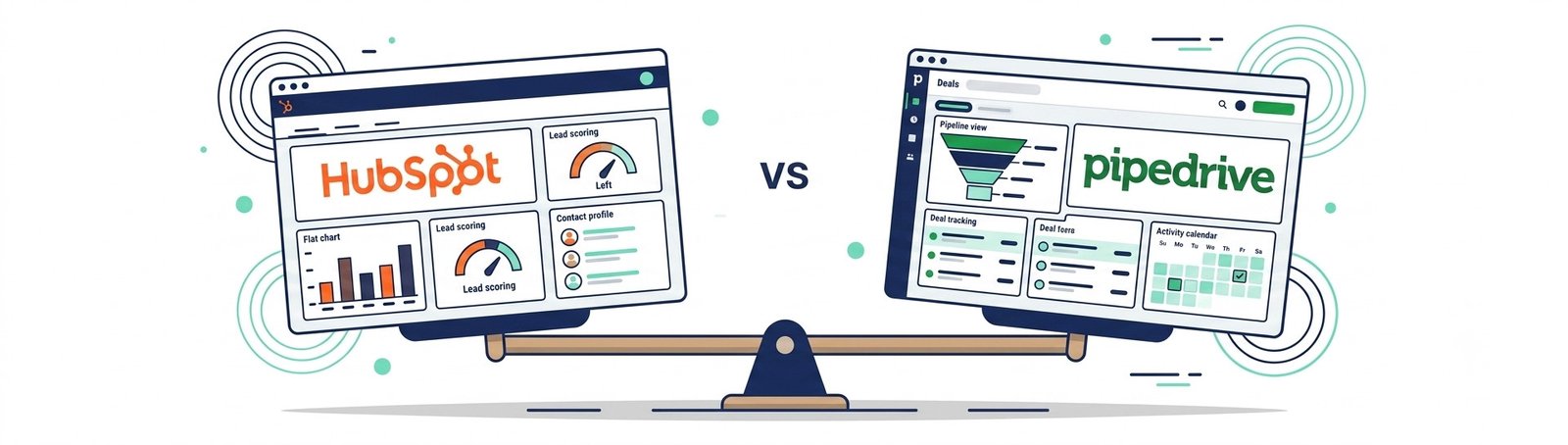
Quick answer: Pipedrive is easier to set up and run daily for a one-to-five-person sales team. HubSpot’s free plan fits solo founders or two-person teams who need basic lead tracking at zero cost but can outgrow it fast once they hit the 2-user, 1,000-contact cap.
Picking the wrong CRM doesn’t just waste money. It wastes the one thing a small team can’t get back: the habit of actually using it.
You’ve been there before. You sign up for a new tool, spend a weekend setting it up, and three weeks later everyone’s back to tracking leads in their inbox. That’s not a “you” problem. That’s a tool-fit problem.
Here’s the real risk with HubSpot vs Pipedrive. Your business needs a dependable lead and follow-up system, one you’ll actually open every day. Pick wrong, and you end up with a CRM that’s too complex to configure alone, too expensive once you scale past the free tier, or so clunky that your team quietly abandons it within a month.

That’s the real cost. Not the monthly bill — the lost pipeline visibility while leads sit cold in a system nobody opens.
So forget feature lists for a second. The Pipedrive vs HubSpot decision comes down to one question: which system will your team still be using in six months?
Pro-Tip: Before you commit to either platform, run a 5-lead stress test. Add five real leads, move them through your pipeline stages for one week, and time how long it takes to log a follow-up. If it takes more than 30 seconds per lead, your team won’t stick with it once the novelty wears off.
We set up both HubSpot and Pipedrive side by side, ran the same test leads through the same pipeline stages, and tracked setup time, daily usability, ongoing upkeep, and where pricing starts to escalate. No theory. No feature-page copy-paste. Just what happens when a small, non-technical team runs a CRM without a dedicated ops person.
Pricing and features change — verify current terms before purchasing.
If you’re still mapping leads in a spreadsheet, that’s not a bad place to start. Our Lead Management for Small Business guide walks through the manual process worth building before you automate anything. Once you’ve picked a tool, build a repeatable follow-up system with our Automated Lead Follow-Up walkthrough.
Let’s get into it.
Table of Contents
Quick Verdict: HubSpot vs Pipedrive at a Glance
HubSpot wins on price with a free tier capped at 2 users and 1,000 contacts. Pipedrive wins on setup speed and structured follow-up, starting at $14–79 per seat monthly with no free tier.
| HubSpot | Pipedrive | |
| Price | $0 on the Free plan, capped at 2 users and 1,000 contacts | From $14–79 per seat, per month, no free tier |
| Best for | Simple, zero-cost lead tracking | Structured sales follow-up |
| Setup time | Quick to start, gets heavier as you add hubs (3.5/5) | Operational in about 48 hours (4.8/5) |
If your team is one or two people and you just need somewhere to log leads without opening your wallet, HubSpot’s free plan gets you moving today. If you’re managing a real pipeline with multiple stages and follow-ups that can’t slip, Pipedrive is built for that job from day one.
Pro-Tip: Don’t pick based on price alone. Time yourself adding three test leads and setting one follow-up task in each tool. Whichever takes less than a minute is the one your team will actually keep using.
HubSpot vs Pipedrive: Setup Time and First Impressions
Pipedrive wins on setup time. Most small teams are fully operational within 48 hours, while HubSpot’s free CRM starts fast but grows heavier the moment you touch a paid hub.
Pipedrive was built around one job: managing your sales pipeline. There’s no marketing hub, no service desk, no extra menus pulling your attention away from the thing you opened the tool to do. You log in, build your stages, add your first deal, and you’re working within the hour.
HubSpot takes a different approach. It’s a full platform — CRM, marketing, sales, and service — all connected under one contact record. That’s useful if you’re running content marketing alongside sales. For a solo founder who just wants to track leads, that extra architecture means more menus, more fields, and more decisions before you can start typing.
- Pipedrive: single pipeline-first design, 4.8 out of 5 for setup speed, most teams live in it within two days
- HubSpot: quick to start on the free tier, but 3.5 out of 5 overall, since navigating multiple hubs adds friction as you grow
Here’s the part most comparisons skip. Move up to HubSpot’s Sales Hub Professional tier and you’ll hit a one-time onboarding fee — roughly $1,500 — on top of your monthly seat cost. That’s not a rounding error for a one-to-five-person business. It’s a hidden setup cost that can quietly double your first-year spend before you’ve sent a single follow-up email. See HubSpot’s pricing page for current onboarding terms.
Pro-Tip: Time-box your evaluation. Give yourself exactly 60 minutes in each tool to build one pipeline, add three leads, and set one follow-up reminder. Whichever tool you finish faster in is the one your future self will actually open every morning.
If a spreadsheet still feels like your safest starting point, our Lead Management for Small Business guide walks through the manual process worth mastering before you pay for either platform.
Which CRM Is Easier to Use Day to Day?
Pipedrive is easier for daily use (4.6/5) because it’s built around one visual pipeline. HubSpot is more capable overall (4.3/5) but requires more clicks per task since Marketing, Sales, and Service hubs share the same navigation.
- Pipedrive: one visual pipeline, drag-and-drop deal cards, minimal setup between opening the app and moving a deal forward
- HubSpot: multiple hubs (Marketing, Sales, Service, CMS) visible in one navigation bar, more properties per contact, more customization options you’ll likely never touch
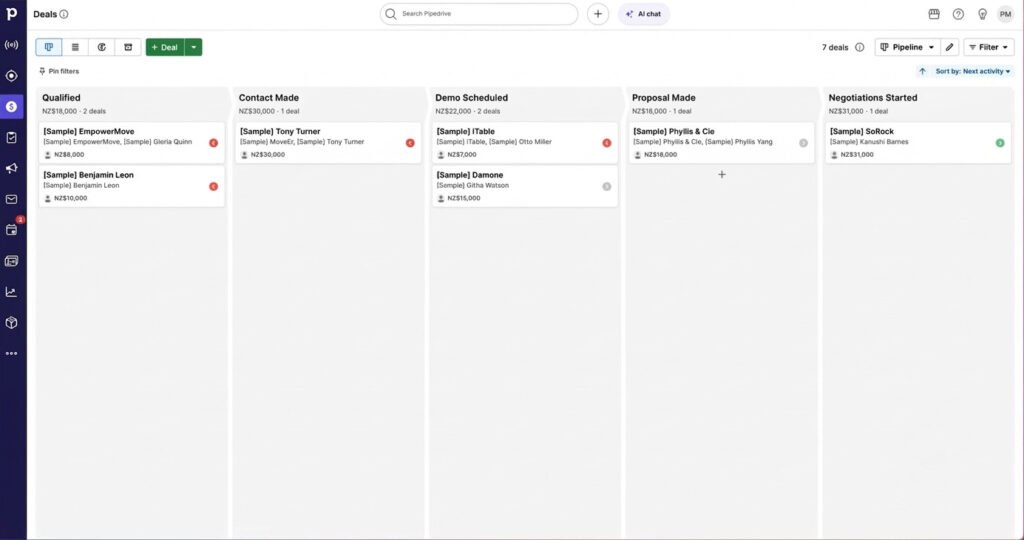
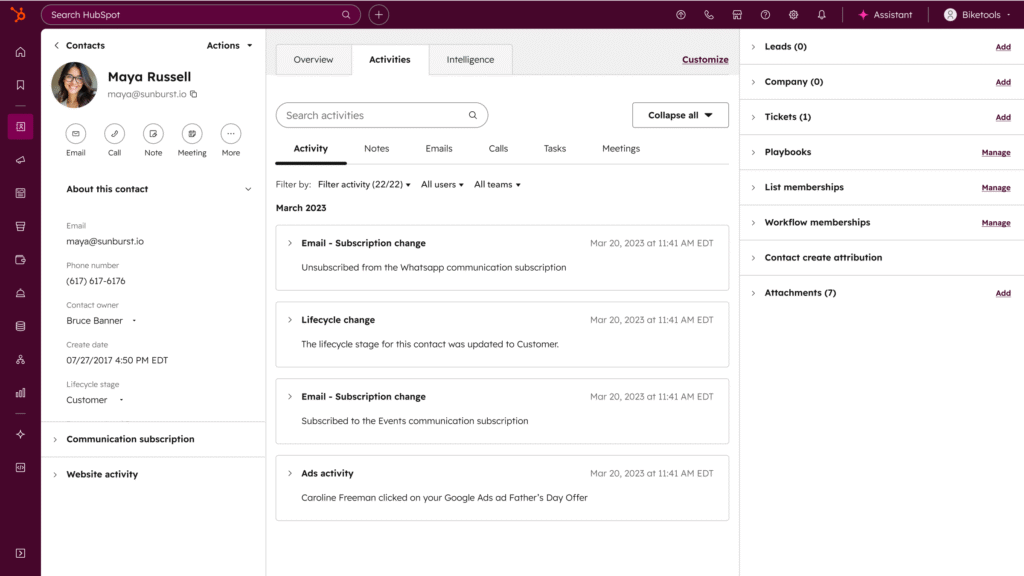
A CRM that’s 10% harder to open every morning is a CRM that gets opened less every week. And a CRM that gets opened less is just an expensive place where leads go to get forgotten.
That’s exactly why the follow-up step can’t rely on willpower alone. Once you’ve picked your tool, automate your lead follow-up with our Automated Lead Follow-Up walkthrough, so a cold lead never sits untouched just because someone forgot to check the pipeline that day.
Pro-Tip: Whichever CRM you choose, set a recurring 10-minute “pipeline sweep” on your calendar every morning. It catches stalled deals before they go cold, whether you’re drag-and-dropping cards or reviewing a HubSpot dashboard.
Your CRM handles leads that are already in the pipeline. But the bigger opportunity is often sitting in tasks you’re doing manually every day — the kind that quietly cost real money. The AI Profit Unlock hands you seven tested AI moves other overwhelmed owners used to find that hidden revenue, no dev team required.
Adding Leads and Managing the Pipeline
Pipedrive is faster for adding leads (4.7/5 vs 4.2/5) and clearer for pipeline visibility (4.8/5 vs 4.0/5) because the Kanban board is the entire product, not a feature buried among other tabs.
| Speed of Adding Leads | Clarity of Pipeline View | |
| Pipedrive | 4.7/5 | 4.8/5, drag-and-drop Kanban |
| HubSpot | 4.2/5, functional but slower | 4.0/5, clear but secondary to other hubs |
In Pipedrive, a new lead comes in, you add the card, drag it into “Contacted,” and move on. In HubSpot, you’re creating a contact record, then a deal, then linking the two, then finding the pipeline view among several other tabs. Neither is hard. One is just faster when you’re doing it 20 times a day.
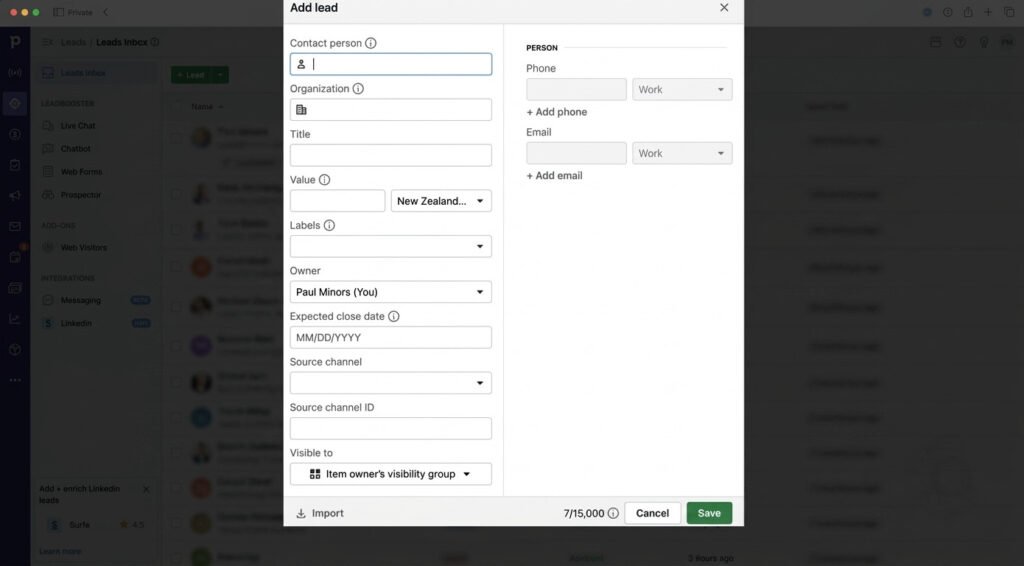
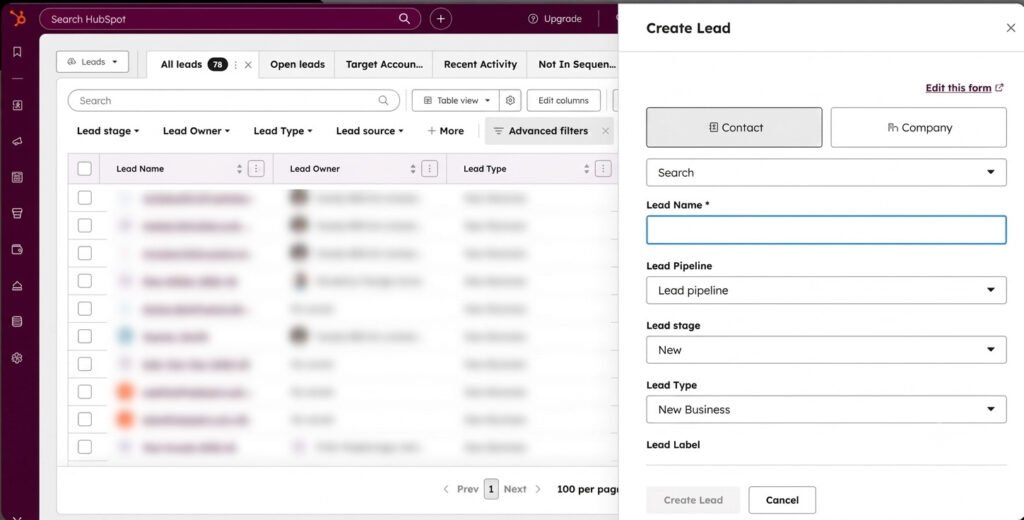
If it takes an extra 15 seconds per lead and you’re logging 10 leads a day, that’s over an hour a month spent moving data around instead of following up.
Pro-Tip: Set up a lead capture form that feeds directly into your pipeline’s “New” stage, whichever tool you choose. Manually re-typing leads from an inbox or spreadsheet is where most wasted time comes from — not the CRM itself.
If you haven’t mapped out your lead stages yet, our Lead Management for Small Business guide walks through defining your stages before you ever touch a CRM.
Notes, Activity Tracking, and Follow-Up Handling
Pipedrive scores higher for follow-up handling (4.6/5 vs 4.3/5) because reminders sit inside the pipeline itself. HubSpot scores slightly higher for cross-channel activity logging (4.4/5 vs 4.5/5 — Pipedrive’s deal-centric log is tighter) thanks to a shared timeline pulling in email, calls, and marketing touches.
- Notes and activity logging: HubSpot 4.4/5, thanks to a cross-channel timeline pulling in emails, calls, and marketing touches on one contact record. Pipedrive 4.5/5, with a tighter deal-centric log tied directly to the sale you’re chasing
- Follow-up handling: HubSpot 4.3/5, solid but requires more clicks to surface what’s overdue. Pipedrive 4.6/5, built around “activity-based selling,” so your next action is visible the moment you log in
Pipedrive treats every deal as a series of scheduled activities — calls, emails, meetings, tasks — so you’re never guessing what to do next. HubSpot’s advantage shows up differently: if your business also runs email campaigns or needs a shared service history alongside sales, having that activity on one contact record is a real edge.
Pro-Tip: Set every follow-up task with a specific time, not just a date. “Follow up with Lead X” gets skipped. “Call Lead X at 2:00 PM” gets done, because it competes directly with your calendar.
Sales-only team: Pipedrive’s activity-first engine wins. Marketing and support already live in your world: HubSpot’s shared contact timeline earns its keep.
HubSpot vs Pipedrive Reporting: Which Gives Better Visibility?
HubSpot has the stronger overall reporting engine (4.7/5) with AI-driven analytics and multi-touch attribution. Pipedrive’s reporting (4.3/5) is tighter and sufficient for teams tracking sales activity alone.
HubSpot earns its score with AI-driven analytics, multi-touch attribution reporting, and audience segmentation that traces a deal back to the blog post or ad that first brought the lead in — genuinely useful if you’re also running marketing campaigns through the same platform.
Pipedrive’s tighter focus gives you 25 built-in report types and stage-based goal tracking showing exactly where deals stall. For a business that lives and dies by sales activity alone, that’s the right amount of tool.
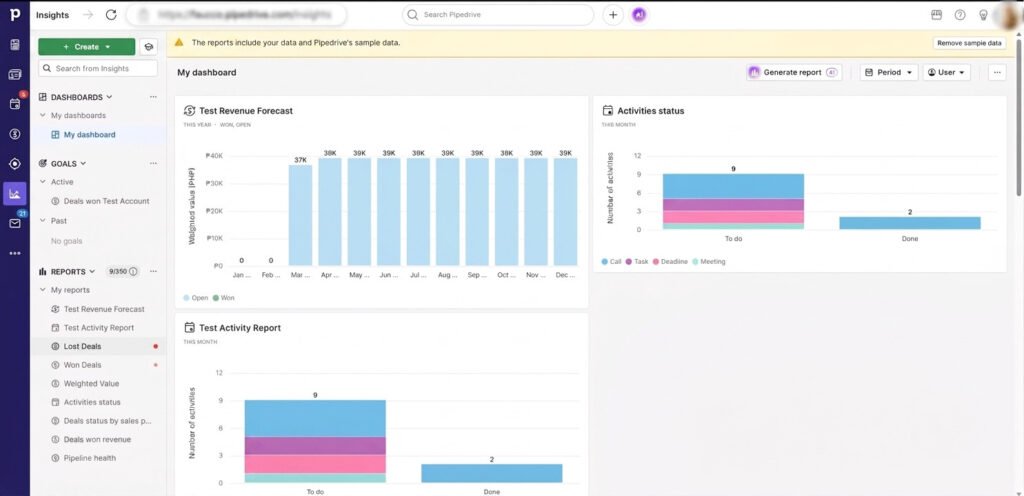
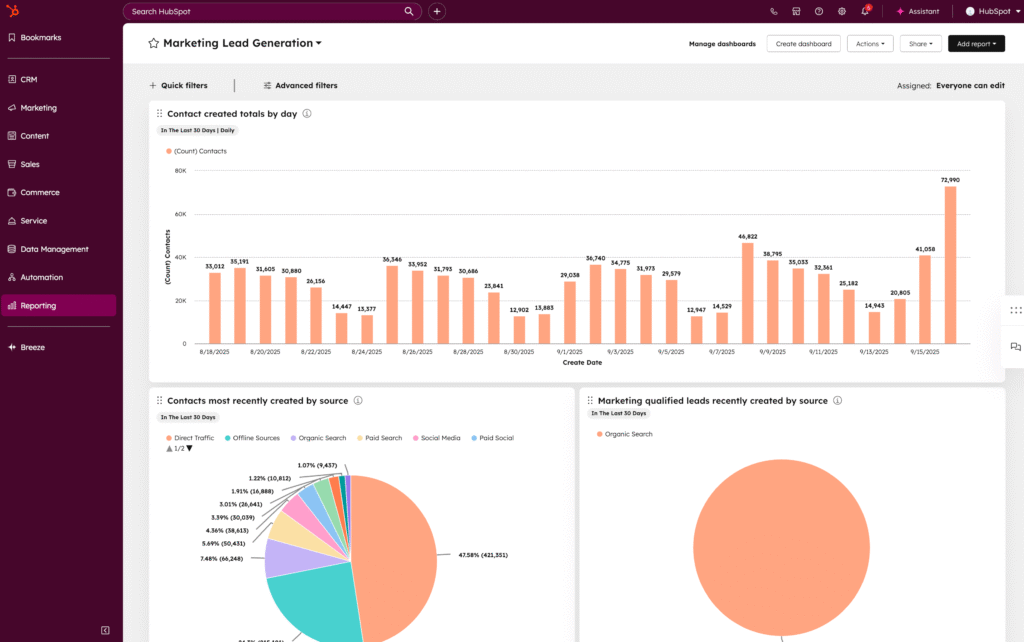
That broader HubSpot reporting engine only pays for itself if you’re running marketing through the same platform. If your business is purely sales-driven, you’d be paying for depth you’ll never use.
Pro-Tip: Ask yourself one question: do I need to know which marketing channel produced this lead, or just where this deal sits in my pipeline right now? If it’s the second one, save the money — Pipedrive’s simpler reports will tell you everything you need.
Ongoing Maintenance and Automation: HubSpot vs Pipedrive
Pipedrive’s automation is simpler and needs less upkeep because workflow rules stay contained to the pipeline. HubSpot’s automation is more powerful but needs periodic review as hubs multiply, or workflows quietly break when a field or property changes.
Maintenance is the part most comparisons skip, and it’s exactly why so many small teams pick a CRM, use it well for three months, then watch it slowly rot. Pipedrive’s automation lives inside its pipeline: workflow rules trigger on stage changes, deal age, or inactivity, and there’s nowhere else for the logic to hide. That containment is a maintenance advantage — a broken automation is easy to find because there’s only one place to look.
HubSpot’s Workflows tool is genuinely more capable. You can trigger actions across contacts, deals, tickets, and marketing emails from one automation builder, which is powerful if you’re coordinating sales and marketing together. That power comes with upkeep: as you add hubs, fields, and lists, workflows depend on properties that can get renamed or archived elsewhere in the platform, silently breaking a sequence nobody notices until a lead goes cold.
- Pipedrive: automation scoped to the pipeline, fewer moving parts, easier to audit in under 10 minutes a month
- HubSpot: automation spans hubs and can pull in email sequences, lead scoring, and ticket routing, but needs a quarterly review as your setup grows
- Both tools support Zapier and native integrations for connecting outside tools, though every added integration is one more thing that can silently fail and needs its own check-in
For a one-to-five-person business without a dedicated ops person, this maintenance gap matters as much as the setup gap. A CRM that needs quarterly babysitting to keep automations working is a CRM that eventually gets neglected.
Pro-Tip: Whichever tool you pick, put a recurring 15-minute “automation audit” on your calendar every quarter. Open every active workflow, confirm it still triggers correctly, and archive anything you built once and forgot about.
That reporting and automation depth is directly tied to cost, which brings us to the part of this HubSpot vs Pipedrive pricing comparison that catches most small business owners off guard.
HubSpot vs Pipedrive Pricing: Where Costs Escalate
Pipedrive costs $14–79 per seat monthly with no onboarding fees. HubSpot’s free tier caps at 2 users and 1,000 contacts; upgrading to Sales Hub Professional adds a $1,500 one-time onboarding fee plus separate Breeze AI credit charges.
| Free Tier | Entry Paid Tier | Escalation Risk | |
| HubSpot | $0, capped at 2 users, 1,000 contacts | Sales Hub Starter, low monthly cost per seat | Sales Hub Professional adds a $1,500 one-time onboarding fee, plus Breeze AI credits billed separately |
| Pipedrive | No free tier | From roughly $14–79 per seat, per month | Premium tier scales predictably, no onboarding fees baked into the jump |

Once you move to Sales Hub Professional, you’re typically looking at a one-time $1,500 charge just to get set up, on top of your monthly subscription. Enterprise customers pay even more, often $3,500. That’s before HubSpot’s Breeze AI credit system — a pay-as-you-go layer that can add to your bill depending on how much AI-assisted work you run. See HubSpot’s pricing page for current terms.
Independent testing puts Pipedrive’s Premium tier at roughly 46 percent cheaper per seat than HubSpot’s comparable Sales Pro plan, with no onboarding fee attached. See Pipedrive’s pricing page and independent CRM pricing analysis for verification.
Pro-Tip: Before you upgrade either tool, calculate your true 12-month cost — onboarding fees, credit-based charges, and per-user increases at your projected team size. The “cheap” plan on the pricing page is rarely the cheap plan a year in.
Best For / Not For: HubSpot vs Pipedrive
HubSpot Free fits ultra-budget micro-teams needing simple tracking. Pipedrive fits small sales-driven teams that want structured follow-up and are ready to pay from day one.
Best For HubSpot
- You’re a solo founder or a 2-person team with zero software budget right now
- You need basic contact management and simple email tracking, nothing fancier
- You’re not chasing dozens of leads a week yet, just enough to keep in one place
Not For HubSpot
- Your team is growing past 2 people and needs more than the free tier allows
- You want deep automation and reporting without paying for the Professional tier and its onboarding fee
- You’re already frustrated by tool fatigue and don’t want to manage a platform with five different hubs
Best For Pipedrive
- You’re a one-to-five-person business built around sales, quotes, proposals, or bookings
- You want a visual pipeline you can see your week in, at a glance
- You’re ready to pay a predictable per-seat price from day one, in exchange for reliable follow-up tracking
Not For Pipedrive
- You need built-in marketing tools, like email campaigns or landing pages, on the same platform
- You want a single contact record that also shows service tickets and support history
- You’re not ready to commit to a paid tool yet and want to test the waters for free first

Pro-Tip: If you’re stuck between the two, look at your calendar, not your feature list. If most of your week is spent moving deals forward, Pipedrive fits your rhythm. If most of your week splits between marketing and sales, HubSpot’s shared contact record saves you more time long-term.
Limitations of Each CRM
HubSpot’s Limitations
HubSpot’s biggest drawback is the gap between what looks free and what stays free. The 1,000-contact, 2-user cap sounds generous until your list grows past your first few months of momentum, and crossing that line means paid tiers with onboarding fees attached. The platform’s breadth — five hubs in one navigation bar — creates a noisy experience that small, non-technical teams often find harder to settle into than a single-purpose tool.

Pipedrive’s Limitations
Pipedrive’s main drawback is simple: there’s no free plan at all. You’re paying from day one, which matters if you’re pre-revenue or still validating whether a CRM is the right move. If your business eventually needs built-in marketing automation — email campaigns, landing pages, lead scoring tied to campaign source — Pipedrive isn’t built to be that platform. You’d add a separate tool for that job, bringing back the exact tool fatigue this comparison is trying to help you avoid.
Pro-Tip: Whichever limitation worries you more is the tell. “No free plan” bothers you: you’re not ready for either tool yet, start with a spreadsheet system. “Hitting the free cap” bothers you: you’re already growing past what a free tool supports, so budget for Pipedrive or a paid HubSpot tier now instead of migrating twice.
Alternatives to HubSpot and Pipedrive
A simple Google Sheets CRM is a practical starting point before paying for either platform. Monday.com works only if you’re already running project work there — it lacks native proposals and invoicing and often carries a 3-seat pricing minimum.

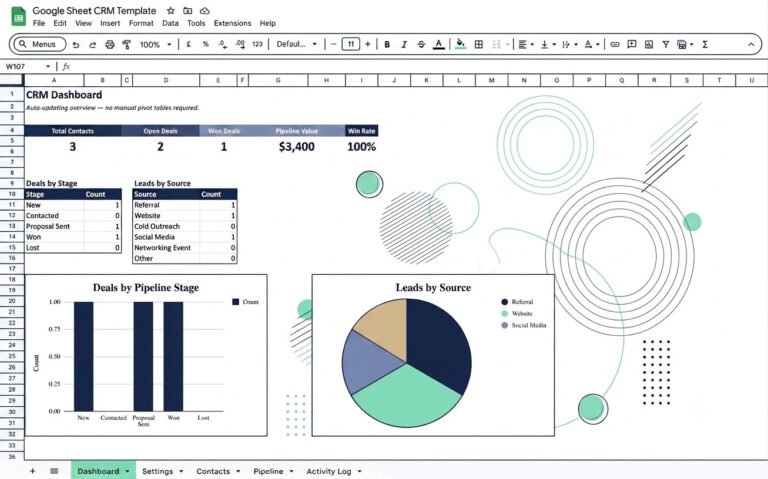
If you’re not ready to commit a monthly budget to a CRM, a Google Sheets CRM template gives you the same core structure — contacts, pipeline stages, follow-up dates — without a subscription. It won’t automate anything, but it forces the habit of tracking leads consistently, the exact habit that determines whether a paid CRM sticks later.
Monday.com is worth a mention mostly as a warning. It’s flexible and visually appealing, but it started as a project management tool with CRM features bolted on, not a purpose-built CRM. No native proposals, no invoicing, and often a 3-seat pricing minimum — a real problem for a solo founder or 2-person team.
Pro-Tip: Don’t skip the spreadsheet stage because it feels less “professional.” Every CRM migration gets easier when your data is already clean and consistent.
The Verdict: HubSpot or Pipedrive?
Pipedrive is the better fit for most one-to-five-person businesses. HubSpot Free is the exception, and only if your team stays at one or two people with a genuine zero-dollar budget.
- Faster setup: Pipedrive. Most small teams are operational within 48 hours, while HubSpot’s free CRM grows heavier once you touch a paid hub
- Easier to keep updated: Pipedrive, if you’re sales-only. HubSpot pulls ahead only if you’re already running marketing, sales, and service on one shared contact record
- Lower maintenance: Pipedrive, since automation stays contained to the pipeline. HubSpot needs a quarterly review once you’re running workflows across multiple hubs
- Best fit for a one-to-five-person business: Pipedrive, for predictable pricing and pipeline-first design. HubSpot Free is the exception, and only if your team stays at one or two people
Choose Pipedrive if structured follow-up is what your business runs on — quotes, proposals, bookings, or any sales motion where a missed reminder means a missed sale. Choose HubSpot Free only if you’re a solo founder or two-person team, your contact list is small, and you’re not ready to spend anything yet.
Pro-Tip: Don’t choose based on which tool has more features. Choose based on which tool you’ll still open, unprompted, in six months. That single habit determines more revenue outcomes than any dashboard or automation ever will.
Whichever tool you land on, the CRM is only half the system. Pipeline stages, follow-up timing, and lead qualification still need defining first — that’s exactly what our Lead Management for Small Business guide is built to walk you through.
Frequently Asked Questions
Is HubSpot or Pipedrive better for a small business?
Pipedrive is generally better for small sales-driven teams that need structured follow-up and a clear pipeline. HubSpot’s free tier suits micro-teams of one to two people who need only basic lead tracking at zero cost.
Does HubSpot have a free plan?
Yes. HubSpot’s free CRM tier is capped at 2 users and 1,000 contacts, with limited automation, making it suitable only for very early-stage teams.
Is Pipedrive cheaper than HubSpot?
Pipedrive has no free tier, but its paid plans use simple per-seat pricing without onboarding fees. Independent testing found its Premium tier roughly 46 percent cheaper per seat than HubSpot’s comparable Sales Pro plan.
Which CRM is easier to set up for a non-technical team?
Pipedrive is easier and faster to set up, with most small teams operational within 48 hours. HubSpot is quick at the free tier but grows more complex once additional hubs are added.
Which CRM needs less ongoing maintenance?
Pipedrive needs less upkeep because its automation stays contained to the pipeline, making broken workflows easy to spot. HubSpot’s cross-hub automation is more powerful but needs a periodic review as fields and workflows multiply.
Conclusion
Neither HubSpot nor Pipedrive is universally better. The right choice depends on whether your priority is a zero-cost starting point or a dependable, structured follow-up habit your team will actually keep.
If you’re a solo founder with one or two people and genuinely no budget yet, HubSpot’s free plan gets you moving without a subscription. If you’re running a real sales motion — quotes, proposals, bookings, follow-ups that can’t slip — Pipedrive’s structure earns back its monthly cost fast, just by catching the deals that would have gone cold.
Pick the tool that matches how your team actually works, not the one with the longest feature list. That decision alone saves you more time than any automation you add on top of it.
Pro-Tip: Revisit this decision every 90 days, not every year. Small businesses outgrow free tiers and basic pipelines faster than expected, and catching that shift early means a smoother upgrade instead of a rushed migration under pressure.
Picking the right CRM plugs one leak. The AI Profit Unlock finds the rest — seven specific AI moves real solopreneurs used to add revenue and free up cash, including a furniture retailer who added $27,000 in sales in one month. Stop losing hours to tasks AI can already handle for you.