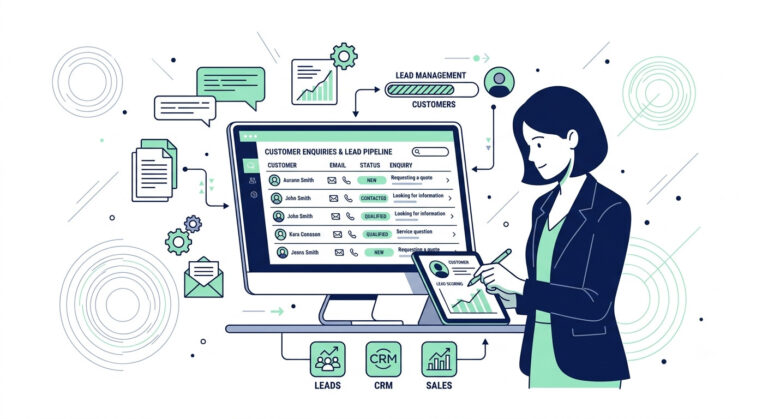
Most small businesses don’t lose leads at the first reply — they lose them in the silence right after it. This guide fixes that specific gap: automated lead follow up for small service businesses, without a CRM overhaul or a jargon-heavy setup.
You’ll build a working manual process first, then automate only the two steps actually worth automating — the reminder trigger and the follow-up message draft. No dense tech stack. No guesswork.
This connects directly to Step 4 (Follow-up) in the Lead Management for Small Business pillar guide, and sets up everything that follows: how to follow up with leads without relying on memory alone.
The Real Reason Leads Go Cold
Leads go cold not because of a bad first reply, but because nothing reminds you to send the second one. You reply fast, feel good about it, then the week fills up — and by the time that lead crosses your mind again, they’ve already booked with someone else.
Here’s what actually happens behind the scenes: every part of the process depends on you remembering something, and memory doesn’t scale.
- Remembering to check back in a few days
- Remembering what you already said in the first reply
- Remembering to update your CRM or spreadsheet after the follow-up
This isn’t a small-business quirk — industry research shows 48% of sales reps stop following up after just one attempt, even though 80% of sales require five or more touches to close according to a B2B sales follow-up study.
Miss any one of those, and the lead quietly goes cold — not from a bad lead follow up process, but because there wasn’t a process at all, just good intentions competing with a busy week.
Why Automated Lead Follow Up Beats Relying on Memory
Automated lead follow up means the reminder to check back doesn’t live in your head — it lives in a system that fires on schedule, whether you remember or not. It doesn’t require a complex automation stack on day one; it starts with something much simpler, which is exactly where the next section picks up.
Quick check: If you want a fast diagnostic, check your notes or inbox for the last five inquiries you replied to. If you can’t say, right now, what the next action is on each one, you’ve just found the exact gap this guide fixes.
For the foundational five-stage structure this problem sits inside, see the Lead Management for Small Business pillar guide.
Table of Contents
What the Manual Lead Follow Up Process Actually Looks Like
Here’s the process most small businesses run today, without ever calling it a process at all.
A lead comes in. You reply once, and reply well. Then you make a mental note to check back in a few days, and close the tab.
That mental note is the entire system. There’s no reminder set anywhere. No task on a list. Just a thought, competing with client calls, invoices, and everything else that fills your week.
- You reply to the inquiry
- You think “I’ll follow up in a few days”
- You get pulled into other work
- The lead only crosses your mind again if something jogs your memory
If nothing jogs it, the lead sits untouched. Not lost through neglect, just lost through a gap where no system existed to catch it.
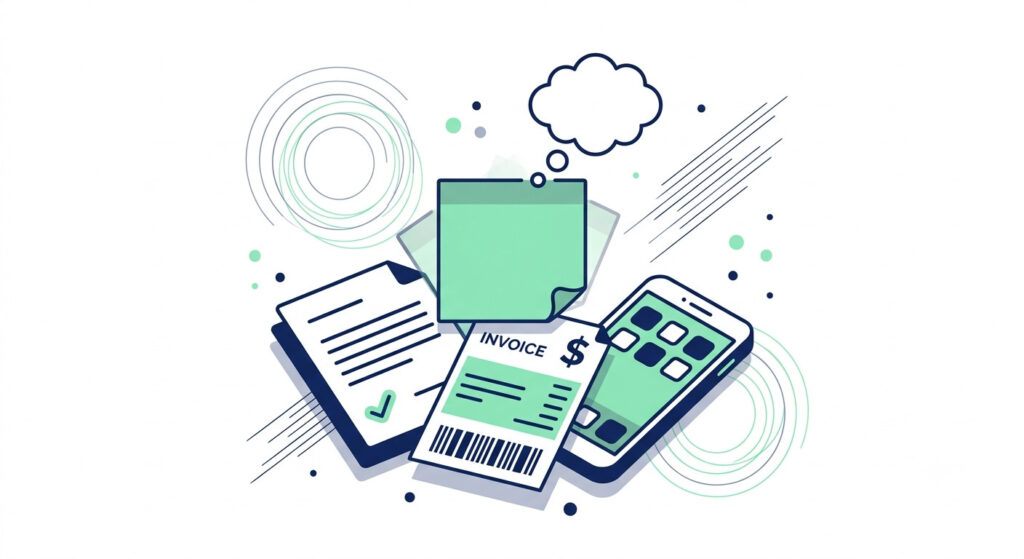
The pillar guide calls this Step 4: Follow-up, and it’s where most small businesses lose leads. It’s the point where everything before it — capture, qualify, first reply — actually happened. It’s the step right after that quietly falls apart.
Try this: Track this for one week without changing anything. Just note how many leads you meant to follow up with, and how many you actually did. Most owners are surprised the number is closer to half than they expected.
This gap is common enough that one industry study found 57.1% of first follow-up attempts happen more than a week after the original inquiry — well pass the point most leads have moved on.
Once you can see the gap clearly, fixing it doesn’t start with a tool. It starts with turning that mental note into something outside your head, which is exactly what the next section walks through.
How to Build an Automated Lead Follow Up Workflow, Step by Step
Automated lead follow up works best when you build the manual version first, then automate only the two steps that actually save you time. Skip straight to automation, and you’re just automating guesswork.
Here’s the exact order to follow.
Step 1: Build the Manual Version First
Before any tool touches your process, run it by hand.
- Log every reply you send, including a manual reminder date 2-3 days out
- Use a calendar alert or a simple “Next Action Date” column in a Google Sheets lead tracker
- Run this manually for one to two weeks straight
This step tells you something no software ever will: whether your cadence and message wording actually get replies. Automating a broken cadence just breaks it faster.
Step 2: Identify the Two Steps Worth Automating
Not every part of this lead follow up process needs automation. Only two steps do.
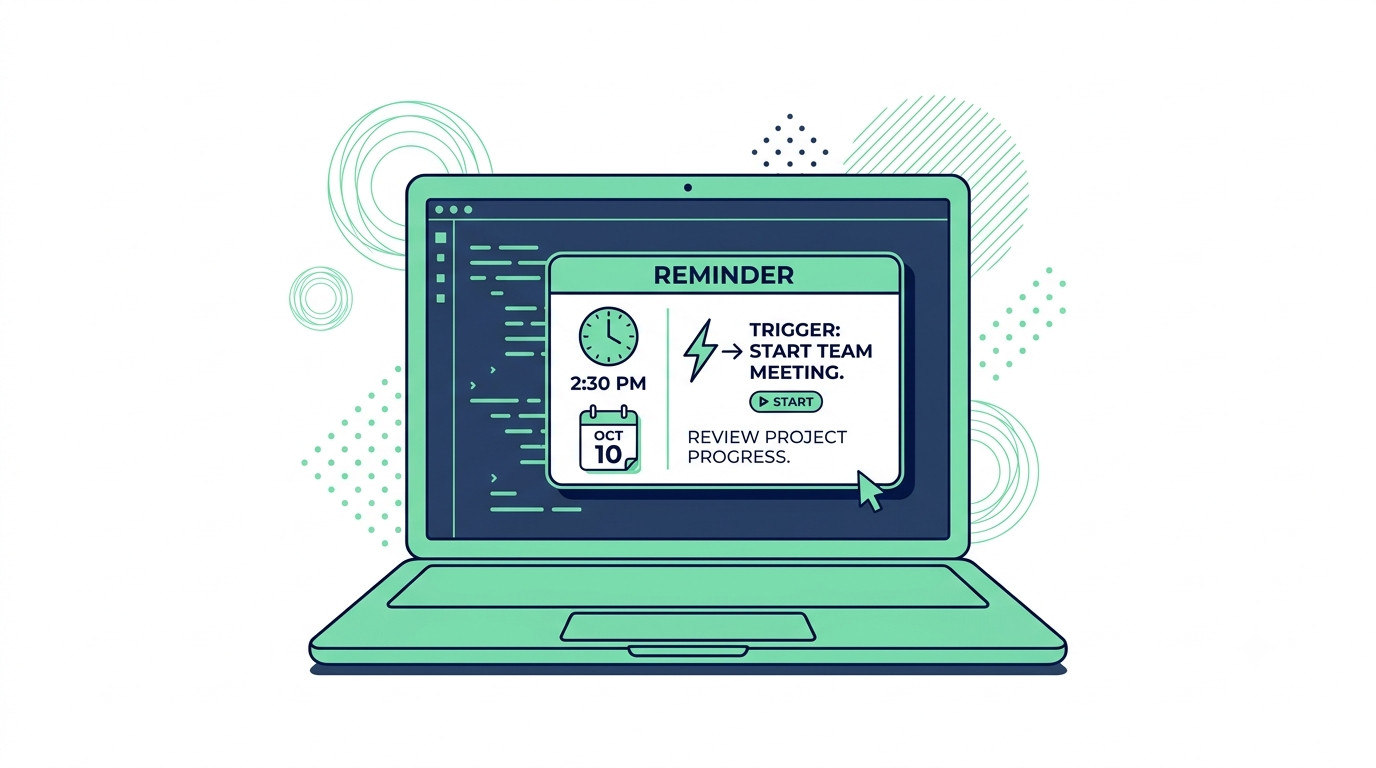
The reminder trigger is the first. Instead of remembering to check your sheet, a tool fires the reminder for you, automatically, on schedule.
The follow-up message draft is the second. This means a templated message gets pre-filled and ready to send, not necessarily auto-sent without you looking at it first.
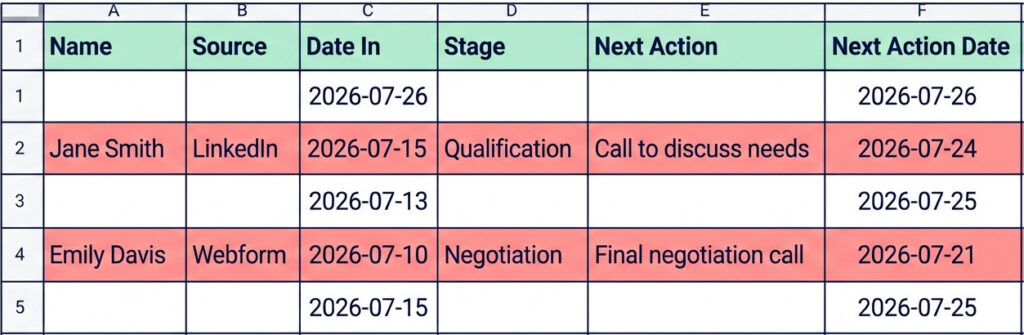
Step 3: Set Up the Two Automations
Now bring in the lead follow up automation itself.
- Use a CRM like HubSpot or Pipedrive to trigger a reminder task a set number of days after your first reply, if there’s been no response
- Pre-load a follow-up message template so sending takes 30 seconds, not a fresh draft every time
Steal this: Feed your reminder tool a single, reusable prompt to draft the message itself: “Write a short, friendly follow-up message checking in on [lead name] three days after their initial inquiry about [service], without sounding pushy.” Swap the brackets each time, and you’ve got a ready-to-send draft in seconds.
Step 4: Keep a Human in the Loop
Don’t fully auto-send follow-ups without review, at least not yet.
Read every message before it goes out until you fully trust the tone. And update your CRM or spreadsheet stage manually after each follow-up, even when the reminder itself fired automatically. The reminder can run on its own. The judgment call still shouldn’t.
You still know what’s going out under your name. You just have less to remember.
Tools Used in This Workflow
Buying a CRM before your manual cadence works is like buying a bigger oven before you know the recipe. You don’t need new software to run this workflow. You need three simple tools, used in the right order.
- A spreadsheet (Google Sheets or Excel) — your starting point for the manual version, and the lead follow up system you’ll run for the first one to two weeks
- A calendar app — the simplest manual reminder option available, since it’s already on your phone and needs zero setup
- HubSpot or Pipedrive — brought in once your manual cadence is proven, to handle the reminder trigger and message templates automatically
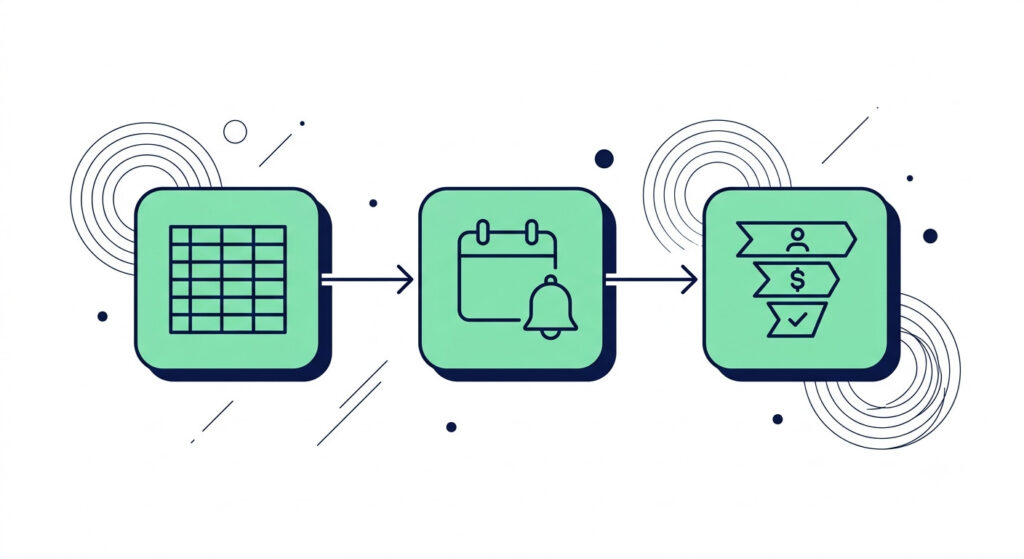
Three tools. That’s it. No five-app bundle to stitch together. Just one tool for tracking, one for reminding, and one CRM once you’re ready to automate.
Reality check: Don’t add the CRM until your calendar reminders are firing consistently for two straight weeks. Adding automation to an inconsistent habit just automates the inconsistency.
If you’re weighing which CRM fits your business, the full breakdown is in the HubSpot vs Pipedrive comparison.
Before You Fully Automate: Checks and Mistakes to Avoid
Test your cadence and message before locking either one in.
- Test the follow-up message wording on two to three real leads before treating it as a permanent template
- Confirm your manual cadence gets replies for at least one to two weeks first
- Start with a three-day reminder gap, then adjust based on your typical sales cycle — waiting longer than the ideal window can cut conversion odds by roughly 8x, based on lead response research analyzing over 5 million inbound leads (a longer cycle for consulting or high-ticket services may still need five to seven days instead).
Confirm the reminder actually fires before trusting it.
- Confirm the reminder fires reliably at least twice before turning off your manual backup
- A reminder that silently fails is worse than no reminder at all, because you stop watching for it yourself
Safety net: Keep your manual calendar reminder running for one extra week after turning on CRM automation, as a safety net. If the automated reminder and your manual one both fire, you’ve confirmed the system works. Turn off the manual version only after that overlap week.
Don’t auto-send follow-ups without reviewing tone first.
A follow-up message that sounds robotic or pushy does more damage than a missed follow-up ever would. Read every automated draft before it sends, at least until you’ve built real trust in the tool’s tone.
Don’t try to automate every step at once.
This is the fun trap — automating feels like progress, even when it’s just moving the mess somewhere else. You don’t need to automate lead capture, qualification, follow-up, and reporting all in the same week.
- Automate only the reminder trigger and the message draft first
- Add anything else later, one step at a time, once the first two are running smoothly
Gut check: If you’re tempted to automate a third step, pause. Run it manually alongside your existing two automations for a week first. Most owners find the “extra” step doesn’t need automation at all, it just needed a clearer manual process.
Stack automations before one’s proven, and you’ll end up paying for three tools you half-trust instead of one you fully trust.
When Automation Alone Isn’t Enough
Sometimes an automated lead follow up system isn’t a build-it-yourself project, and that’s a legitimate outcome, not a failure. If setting up CRM automations feels like more time than it saves right now, that’s a signal worth paying attention to.
If configuring CRM rules sounds like a fun Tuesday afternoon, great, build it yourself. If it sounds like the thing you’ll avoid for six weeks, that’s your answer too.
Building this yourself isn’t mandatory. Some owners shouldn’t. You’re already stretched across sales, delivery, and admin. Adding a CRM automation project on top of that, right now, might just be the wrong priority for this quarter.
- You’ve tried the manual version and the reminder still isn’t sticking
- You don’t have a spare afternoon to configure CRM automation rules correctly
- You’d rather have someone else confirm the reminder trigger actually fires before trusting it
One condition: If you outsource setup, ask whoever builds it to hand you a one-page summary of exactly what fires, when, and why. You still want to understand your own system, even if you didn’t build it.
A future guide compares full CRM options in more depth, including which platform fits a one-to-five-person business without overcomplicating your stack. Check the HubSpot vs Pipedrive comparison (coming soon) when you’re ready to decide.
Frequently Asked Questions
How many follow-ups should I automate before giving up on a lead?
Three attempts spaced a few days apart is a reasonable default for most small service businesses — though B2B research shows 80% of sales actually close somewhere between five and twelve touches, so don’t assume one missed reply means the lead is dead.
Can I automate lead follow-up without a CRM?
Yes. A calendar app with recurring reminders, paired with a saved message template, covers the two most important steps without new software.
Should follow-up messages be fully automated (auto-sent)?
Not at first. Review each message before sending until you’re confident the tone and timing consistently work, then consider automating fully.
Manual vs Automated: A Side-by-Side Look
Here’s the exact difference between running this by hand and letting a tool take over the two steps worth automating.
| Step | Manual Version | Automated Version |
| Reminder trigger | You manually check your spreadsheet or calendar every day, hoping you remember | A CRM or calendar app auto-fires a reminder task on schedule, no memory required |
| Follow-up message | You write a fresh message from scratch each time | A pre-loaded template gets pulled up instantly, reviewed before sending |
Notice what stays the same in both columns: you’re still involved in every send. The difference isn’t less oversight, it’s less manual labor to get there.
Try this: Run this table as a real checklist for one week. Mark an X next to “manual” or “automated” for each lead you follow up with, and you’ll see exactly how much time the two automated steps are actually saving you before you commit further.
If you haven’t set up the manual version yet, revisit Step 1 of the AI-assisted workflow before moving to automation. And once you’re ready to pick a tool for the reminder trigger, the HubSpot vs Pipedrive comparison (coming soon) breaks down which one fits a one-to-five-person business best.
The Follow-Up Fix Is One Move. Six More Are Waiting.
Follow-up isn’t the only place leads slip through the cracks. Capture, qualification, and five other everyday processes are quietly costing you time and money too — and most of them can be automated or streamlined with the right AI tool, once you know where to look.
The 7 Moves They’ll Never See breaks down seven manual processes running your business right now, follow-up being just one of them, and shows you exactly which parts to hand off to AI and which parts still need a human touch.
- See all seven processes your competitors are still doing by hand
- Get a clear system for deciding what to automate first, and what not to
- Spot the “invisible” time-drains most owners never think to question
Reality check: You don’t need to fix all seven at once. Start with whichever one feels the most broken right now, not the one that seems most “important” on paper.
Get “The 7 Moves They’ll Never See” and find the six other moves already quietly working against you.
Related Guides
If this automated lead follow up workflow solved one piece of your process, these guides cover the rest of the picture.
- Lead Management for Small Business: A Simple Process Before You Add AI — the full pillar guide this article expands on, covering all seven stages before you add automation
- HubSpot vs Pipedrive: Which Is Right for Your Small Business? — a side-by-side CRM breakdown for one-to-five-person teams (coming soon)
- How to Qualify a Sales Lead With AI — the stage right before follow-up, covered in detail (coming soon)
Each of these tackles a different gap in the same process: building the process before automating it, choosing the right CRM, and qualifying leads before they ever reach the follow-up stage.
Quick check: Bookmark the pillar guide first, not the individual workflow articles. It’s easier to jump between related steps from one central hub than to hunt down separate pages later, especially while the CRM comparison and lead qualification guides are still rolling out.
Start with the pillar guide if you haven’t built the manual process yet, then check back for the CRM comparison and lead qualification guides as they go live.