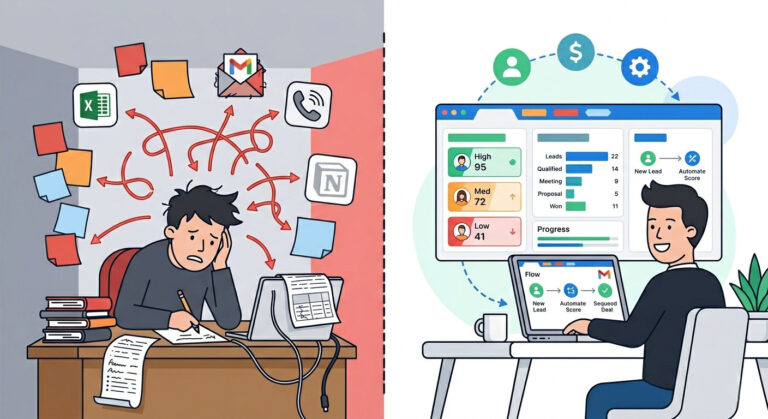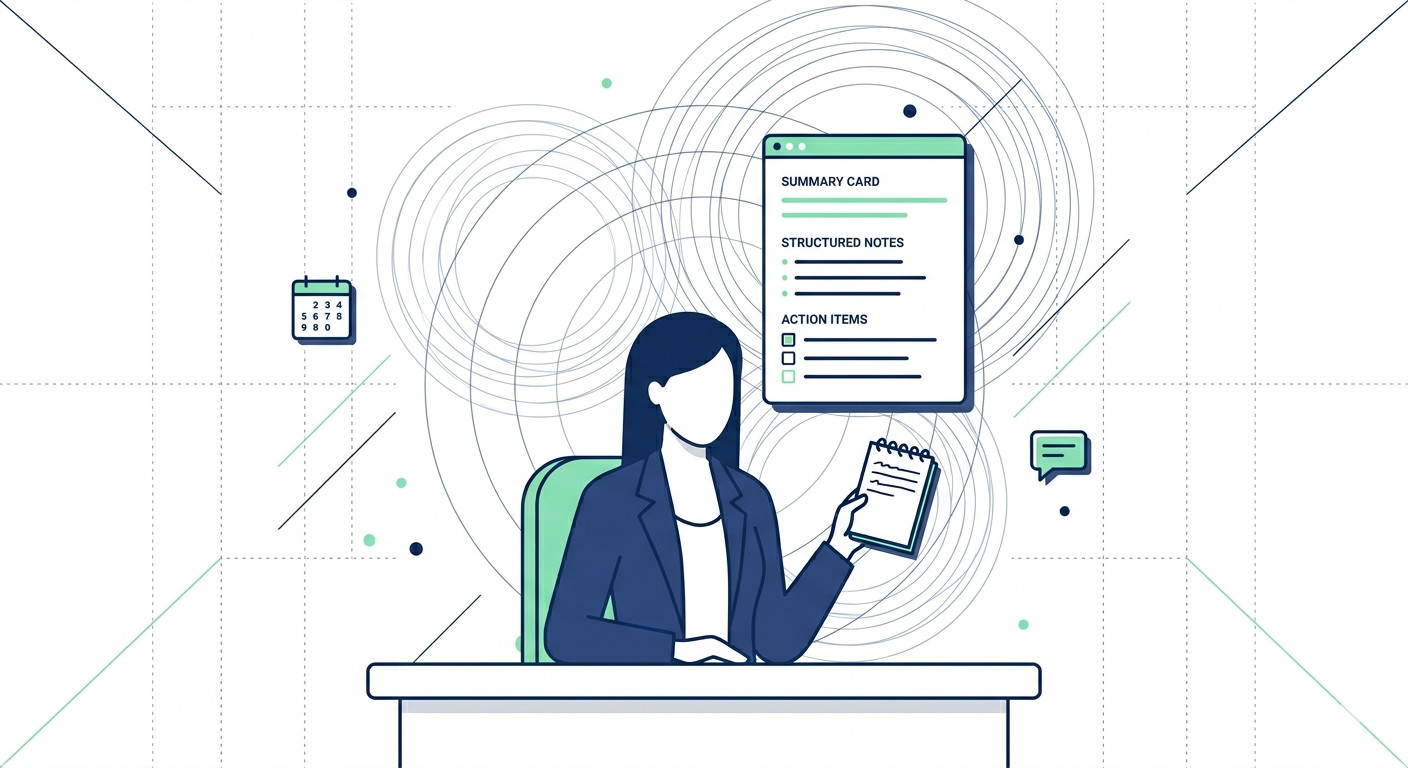
You walk out of a 60-minute client call. Your notebook has a page and a half of half-sentences, a few asterisked action items, and one name you can’t read back. By Tuesday, you’re squinting at your own handwriting trying to remember who agreed to what deadline — and whether you were the one who said you’d send that proposal.
If you’re running five or more calls a week, this isn’t a minor inconvenience. It’s a slow leak in your business.
Manual note-taking during meetings is one of the most overlooked productivity drains on solo founders and small service businesses. Research shows that professionals who take manual notes during live conversations retain 23% less of the substantive content than those who simply listen — meaning you’re simultaneously doing the job worse and paying the time cost for it. The average team loses between five and eight hours per week on note-taking and post-meeting follow-up alone. That’s time you’re not billing, not selling, and not sleeping.
The good news: this is a completely solved problem in 2026.
The best AI tools for meeting notes have crossed from early-adopter novelty into genuine business infrastructure. The global AI meeting assistant market hit $3.5 billion in 2025 and is accelerating fast — and the top tools now deliver 90–95% transcription accuracy across your real calls, with real background noise, real accents, and multiple speakers. This isn’t experimental software anymore. Nearly 40% of companies have already deployed one.
This guide cuts through the noise. By the time you finish reading, you’ll know exactly which AI meeting summary tool matches your workflow, your budget, and the platforms you already use — whether that’s Fireflies.ai, Fathom, or Otter.ai. No fluff, no affiliate spin. Just a clear, honest breakdown from someone who’s tested them all.
If you’re already thinking about the bigger picture — how meeting notes fit into a fully automated client workflow — you’ll want to read our guide on AI workflow automation for small business after this. It connects the dots between individual tools and a system that actually runs without you.
Pro-Tip: Don’t wait until you find the “perfect” tool to start. Pick one from this list, run it on your next three calls in parallel with your current method, then compare the outputs. Most AI meeting tools have a free tier — your only real cost is 10 minutes of setup. The ROI is visible within a single working week.
Table of Contents
Why AI Meeting Notes Tools Are Non-Negotiable in 2026
AI meeting note tools automatically transcribe your calls, generate structured summaries, and extract action items — without you lifting a pen. That’s the short answer. Here’s why it matters more than most solopreneurs realise.
Every meeting you take manually documented is a quiet gamble. You’re betting your memory, your handwriting, and your post-call energy against a client’s expectations. Most of the time, you lose something — a deadline, a commitment, a nuanced objection that should have made it into your follow-up email but didn’t. That’s not a focus problem. It’s a systems problem.
The Real Cost of Manual Note-Taking
The damage isn’t just wasted time. It compounds.
- Missed action items slip through because you were listening instead of writing, or writing instead of listening — you can’t fully do both
- Follow-up lag increases when you have to reconstruct context from patchy notes before you can send a recap email
- Client churn risk rises when clients feel unheard — when the detail they mentioned on a Tuesday call doesn’t appear in your Friday proposal
- Cognitive load spikes after back-to-back calls, making your afternoon notes objectively worse than your morning ones
The best AI tools for meeting notes remove every single one of these failure points. They run silently in the background, capture everything, and hand you a clean output before you’ve even closed the browser tab.
The Three Core Functions Every AI Meeting Tool Delivers
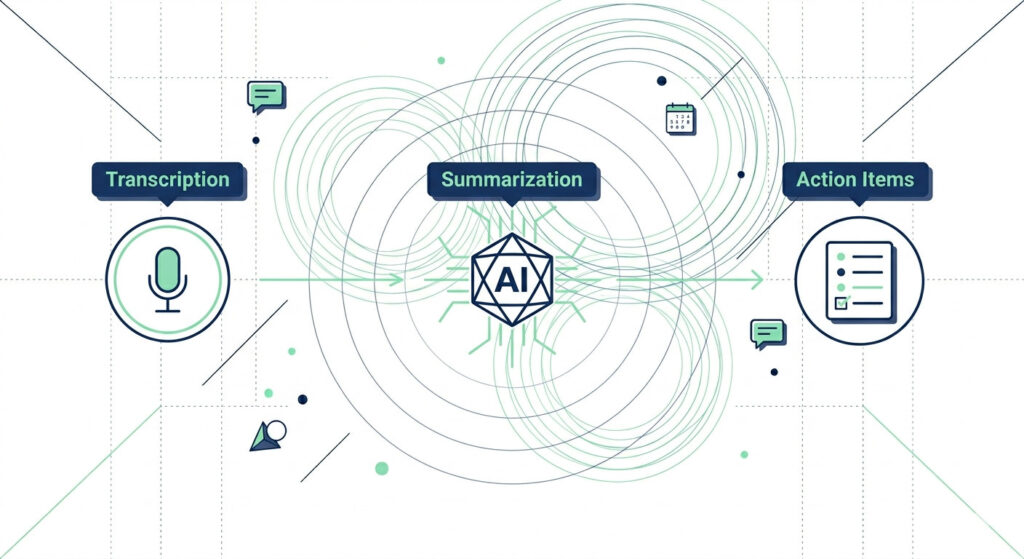
Any credible AI meeting summary tool — whether it’s Fireflies.ai, Fathom, or Otter.ai — does three things:
- Transcription — Converts spoken audio to searchable text in real time, using speaker-diarization models to attribute every line to the right person
- Summarization — NLP-based summarization engines compress a 60-minute call into a tight, structured summary you can skim in under 90 seconds
- Action-item extraction — Identifies commitments, deadlines, and next steps automatically, without requiring you to tag or flag anything mid-call
Here’s what that difference looks like in practice:
| Function | Without AI | With AI Meeting Tool |
|---|---|---|
| Transcription | Manual typing during the call, losing thread while writing | Automatic, speaker-attributed transcript ready within minutes |
| Summarization | 20–30 minutes post-call reviewing notes and drafting a recap | Structured summary generated instantly — shareable in one click |
| Action-Item Extraction | Manually scanning notes, relying on memory for commitments | Auto-tagged list of next steps with owner and context attached |
If you’re already working to build tighter systems around your client operations, this fits directly into the broader framework covered in our guide on AI workflow automation for small business — where meeting documentation is just one node in a fully connected, automated client pipeline.
The 2026 Pricing Reality Makes This a No-Brainer
The barrier to entry is gone. Tools like Fathom offer unlimited meeting recording and AI summaries on a completely free tier. Paid plans across the category — including automated transcription tools with deep CRM integrations — start at as little as $8–$10 per month. For a service business billing even $50/hour, recovering one hour of productive time per week pays for an annual subscription inside the first seven days.
This isn’t enterprise software with a six-month procurement process. It’s a browser extension and a calendar connection. You’re live in under ten minutes.
Pro-Tip: Chain your AI meeting tool directly to your project management or CRM system using a Zapier webhook or a native integration. Set it up so that every auto-extracted action item is automatically pushed as a task into Notion, Asana, or HubSpot — with the client name and meeting date pre-filled. You go from call to organised task list without touching a keyboard.
How to Choose the Best AI Meeting Summary Tool for Your Business
The best AI meeting summary tool for a small business depends on four factors: transcription accuracy, native integrations, pricing tier, and whether it supports the meeting platforms you already use. Get those four right, and everything else is a bonus. Get them wrong, and you’ve added yet another tool to your stack that you abandon in week three.
Most comparison articles treat all three major tools as interchangeable. They’re not. The surface-level features — speaker diarization, auto-summaries, searchable transcripts — are table stakes across Fireflies.ai, Fathom, and Otter.ai. The real differentiators live one level deeper, in workflow integration and use-case fit.
Your Buyer Criteria Checklist
Before you sign up for anything, run your situation through these six filters:
- Transcription accuracy — Are your calls high-stakes? Client proposals, legal consultations, and discovery calls need 92%+ accuracy. Lower-stakes internal standups can tolerate less
- Platform support — Does the tool auto-join your actual meeting platform? Confirm Zoom, Google Meet, and Microsoft Teams compatibility before committing. Not every tool covers all three natively
- CRM integration depth — If your post-call workflow ends in HubSpot, Salesforce, or a similar pipeline tool, you need native CRM sync — not a Zapier workaround you’ll eventually break
- Free tier availability — At least one of the three major automated transcription tools (Fathom) offers a genuinely unlimited free core plan. Know what you’re getting before you enter a credit card
- Solo vs. team use case — A single-operator business has fundamentally different needs than a five-person service team with shared meeting libraries and collaborative review workflows
- Export and sharing formats — Can you push summaries to Notion, Slack, or email in one click? Or are you copying and pasting manually every time?
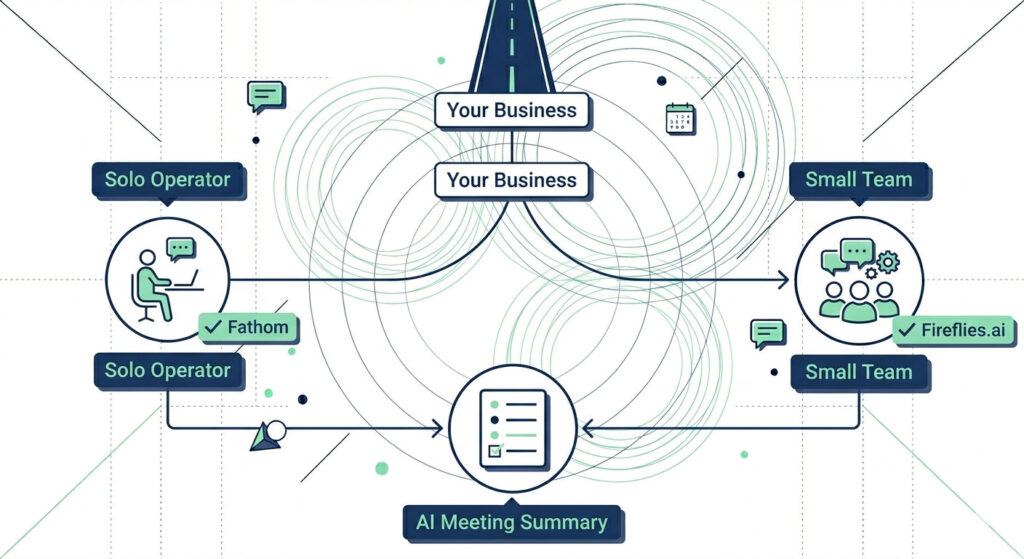
Solo Operator vs. Small Team: The Fork in the Road
This is the decision that matters most, and most guides skip it entirely.
If you’re a solo founder or independent consultant, your priority is speed and zero friction. You want a tool that joins your calls automatically, produces a clean summary without configuration, and ideally costs nothing. Fathom is built for exactly this profile — unlimited recordings, instant AI-generated summaries, and a setup process that takes under five minutes.
If you’re running a small team — even two or three people sharing client accounts — you need more infrastructure. You want shared meeting libraries, role-based access, and the kind of deep CRM integration that Fireflies.ai delivers natively with platforms like Salesforce and HubSpot. The workflow depth is meaningfully different, and it’s worth the additional cost per seat.
One outlier worth flagging: Otter.ai is the only tool in this category that offers real-time transcript editing during a live call, along with slide capture for presentation-heavy meetings. If you run webinars, training sessions, or sales demos with shared decks, that single feature changes the output quality significantly.
The pattern across all three tools is consistent — speaker diarization and auto-summaries are standard. Where they diverge is workflow depth: how far the AI goes after the meeting ends, and how cleanly it connects to the rest of your business stack. That’s what you’re actually choosing between.
If you want to see how a properly chosen meeting tool fits into a complete time-recovery system, read how AI workflow automation bought back 20 hours of my week — it’s the bigger-picture playbook this tool slots into.
Pro-Tip: Before committing to any AI meeting summary tool long-term, run a two-week parallel test. Use your chosen tool on every call, then at the end of week two, count how many action items it surfaced that you would have missed manually. That number — multiplied by the average time cost of a dropped follow-up — is your real ROI figure. Most users find the case for switching is conclusive within the first three calls.
The 3 Best AI Tools for Meeting Notes in 2026 (Tested & Compared)
The three best AI tools for meeting notes in 2026 are Fireflies.ai (best for teams and CRM automation), Fathom (best free option for solo professionals), and Otter.ai (best for transcription accuracy and real-time editing). All three handle the fundamentals. Where they split is in workflow depth, integration reach, and what happens after the meeting ends.
Here’s the full picture before we go deep on each one.
| Tool | Best For | Free Tier | Paid From | Transcription Accuracy | Key Differentiator |
|---|---|---|---|---|---|
| Fireflies.ai | Sales teams, CRM users | Limited (400 min storage) | ~$10/mo | 90–93% | 200+ integrations, AskFred AI search |
| Fathom | Solopreneurs, freelancers | Unlimited (core features) | ~$15/user/mo (Team) | ~92% | Truly unlimited free tier |
| Otter.ai | Accuracy-first, webinars | Limited (300 min/mo) | ~$8.33/user/mo (annual) | ~95% | Real-time editing + slide capture |
Pricing and accuracy data based on verified 2026 benchmarks
Every tool in this table supports speaker diarization, auto-generated summaries, and searchable transcripts. The differentiators are in the workflow layer — how the tool connects your meeting output to the rest of your business stack.
Pro-Tip: Before your first meeting with any of these tools, spend five minutes customising your summary template. Fireflies.ai, Fathom, and Otter.ai all let you define what a “summary” looks like — you can specify sections like Client Objections, Agreed Next Steps, and Follow-Up Deadline. Do this once, and every call output lands in a consistent format your entire workflow can depend on.
Fireflies.ai — Best for Sales Teams and CRM Automation
Fireflies.ai is the best AI meeting tool for sales-driven small businesses because it offers 200+ native integrations, automatic CRM logging to Salesforce and HubSpot, and a searchable transcript library — starting from $10/month.
If your post-call workflow ends in a CRM, Fireflies.ai is the only tool here built to close that loop automatically. It auto-joins your calls, records and transcribes them, generates a structured summary, extracts action items, and pushes the whole package directly into your CRM contact record — without you touching the keyboard. For a service business running ten client calls a week, that’s potentially an hour of manual data entry eliminated every single day.
The standout feature in 2026 is AskFred — Fireflies’ conversational AI search layer. You can query your entire library of past transcripts the way you’d query a database: “What did the client say about budget in the March call?” It surfaces the exact timestamp and speaker attribution instantly, which is the kind of institutional memory most small teams simply don’t have.
What you get across each tier:
- Free — Unlimited meeting recordings, limited to 400 minutes of transcript storage, AskFred search
- Pro ($10/mo) — Unlimited transcript storage, CRM integration, summary customisation
- Business ($19/mo) — Team-level analytics, conversation intelligence, advanced CRM field mapping
- Enterprise ($39/mo) — Rules engine, SSO, dedicated support
Transcription accuracy sits at 90–93% in real-world conditions — strong enough for client calls, but can dip with heavy accents or poor microphone quality.
One honest con: the interface packs in a lot. If you’re new to meeting intelligence platforms, the settings panel and integration dashboard can feel dense in the first week. Give it two or three calls to click into place — the payoff is worth the learning curve.
If you’re running client calls and your CRM is still a mess of manual entries, Fireflies.ai is the fix. Stop logging notes by hand and let AI handle the full pipeline.
→ Try Fireflies.ai Free — Automate Your Meeting Notes Today
Fathom — Best Free AI Meeting Tool for Solopreneurs
Fathom is the only AI meeting tool in 2026 with a truly unlimited free tier — offering unlimited Zoom recording, instant AI-generated summaries, and shareable meeting clips at zero cost, making it the top pick for bootstrapped solopreneurs and freelancers.
The word “free” gets abused in SaaS. With Fathom, it’s the real thing. While Fireflies.ai caps free storage at 400 minutes and Otter.ai limits free users to 300 minutes per month, Fathom places no ceiling on recordings for individual users. Every call, fully captured, indefinitely. That alone separates it from the rest of the category.
Transcription accuracy comes in at approximately 92% — more than sufficient for the use cases Fathom is built for: client consultations, discovery calls, 1:1 coaching sessions, and sales calls where the stakes are high and your full attention needs to be on the conversation, not your notebook.
Where Fathom fits best:
- Solo consultants and coaches running multiple client calls per week
- Freelancers who need accurate call records without a budget line item
- Solopreneurs managing their own sales pipeline without a formal CRM integration requirement
- Anyone testing AI meeting tools before committing to a paid tier elsewhere
When your business grows and you need shared meeting libraries, team-level analytics, or collaborative review workflows, Fathom’s Team Edition unlocks those features at approximately $15/user/month (2 users min).
One honest con: Fathom’s native integration footprint is narrower than Fireflies.ai. If you need automatic CRM sync or Slack-to-action-item pipelines, you’ll either use Zapier to bridge the gap or find yourself doing more manual copy-paste than you’d like.
Not ready to pay for a meeting tool? Fathom gives you unlimited AI meeting notes completely free. Start capturing every conversation without spending a cent.
→ Get Fathom Free — Never Miss a Meeting Detail Again
Otter.ai — Best for Transcription Accuracy and Real-Time Collaboration
Otter.ai leads all three major automated transcription tools with approximately 95% transcription accuracy, real-time transcript editing during live calls, and a unique slide-capture capability that no other tool in this category offers — making it the best choice for content-heavy meetings, webinars, and training sessions.
The accuracy gap is real and it matters in specific contexts. If you’re a legal consultant, a financial advisor, or an agency recording contractual client conversations, the difference between 92% and 95% accuracy isn’t a rounding error — it’s the difference between a reliable record and one that needs manual correction before it’s usable.
What genuinely sets Otter.ai apart in 2026 is the live meeting experience. Otter Chat lets you — or anyone in the meeting — type questions directly into the live transcript as the call is happening. Ask it to summarise the last five minutes. Ask it what was just agreed. Get answers without interrupting the conversation. For fast-moving client calls or team standups where decisions stack quickly, this is a meaningful operational advantage.
Slide capture is the other differentiator. When a presenter shares their screen, Otter.ai captures and timestamps each slide alongside the spoken transcript — so your summary isn’t just words, it’s a synchronised record of what was said and what was shown.
Pricing across tiers:
- Free — 300 minutes/month, limited AI features, no export to CRM
- Pro ($8.33/user/mo billed annually) — 1,200 min/month, advanced AI summaries, team sharing
- Business ($19.99/mo) — Unlimited minutes, custom vocabulary, admin controls, Salesforce and HubSpot sync
One honest con: the free tier is the most restricted of the three tools reviewed here. If you’re testing Otter.ai, the 300-minute monthly cap will run out faster than you expect — and the most compelling features sit firmly behind the Pro paywall.
If accuracy is your non-negotiable, Otter.ai is built for you. From live editing to slide capture, it’s the most complete transcription experience available in 2026.
→ Try Otter.ai — The Highest-Accuracy Meeting Tool in 2026
Master Comparison — Fireflies vs. Fathom vs. Otter.ai at a Glance
When comparing the best AI tools for meeting notes in 2026, the verdict breaks down cleanly: Fireflies.ai wins for team CRM automation, Fathom wins for solo professionals on a budget, and Otter.ai wins for transcription accuracy and real-time editing. No single tool dominates every category — the right pick depends entirely on what your business does after the meeting ends.
Use this table as your decision shortcut. If you’ve already read the deep dives above, this confirms your call. If you’re skimming first, this is your starting point.
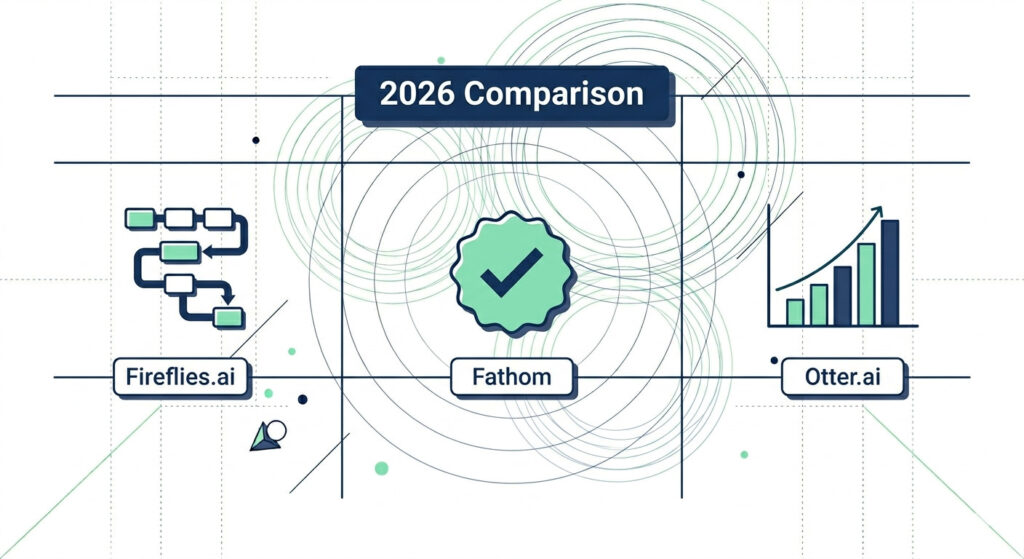
| Feature | Fireflies.ai | Fathom | Otter.ai |
|---|---|---|---|
| Best For | Sales teams, CRM users | Solopreneurs, freelancers | High-accuracy needs, webinars |
| Free Tier | Limited (400 min storage) | Unlimited (core features) | Limited (300 min/mo) |
| Paid From | ~$10/mo | ~$15/user/mo (Team) | ~$8.33/mo (annual) |
| Transcription Accuracy | 90–93% | ~92% | ~95% |
| CRM Integrations | 200+ (Salesforce, HubSpot) | Limited | Moderate |
| Real-Time Editing | No | No | Yes |
| Unique Differentiator | AskFred conversational AI search | Truly unlimited free tier | Slide capture + live Otter Chat |
All data sourced from 2026 published pricing and independent testing
How to Read This Table for Your Situation
Three questions cut through the noise fast:
- Do you use a CRM and need it updated automatically after every call? Go Fireflies.ai. Its native HubSpot and Salesforce sync, combined with AskFred’s ability to query your entire transcript history, makes it the only tool here built for sales pipeline management end to end.
- Are you a solo operator who needs professional meeting documentation at zero cost? Go Fathom. No monthly minute cap, no credit card, no compromises on the core features that actually matter for a one-person business.
- Does accuracy matter more than integrations — for legal, financial, or contractual calls? Go Otter.ai. The 95% transcription accuracy, real-time editing, and slide capture create a record you can stand behind, and the Otter Chat live query feature means you never lose the thread mid-call.
One pattern worth noting: all three of these automated transcription tools handle speaker diarization and auto-summaries without issue. The gap between them is not in what they capture — it’s in what they do with the output. Fireflies pushes it to your CRM. Fathom keeps it clean and shareable. Otter.ai makes it auditable and interactive.
If you’re building a connected client workflow around your meeting data — not just storing transcripts but routing action items, updating pipeline stages, and triggering follow-up sequences — this comparison is only one piece of the picture. Our post on AI workflow automation for small business maps out how a meeting tool slots into a fully automated client operations stack.
Pro-Tip: Export your shortlisted tool’s free-tier transcript from a real client call and paste it into ChatGPT or Claude with this prompt: “Extract all action items, decisions made, open questions, and agreed deadlines from this transcript. Format as a structured client recap email.” Do this once and you’ll see exactly how clean — or messy — the raw transcript actually is. That output quality test tells you more about real-world tool fit than any feature comparison table.
How to Integrate AI Meeting Notes into Your Workflow
Integrating an AI meeting notes tool into your business takes less than 10 minutes — connect it to your calendar, authorise your meeting platform, and it auto-joins every scheduled call from that point forward. That’s the full technical lift. Everything after that is the tool working while you focus on the conversation.
The implementation anxiety is almost always bigger than the actual setup. Here’s exactly what it looks like across all three tools.
Your 5-Step Setup Sequence
This sequence works for Fireflies.ai, Fathom, and Otter.ai without exception:
- Create your account — Sign up with Google or email. All three tools offer a free starting point, so there’s no billing commitment required to get live
- Connect your calendar — Grant access to Google Calendar or Outlook. This is how the tool knows when your meetings are and auto-schedules itself to join
- Authorise your meeting platform — Approve Zoom, Google Meet, or Microsoft Teams access. The meeting bot will now appear automatically in every call without you manually inviting it
- Set your summary preferences — Choose what your AI meeting summary tool captures: summary format, action-item tagging style, whether you want full transcripts or just highlights
- Connect your downstream tools — Link to HubSpot, Salesforce, Notion, or Slack if you want the output routed automatically. This step is optional but is where the real time savings compound
Done. From this point, every meeting you take is documented, summarised, and actionable without a single manual input.
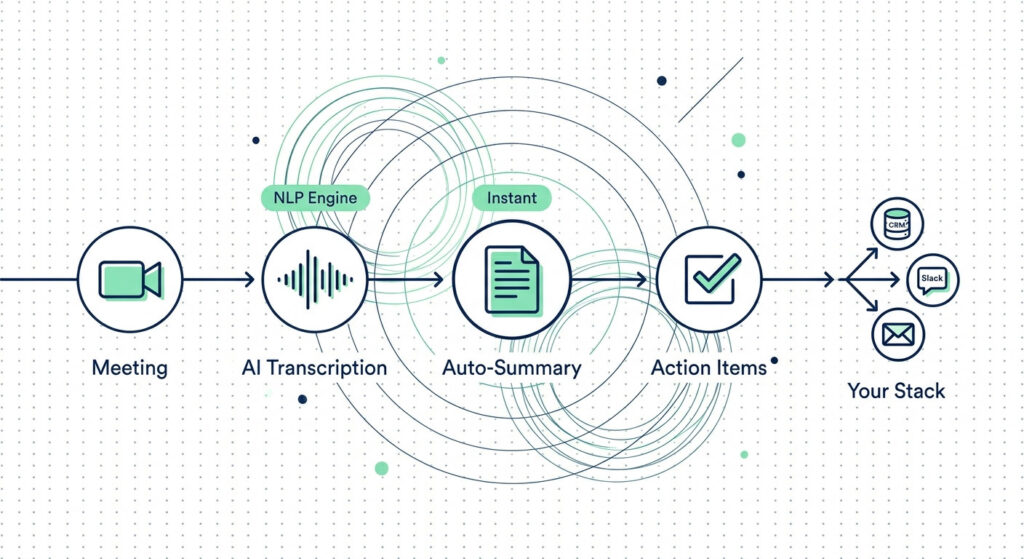
What the Output Flow Looks Like in Practice
Once your tool is live, here’s the automated chain that runs after every call:
Meeting → AI Transcription → Auto-Summary → Action Items → CRM / Slack / Email
Each link in that chain happens without you. The meeting bot records and transcribes. The NLP summarization engine compresses the call into structured notes. Action items get tagged and attributed to the right person. Then — if you’ve set up your integrations — those items push directly into your Notion project board, your HubSpot deal record, or a Slack channel where your team picks them up.
For AI workflow automation for small business, this chain is one of the fastest wins available — a five-minute setup that eliminates a recurring thirty-minute manual task from every single working day.
Pairing Your Meeting Tool with the Right Downstream App
The meeting tool captures the output. The downstream app is where that output becomes action. The pairing that works best depends on how your business is structured:
- Notion — Best for solopreneurs who manage client projects, content calendars, or knowledge bases. Pipe meeting summaries directly into a client workspace database using Notion’s native Fireflies.ai integration or a Zapier webhook
- Slack — Best for small teams. Route auto-summaries to a dedicated
#meeting-noteschannel so the whole team is aligned without anyone needing to attend every call - HubSpot or Salesforce — Best for service businesses with an active sales pipeline. Use Fireflies.ai’s native CRM sync to push contact-level meeting notes, action items, and call sentiment directly into the deal record — no copy-paste, no manual logging
- Email (via Zapier) — Best for client-facing recap automation. Trigger a post-call summary email to the client automatically using a Zapier webhook that fires when a new Fireflies.ai or Otter.ai summary is generated
Of the three tools reviewed in this article, Fireflies.ai handles the most sophisticated end-to-end workflow automation — including multi-step Zapier sequences, native CRM field mapping, and automatic contact creation from new meeting participants. If your goal is a fully connected client operations stack, not just transcript storage, Fireflies is the tool built for that depth.
Pro-Tip: Create a Zapier multi-step Zap that triggers when a new Fireflies.ai summary is created. Step one: extract the action items field. Step two: create individual tasks in your project management tool (Asana, ClickUp, or Notion) with the meeting date and client name pre-filled as task metadata. Step three: send a Slack DM to yourself with a one-line summary of the call. Total build time: under 20 minutes. Time saved per week: one to two hours of manual task logging, every week, indefinitely.
Frequently Asked Questions
What is the best free AI tool for meeting notes in 2026?
Fathom is the best free AI tool for meeting notes in 2026 because it offers truly unlimited Zoom recording and instant AI summaries at no cost — with no monthly minute cap. Other free tiers from Otter.ai and Fireflies.ai impose recording limits (300–800 min/month) and restrict advanced features. For individual professionals and solopreneurs, Fathom’s free plan delivers professional-grade functionality without any financial commitment.
How accurate are AI meeting transcription tools in 2026?
In 2026, leading AI meeting transcription tools achieve 90–95% accuracy on clear audio. Otter.ai leads at approximately 95%, Fathom delivers around 92%, and Fireflies.ai ranges between 90–93% depending on audio conditions and speaker clarity. Accuracy can be affected by background noise, thick accents, and multiple speakers talking simultaneously — making audio quality the single most important variable.
Can AI meeting notes tools integrate with my CRM?
Yes — Fireflies.ai is the strongest in this category, offering 200+ integrations including direct syncing with Salesforce, HubSpot, and other major CRM platforms. Otter.ai and Fathom offer more limited native CRM integrations, though both can connect via Zapier or Make for custom automation workflows. For sales-driven small businesses, choosing a tool with native CRM support eliminates an entire manual data-entry step from the post-call workflow.
Is it worth paying for an AI meeting summary tool when free options exist?
For solopreneurs on a budget, Fathom’s unlimited free tier makes a paid plan unnecessary. Paying becomes worthwhile when you need team sharing, CRM sync, advanced analytics, or more than basic summaries — features that unlock on Fireflies.ai Pro ($10/mo) or Otter.ai Business ($19.99/mo). The break-even point is simple: if the tool saves you more than one billable hour per month, any paid plan pays for itself immediately.
Stop Taking Notes. Start Running Your Business.
The best AI tools for meeting notes in 2026 have closed the gap between a great conversation and a documented, actionable outcome — completely automatically. Fireflies.ai, Fathom, and Otter.ai each do this well. They just do it for different people.
Here’s the decision, made simple:
- Fireflies.ai — You’re running a client-facing business with an active CRM. You need HubSpot or Salesforce updated after every call without touching the keyboard. You want AskFred to surface what a client said three months ago in under five seconds
- Fathom — You’re a solo operator or freelancer. You want professional meeting documentation at zero cost, with no minute caps and no billing surprises. You need it working before your next call, not after a week of evaluation
- Otter.ai — Accuracy is non-negotiable for you. You’re recording contractual conversations, running webinars with shared decks, or training sessions where every word matters. You want to query the live transcript mid-call without breaking the flow
Every pricing figure, accuracy benchmark, and feature comparison in this article reflects verified 2026 data. These tools are not experimental — they’re operational infrastructure for service businesses that have decided their time is worth protecting.
Don’t let another week of client calls disappear into half-filled notebooks and forgotten follow-ups. The setup takes under 10 minutes. The time it saves starts on day one. Pick your tool, connect your calendar, and let AI handle the documentation while you focus on the actual work of growing your business.
If you want to take this further — building a fully connected client workflow where your meeting outputs automatically trigger follow-up sequences, update pipeline stages, and populate project boards — read how AI workflow automation bought back 20 hours of my week (LINK TO BE ADDED). It’s the next logical step from here.
Pro-Tip: The fastest way to build the habit is to remove the opt-in friction entirely. Go into your chosen tool’s settings and turn on auto-join for all calendar events — not just the ones you manually flag. Most people miss 20–30% of their documentation because they forget to activate the bot on ad-hoc calls. One toggle, turned on once, covers every meeting you’ll ever take from that point forward.