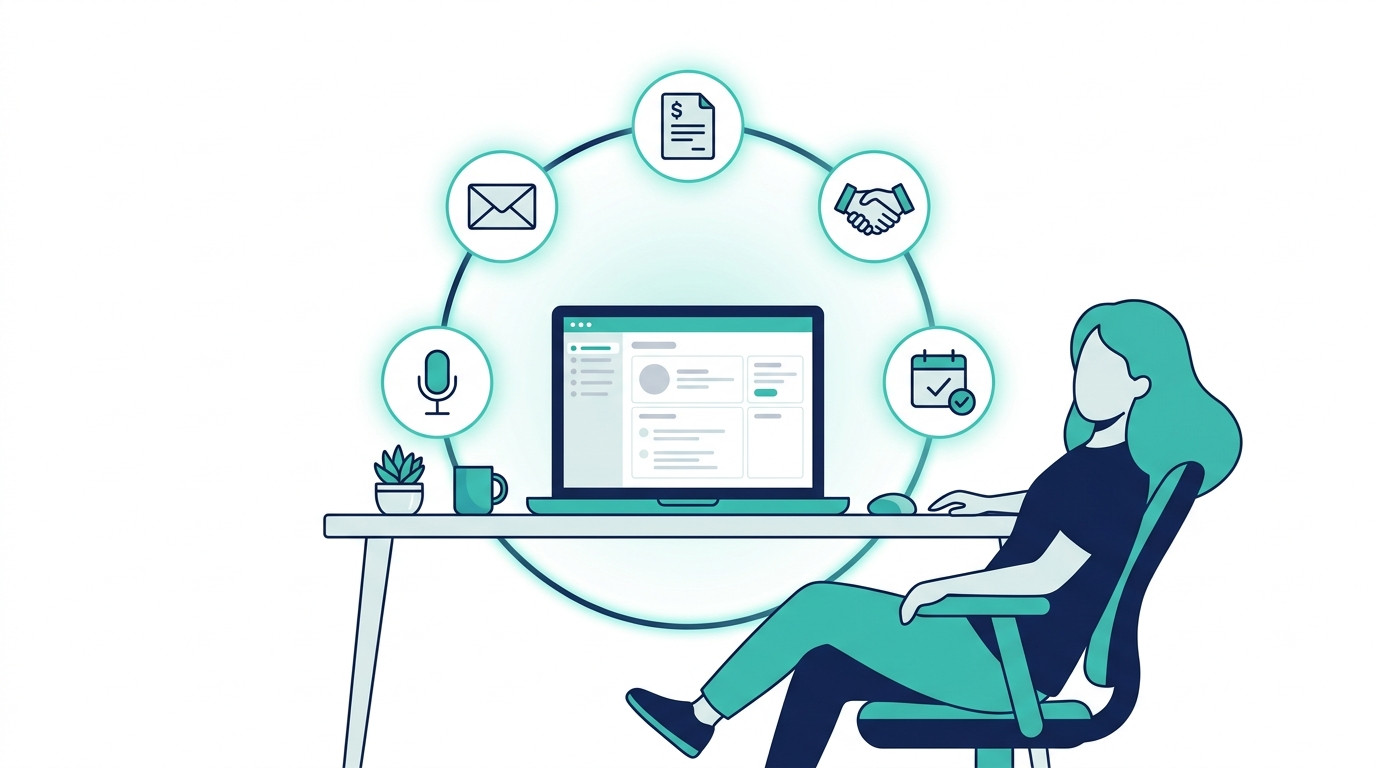
You started your business to build something — not to spend half your week chasing invoices, following up on leads, and sending the same onboarding email for the hundredth time.
But that is exactly what happens. The admin piles up. The manual tasks multiply. And before you know it, you are working in your business instead of on it.
Here is the reality: most small business owners are losing 20 or more hours every month to tasks that a simple automated workflow could handle in seconds.
The good news is that AI automations for small business are no longer complicated or expensive. You do not need a developer, a big budget, or weeks of setup time.
In this post, you will discover five specific AI automations, how many hours each one saves, and exactly how to build them — without writing a single line of code.
If you are new to the concept, start with our guide on AI workflow automation to get your foundations in place. Then come back here and we will show you the five automations worth building first.
Table of Contents
Why Time Is the Real Currency for Small Business Owners
Money can be made back. Time cannot. Yet most small business owners spend their most valuable hours on the tasks that matter least — and the ones that could easily be automated.
The Hidden Cost of Manual Tasks
Think about your average day. You send a follow-up email to a lead. You chase an unpaid invoice. You manually add a new client to your CRM. None of these tasks take long on their own — but they add up fast.
30 minutes a day on manual follow-ups alone equals 15 hours a month. That is nearly two full working days spent on tasks that a simple automation could handle in seconds. Unfortunately, in most of the cases you need to spend more than 30 minutes per day of these tedious manual tasks.
This is not a productivity problem. It is a systems problem. And it is entirely avoidable.

What “Saving 20 Hours a Month” Actually Looks Like
20 hours sounds ambitious until you break it down.
5 automations. Roughly 5 hours saved by each one per month. That is 20 or more hours back in your calendar — every single month.
You do not need a tech background to build any of them. These are no-code automation workflows designed for business owners, not developers. If you want to save time with AI automation in your small business, these 5 workflows are the fastest way to get there.
Each one is practical. Each one is buildable. And each one starts paying back your time from the moment it goes live.
The 5 AI Automations That Save the Most Time
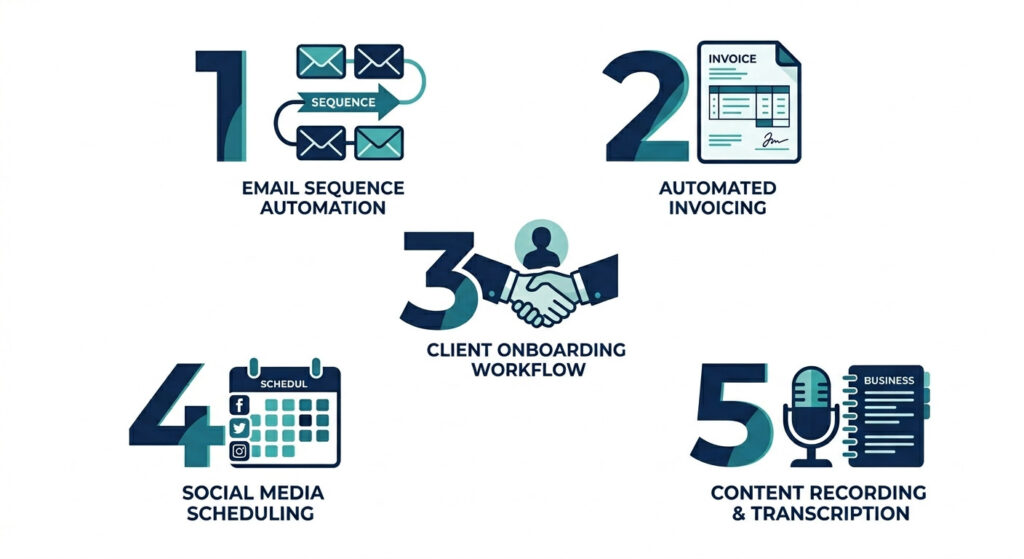
These are not theoretical automations. Each one solves a specific time drain that most small business owners deal with every single week. Build all five and you will have a business that runs significantly more efficiently — without adding headcount or complexity.
Automation 1 — Lead Follow-Up Sequences
What it is: An automated email or SMS sequence triggered the moment a new lead fills out a form or books a call.
Why it saves time: Following up with every lead manually is exhausting — and easy to forget. An automated sequence contacts your lead instantly, nurtures them over several touchpoints, and tags them in your CRM without you lifting a finger. No lead falls through the cracks again.
How to set it up:
- New lead submits a form on your website or via Typeform
- Trigger fires in Make.com or Zapier
- HubSpot sends a personalised email sequence automatically over 3 to 5 days
- Lead is tagged in your CRM based on their behaviour (opened, clicked, or ignored)
Tools needed: Make.com, HubSpot, Typeform or your existing contact form
Estimated time saved: 4 to 6 hours per month
These are the kinds of no-code automation workflows that pay for themselves in the first week. For a full step-by-step walkthrough, read our guide on How to Automate Lead Follow-Up Without Code.
Automation 2 — Invoice Creation and Payment Reminders
What it is: Auto-generate invoices the moment a project or sale is completed, then send timed payment reminders until the invoice is paid.
Why it saves time: Manual invoicing means logging into your accounting tool, filling in client details, sending the invoice, and then following up again days later when payment has not arrived. This automation handles every step — including the chasing — so you never have to think about it again.
How to set it up:
- Project marked as complete in your system (or a payment trigger is fired)
- Make.com creates the invoice automatically in Xero, QuickBooks, or FreshBooks
- Invoice is sent directly to the client via email
- Automated reminders are scheduled at Day 3, Day 7, and Day 14 if unpaid
Tools needed: Make.com, Xero or QuickBooks or FreshBooks, Gmail or Outlook
Estimated time saved: 3 to 5 hours per month
For a detailed setup guide, see How to Automate Invoicing in 15 Minutes (LINK TO BE ADDED).
Automation 3 — Client Onboarding Workflow
What it is: A triggered sequence that sends your welcome email, onboarding questionnaire, contract, and first call booking link the moment a new client pays.
Why it saves time: Without automation, onboarding a new client involves 10 or more manual steps spread across email, your calendar, your contract tool, and your project management system. This automation collapses all of that into a single chain that fires itself.
How to set it up:
- Payment is received and triggers the workflow in Make.com
- Welcome email is sent automatically via HubSpot or Gmail
- Contract is delivered via DocuSign or PandaDoc for e-signature
- Client is added to your project management tool — Notion, Trello, or Asana
- Onboarding questionnaire and Calendly booking link are sent as a follow-up
Tools needed: Make.com, DocuSign or PandaDoc, Calendly, HubSpot or Gmail, Notion or Asana
Estimated time saved: 4 to 5 hours per month
This is business task automation at its most impactful. A process that used to take 45 minutes per new client now takes zero minutes — and your clients experience a faster, more professional onboarding from day one.
Automation 4 — Social Media Content Scheduling
What it is: AI drafts and schedules your social media posts from a content brief, or repurposes your existing blog content across platforms automatically.
Why it saves time: Writing, formatting, and manually posting social content every day is one of the biggest hidden time drains for small business owners. This automation batches the entire process into one weekly review session — and handles everything else for you.
How to set it up:
- Write a short content brief or paste your latest blog post URL into ChatGPT or Jasper
- AI drafts platform-specific posts for LinkedIn, Instagram, and Facebook
- Posts are pushed into Buffer or Metricool and scheduled across your channels
- You review and approve once a week — nothing more
Tools needed: ChatGPT or Jasper, Buffer or Metricool, Make.com to connect the workflow
Estimated time saved: 4 to 6 hours per month
Automation 5 — Meeting Notes and Action Item Distribution
What it is: AI transcribes your meetings, extracts action items, and automatically sends a follow-up summary to every participant before the call is even over.
Why it saves time: Manual note-taking pulls your attention away from the actual conversation. And the post-meeting admin — writing it up, pulling out actions, emailing the team — eats another 30 to 60 minutes per call. This automation eliminates that entirely.
How to set it up:
- Meeting ends on Zoom, Google Meet, or Teams
- Fireflies.ai or Otter.ai generates a full transcript and AI summary automatically
- Make.com sends the summary and action items via email to all attendees
- Action items are logged directly into Notion or Asana for tracking
Tools needed: Fireflies.ai or Otter.ai, Make.com, Notion or Asana
Estimated time saved: 3 to 5 hours per month
These are five of the most impactful AI automations for small business owners looking to reclaim their time. Each one is practical, buildable in under an hour, and designed to compound — the more you run simultaneously, the more time you get back every single month.
| Automation | Tools | Time Saved/Month |
|---|---|---|
| Lead Follow-Up Sequences | Make.com, HubSpot, Typeform | 4–6 hours |
| Invoice Creation and Reminders | Make.com, Xero/QuickBooks | 3–5 hours |
| Client Onboarding Workflow | Make.com, DocuSign, Calendly | 4–5 hours |
| Social Media Scheduling | ChatGPT, Buffer, Make.com | 4–6 hours |
| Meeting Notes Distribution | Fireflies.ai, Make.com, Notion | 3–5 hours |
| Total | 18–27 hours/month |
Still Setting These Up Manually?
You have just seen what 5 well-built automations can do — 20 or more hours back every single month, leads that never get missed, invoices that send themselves, and clients who feel looked after from the first second.
But building each workflow from scratch still takes time you may not have.
Want all five of these workflows pre-built and ready to plug in?
The AI Automation Blueprint for Small Business Owners includes done-for-you no-code workflows for every automation in this post — lead follow-up, invoicing, onboarding, social scheduling, and meeting notes — plus step-by-step setup guides so you can go live in under 24 hours.
No guesswork. No trial and error. Just copy, connect, and run.
Which Tools Do You Actually Need?
One of the biggest reasons small business owners delay automation is tool overwhelm. They see a list of ten platforms and immediately assume it is going to be complicated, expensive, or both.
It is neither. Here is the truth: you only need three to four tools connected well.
The Minimum Viable Automation Stack
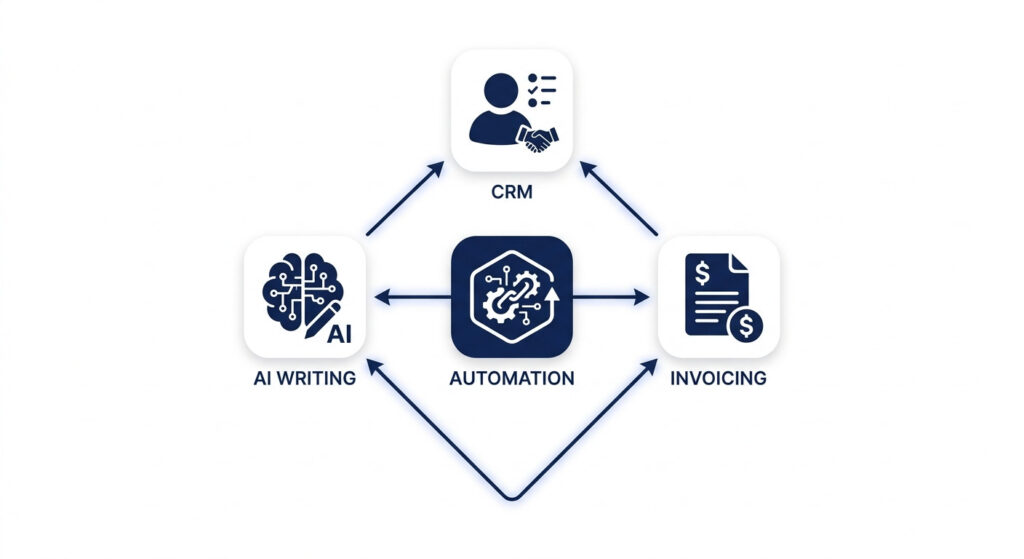
Forget the complicated tech stacks you see in enterprise guides. For small business automation, your core stack looks like this:
- Make.com — your central automation connector that links every tool together and triggers every workflow
- HubSpot — your CRM and email platform for lead management, follow-up sequences, and client communication
- Your existing invoicing tool — Xero, QuickBooks, or FreshBooks (whichever you already use)
- One AI writing or transcription tool — ChatGPT for content, or Fireflies.ai for meeting notes
That is it. Four tools. Every single automation in this post runs through that stack.
Make.com sits at the centre of all five workflows — it is the connector that listens for triggers and tells your other tools what to do next. And no-code automation workflows do not require a developer — just a free Make.com account and the step-by-step setup guides included in the Blueprint.
Free vs Paid Tiers — What You Actually Need to Start
The best part about this stack is that you do not need to spend a penny to get started.
| Tool | Free Tier | Paid From |
|---|---|---|
| Make.com | 1,000 operations/month | ~$9/month |
| HubSpot | Full CRM + email free | ~$15/month |
| Xero / QuickBooks | Trial available | ~$15/month |
| ChatGPT | Free tier available | ~$20/month |
| Fireflies.ai | Free tier available | ~$10/month |
Start on the free tiers across the board. Test each automation, confirm it is working, and only upgrade when your volume demands it. Most small business owners run comfortably on free or entry-level tiers for the first three to six months.
Once you are running all five automations at full capacity, your total tool cost will sit at well under $50 per month — a fraction of the value of the 20+ hours you are getting back.
How to Prioritise Which Automation to Build First
Five automations. One starting point. Here is how to choose.
Do not overthink it. The fastest way to save time with AI automation in your small business is to start with the single highest-volume task — the one you do most often and resent the most.
Ask yourself one question: what task do I repeat every single week that drains my time and energy the most?
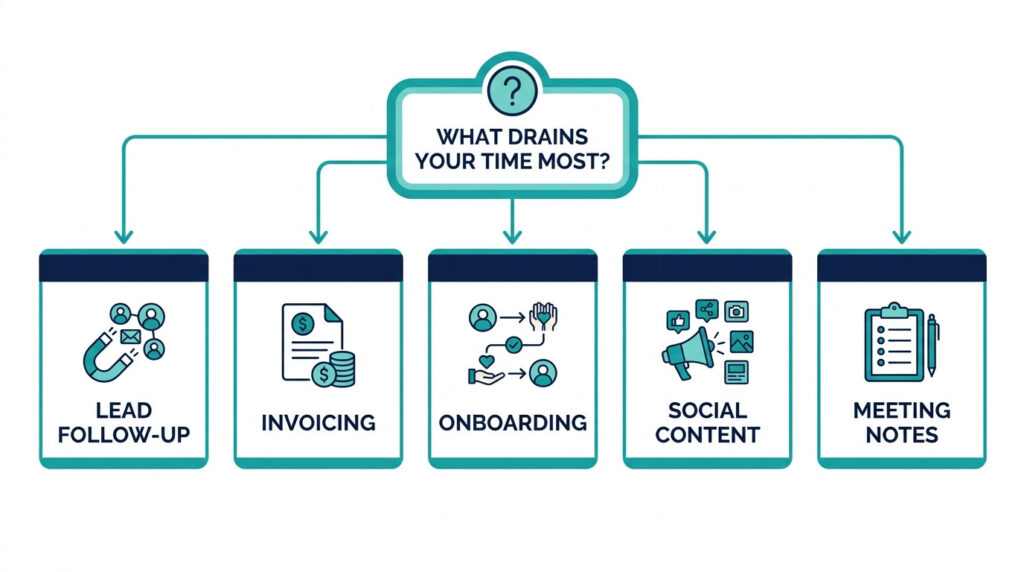
Then match your answer to the list below:
- Leads are slipping through the cracks → Start with Automation 1 — Lead Follow-Up Sequences
- Invoicing and chasing payments eats your week → Start with Automation 2 — Invoice Creation and Payment Reminders
- Every new client takes hours to onboard → Start with Automation 3 — Client Onboarding Workflow
- You are posting social content manually every day → Start with Automation 4 — Social Media Scheduling
- Post-meeting admin is killing your afternoons → Start with Automation 5 — Meeting Notes Distribution
Pick one. Build it this week. Run it for seven days and confirm it is working exactly as expected. Then add the next one.
This is how simple, compounding systems get built — not all at once, but one reliable workflow at a time.
Within a month, you will have a business that handles its own admin, follows up its own leads, and onboards its own clients — while you focus on the work that actually moves the needle.
Frequently Asked Questions
What are the best AI automations for small business?
The five highest-impact automations are lead follow-up sequences, invoice creation and payment reminders, client onboarding workflows, social media content scheduling, and meeting note distribution. Together, they target the most repetitive and time-consuming tasks in a typical small business — and can save 20 or more hours every month.
Do I need technical skills to set up these automations?
No. Every automation in this post is built using no-code tools like Make.com and Zapier. There is no coding, no developer, and no technical background required. If you can follow a step-by-step guide, you can build any of these workflows — most in under an hour.
How much does AI automation cost for a small business?
Most of the tools in this post have free tiers generous enough to get started. You can build and run all five automations for zero cost initially. As your business scales and your workflow volume grows, the full stack costs well under $50 per month — a fraction of the time it saves you.
How long does it take to set up one automation?
Building from scratch takes most business owners 30 to 60 minutes the first time. Using the pre-built templates inside the AI Automation Blueprint, you can cut that down to under 15 minutes per workflow — with no guesswork involved.
Can I use these automations even if I am a solopreneur?
Yes — and solopreneurs are exactly who these automations are designed for. When you do not have a team to delegate to, smart systems become your staff. These five workflows let your business follow up, invoice, onboard, post, and take notes completely on its own — even when you are not at your desk.
Conclusion
20 or more hours a month. That is what is sitting on the table right now — waiting to be reclaimed through 5 automations you can build without writing a single line of code.
Lead follow-up runs itself. Invoices go out automatically. New clients are onboarded the moment they pay. Social content is scheduled before your morning coffee. Meeting notes land in everyone’s inbox before the call is over.
You do not need a tech team. You do not need a big budget. You do not need months of setup time. AI automations for small business work best when they are simple, connected, and built around your highest-volume tasks — and that is exactly what these five workflows are.
Pick your first automation. Build it this week. Then let it run.
The businesses that scale are not the ones working harder — they are the ones working inside better systems.
Ready to implement all five automations today?
The AI Automation Blueprint for Small Business Owners gives you every workflow in this post — pre-built, no-code, and ready to go live in under 24 hours.
No building from scratch. No trial and error. No wasted afternoons figuring out which trigger connects to which action.
Just copy, connect, and run.
Stop managing your business manually and start running one that works while you sleep.