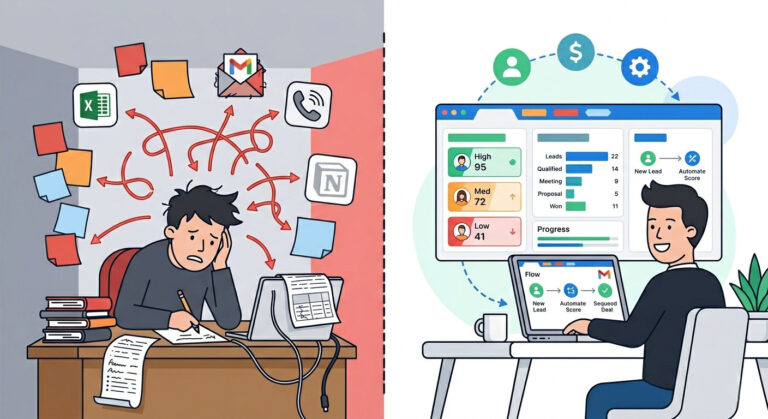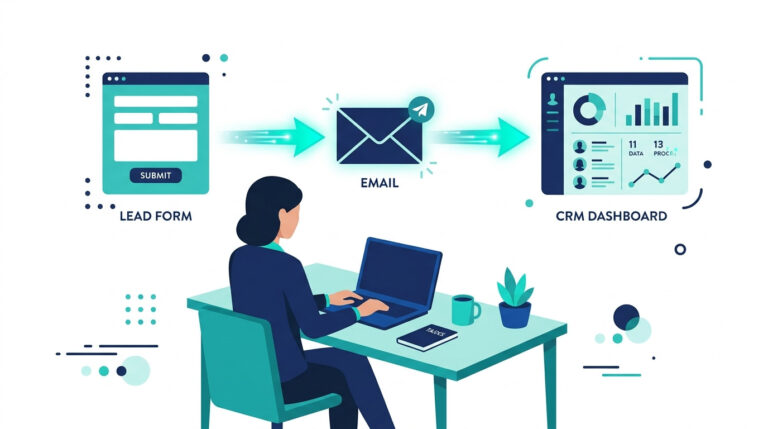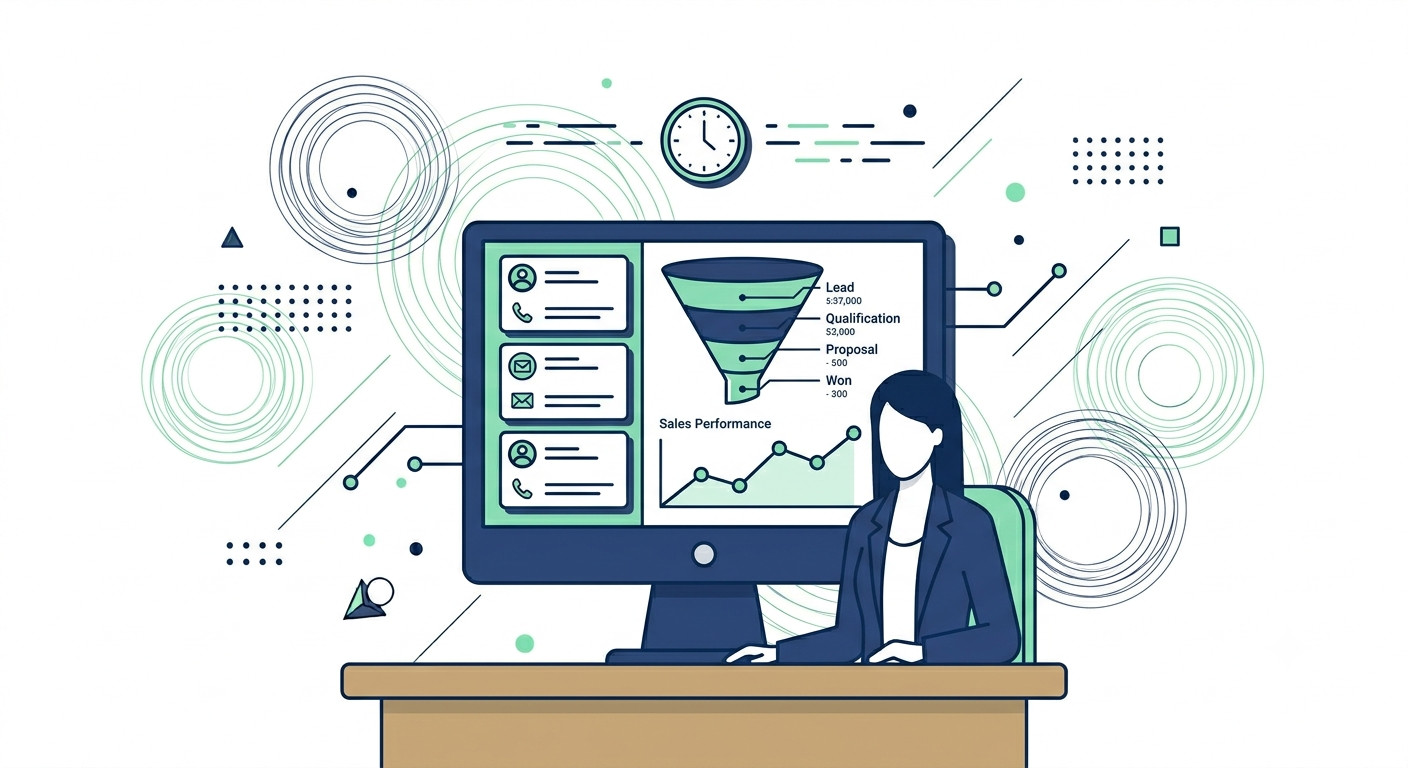
Everyone recommends HubSpot’s free CRM. Almost no one tells you exactly where it hits a wall.
If you’ve been searching for an honest HubSpot free CRM review — not a puff piece, not a repackaged feature list — you’re in the right place. This is the version that tells you what works, what breaks, and what will quietly cost you time you don’t have.
The Real Problem With “Free”
HubSpot’s free CRM genuinely is free. No expiration date, no credit card required. But “free” in HubSpot’s world is a starting point, not a solution. And the gap between those two things is where small business owners lose weeks of their lives.
Here’s the pattern that plays out constantly:
- You set up your pipeline, import your contacts, and connect your inbox.
- You start building out your process — tagging leads, logging calls, customizing fields.
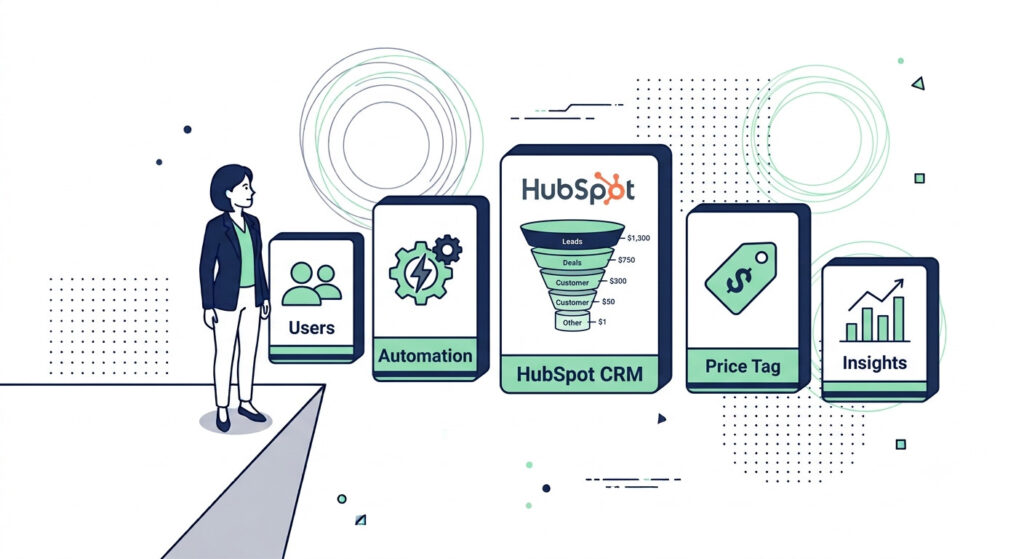
- Then you hit the wall: 2 users maximum, no multi-step automation, 10 custom properties, HubSpot branding on everything your clients see.
By the time you realize the tool can’t do what you need, you’ve already built your workflow inside it. Starting over is painful. Upgrading is expensive. Neither option was in the plan.
That’s the setup this review is designed to prevent.
What This HubSpot Free CRM Review Actually Covers
This is not a feature summary you could pull from HubSpot’s own documentation. This is a ground-level, small business perspective on exactly what you can build, where you’ll get blocked, and what to do about it — without paying HubSpot’s steep upgrade price before you’re ready.
By the end, you’ll know:
- Every meaningful free tier feature and its hard limit as of 2026
- The exact moments when the free plan stops being sufficient
- How HubSpot stacks up against its closest free-plan competitors
- How to use external AI automation tools to bridge the gaps without upgrading
Pro-Tip: Before you invest a single hour configuring HubSpot, navigate to Settings → Account & Billing → Usage & Limits. Your actual contact storage ceiling depends on when your account was created — newer accounts are capped significantly lower than the “1 million contacts” figure still circulating online. Confirm your real limits first, then build your process around them.
If you’re also evaluating whether HubSpot is the right category of tool altogether, our breakdown of the best AI CRM tools for small business covers the full landscape — including options with more generous free tiers. And if you already have a CRM and want to make it smarter without switching platforms, how to integrate AI into your CRM (LINK TO BE ADDED) is the faster path forward.
Table of Contents
What Is HubSpot’s Free CRM? (HubSpot Free Tier Features Explained)
HubSpot’s free CRM is a permanently free contact management and sales pipeline tool — not a trial, not a freemium bait-and-switch. It includes real, functional features out of the box, and the access never expires. That’s genuinely rare in the CRM market, and it’s the main reason this HubSpot free CRM review consistently lands on shortlists for solo founders and small teams who need to get organized without a monthly software bill.
“Free Forever” vs. “Free Trial” — What That Actually Means
A free trial gives you full features for a limited time, then locks you out. HubSpot’s free plan is the opposite — you get a fixed set of features permanently, with no countdown clock. The catch is that those features are capped, not time-limited. You don’t lose access. You hit walls.
That distinction matters a lot when you’re building a system around a tool. You’re not racing a timer. You’re working within defined boundaries — and the sooner you know exactly where those boundaries sit, the better your setup decisions become.
The HubSpot Free Tier Features: What You’re Actually Working With
HubSpot’s free plan includes contact and company records, a single visual deal pipeline, Gmail and Outlook email sync, 1-to-1 email tracking, up to 5 saved email templates, meeting scheduling (1 link), a live chat widget, basic chatbots, and a shared inbox. You also get up to 2,000 marketing email sends per month and access to every third-party app in the HubSpot marketplace — including Zapier and Make, which become essential once you need automation the free plan doesn’t provide.
That’s a legitimate foundation. For a solo founder tracking 50 to 150 active leads, it covers the basics without requiring a credit card.
Here’s the full breakdown of every hard limit on the free plan as of 2026:
| Feature | Free Plan Limit |
|---|---|
| Users | 2 seats maximum |
| Deal Pipelines | 1 |
| Marketing Emails / Month | 2,000 |
| Custom Properties | 10 |
| Active Lists | 10 dynamic, 1,000 static |
| Email Templates | 5 |
| Meeting Scheduling Links | 1 |
| Automation Workflows | Not included |
| Custom Reporting | Very limited |
| HubSpot Branding Removal | Not available |
The Contact Cap Confusion — Clarified
This is where a lot of small business owners get tripped up. HubSpot distinguishes between stored contacts and marketing contacts. You can hold a large number of records in the CRM — older free accounts reference a 1,000,000 contact figure, though newer accounts are capped considerably lower. The limit you’ll actually hit first is the 2,000 marketing email sends per month ceiling.
A list of 500 contacts, emailed weekly, exhausts that cap in four sends. That’s why CRM pipeline velocity matters here: if you’re actively nurturing leads through email, you’ll outgrow the free marketing tier faster than the raw contact storage.
To confirm your actual limits, go to Settings → Account & Billing → Usage & Limits inside your HubSpot account — the number there is the one that governs your account, not any figure circulating on third-party sites.
The 2-User Seat Limit — What Changed
Legacy HubSpot free accounts used to allow unlimited users. That era is over. New free accounts are now capped at 2 seats. If you’re a solo founder, this is a non-issue. If you have even a small team — a VA, a sales hire, an ops person — you’re already looking at a paid upgrade just to give a third person CRM access.
For teams evaluating their options alongside HubSpot, the best AI CRM tools for small business covers platforms where the free tier is more generous on seats.
Pro-Tip: With only 10 custom properties available on the free plan, resist the urge to create new fields for everything. Audit HubSpot’s 200+ default contact and company properties first — many fields you’d build from scratch already exist natively. Map your data to those defaults on day one, and save your 10 custom property slots for the contact attributes that are genuinely unique to your sales process.
HubSpot Free CRM Review: The Real Limitations in 2026
The most impactful limitations of HubSpot’s free CRM in 2026 are the 2-user seat cap, zero multi-step automation workflows, only 10 custom properties, mandatory HubSpot branding on all client-facing assets, and heavily restricted API access. None of these are buried in the fine print — they’re structural constraints baked into the free tier by design. This HubSpot free CRM review exists to lay all of them out plainly, before you’ve already built your process around the tool.
The Features That Are Simply Missing
Some of these gaps are inconvenient. Others are business-critical. Here’s what you won’t find on the free plan, no matter how creative your workaround is:
- No behavior-based automation triggers — you cannot enroll contacts into sequences based on email opens, page visits, or deal stage changes
- No A/B email testing — you get one version of every send, with no split-testing capability
- No lead scoring — contacts cannot be ranked by engagement or fit without a paid tier
- No custom objects — you’re locked into HubSpot’s default data structure (contacts, companies, deals, tickets)
- No advanced segmentation — active list creation is capped, limiting how precisely you can target follow-ups
- No workflow branching logic — the free Starter-level automation allows a single trigger/action, not conditional paths
For a solo founder managing a small, active pipeline, some of these gaps are workable. For anyone running a multi-touch lead nurture sequence or managing a team of three or more, they become hard blockers fast.
The Branding Problem
Every form you embed, every marketing email you send, and every chat widget that appears on your website carries “Powered by HubSpot” on the free plan. There is no option to remove it at the free tier. For businesses that are still in early-stage mode, this is a minor inconvenience. For consultants and service businesses presenting a polished client-facing experience, it’s a credibility issue — your visitors see the platform powering your stack, not your brand.
Removing that branding requires upgrading to at minimum the Starter plan.
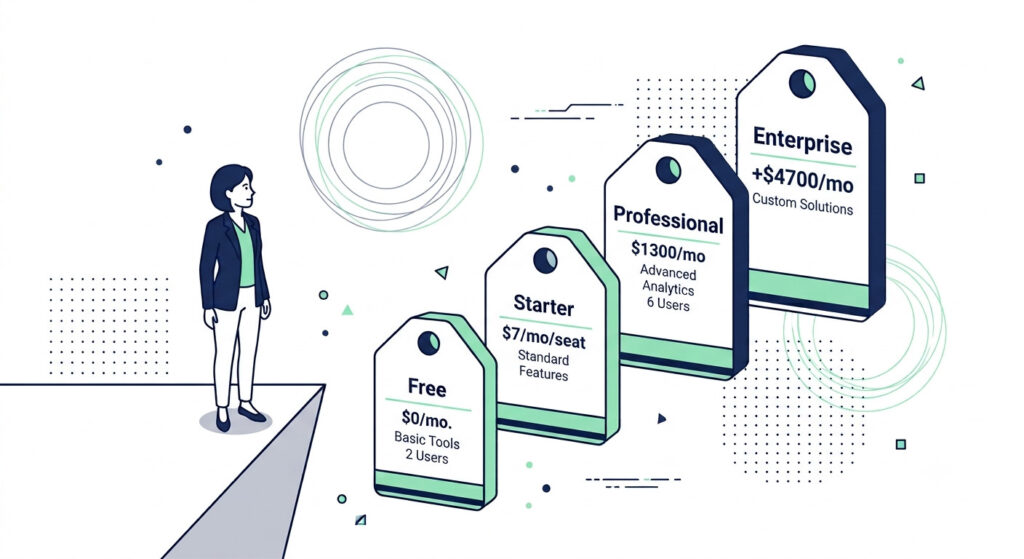
The Pricing Cliff — What It Actually Costs to Upgrade
This is the part that catches small business owners off guard. The jump from free to functional is not gradual.
| Limitation on Free Plan | Paid Tier That Resolves It | Approximate Cost |
|---|---|---|
| HubSpot branding on forms/emails | Starter | $7/seat/month |
| Basic single-step automation | Starter | $7/seat/month |
| Advanced multi-step workflows | Professional | $1300+/month |
| A/B email testing | Professional | $1300+/month |
| Custom reporting dashboards | Professional | $1300+/month |
| Lead scoring (manual) | Professional | $1300+/month |
| Predictive lead scoring (AI) | Enterprise | $4,700+/month |
| Custom objects | Professional/Enterprise | $1300–$4,700+/month |
| API calls (full volume) | Enterprise | $4,700+/month |
The gap between the free plan and the Professional tier — where the platform becomes a genuinely functional marketing automation engine — is $1,300 per month, minimum, before contact overage charges. And that $1,300 baseline only covers 2,000 marketing contacts. Scale that list to 20,000 contacts and you’re looking at over $2,200 per month for the Marketing Hub alone.
That is the pricing cliff. You’re not easing into HubSpot’s paid ecosystem — you’re stepping off a ledge.
Pro-Tip: Before concluding that an upgrade is necessary, audit exactly which free-plan limitations are actively blocking your growth using an AI workflow audit assistant like ChatGPT or Claude. Map your current manual tasks against HubSpot’s paid features list — in many cases, connecting HubSpot’s free CRM to a Zapier or Make automation layer resolves 60–70% of the workflow gaps at a fraction of the upgrade cost. Only pay for HubSpot’s Professional tier if Zapier multi-step Zaps genuinely can’t replicate the specific trigger logic you need.
What This Means for Your Decision
The honest verdict from this HubSpot review 2026 perspective: the free plan is a real, functional tool — but it is explicitly designed to be outgrown. Every major feature gap maps cleanly to a paid upgrade tier. That’s not a bug; it’s the business model.
If you’re evaluating whether a different CRM category might serve you better from the start, the best AI CRM tools for small business covers platforms where the free-to-paid transition is considerably less steep. And if you’re committed to HubSpot but want to maximize what you can automate before paying a cent more, how to integrate AI into your CRM (LINK TO BE ADDED) outlines the exact third-party tool stack worth building first.
You’ve seen the full picture — now put it to work.
HubSpot’s free CRM takes under 10 minutes to set up. Your pipeline, your contacts, your follow-up process — all of it organized, all of it free. The leads you’re currently tracking in a spreadsheet or losing in your inbox don’t have to stay there.
HubSpot Free CRM vs. Competitors: How It Stacks Up in 2026
In any honest HubSpot review 2026, the comparison conversation is unavoidable — and it should be. HubSpot’s free CRM leads the pack on UI polish, brand recognition, and onboarding quality, but Zoho CRM’s free tier supports 3 users with more built-in automation, and tools like EngageBay offer an all-in-one free tier at a significantly lower paid upgrade cost. The right choice for your business comes down to what you actually need in the next 90 days — not which logo has the most name recognition.
The Head-to-Head: Free CRM for Small Business in 2026
Here’s how the five most commonly compared free CRM options stack up on the dimensions that matter most to a small business or solo founder:
| CRM Tool | Free Users | Free Automation | Paid Starting Price | Best For |
|---|---|---|---|---|
| HubSpot | 2 seats | ❌ No multi-step | ~$7/mo (Starter) | Polished onboarding, deep ecosystem |
| Zoho CRM | 3 users | ✅ Basic workflows | $14/user/mo | Budget depth, CRM customization |
| Pipedrive | ❌ No free plan | N/A | $14/seat/mo | Sales-pipeline-focused teams |
| EngageBay | Up to 15 users | ✅ Basic automation | $12.74/mo | All-in-one under $15 |
| Freshsales | 3 users | ✅ Basic AI scoring | $9/user/mo | Built-in phone, chat, and email |
Where HubSpot Genuinely Wins
Despite the limitations covered earlier, HubSpot has three advantages that no competitor on the free tier has fully matched as of 2026.
First, the onboarding experience. HubSpot’s guided setup, in-app training, and HubSpot Academy make it the fastest free CRM to go from signup to functional pipeline — particularly for founders who don’t want to read documentation.
Second, ecosystem depth. The HubSpot App Marketplace connects to over 1,500 tools, including native Zapier and Make integrations that compensate for missing automation on the free plan. No other free-tier CRM offers comparable breadth of third-party CRM integration depth.
Third, the AI Copilot layer. HubSpot’s Breeze AI Copilot — available in limited form on the free plan — lets you draft contact follow-ups, summarize deal activity, and generate email copy directly inside the CRM without switching to a separate AI tool. Competitors like Zoho have their own AI assistant (Zia), but it’s locked behind paid tiers. EngageBay’s AI layer is newer and less developed.
Where the Alternatives Pull Ahead
For a CRM for small business with a team of even 3 people, HubSpot’s 2-seat free limit is an immediate dealbreaker. Zoho CRM and Freshsales both extend to 3 users at no cost — and Freshsales includes built-in phone and live chat communication tools inside its free tier that HubSpot reserves for paid plans.
EngageBay is the most aggressive challenger. Its free plan supports up to 15 users, includes basic marketing automation, and bundles CRM, email marketing, and a helpdesk under one roof — all at a paid upgrade cost that starts below $13 per month. For any small business comparing HubSpot’s $1300/month Professional jump to EngageBay’s $13/month first paid tier, the math is hard to ignore.
Pipedrive is a different conversation entirely. It has no free plan, but its paid tier starts at $14 per seat with a pipeline-first UI built specifically for sales-led teams who want deal velocity visibility without the noise of a full marketing suite. If closing deals is the only job the CRM needs to do, Pipedrive is worth the $14.
The Pricing Cliff as a Switching Trigger
The dominant pattern driving small businesses away from HubSpot in 2026 is not the free plan — it’s what happens when they outgrow it. The jump from free to a meaningful automation layer (Marketing Hub Professional) runs $800 per month, minimum. That single inflection point is the most common reason founders start evaluating alternatives mid-cycle — after they’ve already built their workflows inside HubSpot’s free tier.
The smarter move is to model your 12-month growth trajectory before you start building. If you’ll hit 3+ users, need email sequences, or require A/B testing within the year, starting on Zoho CRM Standard ($14/user/month) or EngageBay Basic ($12.74/month) keeps you well below the pricing cliff while giving you room to scale.
For a broader view of where the CRM category is heading — including AI-native tools built specifically for small teams — the best AI CRM tools for small business covers options that didn’t exist three years ago and are now legitimately competitive.
Pro-Tip: Before switching platforms based on pricing alone, export your HubSpot free CRM contacts and run a parallel 14-day test in your shortlisted alternative. Import the same dataset, rebuild your pipeline stages, and measure time-to-first-action — how fast your team actually opens the tool and logs an activity. Adoption rate is the real ROI metric for CRM for small business, not feature lists. A $12/month CRM that your team uses daily beats a $0 CRM that collects dust.
How to Get the Most Out of HubSpot’s Free CRM with AI in 2026
The most effective way to maximize HubSpot free tier features is to treat the free plan as a CRM core and build an AI-powered automation layer around it using third-party tools — not wait for HubSpot to provide that layer natively. For a solo founder or small service business, this approach delivers 80% of the functionality of a paid CRM at zero recurring cost. The setup takes less than a day.
Your 7-Step HubSpot Free CRM Quick-Start Protocol
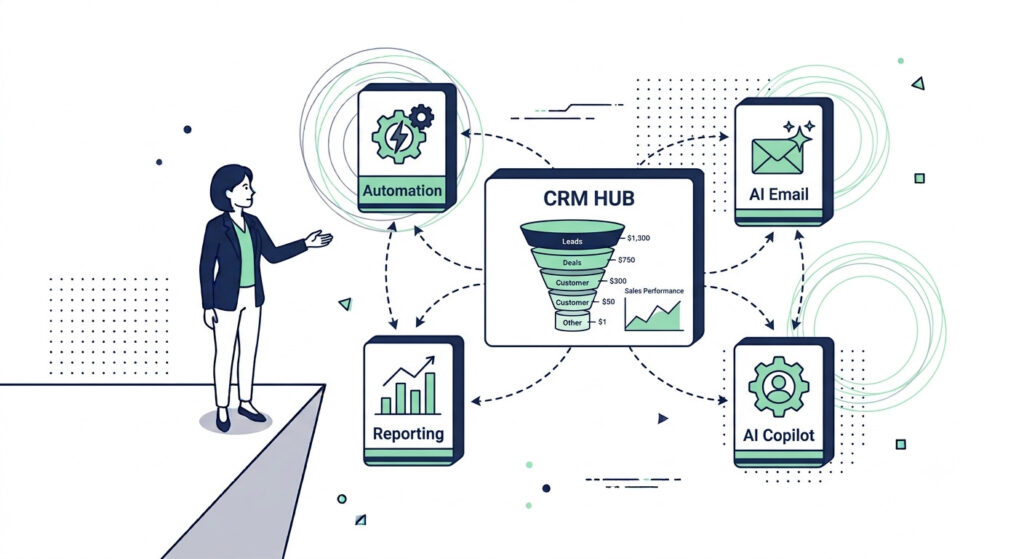
Small business owners can maximize HubSpot’s free CRM by connecting their inbox on day one, building their pipeline before importing a single contact, and wiring in an AI automation connector before the first lead lands. Here’s the exact sequence:
- Connect Gmail or Outlook first. This is the single highest-leverage setup step. Every email you send from your connected inbox gets automatically logged against the contact record — no manual entry, no lost history.
- Import your contacts via CSV. Clean your spreadsheet first: Name, Email, Company, Phone. Map these to HubSpot’s default properties so you don’t burn any of your 10 custom property slots on data that already exists natively.
- Build your deal pipeline before you need it. Go to Sales → Pipelines and rename the default stages to match your actual sales process. You get one pipeline — make it count.
- Create your meeting scheduling link. Navigate to Sales → Meetings, connect your calendar, and set your availability. Share this link in every outreach email. It eliminates the back-and-forth that kills CRM pipeline velocity for solo operators.
- Install the live chat widget on your website. Go to Conversations → Chatflows, build a basic bot, and embed the snippet. Every chat conversation syncs directly to a contact record — including contacts created from new visitors.
- Use HubSpot’s Breeze Copilot AI for email templates. The free plan includes limited but functional AI content generation for outreach emails and follow-up sequences directly inside the CRM. Open any contact record, navigate to the email composer, and use the AI-assist prompt to draft your first 5 saved templates. This replaces an external AI email sequence generator for basic use cases.
- Connect Zapier or Make as your automation bridge. HubSpot’s free plan has no multi-step workflow engine — but it has a robust API. A free Zapier account with a single multi-step Zap can trigger a follow-up task, send a Slack notification, and log a deal stage change automatically when a contact submits a form. That’s your automation layer, built in under 30 minutes.
The 3 Power-User Workarounds for HubSpot Free Tier Features
These are the three fixes that experienced HubSpot free plan users rely on to stay off the paid upgrade for as long as possible:
- Zapier + HubSpot Free for automation triggers: Build a Zapier Webhook that fires when a HubSpot form is submitted, then chain actions across Gmail, Slack, Google Sheets, or any other tool in your stack. This replicates basic HubSpot workflow automation without touching the Professional tier.
- A dedicated AI email sequence generator for lead nurture: Tools like Instantly, Lemlist, or a GPT-powered outreach assistant handle multi-touch email sequences outside of HubSpot, then log replies back to HubSpot contact records via Zapier. Your CRM stays clean. Your nurture runs on autopilot.
- Google Looker Studio connected to HubSpot for custom reporting: HubSpot’s free custom reporting is severely limited, but its HubSpot Data Connector for Looker Studio is free and pulls live CRM data into fully customizable dashboards. This is the no-cost replacement for HubSpot’s $800/month custom reporting suite.
For a deeper look at structuring this kind of AI-augmented CRM stack, how to integrate AI into your CRM (LINK TO BE ADDED) walks through the exact tool combinations worth building before you scale.
Pro-Tip: Don’t build your Zapier automation until you’ve manually completed the workflow at least 10 times inside HubSpot. Most small business owners automate a broken process and wonder why the automation doesn’t work. Run it by hand first, identify every friction point, then build your Zap around the version of the process that actually works — not the version you think will work on day one.
Why This Stack Works for CRM for Small Business
The free HubSpot CRM handles contact management, pipeline tracking, and communication history. Zapier handles trigger-based automation. An AI email tool handles nurture sequences. Looker Studio handles reporting. Each tool does one job well, and none of them require a paid HubSpot upgrade to function. That is a complete CRM for small business, assembled entirely at zero recurring cost.
When you’re ready to go beyond this stack and evaluate which AI-native CRM tools are redefining what’s possible for small teams in 2026, the best AI CRM tools for small business is the natural next read.
Frequently Asked Questions
Is HubSpot’s free CRM really free forever?
HubSpot’s free CRM is permanently free with no trial expiration. As of 2026, the free plan is limited to 2 user seats, 1 deal pipeline, 2,000 marketing email sends per month, and 10 custom properties — but there is no time limit on access. It is genuinely useful for solo founders and early-stage small businesses, but growing teams will encounter hard feature walls that require a paid upgrade.
What are the biggest limitations of HubSpot’s free plan in 2026?
The most significant 2026 limitations are: a 2-seat user cap, no multi-step automation workflows, only 10 custom properties, mandatory “Powered by HubSpot” branding on all forms and emails, no lead scoring, no A/B testing, and restricted API access. These constraints make the free plan functional for early-stage use but inadequate for teams running active lead nurturing or multi-channel marketing campaigns.
How does HubSpot free CRM compare to Zoho CRM free for small business?
HubSpot’s free plan offers superior UI polish, better onboarding, and native AI Copilot features, while Zoho CRM’s free tier supports 3 users (vs. HubSpot’s 2) and includes more basic automation capabilities. For small businesses prioritizing ease of use and a broader ecosystem, HubSpot wins; for teams needing more free users and built-in workflow rules, Zoho is the stronger free option.
Can I automate my sales process with HubSpot’s free CRM?
HubSpot’s free plan does not include multi-step workflow automation — only a single automated email per form submission is available at no cost. To automate sales sequences on a free plan, small business owners typically connect HubSpot to a third-party AI automation connector like Zapier or Make, which can trigger follow-up tasks and notifications based on CRM activity without requiring a HubSpot paid upgrade.
The Verdict: HubSpot Free CRM Review 2026
HubSpot’s free CRM is the best-designed free CRM for a solo founder or 2-person team in 2026 — full stop. The contact management, visual pipeline, Gmail and Outlook sync, meeting scheduling, and live chat are all genuinely functional from day one, with no expiration date and no credit card required.
But this is a starting point, not a scaling engine.
The 2-user seat cap, zero multi-step automation workflows, 10 custom properties, mandatory HubSpot branding, and a $800/month paid upgrade cliff mean the free plan has a clearly defined ceiling. When you hit it, you’ll know — and you’ll want a plan for what comes next before that moment arrives.
What You Should Do Right Now
Here’s the decision tree, simplified:
- If you’re a solo founder or 2-person team with fewer than 200 active contacts — start with HubSpot free today. The CRM core is excellent. Wire in a Zapier automation layer and you’re running a functional sales system at zero cost.
- If you have 3+ users or need email sequences now — start your evaluation on Zoho CRM or EngageBay instead, where the free-to-paid transition won’t blindside you at $800 a month.
- If you’re committed to HubSpot but want to bridge the automation gaps before upgrading — the AI Automation Blueprint covers the exact free-tool stack to build around it.
The combination of HubSpot’s free CRM as your pipeline hub, Zapier Webhooks as your automation bridge, and an AI email sequence generator for lead nurture is the smartest zero-cost CRM stack available to small business owners right now. Start with the CRM, add the automation layer, and only pay HubSpot when the revenue justifies it — not before.
Pro-Tip: Set a 90-day CRM review reminder the day you sign up. At the 90-day mark, pull your HubSpot Usage & Limits report and check three numbers: seats used, marketing emails sent, and custom properties consumed. If you’re at 80% of any limit, you have a 30-day window to either optimize your setup or evaluate alternatives before the constraint actively slows your growth. Don’t wait until you hit the wall — schedule the audit before you need it.
Start HubSpot Free — No Credit Card Needed