You close the deal. The client signs. And then — almost immediately — the cracks appear.
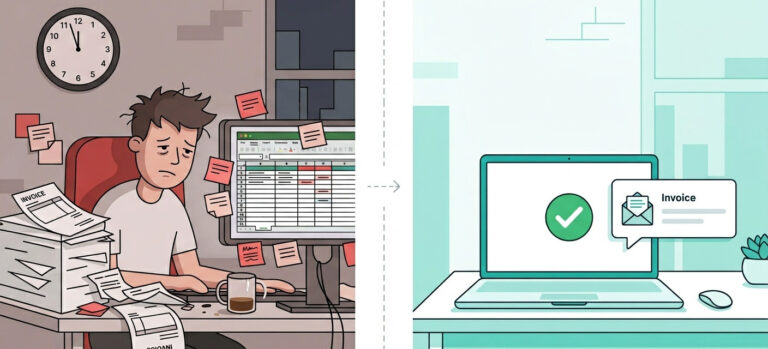
The intake form sits in your inbox waiting for you to manually forward it. Your welcome email is half-drafted in a tab you haven’t gotten back to. The project tasks? Still in your head. By the time you’ve pulled everything together, three days have passed, and your new client already feels like an afterthought.
This is what manual client onboarding actually costs you — not just time, but trust.
Research consistently shows that clients who hit their first measurable win within 10 days of onboarding have an 87% retention rate over four years. Miss that window because your process is slow, patchy, or human-dependent, and you’re starting the relationship on the back foot before you’ve delivered a single deliverable.
The fix isn’t working faster. It’s building a system that works without you.
The Problem With Manual Onboarding in 2026
Most solo founders and service businesses run onboarding the same way they did five years ago: a mix of copy-paste emails, shared Google Docs, and mental reminders.
It works — until it doesn’t. Scale brings cracks. Every new client adds pressure to a process that was never designed to run on its own.
Here’s what that looks like in practice:
- Intake forms that arrive incomplete, with no automated follow-up
- Welcome emails that go out late, or sound generic because they weren’t personalized
- Task lists built manually from scratch for every single client
- Kickoff calls where the client is underprepared because no one sent them the right materials
- Zero visibility on where any client actually sits in your onboarding pipeline
These aren’t just inconveniences. They’re the exact patterns that trigger early churn — and acquiring a new client costs 5 to 7 times more than retaining one. Every client lost to a slow start is compounded revenue you’ll never recover.
Why AI Changes the Equation Entirely
To automate client onboarding with AI means connecting intelligent tools across your intake, communication, and task management layers so that every step fires automatically — triggered by the one before it — with no manual push required.
This isn’t theoretical. Small businesses that implement AI onboarding automation are reporting up to 53% higher day-30 client retention rates, with the heaviest lifters — intake capture, personalized welcome sequences, and automatic task creation — delivering measurable results within the first 30 to 90 days of implementation.
The AI adoption rate among small businesses jumped from 22% in 2024 to 38% in 2026. The businesses building these systems now aren’t ahead of a trend — they’re cementing a structural advantage that compounds every month.
This guide walks you through exactly how to automate client onboarding with AI — from the moment a lead signs to the moment they’re fully onboarded, briefed, and confident. You’ll get the full five-stage workflow, a tool selection framework, and a phased rollout plan that won’t break your existing process. If you’re already wondering where onboarding sits inside your wider operations problem, the AI Workflow Automation for Small Business: Simple Systems That Save Time guide is the right place to start first.
Pro-Tip: Before you automate a single step, open a blank doc and write out your current onboarding process from memory — every email, form, task, and handoff. The gaps you leave out are exactly where your clients experience friction. Automation doesn’t fill invisible holes; it accelerates the path you’ve already built. Map it first, then let AI run it.
Table of Contents
What Does It Mean to Automate Client Onboarding With AI?
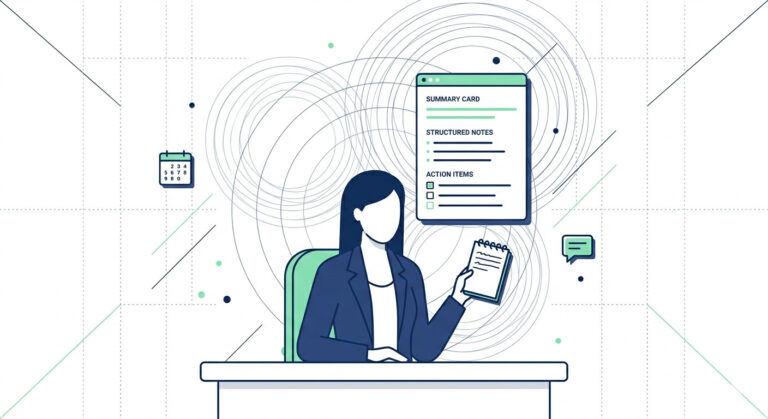
To automate client onboarding with AI means using intelligent software to handle intake capture, document processing, welcome communications, and task creation automatically — without manual intervention after the initial setup. You build the system once. It runs every time a new client signs.
That’s the definition. But the practical reality is even simpler: if a step happens in nearly every onboarding and doesn’t require your strategic judgment, it should be automated. Everything else — trust-building, scope conversations, relationship nuance — stays with you.
The Three Layers Every AI Onboarding System Runs On
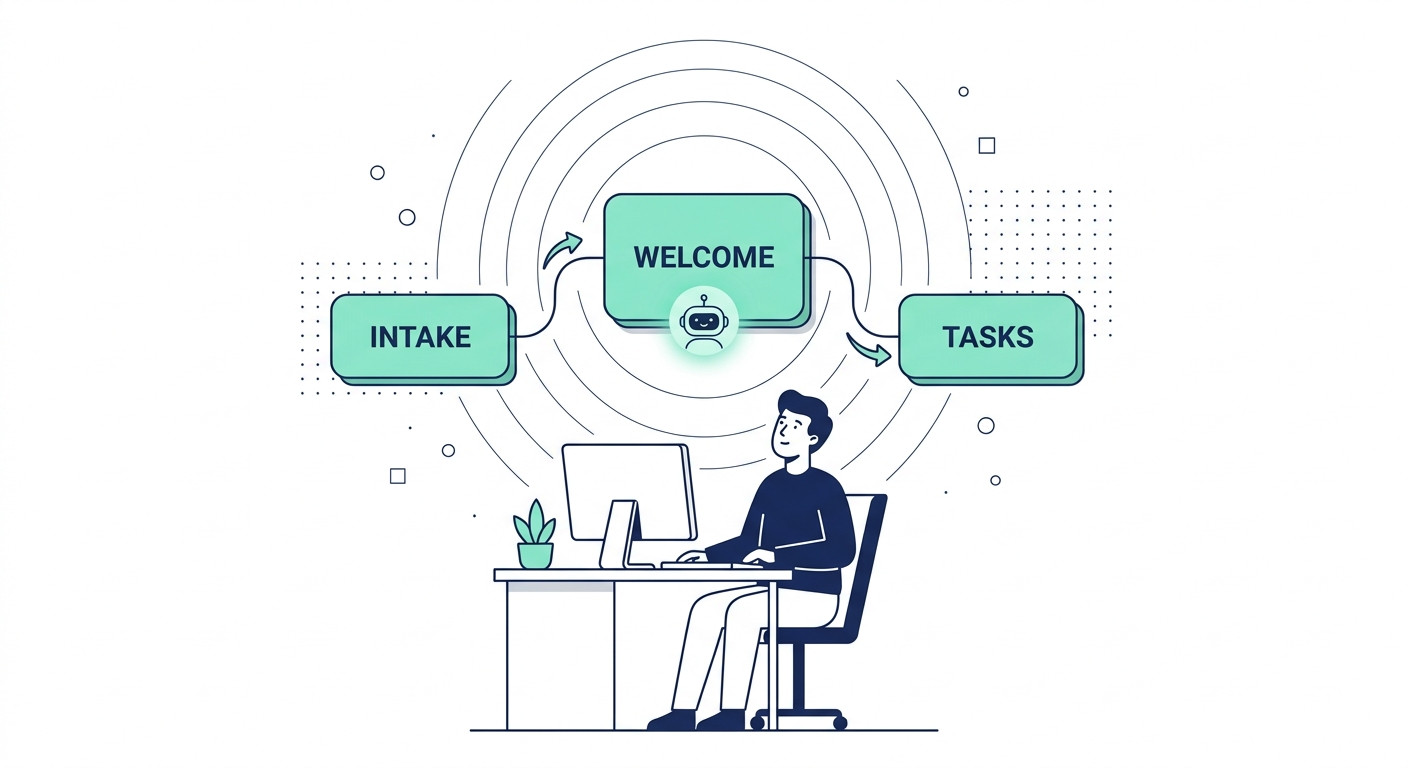
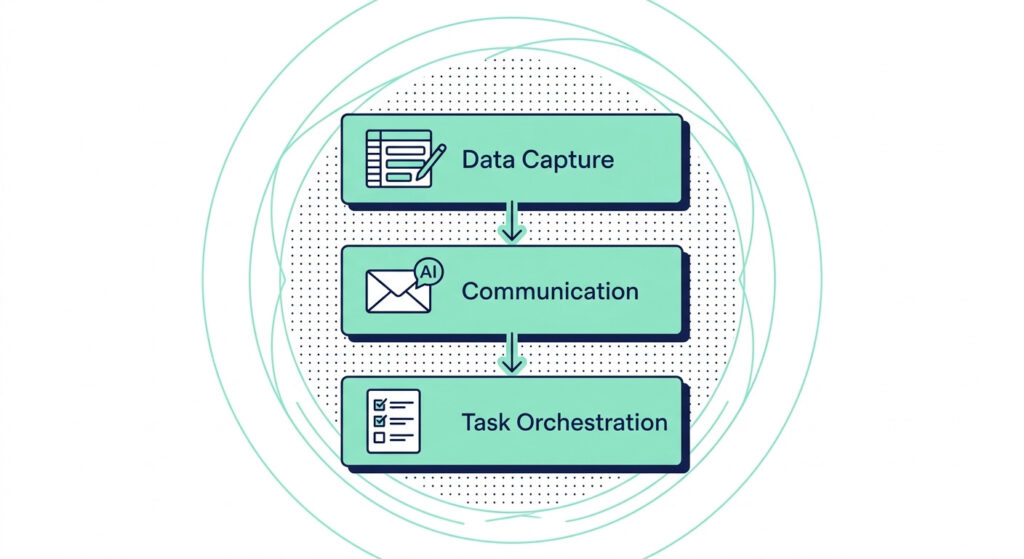
Think of your onboarding as a three-layer stack. Each layer feeds the next:
- Data Capture — A client fills out a smart intake form. AI validates completeness in real time, flags missing fields, and routes the data to the right workflow path based on client type.
- Communication — A personalized welcome sequence fires automatically. No copy-paste. No delayed emails. An LLM-powered email tool pulls the client’s name, goals, and service tier directly from your CRM to write messages that feel handcrafted.
- Task Orchestration — Internal tasks are generated and assigned automatically. Your project management tool spins up the right board, populates the right steps, and notifies the right people — triggered by the completed intake, not by you.
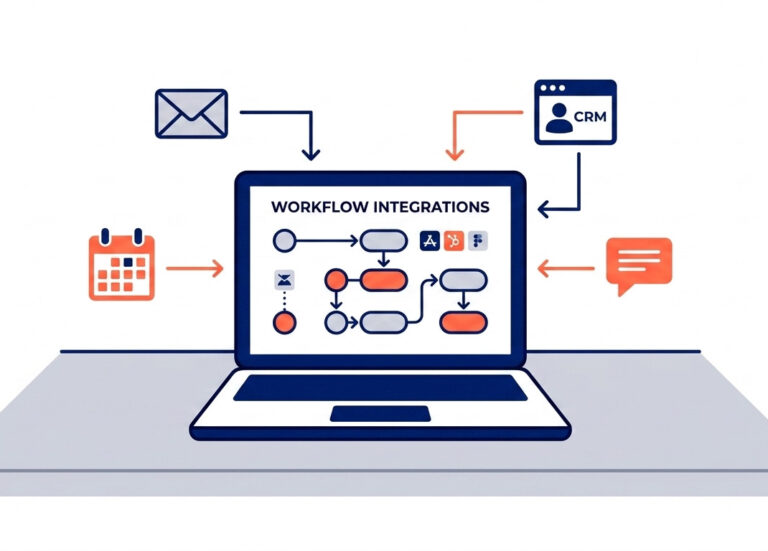
These three layers connect through CRM workflow automation (LINK TO BE ADDED), where a single trigger — like a deal marked “closed-won” or a signed contract — sets the entire chain in motion.
Manual vs. AI-Automated: What Actually Changes
Here’s a direct comparison of where the friction lives and how automation removes it:
| Manual Onboarding Step | AI-Automated Equivalent |
|---|---|
| Email intake form link manually | Auto-triggered smart form with conditional logic on deal close |
| Chase client for incomplete fields | Real-time field validation + automated re-request sequences |
| Write bespoke welcome email | LLM personalization engine pulls CRM data to generate tailored message |
| Build project tasks from scratch | CRM-triggered task creation assigns owners automatically |
| Forward documents to delivery team | AI document classifier routes files to the right workspace instantly |
| Manually check onboarding status | Live dashboard with milestone tracking and at-risk flags |
The goal isn’t to remove people from onboarding. It’s to remove people from the parts that don’t need them. Your time belongs in the work that actually requires your expertise — not in chasing intake forms or rebuilding the same Notion board for the fifteenth time.
What AI Onboarding Is Not
This matters, because the biggest resistance to automation usually comes from a misunderstanding.
AI onboarding is not a replacement for your client relationship. It’s a system that makes your relationship start stronger. When your client receives a fast, personalized, organized welcome — without you scrambling behind the scenes — they experience you as more competent, not less human.
It’s also not a one-size-fits-all robot sequence. A well-built AI onboarding workflow uses conditional logic and CRM segmentation to route different client types through different paths. A high-touch enterprise client and a small one-off project shouldn’t feel like they received the same template.
Pro-Tip: Build your automation trigger around a CRM deal stage, not a calendar reminder or manual action. When “Closed-Won” fires in your CRM pipeline, every downstream automation — intake form delivery, task creation, internal Slack notification, welcome email — launches instantly without a single manual push. This single connection point eliminates the most common onboarding delay: the gap between “client signed” and “onboarding started.”
Why Your Current Onboarding Process Is Costing You More Than You Think
Manual client onboarding creates delays, scope miscommunications, and client distrust — all of which directly increase churn and quietly reduce your capacity to grow. The problem isn’t that you’re doing it wrong. It’s that you’re doing it manually at all.
Client onboarding automation isn’t just a time-saving upgrade — it’s a revenue protection decision. And most small business owners don’t realize how much the manual version is actually costing them until they do the math.
The 5 Places Your Onboarding Is Leaking Money Right Now
These are the five most common failure points in a manual onboarding process — and every single one is happening in your business right now if you don’t have a system:
- Late intake forms. You send the link manually. The client responds three days later. Your kickoff timeline slips before the project even starts.
- Generic welcome emails. A copy-paste email with a name swap isn’t a welcome — it’s a signal that you treat every client the same. First impressions compound.
- Unclear next steps. The client doesn’t know what happens after they sign. You forget to follow up. Silence breeds doubt.
- Missed task assignments. Internal handoffs that live in your head instead of a system get dropped. Delivery suffers. Trust erodes.
- No progress visibility. Neither you nor your client can see where things stand. Questions multiply. Your inbox fills. Your focus breaks.
Each of these points is a trust withdrawal from a relationship that hasn’t had a chance to make a single deposit yet.
What It’s Actually Costing You Per Month
Here’s a fast calculation most business owners never do. Take your effective hourly rate, multiply it by the time you spend on onboarding admin per client, then multiply by how many new clients you onboard in a month.
Time on onboarding admin × hourly rate × monthly new clients = hidden cost
If you spend 3 hours per client on manual onboarding tasks and bring on 5 clients per month at a $150 effective hourly rate, that’s $2,250 per month in time cost alone — not counting the deals you lose when a slow or clunky onboarding experience triggers early churn.
CRM-integrated AI onboarding workflows have been directly linked to a 23% reduction in client churn. For a service business generating $10,000 per month in recurring revenue, a 23% churn reduction isn’t a small efficiency win — it’s a meaningful shift in retained revenue, compounded every single month.

Fix the Process Before You Automate It
Here’s the part most automation guides skip: automating a broken process doesn’t fix it — it accelerates the chaos.
If your current onboarding is unclear, incomplete, or inconsistently executed, an AI workflow will just run those problems faster and at higher volume. The first step to successful client onboarding automation is documenting exactly what good looks like — then letting AI execute it consistently.
That means writing out every step, every email, every handoff, every client-facing touchpoint before you build a single automation trigger. If you’re not sure whether your operations are the root problem, these 5 red flags that your business operations are inefficient (LINK TO BE ADDED) will tell you quickly.
Once you have a clean, documented process, AI stops being a risk and becomes a multiplier. Your CRM pipeline velocity increases because no deal sits idle waiting for a manual action. Your workflow automation tools can fire sequences in seconds, not days. And your client experience becomes consistent — regardless of how full your calendar is or how distracted you get.
Pro-Tip: Before building a single automation, run a “shadow audit” on your last 3 client onboardings. Go through your sent emails, task history, and calendar to reconstruct exactly what happened — and when. You’ll find the gaps you never noticed because you were too busy filling them manually. Those gaps are your first automation targets.
The 5-Stage AI Onboarding Workflow (Step-by-Step)
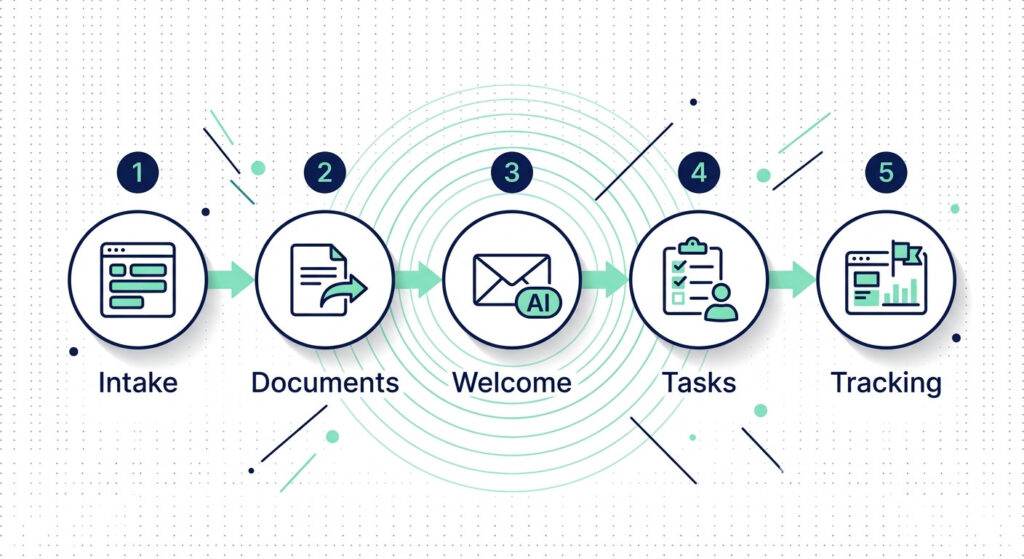
A complete AI onboarding workflow has five stages: intelligent intake, automated document handling, personalized welcome sequencing, task orchestration, and progress tracking — each triggered automatically by the one before it. You set this up once. Every new client who signs moves through the entire sequence without you touching a single step.
This is the core system. Everything else in this guide supports it
How the 5 Stages Connect
The logic is simple: capture information once, validate it immediately, personalize the client’s experience based on what they told you, assign the right people to the right tasks, and then monitor progress without manual check-ins. Each stage hands off to the next through a CRM workflow trigger — no gaps, no delays, no dropped balls.
Here’s the full workflow at a glance:
| Stage | What AI Does | Tool Category |
|---|---|---|
| 1. Intelligent Intake | Delivers a conditional-logic smart form on deal close; validates completeness in real time; re-requests missing fields automatically | AI-powered smart form builder + CRM intake connector |
| 2. Document Handling | Receives uploaded files; classifies by type (brief, contract, asset); routes each to the correct workspace folder automatically | AI document classification tool |
| 3. Welcome Sequencing | Pulls CRM data (name, service tier, stated goals) to generate a personalized welcome email, kickoff agenda, and resource pack | LLM-based email personalization engine |
| 4. Task Orchestration | Parses intake data and deal notes to auto-generate a project board, populate milestone tasks, and assign internal owners | CRM workflow automation + project management AI agent |
| 5. Progress Tracking | Monitors milestone completion rates and engagement signals; flags at-risk clients and triggers internal alerts when delays occur | AI-powered customer success dashboard |
The complete chain runs on a single entry point: the CRM pipeline stage moving to “Closed-Won.” Every downstream action — intake delivery, document routing, welcome email, task creation, progress tracking — fires from that one trigger.
To see how this onboarding workflow fits inside a broader automation strategy, explore 5 AI Automations That Save 20+ Hours a Month for Small Business Owners.
Breaking Down Each Stage
Stage 1 — Intelligent Intake
The moment your CRM marks a deal closed, a smart intake form fires automatically to the client — no manual sending required. The form uses conditional logic to show or hide fields based on previous answers, so clients only see what’s relevant to their service type.
If they submit incomplete fields, an automated re-request sequence triggers within minutes — not the next time you happen to check your inbox. You receive a clean, validated, complete data set every time. The days of chasing intake forms end here.
Stage 2 — Automated Document Handling
Once the client submits their intake and uploads supporting files, an AI document classifier reads each file and routes it automatically. Brand briefs go to your creative folder. Signed contracts go to your legal archive. Assets go to your project workspace.
This eliminates the manual sorting that typically sits in your inbox for hours — or days. More importantly, your delivery team gets everything they need the moment the client submits, not the moment you get around to forwarding it.
Stage 3 — Personalized Welcome Sequencing
This is where most manual onboarding looks exactly the same — and where AI creates the biggest first-impression advantage. An LLM-based email personalization engine pulls the client’s name, service tier, industry, and stated goals directly from your CRM to draft a welcome message that reads like you wrote it specifically for them.
The sequence typically runs: welcome email → client portal access confirmation → pre-kickoff resource pack → day-3 check-in. Each message fires on behavior-triggered timing, meaning the next step sends based on what the client did — opened, clicked, logged in — not just a fixed delay.
Stage 4 — Task Orchestration
When the intake is complete, your project management AI agent parses the form data and deal notes — and builds the project board for you. Tasks are generated, labeled by phase, and assigned to the right team members or contractors automatically.
Tools like Arrows trigger this from the CRM deal itself, building onboarding plans based on specific line items in the contract without a single manual setup step per client. No more opening a template board and duplicating it. No more pasting client names into task titles. The board is live and assigned before your first coffee of the morning.
Stage 5 — Progress Tracking & Risk Flagging
A live onboarding dashboard monitors every active client’s milestone status in real time. When a client falls behind on a task or goes quiet — low email opens, no portal logins, overdue deliverables — a predictive risk flag triggers an internal alert to your account manager or directly to you.
This means you’re catching at-risk relationships at day 7, not day 45 when the cancellation email arrives. The key metrics your dashboard should surface: milestone completion rate, time-to-first-value, processing error rate, and communication response lag.
How to Roll This Out Without Disrupting Active Clients
Don’t flip the switch on your entire client base at once. The safest rollout follows a phased approach:
- Phase 1 (Week 1–2): Run the new automated workflow for 10–20% of new clients only. Keep your manual process running in parallel as a backup.
- Phase 2 (Week 3–4): Expand to 50% of new clients. Monitor for failed triggers, incomplete intake captures, or delivery errors.
- Phase 3 (Month 2+): Roll out to 100% of new clients once the workflow has run cleanly for at least two full weeks.
One non-negotiable rule: your automation must fail loudly, not silently. Set up error alerts in your workflow orchestration layer so that any stuck trigger, failed document processing, or broken CRM handoff sends you an immediate notification — not a mystery your client discovers before you do.
Pro-Tip: Map your five automation stages to five CRM custom properties — one per stage, each toggling from “Pending” to “Complete” as the workflow progresses. This gives you a live onboarding health score per client without opening a single project board. When all five properties show “Complete,” onboarding is done. When one stalls, you know exactly where to look.
Choosing the Right AI Tools for Your Onboarding Stack
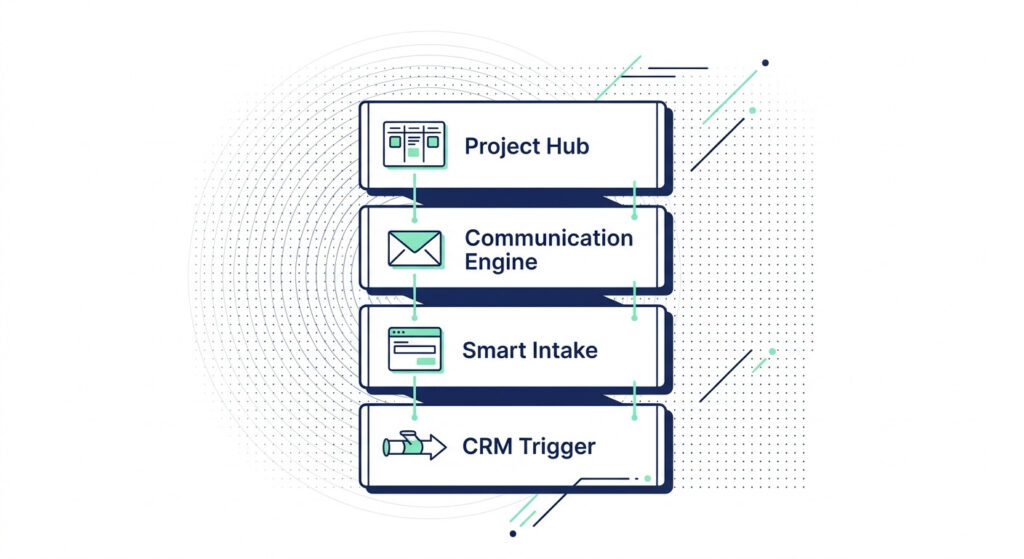
The best AI onboarding stack for small businesses in 2026 combines a smart intake layer, an LLM-powered communication engine, a CRM workflow trigger system, and a centralized project hub like Notion. You don’t need all of them on day one. You need the right ones in the right order.
The mistake most solopreneurs make isn’t choosing the wrong tool — it’s choosing too many at once and connecting none of them properly. Tool fatigue sets in, nothing talks to anything else, and the “automation” ends up being more work than the manual process it replaced. Start with the layer that removes the most friction in your specific workflow, then build outward.
The 2026 AI Onboarding Tool Stack, by Category
Here’s how the leading platforms break down across the four core layers of client onboarding automation — with a complexity rating so you know what you’re actually signing up for:
| Tool Category | Example Tools | Best For | Complexity Level |
|---|---|---|---|
| Smart Intake & Form AI | Typeform AI, Fillout, Jotform AI | Conditional intake forms, real-time field validation, CRM sync | Low |
| CRM Workflow Automation | HubSpot, GoHighLevel, Pipedrive | Deal-triggered sequences, pipeline stage automation, email workflows | Low–Medium |
| Deal-Triggered Onboarding Plans | Arrows | Automatically building onboarding plans from CRM deal line items | Low |
| Sales-to-Success Handoff | Onboard.io | Parsing sales call transcripts to pre-populate onboarding goals | Medium |
| AI Agent Workflow Builder | MindStudio | Building custom AI agents to handle multi-step onboarding logic | Medium–High |
| Project Management AI | Motion, Notion AI | Auto-generating task boards, assigning owners, tracking milestones | Low–Medium |
| LLM Email Personalization | HubSpot AI, ActiveCampaign AI | Generating personalized welcome sequences from CRM data | Low |
No single tool covers every layer. The goal is a connected stack where each tool hands off cleanly to the next — not a collection of standalone subscriptions that all require manual input to keep in sync.
The 3-Criteria Rule for Picking Your First Automation
Before you choose any tool, run your candidate process through three filters:
- High volume — Does this step happen in every single onboarding? If it’s occasional, it’s not worth automating first.
- Well-documented — Is the process clear enough to hand off to a system? If you can’t explain the steps to a new hire, you can’t hand them to AI.
- Low error risk — If this step fails silently, does it cause a client-facing problem? Start with the automations where a mis-fire is catchable and fixable — not the ones that damage trust.
The intake form and internal task creation pass all three filters for almost every service business. That’s your starting point.
The “Start Here” Stack for Solopreneurs With Zero Dev Experience
If you’re running a solo operation and want to automate client onboarding with AI without touching a single line of code, this four-tool stack gets you to 80% automation coverage immediately:
- Smart form tool (e.g., Typeform AI or Fillout) — captures and validates intake data automatically
- CRM with native workflow automation (e.g., HubSpot free tier or GoHighLevel) — triggers every downstream action from deal close
- Notion — serves as your centralized client hub: onboarding tracker, task boards, and client-facing portal in one workspace
- AI email automation (e.g., ActiveCampaign or HubSpot Sequences) — sends personalized welcome and follow-up sequences from CRM data
Connect these four in order — form feeds CRM, CRM triggers email and Notion board creation — and you have a functioning AI onboarding workflow without a developer, a consultant, or a six-month implementation project. For context on how this stack integrates with your broader business systems, the AI Workflow Automation for Small Business: Simple Systems That Save Time guide covers the full connection map.
Pro-Tip: Before committing to any paid tool in your onboarding stack, test the integration chain using free tiers only. Build the full sequence — intake → CRM trigger → Notion board creation → welcome email — with zero-cost plans first. If the data flows cleanly through every handoff, upgrade. If a connection breaks, you’ve found the weak link before it costs you a client relationship or a monthly subscription.
📌 Choosing Tools Is Only Half the System
Picking the right platforms gets you to the starting line. The real advantage — the part that turns a list of tools into a self-running onboarding machine — is knowing exactly how to configure each connection, in what sequence, with what logic.
Choosing the right tools is only step one. The real advantage comes from knowing exactly how to connect them into a system that runs itself. The AI Automation Blueprint gives you the exact stack, sequences, and ready-to-deploy templates built specifically for small business owners in 2026.
Get the AI Automation Blueprint for Small Business →
How to Implement Your AI Onboarding System Without Breaking Existing Workflows
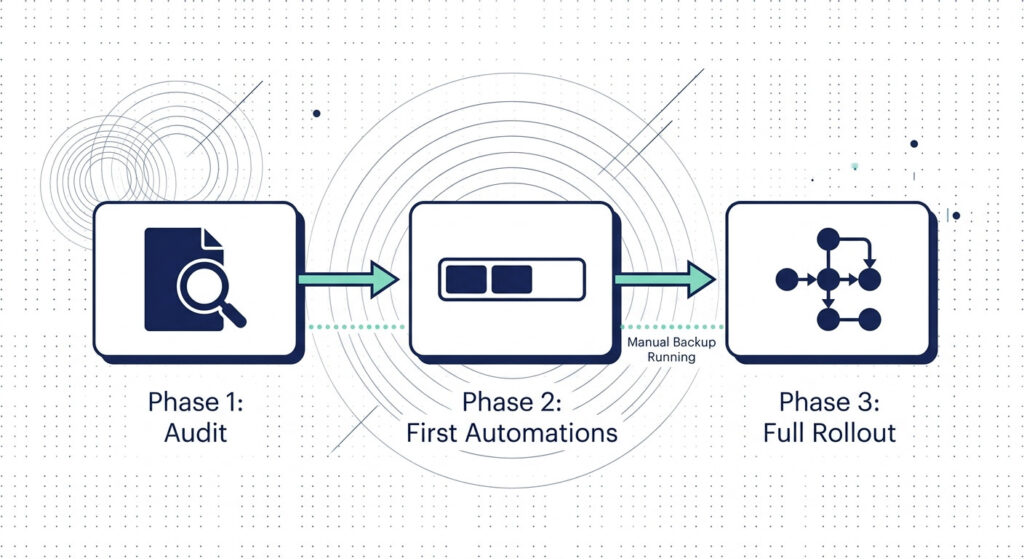
The safest way to implement an AI onboarding workflow is in three phases: fix your existing process first, automate the highest-volume lowest-risk tasks second, then expand to full automation with a manual backup running in parallel the entire time. The goal is zero disruption to active clients while you build the new system alongside them.
Most implementation failures don’t happen because the tools are wrong. They happen because someone tried to flip the switch on everything at once — replacing a manual process they hadn’t fully documented with an automated one they hadn’t fully tested. Don’t do that.
Phase 1 — Audit Before You Automate
Before you touch a single tool, map your current onboarding process completely. Open a blank document and write out every step: every email you send, every form you share, every task you create manually, every handoff between you and your team or contractors — and assign a time cost to each.
This isn’t just documentation. It’s your automation blueprint. You’re looking for three things:
- The step that takes the most time and happens on every onboarding
- The step where something most often falls through the cracks
- The step that depends entirely on you — and therefore blocks everything else when you’re busy
Those three points are your first automation targets. Everything else can wait.
If this process surfaces problems that go beyond onboarding — handoffs that are unclear, workflows that rely on tribal knowledge, tasks that live in your head rather than a system — that’s a signal your operations need a broader look. These 5 red flags that your business operations are inefficient (LINK TO BE ADDED) will tell you whether onboarding is the symptom or the root cause.
Phase 2 — Start With the Two Automations That Matter Most
Before building a full five-stage workflow, automate exactly two things first: intake completeness and internal task creation.
These two steps have the highest frequency, the clearest logic, and the most immediate payoff:
- Intake completeness automation means a client can never submit an incomplete form — your smart form tool validates fields in real time and triggers an automated re-request for anything missing. You stop chasing clients for information and start receiving complete data sets every time.
- Automatic task creation means the moment an intake is submitted and validated, your CRM workflow automation pushes the deal data to your project management tool and generates the standard project board automatically — tasks created, phases labeled, owners assigned.
These two automations alone eliminate the biggest daily time drains in most service businesses without requiring a complex multi-tool configuration. Get them running cleanly before you add anything else to the stack.
Phase 3 — Roll Out in Stages, Never All at Once
Once your first two automations are live and tested internally, roll them out to real clients — but in controlled stages:
- Week 1–2: Run the automated workflow for 10–20% of new clients only. Keep your existing manual process fully operational as a parallel backup. Don’t decommission anything yet.
- Week 3–4: If no failures, no client complaints, and no data gaps, expand to 50% of new clients. Monitor daily — check your CRM workflow logs, form submission completion rates, and task creation accuracy.
- Month 2+: Roll out to 100% of new clients only after the workflow has completed at least two full clean cycles without a manual intervention. Archive your backup process, but don’t delete it for another 30 days.
This staged approach protects every active client relationship during the transition and gives you real-world data on where your workflow orchestration platform needs refinement before it’s handling your full client load.
The Non-Negotiable: Make Your Automation Fail Loudly
A silent automation failure is worse than no automation at all. If a document fails to route, an intake form trigger misfires, or a CRM webhook breaks — and nobody gets an alert — your client experiences the gap before you do.
Set up error monitoring at every handoff point in your workflow. Specifically:
- Stuck workflow alerts — if a CRM deal stage trigger doesn’t fire within 5 minutes of a deal closing, send an immediate Slack or email notification to you or your ops manager
- Form submission failures — if an intake form submission doesn’t create a CRM contact record, trigger a fallback alert
- Document routing errors — if an uploaded file doesn’t get classified and routed within a defined window, flag it for manual review
- Task creation gaps — if a project board isn’t generated within 10 minutes of intake completion, alert the delivery team
Tools like Make and n8n both support error handling branches natively — you can build a “failure path” that runs whenever the primary workflow path breaks, routing the broken trigger to a notification or a manual fallback task instead of disappearing silently.
Pro-Tip: Build a “Dead Letter Queue” inside your workflow orchestration platform — a dedicated folder, Notion database, or CRM pipeline stage called “Automation Failed” where any broken trigger lands automatically. Check it once per day during your first 30 days of live rollout. It turns invisible failures into a visible list you can fix in 10 minutes — and it gives you the exact data points to harden your workflow before you expand to 100% of clients.
Frequently Asked Questions
What is the best way to automate client onboarding with AI for a small business?
The best approach for small businesses is to start with one high-volume, well-documented onboarding step — typically the intake form and welcome email — and automate those first using a smart form builder connected to a CRM. Once that flow is stable, layer in AI task creation and progress tracking. The key principle for 2026: automate what repeats, keep a human visible for anything that affects trust, scope, or pricing.
How does an automated welcome sequence work in client onboarding?
An automated welcome sequence is triggered the moment a client submits an intake form or a deal is marked as closed-won in your CRM. The AI pulls client data — name, service tier, goals, industry — and uses an LLM to generate a personalized welcome email, a kickoff agenda, and initial resource links. Messages are sent on behavior-triggered timing (not just time delays), so each touchpoint feels intentional rather than robotic.
Can AI onboarding workflows reduce client churn?
Yes — CRM-integrated AI onboarding workflows have demonstrated a 23% reduction in churn by ensuring no client milestone is missed and no communication gap goes unaddressed. AI progress tracking flags at-risk clients early, allowing proactive outreach before dissatisfaction escalates. The key mechanism is visibility: when clients can see their onboarding progress, confidence increases even when they’re waiting.
What AI tools are best for automating client onboarding in 2026?
In 2026, the strongest onboarding automation stacks for small businesses combine tools like Motion.io (task automation), Arrows (deal-triggered onboarding plan generation), Onboard.io (sales-to-success handoff with AI transcript parsing), and MindStudio (custom AI agent workflows). For solopreneurs, the minimum viable stack is: a smart intake form → CRM with workflow triggers → Notion project hub → LLM-powered email tool. Complexity should match your client volume — start simple and layer in intelligence as you grow.
One System. Built Once. Running Every Time.
The solopreneurs scaling fastest in 2026 aren’t working harder than you. They’ve stopped rebuilding the same onboarding process from scratch every time a client signs — and started running a system that executes consistently regardless of how busy they are, how full their calendar gets, or how many clients come through the door at once.
Your CRM pipeline velocity improves because no deal sits idle. Your clients receive a fast, personalized, organized welcome because the system delivers it — not your availability. And your delivery team starts every project with complete information, clear task assignments, and zero ambiguity about what happens next.
That’s what automating client onboarding with AI actually looks like when it’s running properly. Not a tech project. A business advantage that compounds every single month.
Pro-Tip: Once your onboarding automation is live and stable, set a 90-day review reminder. Pull your CRM data on milestone completion rates, time-to-first-value, and client retention at 30 and 60 days — and compare it directly against your pre-automation baseline. This single data exercise will show you the exact ROI of the system you’ve built, give you the evidence to invest in the next automation layer, and tell you precisely which stage of the workflow still has room to improve.
Stop Planning. Start Building.
Every week you run onboarding manually is a week the system could have been running for you.
The AI Automation Blueprint walks you through every workflow, tool connection, and template covered in this guide — built specifically for small business owners who want results without the trial-and-error. No dev skills required. No guesswork on which tools to connect or in what order. Just a complete, ready-to-deploy onboarding system mapped out step by step.