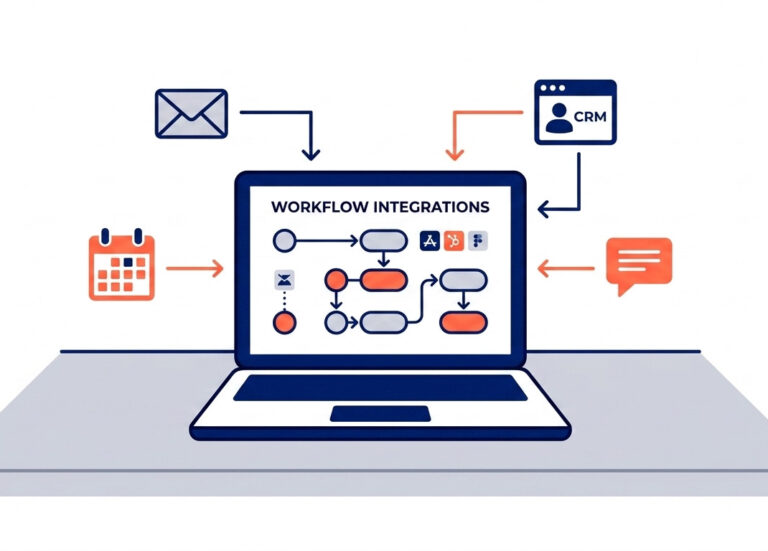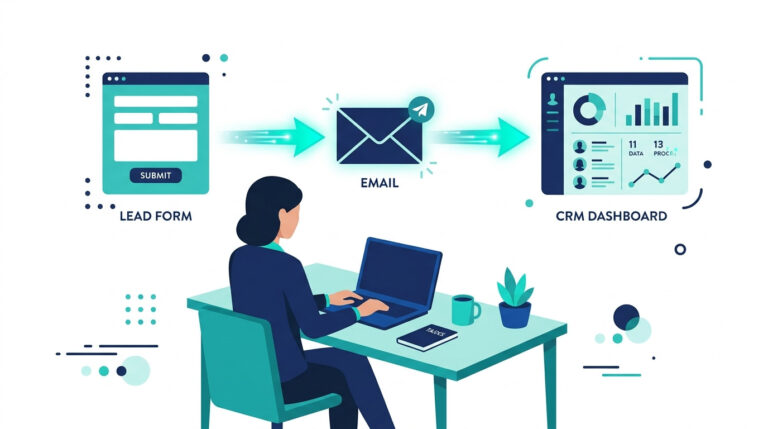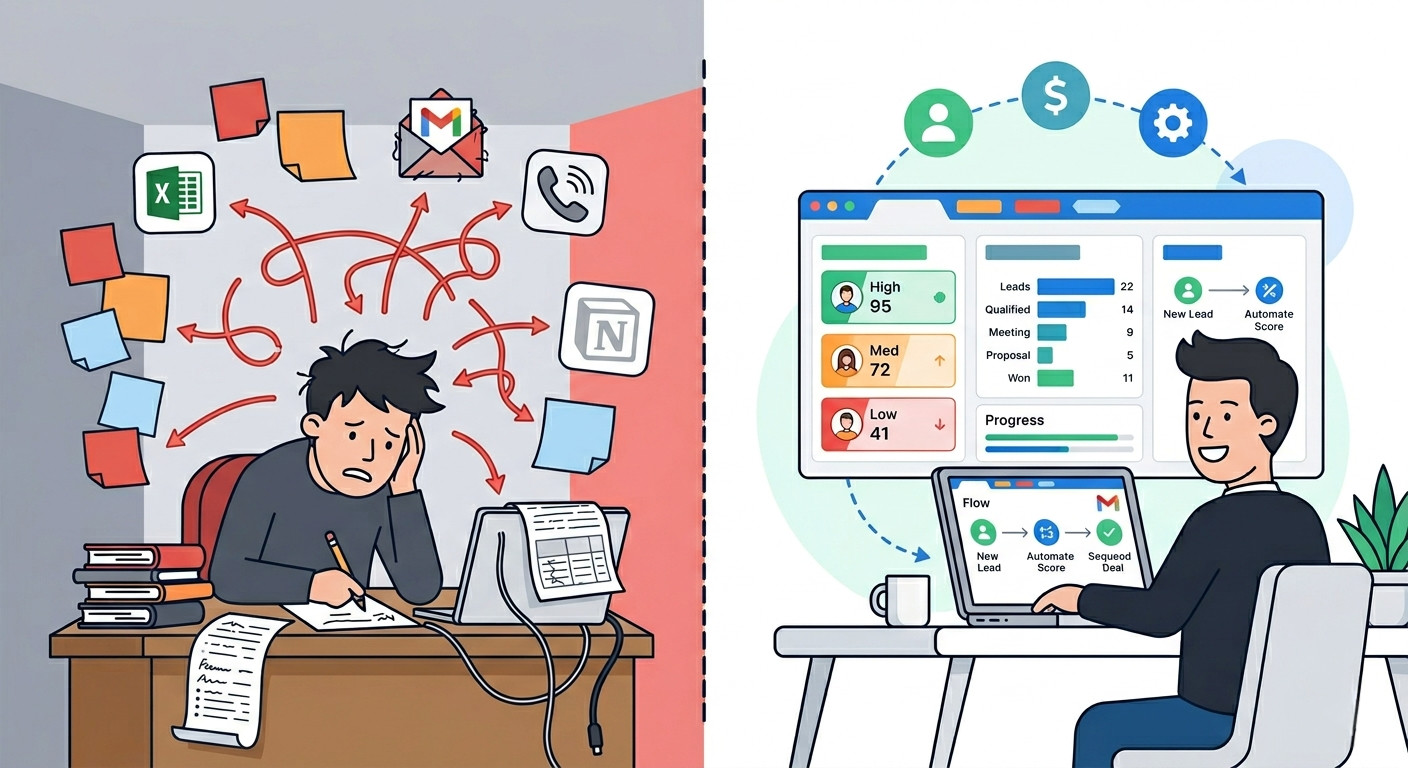
You’re Not Bad at Sales. You’re Running the Wrong System.
You follow up when you remember to. You log contacts when you have time. You track your pipeline in a spreadsheet — or worse, in your head. Sound familiar?
Here’s the hard truth: most small businesses aren’t losing deals because of poor salesmanship. They’re losing them to broken workflows, scattered data, and follow-up sequences that never get sent. A rep who manually logs CRM updates for just 20 minutes a day loses roughly 80 hours a year to tasks that add zero pipeline value, and CRM is just one layer — five AI automations alone can recover 20+ hours a month across your entire operation.”
That’s two full working weeks. Gone. Every year.
The good news? This is a completely solvable problem in 2026. The best AI CRM tools for small business have moved well beyond contact storage. They now handle predictive lead scoring, write personalized follow-up emails using generative AI, flag at-risk deals before they go cold, and automate entire CRM pipeline velocity loops — the kind of work that used to require a dedicated sales ops hire.
We’re not talking about marginal improvements. Businesses using AI-powered CRM are 83% more likely to exceed their sales goals — and sellers who partner with AI sales tools are 3.7 times more likely to hit quota.
That’s not hype. That’s a systems advantage.
This guide is built for founders, consultants, and service business owners who are done piecing together spreadsheets, sticky notes, and half-configured tools. We’ll cut through the noise and show you:
- Which AI CRM platforms actually deliver for lean teams
- What separates a genuinely AI-native CRM from one with a chatbot slapped on top
- When HubSpot is the right call — and when a HubSpot alternative makes more financial sense
- The exact features your CRM must have in 2026 to give you a real competitive edge
No enterprise bloat. No week-long onboarding. Just the tools that work.
Pro-Tip: Before you evaluate any CRM platform, map your current sales workflow in three steps: where leads enter, where they stall, and where deals die. That 15-minute audit will reveal which AI automation — lead scoring, follow-up sequencing, or pipeline forecasting — will deliver the fastest ROI for your specific business. The right CRM fixes your biggest bottleneck first.
Table of Contents
What Is an AI CRM — and Why Does It Matter for Small Business?
An AI CRM is a customer relationship management platform that uses machine learning and automation to handle lead scoring, sales forecasting, data enrichment, and outreach — replacing hours of manual work for small teams.
That’s the short answer. Here’s why it matters specifically to you.
Traditional small business CRM platforms were built to store information. You added contacts, logged calls, updated deal stages. The CRM held the data — but you still did all the thinking. You decided who to follow up with. You wrote every email. You guessed which deals would close.
AI CRM software flips that model entirely. Instead of you working the CRM, the CRM works for you.
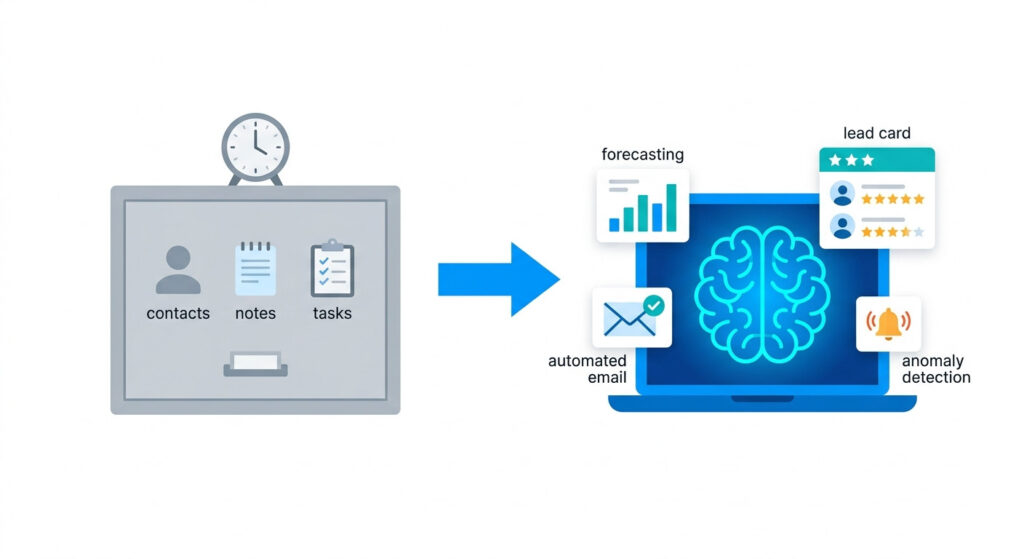
Traditional CRM vs. AI CRM: What Actually Changes
| Feature | Traditional CRM | AI-Powered CRM |
|---|---|---|
| Lead prioritization | Manual sorting by gut feel | Predictive lead scoring ranks contacts by close probability |
| Email outreach | You write every message | NLP email generator drafts personalized follow-ups automatically |
| Deal forecasting | Spreadsheet estimates | Machine learning forecasts revenue based on pipeline signals |
| Data entry | Manual logging after every interaction | Automated data enrichment scraper pulls and updates records in real time |
| Pipeline alerts | You notice problems when it’s too late | Anomaly detection flags stalled deals and unusual drop-offs instantly |
The difference isn’t cosmetic. It’s operational.
The 5 Core AI Functions That Actually Move the Needle
Most AI CRM platforms — whether you’re on HubSpot, Zoho, or Freshsales — build their intelligence layer around five core capabilities:
- Predictive lead scoring: A machine learning model ranks every contact by conversion likelihood, so you stop wasting energy on leads that were never going to buy.
- NLP email generation: A natural language processing engine drafts context-aware follow-ups based on deal stage, contact history, and past engagement — no blank-page paralysis.
- Sales forecasting: Instead of guessing your monthly close rate, AI reads your pipeline velocity and gives you a probability-weighted revenue outlook.
- Conversational AI chatbots: 24/7 lead capture and qualification without you lifting a finger. A visitor lands on your site at midnight — the chatbot qualifies them and routes them into your pipeline.
- Anomaly detection: The system flags when a deal goes quiet, a contact engagement score drops, or a pipeline stage conversion rate tanks — before it costs you a deal.
Why Small Businesses Benefit Most from AI Automation
Here’s the competitive reality: a 200-person sales team can absorb inefficiency. You can’t.
When you’re a solo founder or running a lean service business, every hour spent on manual data entry, re-reading old email threads, or updating CRM stages is an hour stolen from client work, business development, or rest. AI CRM reduces manual data entry by up to 60% — that’s not a marginal productivity gain, it’s a structural shift in how much capacity your operation actually has.
Large companies hire dedicated sales ops staff to manage CRM hygiene, build sequences, and analyze pipeline health. You don’t have that luxury. An AI CRM is how you get that function without the headcount.
The result: a one-person business can operate with the pipeline discipline of a ten-person sales team — and compete accordingly.
Pro-Tip: Don’t wait until your CRM is “fully set up” to start using its AI features. Enable predictive lead scoring and anomaly detection on day one — even with minimal data. These models learn from your usage patterns and improve over time, so starting early gives you a compounding accuracy advantage that late adopters simply don’t get. Once you’re ready to go deeper, learn how to integrate AI into your CRM to unlock automations that run entirely in the background.
How to Choose the Best AI CRM for Your Small Business
The best AI CRM for a small business depends on four factors: budget per seat, native AI depth (not just bolt-on features), integration with your current tools, and how fast you can get to value without a dedicated admin.
Most buyers get this wrong. They filter by price first, get dazzled by a feature demo, and sign up for a platform that takes three weeks to configure and requires a consultant to maintain. That’s not a CRM — that’s a second job.
The 5-Criteria Framework for Evaluating Small Business CRM Platforms
Before you test a single free trial, run every platform through these five filters:
- AI nativity — Is the AI built into the core product, or is it a bolt-on add-on layer? Native AI (like HubSpot’s Content Assistant or Zoho’s Zia) is trained on your CRM data from day one. Bolt-on AI needs separate configuration, separate billing, and usually breaks during platform updates.
- Pricing transparency — Does the pricing page show you exactly what AI features unlock at which tier? If a vendor buries “AI features available on Professional plan and above” in the footnotes, you’re looking at a surprise upgrade bill within 90 days.
- Onboarding speed — How long until your pipeline is live and your first automation is running? For a lean team, anything requiring more than one full day of setup is a red flag. Look for platforms with pre-built workflow templates and guided onboarding flows.
- Automation depth — Can the platform connect to your existing stack via native integrations or Zapier Webhooks without custom development? Your CRM should slot into your current tools — your email client, your calendar, your proposal software — not force you to rebuild around it.
- Scalability — Will this platform still make sense when you hire your first or second team member? Check per-seat pricing at 3 and 5 users, not just at 1.
The Feature Bloat Trap (And How to Avoid It)
Enterprise-tier CRM platforms — think Salesforce Sales Cloud or Microsoft Dynamics 365 — are engineered for organizations with dedicated RevOps teams, custom integration developers, and six-figure software budgets. For a solo founder or small service business, that feature set doesn’t add power. It adds friction.
When you’re evaluating small business CRM platforms, ignore any feature you couldn’t realistically use within the first 30 days. A CRM with 200 features you won’t touch is less valuable than one with 20 features that run automatically in the background.
The guiding question is simple: does this platform reduce the number of decisions I make per day, or does it create new ones?
Which AI CRM Should You Actually Pick?
If you already know your primary priority, this shortcut gets you to the right answer fast:
- Pipeline management is your focus → Pipedrive (visual deal stages, AI deal probability scoring, clean UX)
- You want a full marketing and sales suite in one platform → HubSpot (marketing automation, AI email, smart lead scoring — all connected)
- Budget is the binding constraint → Zoho CRM or Freshsales (both offer genuinely capable AI on free or near-free plans)
- You’re AI-nativity-first and want a modern, flexible data model → Attio (relationship intelligence built into the core architecture)
No single platform wins every category. But most small businesses can get to 80% of their CRM value needs from any of the above — the difference is which friction point matters most to you.
A Note on GDPR and Data Compliance
If you work with clients in the EU — or process any EU resident data — your CRM choice is also a compliance decision, not just a features decision.
Most of the major platforms (HubSpot, Zoho, Freshsales, Pipedrive) offer GDPR-compliant data processing agreements and EU data residency options. But the defaults aren’t always set up correctly out of the box. Before you go live, verify where your contact data is stored, confirm your DPA is signed, and check that your opt-in and consent logging workflows are active inside the CRM.
This matters more as AI features expand — predictive scoring and behavioral tracking pull from contact interaction data, which falls squarely under GDPR’s scope of personal data processing.
Pro-Tip: Before committing to any platform, run a 15-minute AI readiness audit on your current workflow. List every repetitive task you do more than three times per week — follow-up emails, contact logging, deal stage updates, proposal reminders. Then check whether your shortlisted CRM can automate at least 70% of that list natively, without requiring a Zapier multi-step Zap or custom API integration. If it can’t hit that threshold, the platform isn’t the right fit for your operation at this stage.
The 7 Best AI CRM Tools for Small Business in 2026
The top AI CRM tools for small businesses in 2026 are HubSpot, Zoho CRM, Freshsales, Pipedrive, ActiveCampaign, Close, and Attio — each built for a distinct use case, budget range, and AI maturity level.
This isn’t a list of every CRM that added an “AI” badge to its marketing page in 2025. Every platform below has been evaluated specifically for lean teams: how deep the AI runs, how fast you can get operational, and whether the value holds up once you move past the free trial.
At-a-Glance: 2026 AI CRM Comparison
| Tool | Best For | Core AI Feature | Starting Price | Free Plan? |
|---|---|---|---|---|
| HubSpot | All-in-one marketing + CRM | Content Assistant, Smart Lead Scoring | Free / from $7/mo | ✅ |
| Zoho CRM | Customization & budget teams | Zia AI (voice, anomaly detection, sentiment) | Free / $14/user/mo | ✅ |
| Freshsales | AI-first sales teams | Freddy AI (deal scoring, pipeline prediction) | Free / $9/user/mo | ✅ |
| Pipedrive | Pipeline-focused sales reps | AI email assistant, deal probability scoring | $14/user/mo | ❌ |
| ActiveCampaign | Email automation + CRM | Predictive send-time, lead scoring | $15/mo | ❌ |
| Close | Outbound-heavy small teams | Email AI, AI call summaries | $9/seat/mo | ❌ |
| Attio | AI-native modern CRM | Relationship intelligence, enrichment | Free/ from $29/mo | ✅ |
Now let’s go deeper on each one.
HubSpot — Best All-in-One AI CRM for Small Business
HubSpot is the best AI CRM for small businesses that want marketing, sales, and service automation in one platform — with a generous free tier and AI content generation built directly into the interface.
It’s genuinely hard to beat for a lean team that needs one system to run the whole funnel: lead capture, pipeline management, email marketing, and customer service — all connected, all sharing the same contact data, all feeding the same AI layer.
HubSpot’s 5 Core AI Features
- Content Assistant: Generates blog posts, sales emails, social captions, and landing page copy directly inside the CRM — no separate AI tool subscription needed
- Smart Lead Scoring: Machine learning model ranks contacts by conversion likelihood using behavioral signals from email opens, page visits, and form interactions
- Conversation Intelligence: Automatically transcribes and analyzes sales calls, surfaces objection patterns, and flags coaching moments for solo founders reviewing their own calls
- Data Enrichment: Auto-populates company and contact records using third-party data sources — eliminating manual research before outreach
- Predictive Deal Forecasting: Surfaces at-risk deals and close probability scores using CRM pipeline velocity data
HubSpot AI Features by Pricing Tier
| Tier | Price | Key AI Features Unlocked |
|---|---|---|
| Free | $0 | Basic pipeline, contact management, limited AI email drafting |
| Starter | From $7/mo | Full Content Assistant, email sequences, meeting scheduler |
| Professional | From $1300/mo | Smart Lead Scoring, Conversation Intelligence, Predictive Forecasting |
The Professional tier is enterprise-priced for a reason — it’s built for teams, not solos. For most small businesses, the Free or Starter tier delivers immediate, practical AI value. If you want the full picture before you sign up, read our full HubSpot Free CRM review for small business.
Who It’s Best For vs. Who Should Look Elsewhere
| Best For | Look Elsewhere If… |
|---|---|
| Founders who want one platform for the whole funnel | You only need sales CRM — the marketing suite adds cost you won’t use |
| Teams scaling from 1 to 5 people | You’re on a strict per-seat budget above 3 users |
| Businesses already using Google Workspace or Outlook | You need deep telephony or outbound calling built in |
| Content-driven service businesses | You find the Professional tier pricing too steep for current stage |
Pro-Tip: On HubSpot’s free plan, activate the Content Assistant for sales email drafts and pair it with a sequence trigger using contact lifecycle stage changes. Every time a lead moves from “Subscriber” to “Lead,” the automation fires a personalized, AI-drafted outreach email — without you touching a single keyboard. It’s a full AI-powered outbound motion running entirely for free.
For a full no-code walkthrough, automating lead follow-up without code covers the exact steps for small business owners.”
HubSpot’s free CRM is the easiest way for a small business to get AI-powered pipeline management running today — no credit card, no complex setup, no excuses. Before comparing alternatives, see exactly what you get at zero cost.
→ [Try HubSpot Free — No Credit Card Required]
Zoho CRM — Best Budget-Friendly AI CRM with Deep Customization
Zoho CRM offers the closest feature parity to HubSpot at $14/user/month, with its Zia AI handling voice commands, email sentiment analysis, anomaly detection, and workflow suggestions — making it the strongest value play in the AI CRM market in 2026.
If you’ve previously dismissed Zoho as too complex or too corporate, it’s worth a second look. The Zia AI layer has matured significantly, and the free plan supports up to 3 users — a genuine option for early-stage businesses that can’t justify per-seat costs yet.
Zia AI’s 4 Most Useful Features for Small Teams
- Voice queries: Ask Zia “what’s my pipeline value this month?” or “show me leads that haven’t been contacted in 14 days” — it retrieves the data conversationally, without you building a filter or report
- Best-time-to-contact prediction: Zia analyses each contact’s historical response patterns and surfaces the optimal send time for emails and calls — improving response rates without split-testing
- Anomaly detection: Flags unusual drops in pipeline conversion rates, unexpected changes in deal velocity, or engagement score dips before they compound into lost revenue
- Workflow macros: AI-suggested automation sequences based on your team’s most repeated manual actions — Zoho identifies the pattern and offers to automate it
Beyond the CRM itself, Zoho’s modular ecosystem — branded as Zoho One — lets you expand into HR, finance, project management, and helpdesk tools under a single subscription. For a small business that wants to consolidate its entire operations stack, it’s a rare option that actually scales without requiring multiple vendor relationships.
Zoho vs. HubSpot: 3 Key Differences
| Factor | Zoho CRM | HubSpot |
|---|---|---|
| Price per seat | $14/user/mo (paid) | $7/mo base (Starter) |
| AI depth | Strong (Zia is deeply integrated) | Broader (Content Assistant + scoring) |
| UI learning curve | Steeper initial configuration | Faster out-of-the-box usability |
The honest summary: Zoho gives you more configurability per dollar. HubSpot gives you faster time-to-value. If you’re comfortable spending a few hours on setup to save money long-term, Zoho is a legitimate HubSpot alternative with a ceiling that’s just as high.
Freshsales — Best AI CRM for Sales-Led Small Teams
Freshsales stands out for small sales teams because Freddy AI delivers real-time deal scoring, pipeline forecasting, and next-best-action recommendations starting at just $9/user/month — making it one of the most capable AI CRM platforms at entry-level price.
It’s AI-native in the truest sense: Freddy wasn’t added to the platform as a feature update, it was designed as part of the core architecture. That matters because it means the intelligence layer runs on your actual CRM data, not a siloed add-on pulling from a separate data model.
Freddy AI’s 4 Top Use Cases for Small Business
- Contact scoring: Ranks every lead by engagement depth and behavioral signals — open rates, click patterns, web visit frequency — so you work the hottest contacts first
- Pipeline prediction: Forecasts which deals will close this month based on historical velocity and stage progression data, not your gut feel
- Auto-enrichment: Automatically pulls firmographic and social data to populate contact and company records — no manual research before outreach calls
- Engagement summaries: Generates a written summary of all interactions with a contact before your next call, so you walk in fully briefed in under 30 seconds
The free plan covers up to 3 users and includes basic Freddy AI functions — a genuinely useful starting point for a solo founder or small founding team. The key limitation to know upfront: Freshsales is built for sales workflows, not marketing automation. If you need email campaign management, landing pages, or lead nurture sequences, you’ll need to add Freshmarketer — which is a separate product with separate pricing. For pure sales pipeline management with strong AI, though, it’s hard to beat at this price point.
One-liner honest comparison: Freshsales vs. HubSpot — same AI pipeline intelligence, half the per-seat cost, narrower marketing toolset.
Pipedrive, ActiveCampaign, Close & Attio — Specialist Picks
These four platforms aren’t consolation prizes. Each one wins its specific category outright — and for the right use case, any of them will outperform both HubSpot and Zoho.
Here’s how to quickly assess which one matches your operation:
Pipedrive
- One-line AI differentiator: AI-powered deal probability scoring that updates in real time as deal signals change — no other CRM at this price point delivers as clear a visual probability read on your pipeline
- Starting price: $14/user/mo
- Ideal user: Sales-first founders who live in their pipeline view and want ruthless clarity on which deals to prioritize today
- Skip this if: You need native email marketing, landing pages, or any marketing automation
ActiveCampaign
- One-line AI differentiator: Predictive send-time optimization that learns each individual contact’s engagement window and delivers emails at the precise moment they’re most likely to open — a genuinely unique capability in this price bracket
- Starting price: $15/mo
- Ideal user: Service businesses or consultants whose pipeline is primarily driven by email nurture sequences and long-cycle relationship selling
- Skip this if: You want a visual deal pipeline as your primary workflow — ActiveCampaign’s CRM is secondary to its marketing automation core
Close
- One-line AI differentiator: Built-in AI call summaries and a power dialer that auto-logs every call, generates a written summary, and suggests follow-up actions — the only platform on this list that makes outbound calling a first-class, AI-augmented workflow
- Starting price: $9/seat/mo
- Ideal user: Consultants or agencies with a high volume of outbound calls, discovery calls, or phone-first sales processes
- Skip this if: Your sales motion is primarily async — email, LinkedIn, or inbound — because you’ll be paying a premium for telephony infrastructure you won’t use
Attio
- One-line AI differentiator: Relationship intelligence that maps the full network of your team’s existing connections, identifies warm introduction paths, and enriches contact records automatically — the most structurally AI-native CRM on this list
- Starting price: From $29/mo
- Ideal user: Founders and consultants who sell through networks and referrals rather than cold outreach, and who want a modern, flexible data model that doesn’t look or feel like a traditional CRM
- Skip this if: You’re new to CRM and need guardrails, templates, and guided onboarding — Attio’s flexibility assumes you already know what you want to build
Key AI CRM Features Every Small Business Should Demand in 2026
The five AI CRM features small businesses must prioritize in 2026 are predictive lead scoring, generative email drafting, automated data enrichment, conversational AI chatbots, and real-time sales forecasting.
Everything else is optional. These five are not.
Before you sign up for any small business CRM platform, use this section as your non-negotiable checklist. If a platform can’t deliver all five natively — without requiring a separate tool subscription or a developer to configure — keep looking.
The 5 Must-Have AI CRM Features
1. Predictive lead scoring
A machine learning model that ranks every contact by conversion probability — pulling from behavioral signals like email open rates, page visit frequency, form submissions, and CRM pipeline stage progression. The ROI is immediate: you stop spending your best hours on contacts that were never going to buy, and your outreach effort concentrates exactly where the revenue actually is.
2. Generative email drafting
An NLP-powered email writer that generates personalized outreach, follow-up sequences, and re-engagement messages directly inside your CRM — triggered by deal stage, contact activity, or time elapsed since last interaction. For solo founders managing 50+ active prospects, this single feature eliminates the most time-consuming manual task in the entire sales workflow.
3. Automated data enrichment
An AI data enrichment scraper that automatically pulls and updates contact records with firmographic data, social profiles, company size, and industry signals — without you researching a single prospect manually. This is what makes AI CRM lead scoring accurate: the model needs clean, complete data to surface reliable predictions. AI CRM software that automates enrichment reduces manual data entry by up to 60% and improves lead conversion prediction accuracy to approximately 88%.
4. Conversational AI chatbots
A 24/7 AI chatbot engine embedded on your website or landing pages that qualifies inbound leads, answers common objections, books discovery calls, and routes contacts into the right CRM pipeline — while you sleep. For lean teams, this is the closest thing to hiring a full-time SDR without the payroll.
5. Real-time sales forecasting
A forecasting engine that reads your CRM pipeline velocity — deal stage duration, historical close rates, and current engagement signals — and generates a probability-weighted revenue projection. Not a static spreadsheet estimate. A live, self-updating forecast that tells you whether you’re on track to hit your number before it’s too late to act.
Must-Have vs. Nice-to-Have: The 2026 Feature Prioritization Table
Use this table to pressure-test any platform’s feature list before you commit. If a vendor leads with the “nice-to-have” column during a sales demo, that’s a signal their core AI capabilities aren’t strong enough to front.
| Must-Have in 2026 | Nice-to-Have (Don’t Pay Extra For It) |
|---|---|
| Predictive lead scoring | AI-generated social media posts |
| Generative email drafting | Voice-to-text call notes |
| Automated data enrichment | Custom AI avatar or chatbot branding |
| Conversational AI chatbot | Sentiment analysis on inbound emails |
| Real-time pipeline forecasting | AI-generated PDF proposals |
| Native CRM + email integration | Gamification dashboards |
| Anomaly detection on deal stalls | AI-generated competitor battle cards |
The must-have column represents features that directly reduce manual work and improve revenue outcomes. The nice-to-have column represents features that improve polish but don’t move your pipeline.
When you’re evaluating platforms, always ask: “Does the AI in this CRM do the work, or does it help me do the work faster?” The first answer is what you’re paying for.
Once you’ve confirmed your platform hits all five must-haves, the next step is configuration. That’s where most small businesses lose the value they’ve just paid for — they activate the tools but never connect them into a coherent system. If you’re ready to go beyond feature activation, the full guide on integrating AI into your CRM workflow walks you through exactly how to build those automations in sequence.
Pro-Tip: Before evaluating any AI CRM platform’s lead scoring feature, check whether it uses a rule-based model or a true machine learning model. Rule-based scoring (e.g., “+10 points for opening an email”) is manually configured and doesn’t improve over time. A genuine predictive scoring engine — like HubSpot’s Smart Lead Scoring or Zoho’s Zia — trains on your historical deal outcomes and recalibrates automatically as your pipeline data grows. The difference in accuracy compounds significantly after 90 days of usage.
HubSpot Alternatives — When to Switch and What to Use Instead
The best HubSpot alternatives for small businesses in 2026 are Zoho CRM (best value), Freshsales (best AI-first sales tool), Pipedrive (best pipeline focus), and Attio (best AI-native modern CRM) — depending on your primary use case and budget.
But before you switch, it’s worth being honest about why you’re switching. There’s a difference between HubSpot not being right for you and HubSpot not being set up correctly. One is a platform problem. The other is a configuration problem — and changing tools won’t fix it.
When Switching from HubSpot Actually Makes Sense
HubSpot’s free tier is one of the most generous entry points in the AI CRM software market. The problem isn’t the free plan — it’s what happens when you grow out of it.
Here are the specific trigger points that signal it’s genuinely time to move:
- Your seat count is scaling past 3–5 users and the per-seat cost at Starter or Professional tier is outpacing your revenue growth
- You don’t use — and realistically won’t use — the marketing automation suite (landing pages, ad management, email campaigns), meaning you’re paying for infrastructure that runs idle
- You need deep CRM customization: custom objects, bespoke pipeline logic, or industry-specific data models that HubSpot’s structure doesn’t accommodate without workarounds
- You’re running a pure sales operation with no content or inbound marketing motion — and you want a CRM whose AI is optimized exclusively for pipeline velocity, not content generation
- Your tech stack integrations are niche or complex enough that HubSpot’s native connectors don’t cover them cleanly, creating data sync gaps that corrupt your lead scoring model
If one or more of these apply, the switch is justified. If none of them apply, you likely have a setup problem — not a platform problem.
The 3-Scenario Decision Guide: Which HubSpot Alternative Fits You?
Scenario 1: Budget is your binding constraint
You need functional AI CRM software without the cost cliff that HubSpot’s paid tiers introduce. Your priority is maximum capability per dollar.
- Best alternative: Zoho CRM (free up to 3 users; $14/user/mo on paid) or Freshsales (free up to 3 users; $9/user/mo on paid)
- What you gain: Near-identical AI pipeline intelligence at 30–40% lower per-seat cost
- What you trade: Slower initial setup and a steeper UI learning curve than HubSpot’s out-of-the-box experience
- Right move: Start on Freshsales’ free plan, activate Freddy AI’s contact scoring and next-best-action recommendations on day one, and reassess after 60 days of real pipeline data
Scenario 2: You need a specific feature HubSpot doesn’t do well
You’ve hit a hard ceiling on a workflow that matters to your business model — outbound calling, visual pipeline management, or advanced email sequence logic.
- Best alternative for pipeline management: Pipedrive ($14/user/mo) — its AI deal probability scoring and visual pipeline drag-and-drop workflow is still the clearest, cleanest implementation in the market
- Best alternative for outbound calling: Close ($9/seat/mo) — AI call summaries, a built-in power dialer, and automated call logging make it the only platform purpose-built for phone-first sales
- Best alternative for email automation depth: ActiveCampaign ($15/mo) — its predictive send-time optimization and behavioral automation branching logic goes deeper than HubSpot’s Starter-tier email tools
Scenario 3: You want AI-nativity, not AI as an add-on
You’ve evaluated HubSpot’s AI layer and concluded it’s a feature suite layered on top of a traditional CRM architecture — you want a platform where AI is foundational to the data model, not bolted on after the fact.
- Best alternative: Attio — its relationship intelligence engine maps your team’s existing network connections, identifies warm introduction paths, and enriches contact records automatically through a genuinely AI-native architecture
- What this means in practice: Instead of manually logging relationship context, Attio infers connection strength from communication patterns and surfaces the right contacts at the right moment without prompting
- Who this is for: Founders and consultants who sell through networks, referrals, and warm introductions — where relationship data is the actual asset, not just the pipeline stage
Understanding HubSpot’s Pricing Cliff
HubSpot’s free CRM is genuinely powerful for a solo operator or two-person team. The cost model becomes a problem at a specific and predictable point.
Here’s the honest breakdown:
| HubSpot Tier | Price | When It Becomes a Problem |
|---|---|---|
| Free | $0 | Limited AI features; no sequences, no smart scoring |
| Starter | From $7/mo | Sequences and automation unlock, but AI depth is still shallow |
| Professional | From $1300/mo | Full AI stack (Smart Lead Scoring, Conversation Intelligence) — pricing designed for teams of 5+, not solos |
The gap between Starter and Professional is the issue. For a solo founder or a 2–3 person team, Professional-tier pricing is difficult to justify unless your average deal value is high and your pipeline volume is substantial. If you’re hitting that wall, switching to a platform that delivers Professional-tier AI features at Starter-tier pricing — like Zoho’s Zia or Freshsales’ Freddy AI — is a rational business decision, not a compromise.
If you’re still on the fence about whether HubSpot’s free plan has enough runway for your current stage, our honest HubSpot Free CRM review walks through every feature, limitation, and tier upgrade trigger in detail — so you can make the call with full information rather than a sales rep’s framing.
Pro-Tip: If you’re migrating away from HubSpot, run a CRM data export audit before you cancel. Export your full contact database, deal history, activity log, and email sequence performance data in CSV format. Then use that historical deal outcome data to manually train your new platform’s lead scoring model from day one — rather than waiting 60–90 days for it to learn from scratch. Most AI CRM platforms, including Zoho and Freshsales, accept CSV import for historical pipeline data and use it to calibrate their predictive scoring engines immediately.
Not sure whether HubSpot is the right starting point for your business? We break down every feature, limitation, and pricing tier in one place — so you can decide with confidence, not guesswork.
→ [Read the Full HubSpot Free CRM Breakdown] (LINK TO BE ADDED)
Frequently Asked Questions
What is the best free AI CRM for small business in 2026?
HubSpot and Zoho CRM both offer robust free plans with AI features in 2026. HubSpot’s free tier includes smart lead scoring, email drafting assistance, and pipeline management, while Zoho’s free plan supports up to 3 users with Zia AI-powered record scoring. For solopreneurs, HubSpot’s free CRM typically delivers more out-of-the-box value due to its integrated marketing and sales AI modules.
How does AI CRM software actually improve sales for a small business?
AI CRM software improves small business sales by automating three core bottlenecks: lead prioritization (predictive scoring identifies which prospects convert), outreach (generative AI writes personalized follow-up emails), and pipeline visibility (real-time forecasting surfaces deals at risk). Studies and platform data suggest AI-powered CRM tools reduce manual data entry by up to 60% and improve lead conversion prediction accuracy to approximately 88%. This means a solo founder or small sales team can focus exclusively on high-value conversations rather than administrative work.
What are the best HubSpot alternatives for small businesses that don’t need a full marketing suite?
For small businesses that primarily need sales CRM without a full marketing suite, Pipedrive ($14/user/month), Freshsales (from $9/user/month), and Close ($9/seat/month) are the strongest HubSpot alternatives in 2026. Pipedrive focuses on visual pipeline management with AI deal probability scoring; Freshsales delivers Freddy AI for real-time contact scoring and next-best-action recommendations; Close is optimized for outbound-heavy teams with a built-in AI call assistant. All three offer faster onboarding and lower per-seat costs than HubSpot’s paid tiers.
Can a solopreneur or one-person business benefit from an AI CRM in 2026?
Yes — AI CRM tools are arguably more impactful for solopreneurs than for large teams because a single operator gains the leverage of an entire sales and ops function through automation. Features like AI chatbots (24/7 lead capture), automated data enrichment (no manual research), and predictive email timing mean one person can manage a pipeline that would traditionally require 2-3 hires. Freshsales and HubSpot both offer free plans specifically suited to one-person operations with no seat limits at entry level.
The Window to Act Is Now — And It’s Narrowing
In 2026, the gap between small businesses using AI CRM and those still running on spreadsheets, shared inboxes, and manual follow-up reminders is no longer a minor inefficiency. It’s a compounding competitive disadvantage that widens every quarter you wait.
The best AI CRM tools for small business reviewed in this guide — HubSpot, Zoho CRM, Freshsales, Pipedrive, ActiveCampaign, Close, and Attio — each represent a genuine, accessible on-ramp to automated lead management, smarter outreach, and real-time pipeline clarity. Three years ago, this level of sales intelligence required a dedicated RevOps team and a six-figure software budget. Today, you can activate it on a free plan before the end of the day.
The right platform depends on your specific workflow. But the case for moving now is unambiguous:
- If you want one system for your entire funnel, HubSpot’s free CRM is the fastest zero-cost starting point in the market
- If budget is your constraint, Zoho CRM and Freshsales deliver near-identical AI pipeline intelligence at 30–40% lower per-seat cost
- If pipeline focus is your priority, Pipedrive’s AI deal probability scoring gives you the clearest read on your active deals available at any price point
- If you want to understand HubSpot’s full capabilities before committing, our honest HubSpot Free CRM review (LINK TO BE ADDED) covers every feature, limitation, and tier upgrade trigger in one place
Whichever direction you go, the underlying principle is the same: a solo founder or small team using a well-configured AI CRM — with predictive lead scoring, automated data enrichment, and CRM pipeline velocity tracking running in the background — operates with the same commercial intelligence as a sales team three times their size.
That’s not a marginal edge. That’s a structural advantage.
Your competitors are already automating what you’re still doing manually. The follow-up emails are going out. The leads are being scored. The pipeline forecasts are being updated — without anyone touching a keyboard. The only question is whether your pipeline is part of that system or sitting on the outside watching it happen.
And if you’re ready to extend your automation beyond the CRM itself, the best AI tools for workflow automation in small business guide maps out the full stack worth building in 2026.
Pro-Tip: Treat your CRM launch like a product launch, not a software installation. Before you go live, define three things: the one pipeline stage where deals currently die most often, the one follow-up sequence you’ll automate first, and the one AI feature — lead scoring, email drafting, or forecasting — you’ll evaluate after 30 days of live data. Starting with a focused activation plan rather than trying to configure everything at once is what separates small businesses that get ROI from AI CRM within 60 days from those who abandon the platform after 90. When you’re ready to go beyond the basics, the complete guide to integrating AI into your CRM workflow (LINK TO BE ADDED) walks you through building that system step by step.