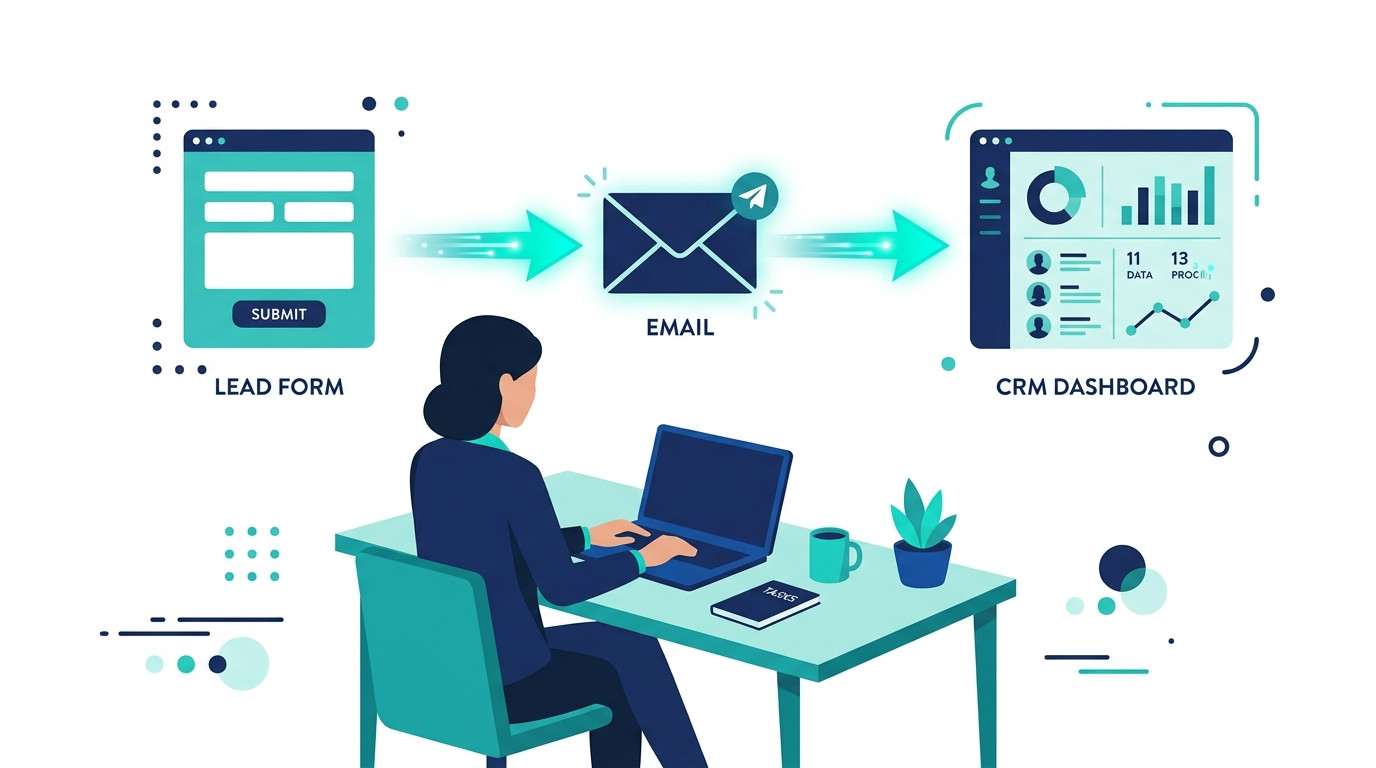
You are not losing leads because your product is wrong. You are losing them because nobody followed up fast enough — or at all.
A potential client fills out your contact form on a Tuesday afternoon. By the time you see it, reply, and follow up, it is Thursday. They have already booked a call with someone else.
This happens in small businesses every single day. Not because the owner does not care — but because there is no system in place to respond automatically.
The good news is you can automate lead follow-up without code — and be live in under an hour.
In this guide, you will learn exactly how to build a simple, no-code lead follow-up system that sends instant responses, nurtures every lead automatically, and books more calls without you manually lifting a finger.
No developers. No complicated tools. Just a repeatable workflow that runs in the background while you focus on doing the actual work.
If you are new to business automation, start with our guide on AI workflow automation to get your foundations in place. Then come back here — because lead follow-up is the single highest-leverage fix in most small businesses, and we are going to show you exactly how to build it.
Table of Contents
Why Fast Lead Follow-Up Is Your Highest-Leverage Marketing Fix
Of all the things you could improve in your business right now — your pricing, your offer, your website — nothing has a faster or more measurable impact than fixing how quickly you follow up with new leads.
The Cost of a Slow Response
Research consistently shows that leads contacted within 5 minutes of submitting a form are significantly more likely to convert than those contacted after 30 minutes. Wait a few hours and that likelihood drops dramatically. Wait until the next day and most leads have already moved on.
Slow follow-up does not just cost you the sale. It signals to the lead that your business is disorganised, unresponsive, or simply not that interested in their business. Your competitor — the one with a system in place — picks them up instead.
This is not a people problem. It is a systems problem. And systems can be fixed.

Why Small Businesses Struggle with Consistent Follow-Up
When you are running a small business, you are playing multiple roles at once. You are the sales person, the delivery team, the admin department, and the customer service desk — sometimes all on the same afternoon.
Consistent, timely follow-up gets pushed aside. Not because it is unimportant, but because it requires attention at exactly the moment when your attention is already being pulled in five other directions.
Lead follow-up automation for small business is the most direct fix for this problem. Instead of relying on memory or manual effort, you build a system once and let it run every time a new lead comes in — regardless of how busy your day gets.
Automation does not just save time. It levels the playing field. Your business can now respond like a well-resourced team even if it is just you.
If you want to see what a full automation system looks like beyond just lead follow-up, read our guide on 5 AI automations that save 20+ hours a month — it covers every workflow worth building as a small business owner.
What a No-Code Lead Follow-Up System Actually Looks Like
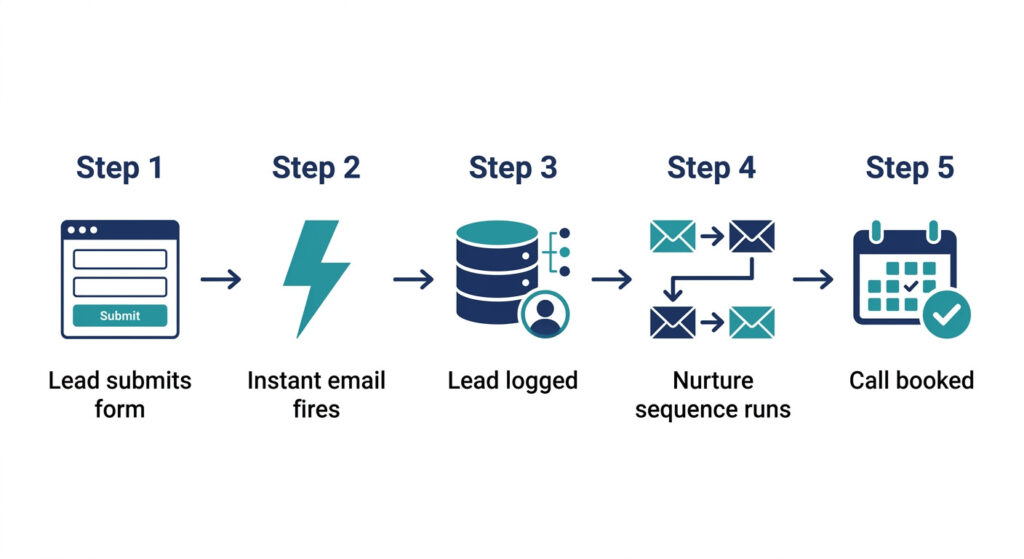
Before you build anything, it helps to understand the full picture. Here is exactly what a working no-code lead follow-up system looks like — from the moment a lead finds you to the moment they book a call.
The Core Follow-Up Flow (Simple Version)
The whole system runs on a simple trigger-and-action chain:
- Lead submits a form or books a call — on your website, a landing page, or a booking tool like Calendly
- Automation fires instantly — an acknowledgement email lands in their inbox within seconds, not hours
- Lead is logged in your CRM — with their source, submission date, and status recorded automatically
- Follow-up sequence runs over 3 to 5 days — a short series of emails goes out on a pre-set schedule without any manual input
- Lead is tagged or moved based on behaviour — if they open, click, or reply, the system updates their status and adjusts what happens next
That is the entire system. Five steps. All automatic. All running without you.
What Makes It No-Code
You do not need to write a single line of code to build this. Every step in the flow above is handled by visual, drag-and-drop tools that anyone can learn in an afternoon.
You set the rules — “when this happens, do that” — and the tool executes them every time. No developer, no scripts, no technical background required.
No-code lead nurturing workflows are built with tools like HubSpot, Make.com, and Zapier — platforms designed from the ground up for non-technical business owners who need real systems without the complexity.
Where AI Fits Into the Workflow
AI does not replace the workflow — it makes it smarter.
Once your basic system is running, AI can help you write more compelling email sequences, generate personalised subject lines based on how the lead found you, and suggest the best time to send each follow-up based on open rate data.
AI lead follow-up tools help small businesses personalise at scale without extra staff — so your automated emails feel like they were written specifically for the person reading them, not sent by a robot.
For the tools that make this possible, see our full breakdown of the best AI CRM tools for small business (LINK TO BE ADDED) — it covers everything you need to run a smart, connected follow-up system.
How to Build Your No-Code Lead Follow-Up System in 3 Steps
This is where the system gets built. Each step below follows the same format — what to do, how to do it, and which tools you need. Work through them in order and you will have a fully working lead follow-up automation live by the end of the day.
Step 1 — Capture the Lead in the Right Place
What to do: Connect your form, landing page, or booking tool directly to your CRM so every new lead is captured automatically the moment they submit their details.
How to do it:
- If you use HubSpot, embed a HubSpot form directly on your website or landing page — leads flow straight into the CRM with zero manual input
- If you use a third-party form tool like Typeform, connect it to HubSpot using Make.com or Zapier with a simple trigger-and-action workflow
- Make sure every form captures at minimum: first name, email address, and the lead source
Tools needed: HubSpot, Typeform or your existing website contact form, Make.com or Zapier
Key point: If the lead is not in your CRM, the automation cannot fire. Every other step in this system depends on this one working correctly. Get the capture right first — everything else follows.
Step 2 — Trigger an Instant Follow-Up Response
What to do: The moment a form is submitted, send an automatic reply within seconds — not hours. Speed is everything at this stage.
How to do it:
- Inside HubSpot, go to Automation → Workflows and create a new contact-based workflow
- Set the trigger as: Contact submits form [your form name]
- Add an action: Send email — using a pre-written first response template
- Personalise the email using HubSpot tokens so it opens with the lead’s first name and references what they enquired about
Tools needed: HubSpot Workflows, HubSpot email or Gmail
Key point: Your first message is not a sales email. It confirms you received their enquiry, tells them what happens next, and gives them one clear next step — such as booking a call or downloading a resource. Build trust first. Sell later.
Step 3 — Run a Short Nurture Sequence Until They Convert
What to do: Build a 3 to 5 email sequence that follows up automatically over the next 7 days — keeping your business visible and relevant until the lead is ready to take action.
How to do it:
- Inside HubSpot, use Sequences to build your follow-up emails and set the send schedule
- Alternatively, use Make.com to connect your email provider and set timed delays between each message
- Write each email with a single purpose — one topic, one message, one call to action
Tools needed: HubSpot Sequences, Make.com, your email provider
Suggested sequence structure:
| Day | Email Purpose | Tone |
|---|---|---|
| Day 0 | Instant confirmation — acknowledge the enquiry and set expectations | Warm, professional |
| Day 2 | Helpful resource — share a relevant guide, tip, or insight | Useful, no pressure |
| Day 4 | Social proof — a short case study, testimonial, or result | Credible, reassuring |
| Day 7 | Soft check-in — a final friendly nudge with a clear CTA | Direct, low-pressure |
Key point: Most leads convert after the third or fourth touchpoint. A single follow-up email is not a nurturing system. Four well-timed, well-written emails sent automatically over one week is. Build the sequence once and let it run every time a new lead comes in.
Still Building This From Scratch?
You now have the exact three steps to build a no-code lead follow-up system that responds instantly, nurtures automatically, and converts more leads without any manual effort on your part.
But setting up the forms, workflows, sequences, and CRM connections still takes time — especially if you are doing it for the first time.
Want this system pre-built and ready to plug in?
The AI Automation Blueprint for Small Business Owners includes a done-for-you no-code lead follow-up workflow — complete with pre-built triggers, ready-to-send email sequences, and step-by-step CRM setup guides — so you can go live today without building anything from scratch.
No trial and error. No wasted afternoons figuring out which tool connects to which. Just copy, connect, and run.
Setting This Up in HubSpot — The Simplest Route
There are several tools that can power a no-code lead follow-up system. But for most small business owners who want the simplest, fastest setup with the least number of moving parts, HubSpot is the place to start.
Why HubSpot Is the Best Starting Point for Lead Follow-Up Automation
Most automation setups require you to connect multiple tools — a form builder, a CRM, an email platform, and an automation connector. HubSpot replaces all four with a single platform.
- Forms, CRM, email, sequences, and workflow automation are all built in and connected by default
- The free tier includes everything a small business needs to build and run a complete lead follow-up system
- You do not need Make.com or Zapier to get started — HubSpot handles the logic internally at the beginner level
That means fewer integrations, fewer points of failure, and a much faster setup time.
The Exact HubSpot Setup
Getting your lead follow-up system live in HubSpot takes four steps:
- Create a HubSpot form and embed it on your website or landing page — every submission flows directly into your CRM
- Build a workflow inside HubSpot Automation triggered by the form submission
- Add your email sequence steps directly inside HubSpot Sequences — Day 0, Day 2, Day 4, and Day 7
- Set your enrolment criteria — define which contacts enter the workflow and when — then go live
The whole setup takes under an hour. Once it is live, every new lead who submits your form enters the sequence automatically.
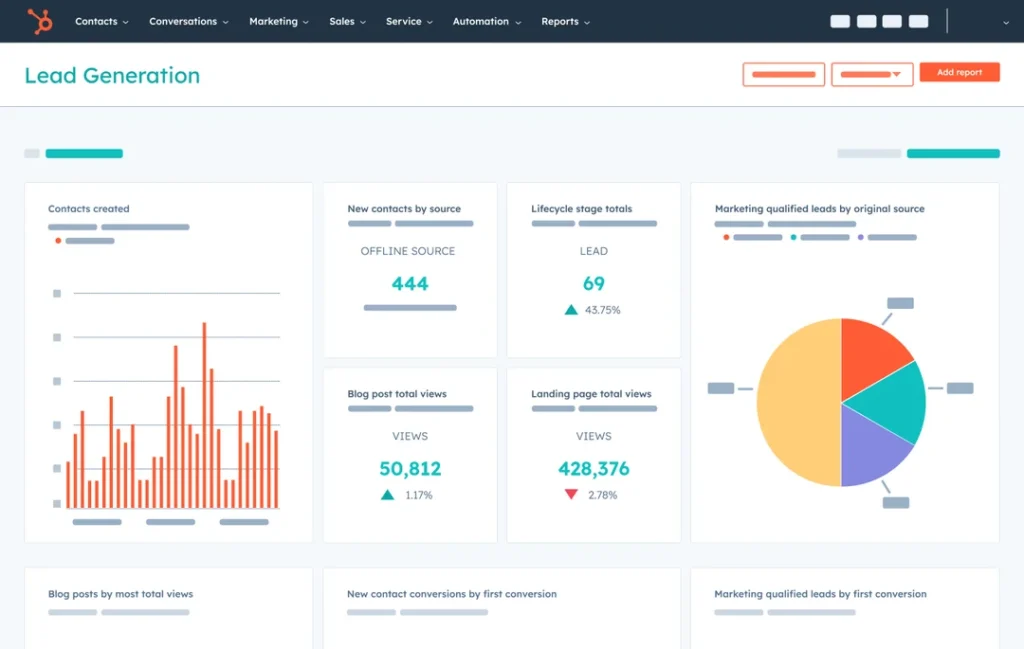
How to Track Performance
Building the workflow is step one. Improving it over time is what separates a good system from a great one.
Inside HubSpot, monitor these four metrics for every sequence:
- Open rate — are your subject lines compelling enough to get the email opened?
- Click rate — are your emails giving leads a clear reason to take the next step?
- Reply rate — are leads engaging and starting a conversation?
- Booked calls — the ultimate measure of whether the sequence is converting
Revisit your sequence every 30 days. Test one variable at a time — subject line, send timing, or email length — and let the data tell you what to keep and what to improve.
The free tier is the lowest-friction starting point available for any small business owner. You get a fully functional CRM, form builder, email tool, and automation platform without spending a penny until you are ready to scale.
Common Mistakes That Break Lead Follow-Up Automation
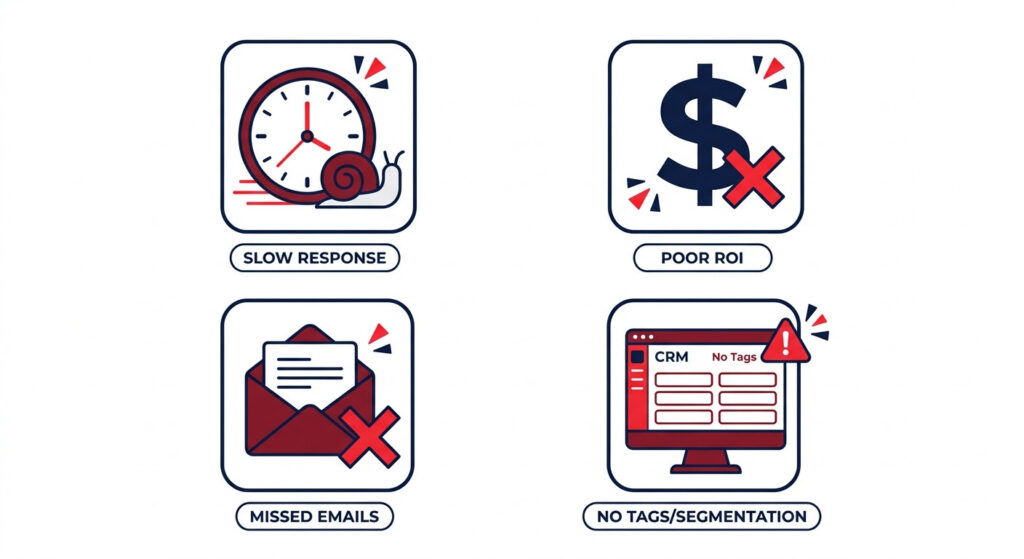
Building the workflow is the easy part. What breaks most lead follow-up systems is not the technology — it is how they are set up. Avoid these four mistakes and your system will outperform most competitors from day one.
Waiting More Than a Few Minutes to Send the First Email
Speed is the single biggest factor in lead conversion. A lead who submits a form is at their peak level of interest at that exact moment. Every minute you wait, that interest drops.
Your first email must go out within seconds of form submission — not in the next hour, not when you remember to check your inbox. Automate the instant response and never lose a lead to slow reaction time again.
Making Early Emails Too Sales-Heavy
The fastest way to kill a new lead relationship is to pitch too early. Your first two messages should help, not sell.
Introduce yourself. Offer something useful. Answer a common question. Show the lead that you understand their problem before you ask them to buy the solution. Trust is what moves people from interested to ready — and trust takes more than one email to build.
Stopping After One Follow-Up Email
One email is not a nurturing system. It is just one email.
Most leads convert after the third or fourth touchpoint. If your sequence ends at Day 0, you are leaving the majority of your potential conversions on the table. Build the full 3 to 5 email sequence and let it run.
Not Tagging or Segmenting Leads in Your CRM
If every lead looks the same in your CRM, your follow-up will treat them all the same — and that means generic messages that feel like they were written for nobody in particular.
Tag leads by source, interest, or behaviour. Segment by what they clicked, opened, or replied to. Segmentation is what turns a basic automated workflow into a smart system that gets more relevant and more effective over time.
Frequently Asked Questions
How do I automate lead follow-up without code?
Connect your website form to a CRM like HubSpot using a no-code tool like Make.com or Zapier. Set up a workflow that sends an instant acknowledgement email the moment a lead submits the form, then add a short follow-up sequence that runs automatically over the next 5 to 7 days. No coding, no developer, no technical background required.
What is the best tool to automate lead follow-up for small business?
HubSpot is the most accessible starting point because it combines forms, CRM, email, and automation in one free platform — without needing a separate connector tool. For more complex multi-tool workflows that involve third-party apps, Make.com or Zapier work well as the connectors that tie everything together.
How many follow-up emails should I send?
A sequence of 3 to 5 emails sent over 7 days is the most effective range for most small businesses. It keeps your business visible and relevant without overwhelming the lead. One email is rarely enough — most leads convert on the third or fourth touchpoint.
Can I personalise automated lead follow-up emails?
Yes. HubSpot and most CRM tools support dynamic personalisation using the lead’s first name, company, and form responses — so every automated email feels relevant to the individual receiving it. AI tools like ChatGPT can also help you write personalised variations at scale, saving even more time.
Is AI lead follow-up effective for small business?
Yes. AI improves subject line performance, helps personalise message content, and can optimise send timing based on open rate data — all of which increase conversions without adding manual work. For small businesses without a dedicated sales team, AI-assisted follow-up is one of the highest-leverage tools available.
Conclusion
Slow follow-up is not a sales problem. It is a systems problem. And now you have the system to fix it — without writing a single line of code, without hiring a developer, and without any complexity you cannot handle yourself.
The three steps are simple. Capture every lead in your CRM the moment they submit a form. Trigger an instant response before a competitor gets there first. Nurture automatically with a short, well-timed sequence that builds trust and books calls while you focus on everything else.
If you want to automate lead follow-up without code, you only need one form, one CRM, and one short sequence. That is it. The technology exists, the tools are free to start, and the system pays for itself the first time it converts a lead you would have otherwise missed.
This workflow is one part of a wider automation strategy that can save your business 20 or more hours every month. For the full picture, read our guide on AI workflow automation and see how lead follow-up fits into a complete system built for small business growth.
Ready to build your lead follow-up system today?
The AI Automation Blueprint for Small Business Owners gives you a plug-and-play no-code lead follow-up workflow — pre-built, fully connected, and ready to go live in under 24 hours.
No guesswork. No building from scratch. No more missed leads because follow-up fell through the cracks.
Your next lead deserves an instant response. Make sure they get one.