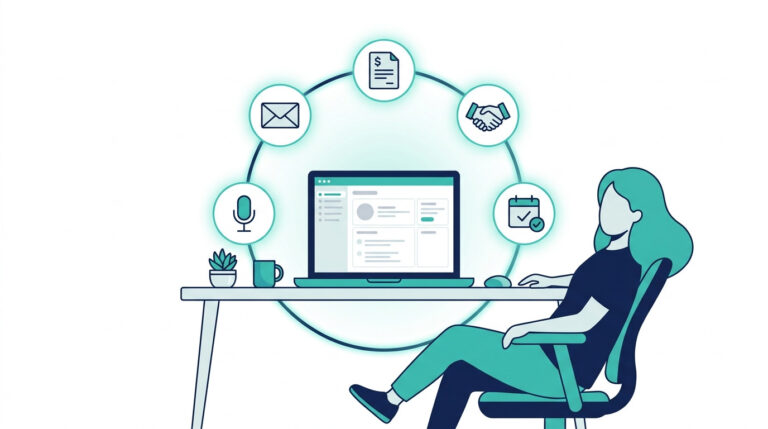
You started your business to do the work you’re good at. Not to spend hours chasing invoices, sending follow-up emails, and copying data from one tool to another.
But that is exactly what most small business owners end up doing.
Research shows that small business owners spend 15 to 20+ hours every week on repetitive admin tasks — work that has nothing to do with growing their business. Lead follow-up, invoicing, task tracking, client onboarding. These are the tasks that pile up quietly and slowly drain the time you should be spending on revenue.
AI workflow automation for small business changes that. Not with complex software. Not with a developer. Just with simple, connected systems that handle the repetitive work for you — automatically.
In this guide, you will learn:
- What AI workflow automation actually means in plain language.
- Which workflows to automate first.
- Which tools get you started without spending a lot of money.
- How to build your first system in three steps — with zero coding required.
If you want to see the exact automations that save the most time, start with this: 5 AI Automations That Save 20+ Hours a Month →
Otherwise, keep reading. This is the full picture.
Table of Contents
What Is AI Workflow Automation for Small Business?
AI workflow automation for small business is the process of connecting your tools and apps so that repetitive tasks happen automatically — without you doing them manually every time.
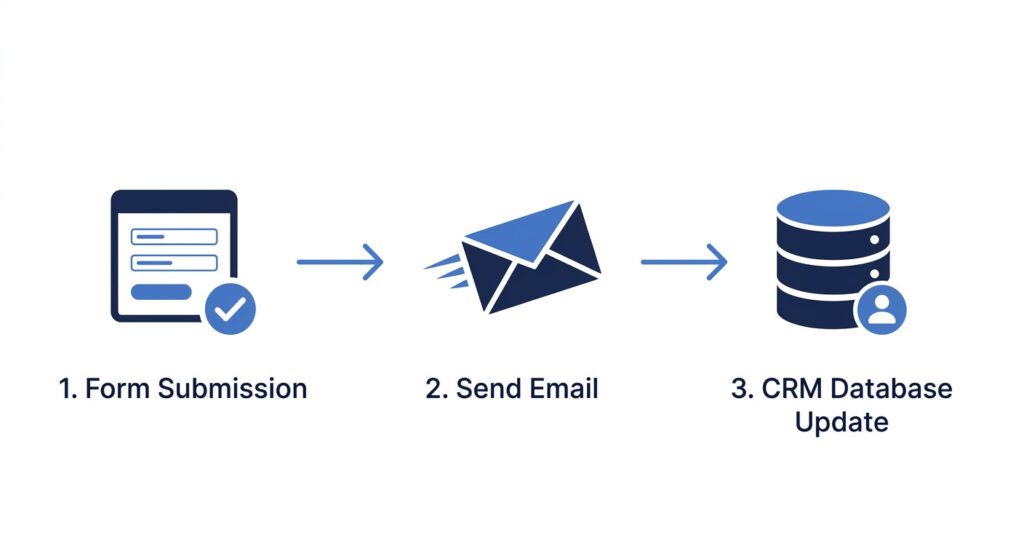
Think of it as building a chain of actions. When something happens in one tool, it triggers a response in another. No code. No developer. Just a simple setup you do once, and it runs in the background while you focus on everything else.
Here is a real example:
A new lead fills out a contact form on your website → they immediately receive a follow-up email → their details are added to your CRM → a task is created for you to review them the next day.
That entire sequence happens without you touching it.
What AI workflow automation is NOT:
- It is not software development.
- It is not an enterprise IT project.
- It is not expensive to start — most tools offer free plans.
- It does not require a technical background.
If you can describe a repetitive task in steps, you can automate it.
How It Differs from Traditional Business Automation
Traditional automation follows fixed rules. If X happens, do Y. That is useful, but limited. It cannot think, adapt, or make decisions. It is following a set of rules, but has no flexibility in creating meaningful contents or making decisions.
AI workflow automation goes further. It can:
- Prioritise which leads are worth following up with first.
- Summarise a meeting and turn it into tasks automatically.
- Respond to common customer enquiries without a human in the loop.
- Decide which action to take based on context, not just conditions.
The result is a system that does not just follow instructions — it works more like a smart assistant that handles the logic for you.
That is the shift from doing things manually to running a business that largely runs itself.
Why Small Business Owners Need Workflow Automation Now
Every hour you spend chasing an unpaid invoice is an hour you are not spending on a new client. Every manual follow-up email you write is time your competitor is using to close deals. The math is simple — and it is working against you.
The average small business owner loses 5 to 10 hours every week to tasks that a system could handle in seconds. Emails. Follow-ups. Invoices. Data entry. These tasks feel small individually, but they compound fast.
And the cost of not automating is bigger than most people realise:
- A lead does not get followed up quickly enough and goes cold.
- An invoice reminder gets forgotten and cash flow suffers.
- A new client gets an inconsistent onboarding experience and loses confidence early.
The good news is that the AI tools to automate repetitive business tasks you need are more accessible than ever. Most have free plans. Most take under an hour to set up. And most pay back the time investment within the first week.
The cost of starting is low. The cost of waiting is not.
The Tasks That Consume the Most Time in Small Businesses
If you are not sure where to start, these are the five areas where small business owners lose the most time every week:
- Lead follow-up. Manually writing and sending follow-up emails after every enquiry.
- Invoicing and payment reminders. Chasing clients for payment and sending reminder emails by hand.
- Client onboarding. Sending welcome emails, contracts, and setup instructions one at a time.
- Meeting summaries and task assignment. Typing up notes after every call and manually creating tasks from them.
- Social content and marketing workflows. Posting content manually across multiple platforms with no scheduling or repurposing system in place.
Each of these can be automated. Each one saves real, measurable time every single week.
The 5 Core Workflows Every Small Business Should Automate
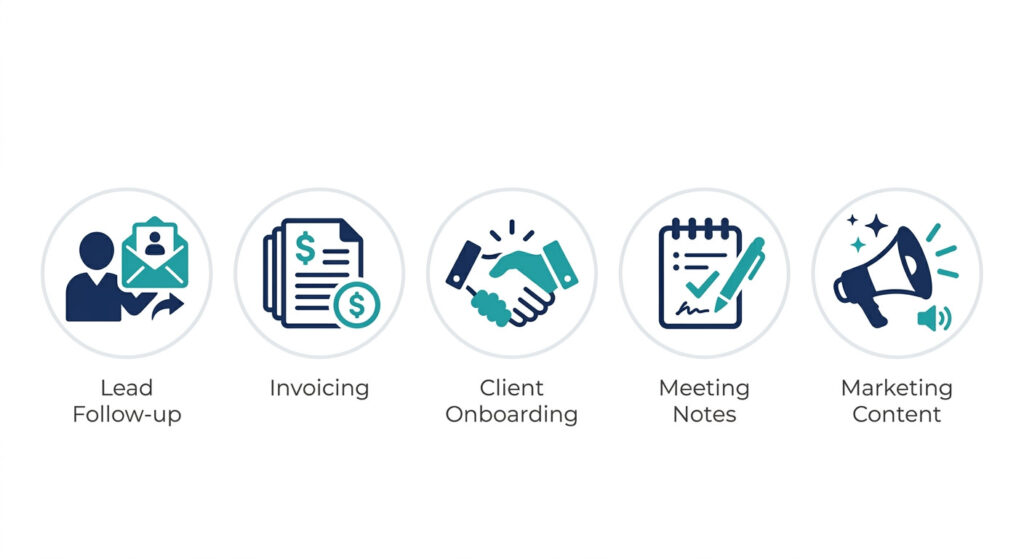
Most small business owners do not need dozens of automations. They need five solid ones that cover the highest-impact, most repetitive parts of their day. Start here. Build these first. Everything else comes after.
1. Lead Follow-Up
When a new lead comes in, speed matters. Studies consistently show that responding within the first five minutes dramatically increases the chance of converting that lead. But most small business owners are busy — and follow-ups get delayed, forgotten, or inconsistent.
The automation: a lead submits a form on your website → they receive a personalised follow-up email instantly → their details are added to your CRM → a task is created to review them.
This runs 24 hours a day, even when you are not working.
Want the full step-by-step setup? Read: How to Automate Lead Follow-Up Without Code →
2. Invoicing and Payment Reminders
Late payments are one of the biggest cash flow problems for small businesses. Most of the time, clients are not ignoring you — they just forgot. A manual reminder system that depends on you remembering is unreliable.
The automation: an invoice is sent → if it remains unpaid after a set number of days, a polite reminder email is triggered automatically → a follow-up is sent again if still unpaid after another interval.
You set it once. It chases payments for you every single time, without the awkward manual follow-up.
3. Client Onboarding
A strong onboarding experience sets the tone for the entire client relationship. But when you are juggling multiple clients, it is easy for steps to get missed — welcome emails sent late, contracts forgotten, setup instructions skipped.
The automation: a client signs a contract → a welcome email is sent automatically → a task checklist is triggered for your team or yourself → access details or next steps are delivered on schedule.
Every new client gets the same smooth, professional experience — regardless of how busy you are when they sign.
4. Meeting Notes and Task Assignment
After every meeting, someone has to write up the notes, pull out the action items, and assign tasks. If that person is you, it costs 15 to 30 minutes after every single call.
The automation: a meeting ends → an AI tool like Otter.ai or Fireflies transcribes and summarises the conversation → action items are extracted → tasks are created and assigned in your project management tool automatically.
You walk out of a call and the follow-up is already done.
5. Marketing and Content Workflows
Creating content manually for every platform is exhausting. Writing a blog post, then rewriting it for email, then rewriting it again for social — that is three times the effort for one idea.
The automation: you publish one piece of content → an AI tool repurposes it into an email newsletter draft → social post captions are generated → posts are scheduled across your platforms automatically.
One input. Multiple outputs. A consistent content presence that does not require you to be at your desk all day.
Ready to automate all 5 of these workflows in one system?
The AI Automation Blueprint for Small Business Owners is a step-by-step digital product that gives you pre-built no-code workflows you can implement in under 24 hours — no coding, no developer, no guesswork.
The Best AI Tools for Workflow Automation in Small Business
You do not need a large software budget to automate your business. The best AI tools for workflow automation are affordable, beginner-friendly, and designed to work together without technical expertise.
Most small businesses only need 3 to 5 tools to cover every major workflow. The key is choosing one tool per job — and connecting them so they work as a system instead of isolated apps.
Here is how to think about your tool stack.
CRM and Lead Management Tools
Your CRM is the centre of your lead and client management system. It stores contact details, tracks conversations, and triggers follow-up actions automatically.
HubSpot is one of the strongest starting points for small businesses. It does more than store contacts — it lets you build automated email sequences, track where each lead is in your pipeline, set follow-up reminders, and trigger actions based on lead behaviour. The free plan covers most of what a small business needs to get started.
Disclosure: This is an affiliate link. If you sign up through this link, we may earn a small commission at no extra cost to you.
Automation and Workflow Tools
Once your core tools are in place, you need a connector — something that links them together so actions in one tool automatically trigger responses in another.
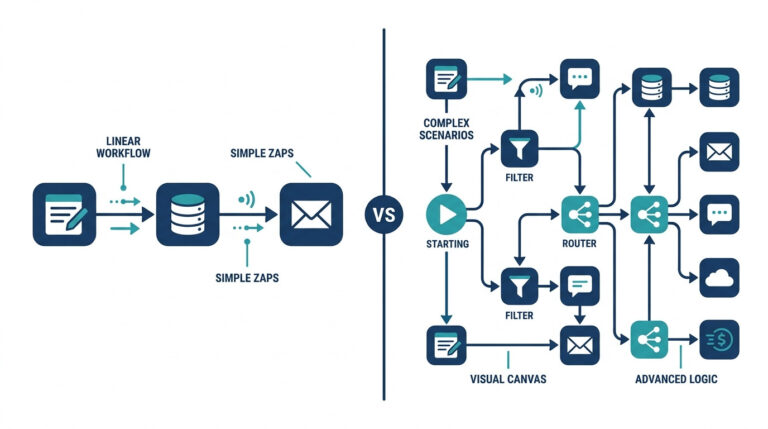
Make.com and Zapier are the two most widely used no-code automation connectors for small businesses. Make.com gives you more flexibility for complex workflows. Zapier is simpler and faster to set up for straightforward automations. Both have free plans to get started.
For a full breakdown of which tools fit which business type, read: Best AI Tools for Workflow Automation in Small Business → (LINK TO BE ADDED)
AI Ops and Task Management Tools
Once your automations are running, you need a place to manage tasks, documents, and team communications. This is the foundation of a simple AI ops stack for small businesses.
- Notion works as your central knowledge base, project tracker, and operations hub. It can also be connected to your automations so tasks appear there automatically.
- n8n is a more advanced open-source automation tool for businesses that want full control over their workflows without paying per task.
- Slack connects your team communications to your automations, so alerts, task updates, and lead notifications come through in real time without checking multiple tools.
Together, these three tools give you a lightweight AI ops stack that keeps your business organised and your automations visible — without an enterprise budget.
How to Build Your First AI Workflow System in 3 Steps
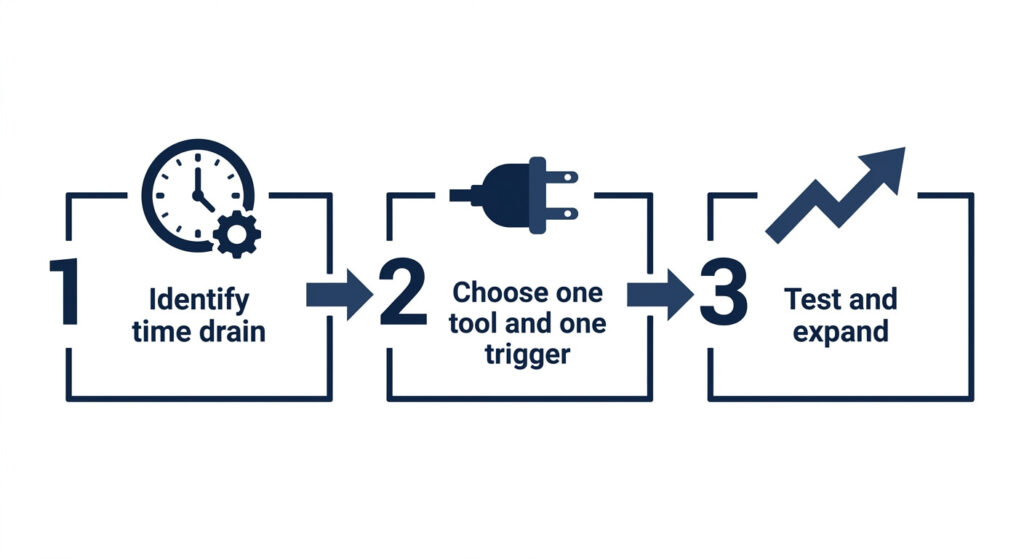
The biggest mistake most small business owners make with automation is trying to do too much at once. They research every tool, map out ten workflows, and never actually implement anything.
Do not do that.
Start with one workflow. Build it properly. Then expand. Here is exactly how.
Step 1 — Identify Your Biggest Time Drain
Ask yourself one question: what task do I do more than three times per week that follows the same pattern every time?
That is your first automation candidate.
It might be sending a follow-up email after every enquiry. It might be manually creating a task after every client call. It might be chasing the same unpaid invoice every month.
If it is repetitive, predictable, and takes the same steps each time — it can be automated. Write it down. That is where you start.
Step 2 — Choose One Tool and One Trigger
Once you have identified the task, pick one tool to handle it. Do not try to build a full system yet.
If it is a lead follow-up, start with HubSpot. If it is connecting two apps you already use, start with Make.com or Zapier.
Then define one trigger using this simple logic:
When X happens → do Y.
For example: When a lead submits a form → send a follow-up email.
That is your entire first workflow. One trigger. One action. Keep it that simple.
Step 3 — Test, Measure, and Expand
Run your first automation for one full week before adding anything new.
Check two things:
- Did it work correctly every time?
- Did it actually save you time?
If the answer to both is yes, you are ready to expand. Add a second step to the same workflow, or pick the next task on your list and repeat the process.
Automation compounds. One workflow saves you 2 hours. Two workflows save you 5. Five workflows save you a full day every week.
But only if each one is built properly before you move to the next.
Frequently Asked Questions
What is AI workflow automation for small business?
AI workflow automation for small business means using AI-connected tools to handle repetitive tasks automatically — like lead follow-up, invoicing, and admin — so you can focus on growing your business instead of managing it. You set up the system once, and it runs in the background every time a trigger condition is met.
Do I need coding skills to automate my business workflows?
No. Most modern automation tools like Make.com, Zapier, and HubSpot are no-code and designed for non-technical users. You can build your first automation in under an hour without writing any code. If you can describe a task in steps, you can automate it.
What tasks should I automate first?
Start with lead follow-up, invoicing reminders, and client onboarding. These are the most repetitive and time-consuming tasks in most small businesses, and they have the clearest automation paths. They also deliver the fastest, most measurable time savings.
What tools do I need to get started with AI workflow automation?
You only need 2 to 3 tools to start: a CRM like HubSpot, an automation connector like Make.com or Zapier, and your existing email setup. Most have free tiers, so you can build your first workflow without any upfront cost.
Is AI workflow automation worth it for a small business?
Yes. Even a single automated workflow — like a lead follow-up sequence — can save 3 to 5 hours per week and reduce missed opportunities. The time savings compound quickly as you add more workflows. Most small business owners see a return on their setup time within the first week.
Conclusion
AI workflow automation for small business is not about building complex systems or spending money on enterprise software. It is about identifying the tasks that drain your time every week — and replacing them with simple, connected automations that run without you.
You now know what AI workflow automation is, which five workflows to build first, which tools support them, and how to get started in three steps.
The technology is accessible. The tools are affordable. The only thing left is to start.
Pick one workflow from this guide. Build it this week. Then build the next one.
Simple systems, built consistently, are what separate the small businesses that scale from the ones that stay stuck in the weeds.
Want the whole system pre-built for you?
The AI Automation Blueprint for Small Business Owners gives you plug-and-play no-code workflows across lead follow-up, invoicing, onboarding, and more — ready to implement in under 24 hours. No coding. No guesswork. Just copy, connect, and run.