Table of Contents
Small business owners face a challenge that feels impossible to solve: delivering responsive, professional customer support while managing tight budgets and wearing multiple hats. When a customer inquiry comes in at 9 PM on a Friday, you’re expected to respond quickly—but you’re also managing inventory, handling sales, and trying to grow the business. This gap between what customers expect and what small teams can actually deliver is where most small businesses lose competitive advantage.
The pressure intensifies because customer support is no longer optional. Studies show that 75% of customers expect consistent, fast responses across multiple channels. Yet hiring additional support staff can cost $30,000–$50,000 annually per person, plus training time and management overhead. For a five-person agency or a solo entrepreneur, that investment often feels out of reach.
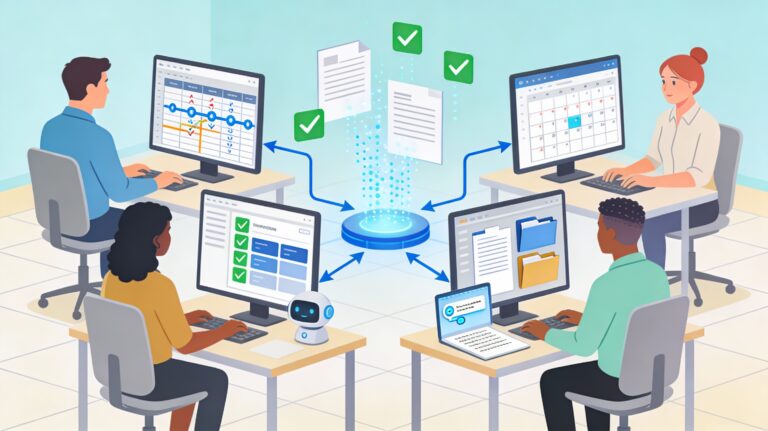
This is where top AI customer service automation apps change the game. These platforms handle the repetitive, high-volume inquiries that consume your team’s time—order tracking, password resets, FAQ responses, appointment scheduling—automatically and around the clock. The result: your team focuses on customers who genuinely need human attention, your response times drop from minutes to seconds, and you start competing with larger businesses on service quality, not just price.
In this guide, you’ll discover which AI customer service automation tools work best for small businesses, how to implement them without hiring IT staff, realistic ROI timelines, and a practical roadmap to scale your support operation without the headcount.
How AI Customer Service Automation Apps Work for Small Businesses
What is AI customer service automation, exactly?
AI customer service automation uses artificial intelligence, machine learning, and natural language processing to understand customer questions and deliver accurate responses automatically. Unlike simple chatbots that follow rigid scripts, modern AI automation systems learn from your FAQ content, help center articles, and previous customer interactions to provide contextual, personalized answers that feel genuinely helpful—not robotic.
These systems integrate directly into your existing support channels: your website, email, WhatsApp, Facebook Messenger, or phone lines. When a customer submits a question, the AI assesses whether it can be resolved automatically (order status, refund inquiry, appointment booking) or whether it needs human attention (complex technical issue, upset customer, special request). Straightforward inquiries resolve in seconds. Complex ones route smoothly to your team with full conversation history and recommended next steps.
The key distinction for small businesses: you’re not replacing your support team. You’re amplifying them. Your team stops spending 5–10 minutes per ticket on repetitive work and instead focuses on high-value customer relationships and problem-solving.
Why now matters for small business owners
AI automation has crossed a critical threshold in 2025. Tools that once cost $10,000 monthly are now available at $50–$500 monthly with no-code setup. Machine learning models have matured enough to understand context and nuance in customer questions—they’re not guessing anymore, they’re reasoning. And the competitive pressure is real: 35% of businesses already use AI in customer service, with e-commerce adoption at 51%. If your competitors are automating and you’re not, you’re falling behind on response times, cost efficiency, and team morale.
Top AI Customer Service Automation Apps for Small Businesses: A Practical Comparison
Small business owners face a confusing marketplace with dozens of vendors claiming to be “the best solution.” To cut through the noise, here’s a focused comparison of the top-performing platforms that specifically deliver results for teams under 10 people and budgets under $5,000 monthly.
Tidio: Best for Budget-Conscious Quick Launches
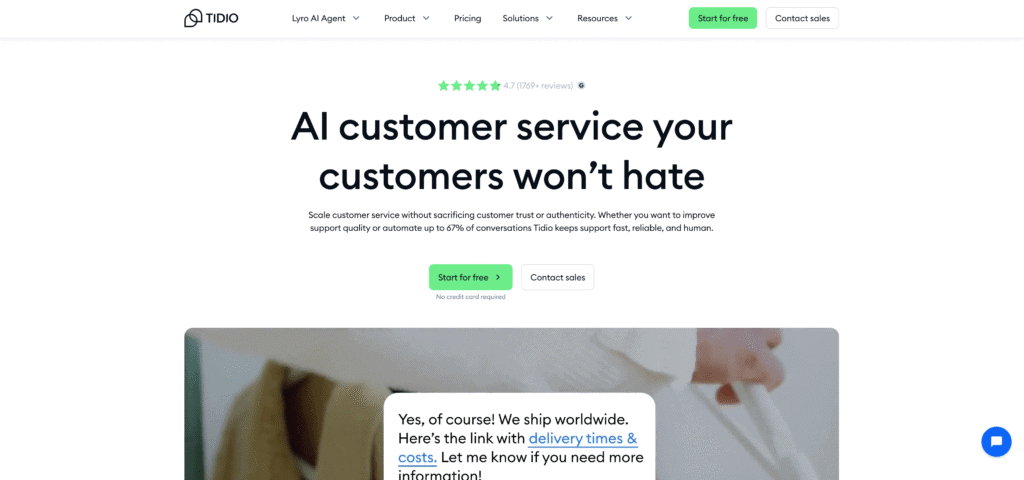
Tidio combines an AI chatbot (Lyro), live chat, shared inbox, and lightweight ticketing in one platform. Its no-code flow builder makes it possible for non-technical team members to set up automation in under 30 minutes.
How it works: Your AI chatbot learns from your FAQ and help center content. It handles routine questions like “What are your hours?” and “Where’s my order?” automatically. Customers with complex issues chat with your live team seamlessly. When your team responds, those responses feed back into the AI, making it smarter over time.
Best for: E-commerce stores, SaaS onboarding teams, and service businesses handling high volumes of predictable questions. One SaaS team used Tidio to deflect 40% of support tickets to the bot, saving 15+ hours weekly.
Price: Free tier for small teams (limited to web chat); paid plans start at $25–$100 monthly for small businesses.
Pros: Fast setup, affordable pricing, no-code interface, multichannel support (web, WhatsApp, social media).
Cons: Less sophisticated for highly technical products; enterprise-level customization requires technical help.
Implementation time: 1–2 hours to launch basic automation; 1–2 weeks to optimize.
Ada: Best for Multilingual and High-Volume Automation
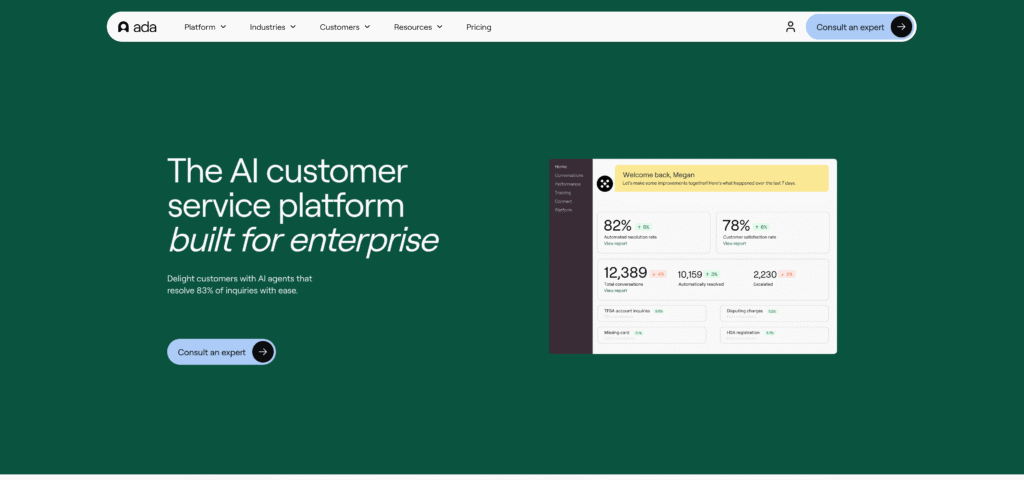
Ada is built for businesses scaling support. Its natural language understanding is remarkably good at handling follow-up questions, context, and nuance. You can train Ada on your entire product documentation, and it autonomously resolves complex L1 and L2 support inquiries—not just FAQs.
How it works: Ada analyzes customer queries, retrieves relevant information from your knowledge base, and determines the best action: answer directly, collect more information, process a refund, reset a password, schedule an appointment, or escalate to a human. It remembers previous interactions, so returning customers get personalized, faster service.
Best for: Businesses with high inquiry volumes (500+ inquiries daily), multilingual support needs, and complex product lines. A workforce management platform reduced average handle time by 20% by routing common questions to Ada’s AI.
Price: Enterprise pricing model (typically $3,000+ monthly); less accessible for truly small teams but excellent ROI at scale.
Pros: Sophisticated automation capabilities, strong multilingual support, excellent escalation to humans, proactive customer engagement features.
Cons: Higher cost; steeper learning curve for advanced features; overkill for very small operations under 10 people.
Implementation time: 2–4 weeks with Ada’s professional onboarding team.
Zendesk: Best for Integrated Support Across Growing Teams
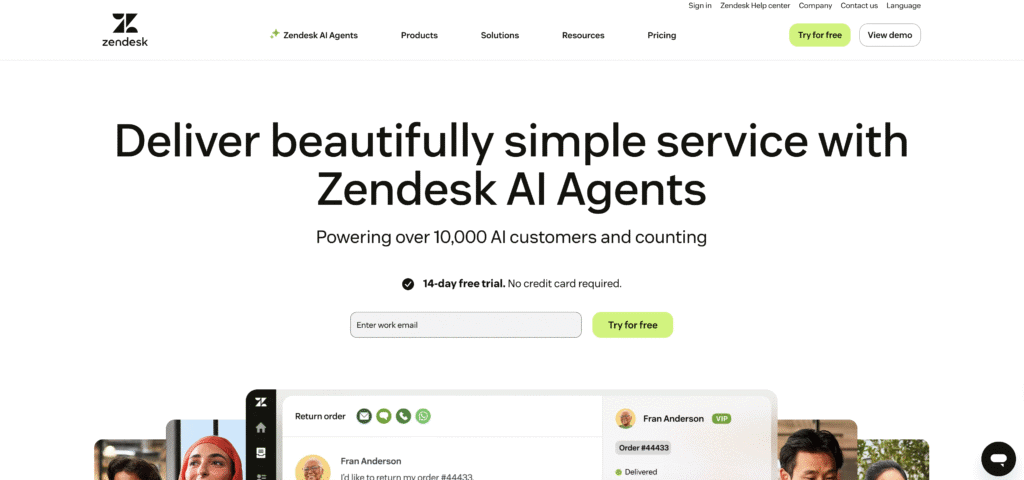
Zendesk bundles ticketing, automation, knowledge management, and AI assistance in one unified platform. Its AI features include automated responses, ticket routing, agent assist (real-time suggestions to your team), and predictive analytics.
How it works: Zendesk learns from your ticket history to automatically route incoming issues to the right team member, suggest responses to agents in real-time, and surface relevant knowledge base articles. Customers submit requests through any channel (email, chat, phone, social); everything centralizes in one queue.
Best for: Support teams that have outgrown simple tools and need robust workflows, multi-team coordination, and reporting. Companies with 5–20 support staff members see the most value.
Price: Paid plans start at $29–$99 monthly per agent; scale with team size.
Pros: Powerful integration ecosystem, strong automation rules engine, excellent reporting, mature platform with decades of development.
Cons: Steeper learning curve; can feel overwhelming for solo operators; pricing scales quickly with team size.
Implementation time: 2–3 weeks including team training.
Freshdesk: Best for All-in-One Affordability
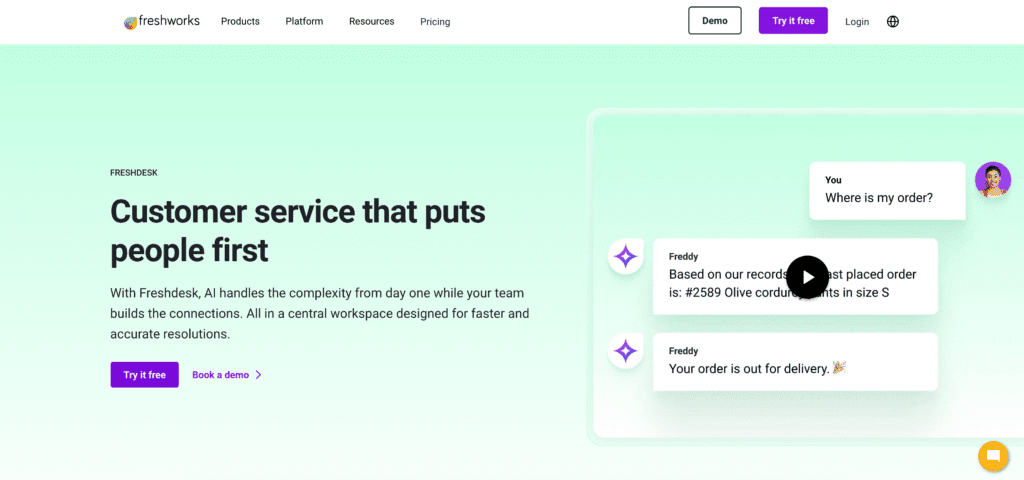
Freshdesk (part of the Freshworks suite) combines AI-driven ticket automation, omnichannel support, and self-service knowledge management. Its Freddy AI can handle up to 80% of routine inquiries across email, chat, phone, and social channels.
How it works: Freddy learns from your existing tickets and help content. It automatically categorizes incoming issues, suggests responses to agents, and resolves common questions without human intervention. Customers access a self-service knowledge base powered by AI search; complex issues escalate to your team.
Best for: All-sized small businesses, especially those managing support across multiple channels. One learning platform reduced support tickets by 40% after implementing Freshdesk automation.
Price: Free tier available; paid plans start at $15–$50 monthly with automation features.
Pros: Affordable entry point, strong AI capabilities despite low cost, good knowledge base, no-code setup, strong customer support from Freshworks.
Cons: Free tier is limited; paid tiers required for AI features; smaller feature set compared to enterprise platforms.
Implementation time: 1–3 hours to get basic automation running; 1 week to optimize.
Intercom: Best for Product-Focused Businesses and Lead Qualification
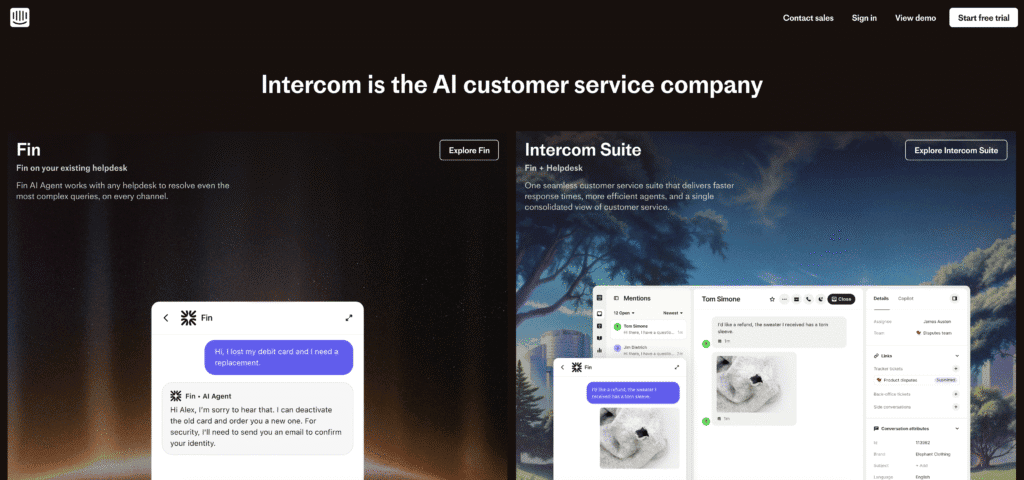
Intercom uniquely blends live chat, customer messaging, and a knowledge base into one platform. It’s particularly strong for product-led growth companies, SaaS, and e-commerce businesses where identifying high-value customers early matters.
How it works: Intercom’s bot handles initial inquiries and gathers information. It qualifies leads by asking targeted questions, collects customer information, and routes high-value conversations to sales or support teams. Meanwhile, your team sees customer behavior (pages visited, purchases made, time on site) in context with the conversation.
Best for: SaaS companies, online course platforms, e-commerce businesses prioritizing lead qualification. One SaaS company achieved 25% higher first-contact resolution rates after implementing Intercom automation.
Price: Starts at $39–$119 monthly for small teams; scales with features and team size.
Pros: Excellent lead qualification workflows, strong in-app messaging, good integration with product analytics, clean interface.
Cons: Less extensive than full-featured help desks for email-heavy support; higher pricing as you add team members.
Implementation time: 3–5 hours for basic setup; 1–2 weeks to optimize lead flows.
Zoho Desk: Best for Integrated Small Business Suites
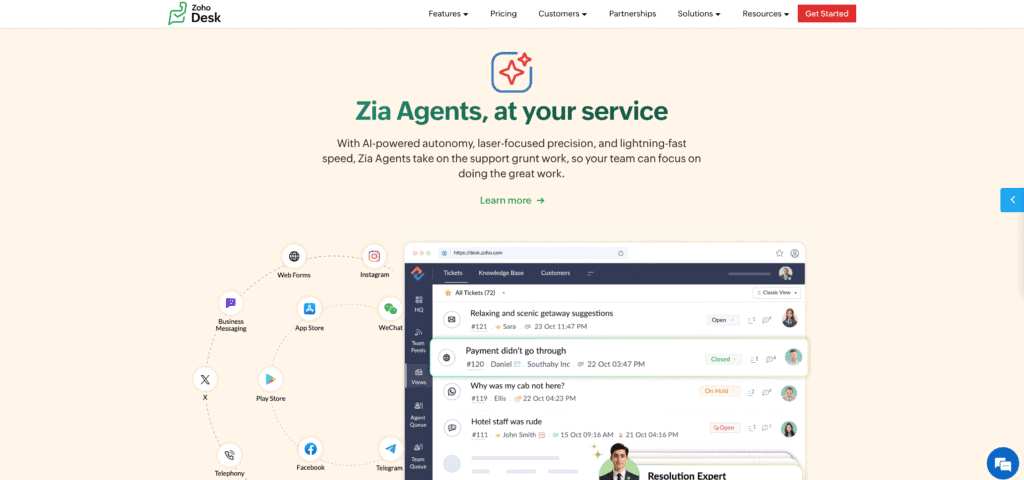
Zoho Desk integrates with Zoho’s broader business suite (CRM, email, accounting). If your business already uses Zoho tools, this is a natural choice. The Zia AI assistant automates ticket categorization, response suggestions, and workflow routing.
How it works: Zia learns from your ticket history and suggests automated responses. It categories issues automatically, prioritizes urgent inquiries, and routes tickets to the right team member based on skill and availability. It integrates seamlessly with Zoho CRM, so customer history flows directly into support tickets.
Best for: Small businesses already using Zoho, businesses wanting an affordable integrated suite, and teams prioritizing cost efficiency.
Price: Starts at $10–$35 per agent monthly; very affordable for Zoho ecosystem users.
Pros: Extremely affordable within Zoho ecosystem; strong integration with Zoho CRM; good automation rules; excellent value for cost.
Cons: Best value if you’re already using Zoho products; less flexible outside the ecosystem; smaller community compared to industry leaders.
Implementation time: 1–2 hours if you’re already using Zoho; 2–3 hours if migrating.
Manual vs. AI-Powered Customer Service Automation for Small Businesses
To understand the real-world impact, here’s how traditional manual support compares to AI automation:
| Aspect | Manual Support (Current State) | AI-Powered Automation | Winner for Small Businesses |
|---|---|---|---|
| Response Time | 5–10 minutes for email; 2–5 minute wait for chat | 2–3 seconds for routine inquiries | AI (24/7, instant responses boost CSAT by 25%) |
| Volume Capacity | Limited by staff availability (5–10 inquiries/agent/hour) | Handles 100+ concurrent conversations | AI (scale without hiring) |
| Cost Per Inquiry | $2–$5 per interaction (agent labor) | $0.05–$0.50 per automated inquiry | AI (30–45% cost reduction) |
| 24/7 Availability | Requires expensive shift staffing | Native; no additional cost | AI (serve time zones without overhead) |
| Personalization | Good; agents know customer history but memory is imperfect | Good; AI remembers full interaction history and integrates CRM data | AI (consistent, data-backed personalization) |
| Handling Complex Issues | Excellent; human judgment and empathy | Limited; needs escalation to humans | Manual (irreplaceable for nuanced problems) |
| Scaling | Expensive (hire and train new staff) | Linear cost increase; scalable | AI (grow without proportional cost) |
| Knowledge Consistency | Inconsistent; depends on agent skill | Consistent; every customer gets accurate, up-to-date answers | AI (reliability matters for CSAT) |
| Ticket Backlog During Peaks | Queues back up; customers wait | AI continues handling inquiries | AI (prevents lost opportunities) |
| Weekly Hours to Resolve Routine Issues | 15–25 hours/week of team time | 2–5 hours/week of team time | AI (frees team for high-value work) |
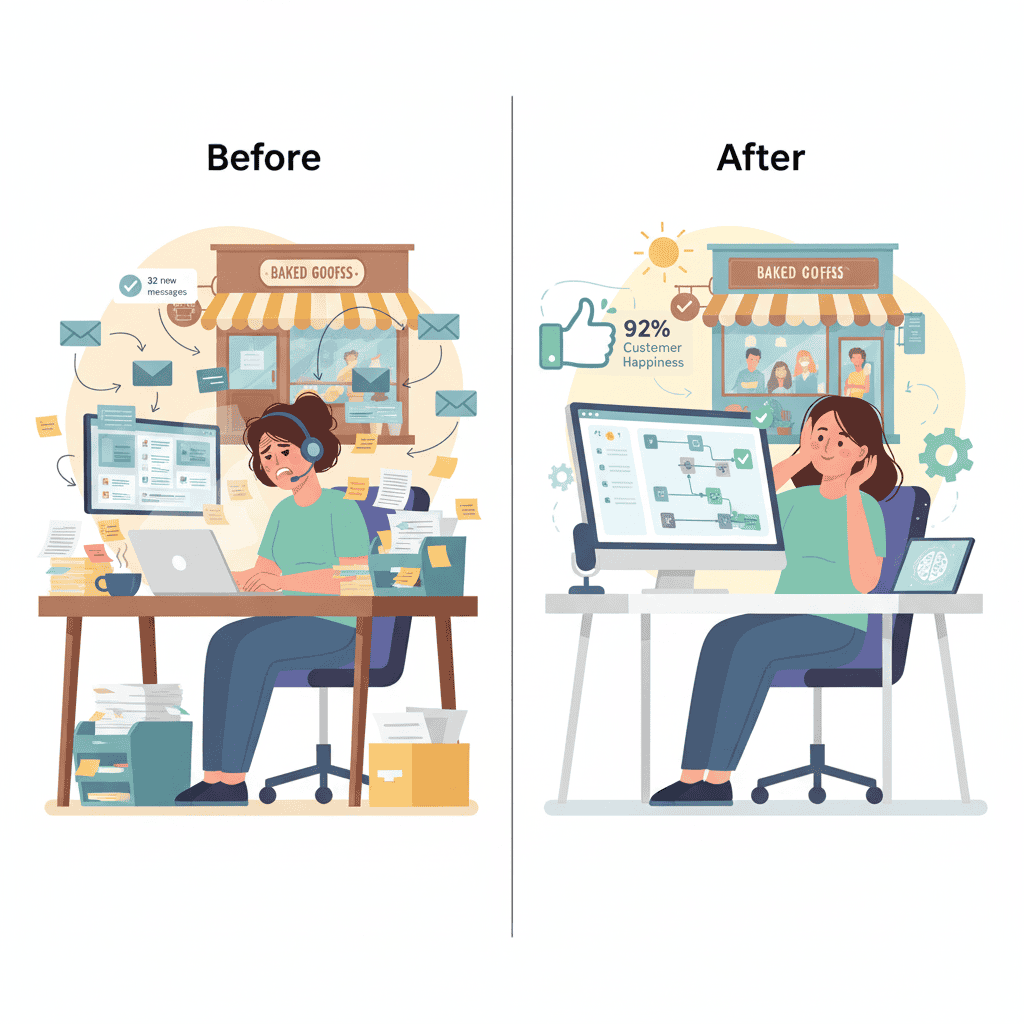
Real-world example: A 5-person e-commerce team was spending 18 hours weekly just answering “Where’s my order?” and “What’s your return policy?” questions. After implementing Tidio, the AI chatbot resolved these automatically, freeing 14+ hours weekly for the team to handle complex issues, improve product descriptions, and actually grow the business. First-contact resolution improved from 70% to 92%.
How to Choose the Right AI Customer Service Automation App for Your Business
Choosing the wrong platform wastes money and team frustration. Here’s a decision framework based on your situation:
Step 1: Audit Your Current Support Pain Points
Before evaluating any tool, spend one week tracking where you lose time and customers.
Common high-impact areas:
- How many emails/chats arrive daily? (Under 50 = simple tools work; 200+ = need robust platform)
- What percentage are repetitive questions? (Higher percentage = AI automation delivers more ROI)
- How many channels do customers use to reach you? (Multiple channels = need omnichannel platform)
- What’s your team capacity? (Solo operator vs. 5-person team vs. growing team affects tool choice)
- What’s your budget constraint? (Solo operator has different budget than growing company)
Questions to answer:
- “In a typical day, how many inquiries are about order status, FAQs, scheduling, or other routine tasks?”
- “How many tickets come in after business hours that you can’t respond to?”
- “Do customers get frustrated waiting for responses?”
- “How much time does your team spend on repetitive, low-value tasks?”
Step 2: Define Your Automation Scope
Not everything should be automated. The best implementations automate 40–70% of inquiries, keeping complex and emotionally sensitive issues for human agents.
Excellent candidates for automation:
- Order tracking and status updates
- FAQ questions (hours, pricing, product details)
- Appointment scheduling
- Password resets and account access issues
- Return/refund inquiries (with clear policy)
- Lead qualification questions
- Onboarding reminders and instructions
Keep for human agents:
- Complaints and escalations (customer is upset)
- Complex technical troubleshooting (requires deep product knowledge)
- Billing disputes and refunds outside standard policy
- Custom requests and exceptions
- Sensitive issues (health, legal, financial concerns)
- High-value customer interactions
Step 3: Compare Against Your Criteria
Use this scorecard to evaluate tools:
| Criteria | Weight | Tidio | Ada | Zendesk | Freshdesk | Intercom | Zoho Desk |
|---|---|---|---|---|---|---|---|
| Setup speed (hours needed) | 20% | 5/5 | 2/5 | 3/5 | 5/5 | 4/5 | 5/5 |
| Ease of use (non-technical team) | 15% | 5/5 | 3/5 | 3/5 | 5/5 | 4/5 | 4/5 |
| Automation depth | 20% | 4/5 | 5/5 | 4/5 | 4/5 | 4/5 | 3/5 |
| Pricing for small budget | 20% | 5/5 | 2/5 | 3/5 | 5/5 | 3/5 | 5/5 |
| Multichannel support | 15% | 4/5 | 5/5 | 5/5 | 4/5 | 3/5 | 3/5 |
| Integration with your stack | 10% | 4/5 | 4/5 | 5/5 | 4/5 | 4/5 | Depends |
Your highest-scoring tool is your best fit. (This tool is illustrative; rank based on your actual priorities.)
Step-by-Step Implementation Guide for Small Businesses
Successful automation doesn’t require hiring consultants or IT staff. Here’s a proven roadmap:
Phase 1: Preparation (Week 1)
Goal: Gather the content your AI will learn from.
Actions:
- Collect your FAQ content. Compile every question your team answers repeatedly. Export these from your help center, email archives, or support tickets. Aim for 30–50 FAQ pairs to start.
- Audit common support workflows. Document the steps your team takes for routine issues: What questions do you ask? What information do you need? What action do you take? This becomes your automation logic.
- Map your customer journey. Where do inquiries originate? Email, website chat, phone, social media, messaging apps? Understanding your channels helps you pick the right tool.
- Assign an owner. Designate one person (usually a manager or tech-savvy team member, not an IT person) to lead implementation. This person learns the platform, trains the team, and monitors performance.
Output: You now have a “knowledge base” document and a clear picture of what to automate first.
Phase 2: Tool Setup (Week 2)
Goal: Launch your AI automation with initial content.
Actions:
- Sign up for your chosen platform. Create an account, take advantage of any free trials, and familiarize yourself with the interface.
- Upload your FAQ content. Feed your 30–50 FAQ pairs into the AI. Most platforms have simple import tools or no-code builders where you paste content.
- Define your automation flows. Create decision trees for routine issues. Example: If inquiry contains “order status,” ask for order number, then retrieve status from your system. If status is “shipped,” auto-respond with tracking link.
- Connect your communication channels. Integrate your website, email, or messaging apps. This usually takes 5–10 minutes per channel.
- Set escalation rules. Define when the AI should hand off to humans. Example: If sentiment is negative or inquiry contains certain keywords, escalate immediately.
- Create a test plan. Ask a team member to submit 20–30 test inquiries. See if the AI responds correctly. Refine the knowledge base and flows based on results.
Output: A working automation system handling your most common inquiries.
Phase 3: Team Training (Week 3)
Goal: Get your team confident using and refining the system.
Actions:
- Conduct a 30-minute team demo. Show what automation handles and what humans handle. Explain why this matters (they get to focus on interesting work, not repetitive emails).
- Role-play escalation scenarios. Practice how to handle inquiries handed off from the AI. Emphasize: read the AI’s summary, acknowledge what it attempted, and pick up from there.
- Establish a feedback loop. Encourage team members to flag automation mistakes or gaps. Wrong answers are learning opportunities to improve the knowledge base.
- Set monitoring expectations. Assign one person to review escalated inquiries daily and update the knowledge base based on patterns.
Output: Team confidence and ownership of the automation system.
Proper training is essential for implementing AI automation tools successfully within your business. Learn how you can successfully train your team on AI automation tools.
Phase 4: Launch and Optimize (Week 4 Onward)
Goal: Go live with automation and refine based on real-world data.
Actions:
- Gradual rollout. Start with one channel (e.g., website chat only) rather than everywhere simultaneously. Monitor quality and fix issues before expanding.
- Track baseline metrics. Before launch, measure current response times, resolution rates, and CSAT. Now you have a baseline to compare against.
- Monitor performance daily. Check your platform’s dashboard for:
- Bot resolution rate (% of inquiries fully resolved without escalation)
- Escalation rate (% handed to humans)
- Customer satisfaction (CSAT) on automated responses
- Response time improvements
- Refine weekly. Review escalated inquiries. Were there patterns the AI missed? Update the knowledge base. Did customers misunderstand automation? Clarify the language in bot responses.
- Expand to new channels. Once you’re confident in performance, add email, phone, or messaging channels.
Output: A continuously improving system delivering measurable ROI.
Real-World Results: AI Customer Service Automation in Small Businesses
Numbers tell the story, but examples make it stick.
Case Study 1: Local Fitness Studio (10 staff members)
Before automation: The studio received 50+ inquiries daily across email, phone, and Instagram: class schedules, membership pricing, billing questions, cancellation requests. The admin team spent 12+ hours weekly just fielding these. Response times averaged 4–6 hours. New members often cancelled because they didn’t hear back quickly.
Implementation: The owner implemented Tidio with a custom bot that answered “What classes are available?” “How much does membership cost?” and “How do I cancel?” The bot also collected phone numbers for callback support, improving lead capture.
After automation: 60% of inquiries resolved by the bot automatically. Response time dropped from 4–6 hours to under 3 minutes for routine questions. Admin team went from 12 hours/week on support to 3 hours/week. Member satisfaction increased 18%. The admin team now focuses on retention, personalized follow-up, and member experience—higher-value work. Estimated savings: $300/month in labor. Cost of Tidio: $50/month. ROI: 6x in first month.
Case Study 2: E-Commerce Store (6 staff members)
Before automation: The store processed $100K monthly in revenue across email, SMS, and Facebook. 35% of support inquiries were “Where’s my order?” or “Can I modify/cancel my order?” The support team was buried, response times hurt conversion, and order modifications often had to be done manually, creating delays.
Implementation: Using Zendesk with an AI bot trained on FAQ content and order data, the bot could answer order status, process simple modifications, and handle refund requests within policy.
After automation: 65% of order-related inquiries resolved automatically. Average response time dropped from 8 hours to 2 minutes for status inquiries. The support team went from 4 people to 3 people (one role reallocated to customer retention). Support costs dropped 28%. Customer satisfaction (CSAT) on automated responses: 91%. Annual ROI: $40,000 (reduced labor + prevented churn from slow response).
Case Study 3: Software SaaS Company (15 staff members)
Before automation: The SaaS tool had complex onboarding. New users had predictable questions: “How do I upload data?” “Why can’t I access this feature?” “Do you have an API?” These questions consumed 20+ hours weekly of support team time and slowed onboarding success rates.
Implementation: Ada was implemented with a knowledge base of 200+ setup guides, API documentation, and FAQs. The bot could guide users through common setups, retrieve relevant docs, and escalate truly stuck users.
After automation: 72% of onboarding questions resolved by AI without escalation. New user onboarding time dropped 15%, improving conversion (more users became paying customers). Support team freed up 16 hours/week to focus on enterprise customer success and product improvement. Cost of Ada: $4,000/month. Value of freed labor: $16,000/month. ROI: 4x in first month.
Common Mistakes to Avoid When Implementing AI Customer Service Automation
Most small business automation projects fail because of implementation mistakes, not tool limitations. Here’s what derails projects:
Mistake #1: Starting with Technology Instead of Problems
The error: Buying a trendy AI tool before defining what problem you’re solving. You’ve seen the demo, impressed colleagues with the features, and then… the tool sits unused because it doesn’t align with your actual pain points.
The fix: Spend a week tracking where you lose the most time and frustration. Is it high-volume FAQ questions? Scheduling chaos? Billing inquiries? Choose automation for that specific problem, not for the tool’s total capability. Start with one clear win before expanding.
Mistake #2: Over-Automating and Losing Customers
The error: Automating too much. Customers get frustrated when they can’t reach a human for anything beyond a simple FAQ. They feel unheard. Satisfaction plummets. You turn off automation, investment is wasted.
The fix: Automate 40–70% of inquiries maximum. Keep complex, emotionally sensitive, and high-value interactions for humans. Set empathy thresholds: if a customer’s sentiment turns negative, escalate immediately to a human. A frustrated customer talking to a bot is a lost customer.
Mistake #3: Ignoring the Data
The error: You launch automation and never check performance metrics. You don’t know if the bot is actually helping or hurting because you’re not measuring.
The fix: Track these metrics weekly:
- Bot resolution rate: % of inquiries the bot solved fully
- Escalation rate: % handed to humans
- Response time improvement: How much faster are answers now?
- Customer satisfaction: CSAT on automated vs. human responses
- First-contact resolution: Are issues resolved on first try or do customers return?
If any metric is trending wrong, investigate before it becomes a bigger problem.
Mistake #4: Launching Everywhere at Once
The error: Turning on automation across email, chat, phone, and social media simultaneously. Your team is confused about what’s happening, the system has bugs in every channel, and customers encounter inconsistent experiences. Chaos.
The fix: Start with one channel (usually website chat because it’s self-contained). Get that working perfectly. Then expand to the next channel. This phased approach reduces implementation risk, isolates problems, and maintains quality.
Mistake #5: Not Updating Your Knowledge Base
The error: You set up the bot with your current FAQs, then never update it as your product, pricing, or policies change. Six months later, the bot is giving outdated information, customers get wrong answers, and trust erodes.
The fix: Assign someone (even 2 hours/week) to review customer inquiries and update your knowledge base monthly. Products evolve; automation must evolve with it. Set calendar reminders to audit your bot’s knowledge quarterly.
Mistake #6: Using Generic Automation Responses
The error: Your bot responds with “Thanks for reaching out! A representative will be with you shortly.” Generic, impersonal responses feel cold and reduce trust.
The fix: Personalize where possible. Use the customer’s name. Reference their specific situation. Make the automation feel human and thoughtful, not robotic. A friendly tone and specific language boost CSAT by 15–20%.
Cost Analysis and ROI for Small Business Automation
Understanding the money impact helps justify the decision:
Monthly Cost Breakdown
| Platform | Startup Cost | Monthly Cost | Annual Cost |
|---|---|---|---|
| Tidio | $0 | $50–$100 | $600–$1,200 |
| Freshdesk | $0 | $30–$80 | $360–$960 |
| Zoho Desk | $0 | $40–$100 | $480–$1,200 |
| Intercom | $39 | $39–$119 | $468–$1,428 |
| Zendesk | $29 | $29–$99 per agent | $348–$1,188 (1 agent) |
| Ada | $0 | $3,000+ | $36,000+ |
(Costs are illustrative for small business tiers; verify current pricing with vendors)
Typical small business cost savings from automation:
- Labor savings: 20–30 hours/week freed from repetitive work = $5,000–$15,000 annually (based on $25–$50/hour fully-loaded cost)
- Reduced turnover: Lower agent burnout from repetitive work = reduced hiring/training costs ($5,000–$10,000 annually)
- Faster response times: Fewer abandoned inquiries, improved conversion = $2,000–$10,000 in recovered revenue annually
- Avoided hiring: Delay hiring one support person for 12 months = $30,000–$50,000 saved
- Reduced errors: Consistency improves accuracy = lower refund/service recovery costs
Typical ROI timeline:
- Month 1: Tool cost outweighs savings (negative ROI in first month is normal)
- Month 2–3: Savings begin exceeding tool cost as you optimize
- Month 3+: Strong positive ROI; typical payback is 6–12 weeks
Real example: A $80/month tool that frees 15 hours/week of labor at $30/hour loaded cost = $1,800/month savings. Initial monthly cost: $80. Net ROI by month 2: 22x.
Frequently Asked Questions
Q1: Will AI customer service automation replace my support team?
No. The best use case amplifies your team, not replaces it. AI handles predictable, routine work (60–80% of inquiries in mature implementations). Your team focuses on complex issues, high-value customer relationships, upselling, and retention. Teams with automation usually stay the same size but move to higher-value work. Some businesses grow revenue without increasing headcount—that’s the real win.
Q2: What if the AI gives customers wrong information?
This is a real risk if you don’t train the bot properly. The fix: start with a small knowledge base of 30–50 questions you’re 100% confident about. Test thoroughly before expanding. Review escalated inquiries weekly to catch patterns. Assign someone to update the knowledge base as products or policies change. Wrong information is a training problem, not a tool problem.
Q3: How long does implementation actually take?
4 weeks for a full rollout including training and optimization. But you can launch basic automation in 3–5 hours with the right tool (Tidio, Freshdesk, Zoho Desk). The first week is gathering content, the second week is setup, third week is team training, fourth week is monitoring and refinement. Smaller teams can move faster.
Q4: Do I need coding skills to set up automation?
No. Modern platforms like Tidio, Freshdesk, and Zoho Desk are designed for non-technical users. You use drag-and-drop flow builders and no-code interfaces. If you can use a spreadsheet, you can set this up. (Ada and Zendesk have steeper learning curves but still don’t require coding.)
Q5: What if my business has complex product support needs?
Start with a hybrid approach. Use AI to handle 30–40% of your inquiries (the truly routine ones), and preserve 60–70% for your expert team. Over time, as you build your knowledge base, automation can grow to 50–60%. Complex products benefit from tools like Ada or Zendesk, which handle more nuanced inquiries.
Q6: Can I add multiple channels at once (chat, email, phone, social)?
Technically yes, but practically no. Start with one channel (usually web chat) to ensure quality. Once you’re confident, add email and social. Phone is typically the last channel because it requires the most sophisticated AI. Sequential rollout prevents problems and maintains customer trust.
Q7: How do I measure if the automation is actually working?
Track these metrics:
– Bot resolution rate: Percentage of inquiries fully resolved without human intervention (Target: 50–70%)
– Response time: Average time from inquiry to response (Target: reduce from minutes to seconds)
– Customer satisfaction: CSAT score on automated responses (Target: maintain above 85%)
– Escalation rate: Percentage of inquiries escalated to humans (Target: 30–50%, meaning 50–70% fully automated)
– First-contact resolution: Issues resolved on first try without follow-ups (Target: 80%+)
Most platforms provide dashboards showing these metrics. Review weekly and adjust based on trends.
Conclusion: Automate Smarter, Not Just More
Scaling customer support without hiring more staff isn’t just possible—it’s becoming expected. Customers demand responsive, 24/7 support. Your team is exhausted from repetitive work. Your budget doesn’t stretch to hire another person. The gap feels impossible to close.
AI customer service automation apps close that gap. They handle the high-volume, low-complexity work automatically. Your team focuses on building relationships, solving hard problems, and driving revenue. Response times drop from hours to seconds. Customers get answered at 2 AM. Your team stops burning out on repetitive tasks.
The tools are mature, affordable, and easy to implement without IT staff. Tidio, Freshdesk, Zendesk, Ada, and others have proven ROI timelines of 6–12 weeks for small businesses. The barrier isn’t technology or cost—it’s knowing where to start.
Your next move:
- Audit your current support. Spend one week tracking where you lose the most time.
- Define what to automate first. Choose 30–50 routine questions as your starting point.
- Pick a tool aligned with your budget and team skill. Use the comparison framework above.
- Implement in phases over 4 weeks. Don’t try to automate everything at once.
- Monitor, refine, and expand. Let data guide your next moves.
The small businesses winning in 2025 aren’t the ones working harder. They’re the ones working smarter—using automation to amplify their teams, not replace them. Start this week.