
Table of Contents
Running a small business means juggling a hundred tasks at once. You’re managing customer communications, processing invoices, chasing leads, handling administrative work—while trying to focus on strategic growth. This overwhelm is universal among small business owners entering 2026. According to recent research, nearly 60% of small businesses cite rising operational costs as their biggest challenge, yet most still rely on manual, time-consuming processes that drain productivity and profitability.
This is where the best AI automation toolkit for small business becomes essential. AI-powered workflow automation isn’t a luxury reserved for Fortune 500 companies anymore. Today’s tools are accessible, affordable, and specifically designed for lean teams with limited budgets. Companies that implement smart automation report a 90% reduction in repetitive task burden, save an average of 240 to 360 hours per employee annually, and achieve ROI of 300–400% within months.
The challenge isn’t whether you should automate—it’s knowing which tools fit your business, what to automate first, and how to implement them without hiring developers. This guide walks you through the essential components of a best AI automation toolkit for small business, real-world examples from businesses like yours, and a clear roadmap to get started today.
By the end of this article, you’ll understand which automation platforms match your workflow, how to prioritize automation opportunities, and the exact steps to deploy your first automation in 2-3 weeks.
What Is an AI Automation Toolkit and Why Small Businesses Need One Now
Understanding AI Automation Toolkit
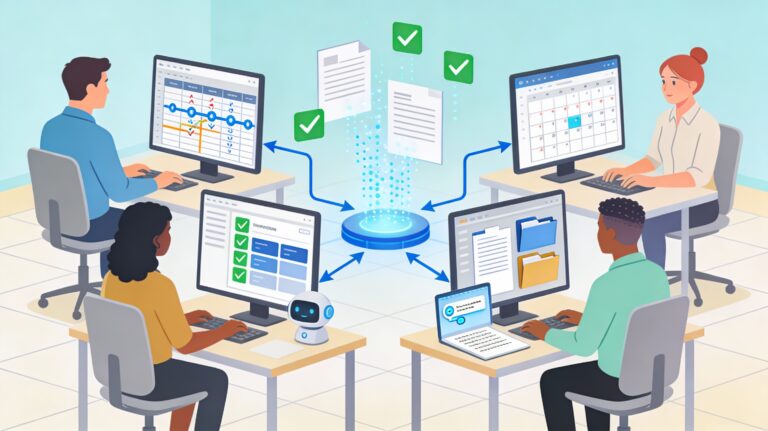
An AI automation toolkit is a collection of integrated software platforms and services that allow small business owners to build and run automated workflows without writing code. These tools connect your existing business apps—email, CRM, accounting software, project management platforms—and make them communicate automatically, eliminating manual data entry, follow-ups, and routine administrative tasks.
More specifically, the best AI automation toolkit for small business includes:
- Workflow automation platforms (Zapier, Make, n8n) that connect apps and trigger actions based on conditions
- AI writing and content tools (Jasper, Copy.ai) for automated marketing copy and documentation
- CRM and email automation (HubSpot, Mailchimp) for customer follow-ups and nurturing
- Project and task management with AI (ClickUp, Monday.com) for smart task routing and process optimization
- Customer service automation (Freshdesk, ChatGPT-powered chatbots) for 24/7 support without extra staff
Think of it as digital employees working around the clock, handling repetitive tasks so your team can focus on selling, creating, and strategizing.
Why 2026 Is the Turning Point for AI Automation for Small Business
Three factors make automation critical now:
1. Competition is intensifying. Businesses using digital tools effectively grow revenue about 30% faster than those who don’t. Your competitors are likely already automating. Falling behind means losing market share and customer satisfaction.
2. AI tools are finally affordable and easy to use. No longer do you need a technical team or six-month implementations. Platforms like Zapier, ClickUp, and HubSpot have AI-powered builders that let you create workflows in plain English. Free and freemium tiers let you test before committing budget.
3. Your team is stretched thin, and hiring is expensive. According to Gartner, by 2026, more than 80% of small businesses will rely on some form of AI to guide operational decisions. The ones who don’t risk burnout, high turnover, and missed growth opportunities.
The Real ROI: Numbers That Matter
Let’s talk concrete returns. A 2025 study analyzing 50+ small business automation implementations found:
- Email marketing automation: 320% ROI, saving 15-20 hours monthly
- Customer onboarding automation: 280% ROI, with 85% fewer manual follow-ups and 34% higher customer satisfaction
- Inventory management automation: 190% ROI, reducing stockouts by 67%
One local marketing agency automated client onboarding and saved $24,000 annually—a 400% return on their $6,000 investment. An online jewelry store recovered 25% of abandoned carts using automated email sequences, directly boosting revenue.
The 80/20 rule applies: 80% of time savings come from automating just 20% of your daily tasks—typically repetitive activities taking under 5 minutes each.
Core Components of the Best AI Automation Toolkit for Small Business
Building your best AI automation toolkit for small business requires understanding the key categories of tools and how they fit together. Rather than adopting every tool available, focus on a lean stack that integrates well and covers your main workflow gaps.
Essential Tool Categories
Workflow Automation Platforms (The backbone)
These are your connectors—the digital nervous system linking your apps together. The three main platforms are:
- Zapier: Best for beginners; 6,000+ app integrations; free plan available; ideal if you’re non-technical. Starting at $19.99/month for small teams.
- Make: Stronger for complex workflows; 1,000+ integrations; better visual builder than Zapier; more affordable ($9-16/month). Ideal if your workflows need branching logic and conditional actions.
- n8n: Most flexible and developer-friendly; open-source option for self-hosting; best if you have technical staff or niche integrations. Self-hosted option is free; cloud version starts around $20/month.
Decision framework: New to automation and budget-conscious? Start with Zapier. Need complex branching logic but no developers? Choose Make. Have a technical co-founder or growing operations? Consider n8n.
Which tool should you choose? A comprehensive review between Make and n8n
CRM and Email Automation Tools (Customer relationship engine)
- HubSpot: Free CRM with email automation; AI-powered lead scoring; integrates well with Zapier. Starter plan at $20/user/month.
- Mailchimp: Email automation and basic CRM; excellent for e-commerce; strong abandoned cart automation. Free tier available.
- Freshdesk: AI-powered customer service with Freddy AI chatbots; 24/7 support without hiring agents. Reduces operational costs by up to 30%.
Project and Task Management with AI (Process orchestration)
- ClickUp: 100+ pre-made automation templates; ClickUp Brain (AI) translates plain English into workflows; strong free tier with unlimited users. Plans start at $7/user/month.
- Monday.com: Visual workflows; AI-assisted task creation; strong team collaboration. Starts at $9/user/month.
AI Content and Writing Tools (Marketing automation)
- Jasper: AI writing assistant trained on converting marketing copy; maintains brand voice. Ideal for scaling blog posts, ad copy, and social media.
- Copy.ai: Faster, lower-cost alternative to Jasper; strong for social media and email subject lines. Starts at $49/month for paid plans.
- Rytr: Budget-friendly AI writer; good for product descriptions and blog intros. Plans start at $9/month.
Example: A Complete Toolkit for a 5-Person Marketing Agency
A boutique marketing agency implemented this stack:
- Zapier to trigger client onboarding workflows
- HubSpot CRM for lead management and email follow-ups
- ClickUp for project automation and team task routing
- Jasper for automating client pitch decks and case study templates
- Freshdesk for client support queries
Result: Reduced client onboarding from 8 hours to 2 hours, saved $24,000 annually, and improved client satisfaction.
Implementing Your Best AI Automation Toolkit for Small Business
Knowing which tools exist is one thing. Using them effectively is another. Here’s a proven framework for rolling out automation without overwhelming your team or disrupting operations.
Phase 1: Audit Your Current Processes (Week 1-2)
Before selecting tools, identify where automation will deliver the fastest ROI.
Step 1: Map time-draining tasks
List 15-20 daily or weekly tasks your team performs. For each, note:
- Time spent weekly (e.g., “Email follow-ups: 8 hours”)
- Frequency (daily, weekly, monthly)
- Who does it (and their hourly rate)
- Whether it requires decision-making or is purely repetitive
Step 2: Calculate potential savings
Using a simple formula: Hours saved per week × Hourly rate × 52 weeks = Annual labor savings
Example: A customer service rep spends 5 hours weekly on invoice reminders at $25/hour. Automating saves $6,500 annually.
Step 3: Identify bottlenecks that hurt revenue
Don’t only automate what’s time-consuming—automate what’s costing you money:
- Slow customer onboarding = lost customers or delayed revenue
- Delayed follow-ups with leads = lower conversion rates
- Manual invoice processing = slower cash flow
Read more: AI Automation for Small Businesses: 7 Proven Strategies to Work Smarter in 2026
Phase 2: Start With One High-Impact Process (Week 3-4)
The biggest mistake small business owners make is trying to automate everything at once. Instead, pick one process that meets these criteria:
- Repetitive: Happens daily or weekly without variation
- High-ROI: Saves significant time or directly impacts revenue
- Low-complexity: Doesn’t require 10 decision points or integration with multiple systems
- Low-risk: Won’t break customer experience if it fails
Example: Automated Customer Onboarding Sequence
A small e-commerce boutique was manually sending 5 follow-up emails to each new customer. Process:
- Customer signs up → Trigger welcome email (Mailchimp automation)
- Day 2 → Product browsing guide sent automatically
- Day 4 → Customer success story + testimonial
- Day 7 → Special discount offer
- Day 14 → Post-purchase follow-up with care instructions
Result: 40% increase in repeat orders within 3 months; 10 hours saved per week.
Tools used: Mailchimp + Zapier (to sync with their e-commerce platform)
Setup time: 4 hours
Phase 3: Measure and Expand (Week 5+)
Once your first automation runs smoothly, track these metrics:
- Time saved (hours per week)
- Cost savings (hours × hourly rate)
- Impact on key business metrics (conversion rates, customer satisfaction, revenue)
A marketing agency using ClickUp automation reported 30-40% faster project completion, which directly boosted billable utilization.
Use these wins to justify expanding to your next automation. Typically, success with one process reduces team resistance to the next.
Common Mistakes to Avoid
Mistake 1: Automating without clear data
If your customer data is messy (inconsistent naming, missing fields), automations will fail. Clean your data first. Spend 1-2 weeks organizing your CRM and spreadsheets before automating.
Mistake 2: Ignoring team buy-in
Employees often fear automation will eliminate their jobs. Be transparent: automation removes tedious work, not people. Involve your team in identifying what to automate. According to research, resistance isn’t technical—it’s about trust in automated systems.
Mistake 3: Over-engineering on day one
You don’t need the most complex workflow on day one. Start simple. Zapier’s simplest Zap—a trigger and one action—can save hours. Add complexity as you gain confidence.
Mistake 4: Forgetting compliance and security
If you handle customer data, ensure your automation tools are secure and comply with regulations (GDPR, HIPAA, etc.). ClickUp and Zapier have enterprise-grade security, but verify your needs before choosing.
Manual vs. AI-Powered Workflows for Small Businesses
Understanding the difference between traditional automation and AI-powered automation helps you choose the right best AI automation toolkit for small business for your needs.
Traditional Automation vs. AI-Enhanced Automation
Traditional Automation (Trigger-Based Workflows)
Example: “When a new customer signs up, send a welcome email.”
| Aspect | Traditional | AI-Enhanced |
|---|---|---|
| Logic | If X happens, do Y | If X happens, analyze context, then do personalized Y |
| Decision-making | Pre-programmed conditions | AI evaluates patterns and adapts |
| Personalization | Limited (template-based) | High (learns from data) |
| Setup | Easier for simple workflows | Requires more data but adapts over time |
| Cost | Lower upfront | Slightly higher but ROI improves with scale |
| Example | “Send reminder after 3 days” | “Send reminder when customer is about to churn based on engagement patterns” |
Comparison: Email Follow-Ups
Manual process:
Sales rep receives lead → checks email history → writes custom follow-up → sends
Time: 5 minutes per lead × 20 leads/day = 100 minutes
Traditional automation (Zapier/Make):
Lead signs up → automated email sent → if no response in 3 days, second email sent
Time: 15 minutes setup, then fully automated
AI-enhanced automation (HubSpot with AI or n8n with AI integration):
Lead signs up → AI analyzes firmographics, engagement, and industry signals → sends personalized email at optimal time → if no response, AI suggests best follow-up message based on lead behavior
Time: 30 minutes setup, then adapts automatically
Result: AI-enhanced approach shows 40-60% higher response rates compared to manual.
Deployment Approach: Zapier vs. Make vs. n8n for Small Businesses
| Workflow Type | Zapier | Make | n8n |
|---|---|---|---|
| Simple 2-step tasks (e.g., “new lead → send email”) | ✅ Perfect | ✅ Works | ✅ Overkill |
| Complex branching (e.g., “if sales stage = X, do Y; else do Z”) | ❌ Limited | ✅ Excellent | ✅ Excellent |
| Data transformation (reformatting data between apps) | ❌ Basic | ✅ Strong | ✅ Advanced |
| Custom API integrations | ❌ Limited | ⚠️ Possible | ✅ Full control |
| Non-technical team can set up | ✅ Yes | ✅ Yes | ❌ Requires developer |
| Monthly cost for 10 workflows | $50-100 | $30-50 | $0 (self-hosted) or $50-150 (cloud) |
Our recommendation for most small businesses: Start with Zapier for simplicity or Make if you have branching logic. Upgrade to n8n only once you outgrow the other two or need custom integrations.
Top AI Automation Workflows Every Small Business Should Implement
Now that you understand platforms, here are the highest-ROI workflows you can deploy with your best AI automation toolkit for small business, mapped to common business functions.
Sales and Lead Management Automation
Workflow: Lead Scoring and Automatic Routing
Challenge: Your sales team spends hours manually tracking leads and deciding who to follow up with first. Hot leads sometimes fall through the cracks.
Automation solution:
- New lead fills your form or subscribes
- AI scores the lead based on engagement, company size, and engagement history
- High-quality leads automatically assigned to top sales rep
- Medium leads queued for follow-up on Friday
- Low-priority leads added to nurture sequence
Tools: HubSpot + Zapier or native HubSpot automation
Time saved: 8-12 hours/week per sales rep
ROI example: A SaaS company using HubSpot AI lead scoring improved sales rep productivity by 25%, converting more leads without hiring.
Real-life example: (External reference: McKinsey’s annual review of generative AI’s business impact)
Customer Service Automation
Workflow: AI Chatbot with Smart Escalation
Challenge: Your small support team gets 50+ customer inquiries daily, but only 20% require complex problem-solving. The rest are FAQs or order status checks.
Automation solution:
- Customer inquiry arrives via email or chat
- AI chatbot (using GPT-4 or similar) answers common questions with 80%+ accuracy
- If the bot can’t resolve the issue, it automatically escalates to human agent with full context
- Customer satisfaction rated after resolution
- High-satisfaction resolutions fed back into AI training
Tools: Freshdesk + GPT API or specialized tools like Drift
Impact: 80% of queries resolved without human involvement; response time drops from minutes to seconds
Cost savings: Reduce customer service costs by 30% annually while improving satisfaction
Real-life example: A customer service team in a mid-sized company implemented Freshdesk Freddy AI chatbots and handled 24/7 support in 15+ languages without expanding staff.
Learn more how AI can streamline customer service for small businesses.
Marketing and Content Automation
Workflow: Automated Blog Content Pipeline
Challenge: Your team spends 20 hours weekly writing blog posts and managing social media. You want to publish 2-3 posts/week but fall short due to writing time.
Automation solution:
- Content idea added to Airtable or Asana
- Zapier trigger sends keyword and outline to Jasper AI
- Jasper generates 1,500-word blog post draft in brand voice
- Email notification sent to editor for review/editing (2-3 hours vs. 8 hours for full writing)
- Final post automatically published to WordPress and social scheduled
- Blog link sent to email list via HubSpot
Tools: Zapier + Jasper + Airtable + WordPress + HubSpot
Time saved: 5 hours per post (content production increases 400% while maintaining quality)
Real-life example: An e-commerce store automated product description writing, social media posts, and email campaigns. Content production increased 400% while maintaining quality, and with AI-driven SEO optimization, they achieved maximum reach across traditional and AI-powered search channels.
Find more AI social media automation tools here
Back-Office Automation
Workflow: Invoice Processing and Accounts Receivable
Challenge: Your admin manually processes 30-40 invoices weekly: data entry, filing, sending payment reminders. This is error-prone and delays cash flow.
Automation solution:
- Invoice received (email or uploaded to cloud storage)
- AI-powered OCR extracts vendor info, amount, due date
- Invoice automatically categorized and logged in accounting software (Quickbooks, Sage)
- Payment reminder email sent 5 days before due date (automated)
- Paid invoices automatically marked and recorded
- Monthly reconciliation report auto-generated
Tools: Make or Zapier + Airtable + QuickBooks + Sage
Time saved: 8-10 hours weekly
ROI example: Automating invoice processing freed up over 500 hours annually in finance departments; one business saved $24,000 annually.
Small Business Automation Wins
| Business Type | Automated Process | Time Saved/Week | Annual ROI |
|---|---|---|---|
| Marketing Agency | Client onboarding | 8-12 hours | 400% |
| E-commerce Boutique | Welcome email sequence | 10 hours | 40% repeat order increase |
| Jewelry Store | Abandoned cart recovery | 12-15 hours | 25% cart recovery rate |
| Skincare Brand | Birthday discount campaign | 8 hours | 30% increase in birthday sales |
| SaaS Company | Lead scoring and routing | 15-20 hours | 25% productivity gain |
Read more: 10 Tasks for Small Businesses to Automation Immediately
Selecting the Right Tools: Decision Framework and Pricing Guide
With dozens of tools available, choosing the right best AI automation toolkit for small business can feel overwhelming. Use this framework to make a smarter decision.
Decision Tree: Which Platform Should You Choose?
Step 1: Are you starting from scratch or upgrading an existing setup?
Starting fresh? Use Zapier + HubSpot (easy, integrations everywhere, proven ROI)
Already using Salesforce or Microsoft 365? Use native automation (Salesforce Einstein Copilot, Microsoft Power Automate) because they integrate seamlessly
Step 2: How technical is your team?
Non-technical: Zapier or HubSpot (no code, intuitive UI)
Comfortable with visual builders: Make (better UX, more powerful than Zapier)
Have a developer: n8n or Make (unlimited flexibility)
How to choose your AI automation tools based on your technicality? >> Read this article
Step 3: What’s your budget constraint?
Under $50/month: Zapier free + Make’s free tier or low-cost plans, or n8n self-hosted
$50-200/month: Make, Zapier Professional, ClickUp + integrations
$200+/month: Enterprise versions, multiple integrated tools, dedicated support
Detailed Pricing Comparison for Common Small Business Stack
| Tool | Best For | Free Tier | Starter Plan | Annual Cost |
|---|---|---|---|---|
| Zapier | Simple workflows, huge app library | 100 tasks/mo, 5 Zaps | $19.99/mo (750 tasks) | $239.88 |
| Make | Complex workflows, visual builder | Free trial available | $9.99/mo or pay-per-operation | $120+ |
| n8n (cloud) | Flexibility, custom integrations | 10k monthly executions | $20-25/mo | $240-300 |
| HubSpot CRM | Lead management, email automation | Free | $20/user/mo | $240/user |
| ClickUp | Project management with AI | Free (unlimited users) | $7/user/mo | $84/user |
| Mailchimp | Email marketing | Free up to 500 contacts | $20/mo | $240 |
| Total small business stack | All core functions | — | ~$100-150/mo | $1,200-1,800/year |
Comparison: Hiring one part-time admin assistant costs $15,000-25,000 annually. A complete automation toolkit costs ~1/10th that, handles 10x more tasks, and doesn’t require training or benefits.
Quick Selection Checklist
Use this before purchasing:
- We’ve identified the top 5 repetitive tasks causing pain
- We’ve calculated time savings and potential ROI
- We’ve reviewed integration compatibility with our current apps
- We’ve tested free tiers or demos with our actual data
- We have one team member assigned as “automation owner”
- We’ve planned for team training (usually 2-4 hours)
- We understand our data security and compliance requirements
How to Automate Small Business Processes in 4 Weeks
Finally, a concrete timeline to actually deploy your best AI automation toolkit for small business without overwhelming your team.
Week 1: Planning and Audit
Monday-Tuesday: Identify 10-15 repetitive tasks costing time or money
Wednesday-Thursday: Calculate ROI for each using: (Hours saved/week × Hourly rate) – (Tool cost/week)
Friday: Choose your lead platform (Zapier if simple, Make if complex) and create a free account
Week 2: Learn and Test
Setup: Follow 2-3 video tutorials on your chosen platform (most are 15-30 min each)
Create test workflow: Build a simple 2-step workflow (e.g., “new email subscriber → add to spreadsheet”) using sample data
Review: Have a team member test the workflow and provide feedback
Document: Screenshot the steps; this becomes your internal guide
Week 3: Deploy Your First Automation
Choose your first workflow: Pick the high-ROI task from Week 1
Build in production: Create the actual workflow connecting to your real apps (not test data)
Soft launch: Run it with 10-20 test cases; monitor for errors
Go live: Launch to full audience; set 1-2 success metrics
Monitor: Check daily for first week; troubleshoot any issues
Week 4: Measure and Scale
Collect data: Track time saved, errors prevented, revenue impact
Share results: Show team the wins; this builds momentum
Plan next automation: Start planning workflow #2 based on Week 1 audit
Optimize: Fine-tune based on learnings
Example: Email Onboarding Automation
| Week | Task | Time Required | Outcome |
|---|---|---|---|
| 1 | Audit, plan, choose tool | 4 hours | Zapier account created, workflow mapped |
| 2 | Learn Zapier, build test workflow | 3 hours | Test email sequence works with sample data |
| 3 | Deploy, soft launch with 20 test customers | 2 hours | Live and running; 2 test sends successful |
| 4 | Measure, optimize, brief team | 1 hour | 40% improved email open rate; team trained |
| Total | — | 10 hours | Saves 12 hours/week → ROI positive in <3 months |
Read more: AI Workflow Automation Guide: The Essential Blueprint for Small Business Growth
Frequently Asked Questions
Q1: Is AI automation really worth it for a 3-5 person team?
Yes, more so than larger teams. When every employee is multi-tasking, one or two automation can reclaim 5-15 hours weekly—equivalent to 1-3 part-time employees without the cost. ROI is typically 300-400% in year one. Even one $50/month tool paying for itself within weeks.
Q2: What if our data is messy? Can we still automate?
Messy data is the #1 automation blocker. Before automating, spend 1-2 weeks cleaning: standardize naming, remove duplicates, fill missing fields. It’s tedious upfront but essential for automation success. Once clean, automation becomes 10x more effective.
Q3: Our team fears automation will eliminate jobs. How do we handle this?
Reframe automation as a tool for the team, not against them. Share real numbers: “This saves you 6 hours of email per week—time you can spend on strategy or client relationships instead.” Involve your team in choosing what to automate. Research shows that employee resistance isn’t technical; it’s about trust. Transparent communication and showing benefits early builds buy-in.
Q4: Which single tool should we start with if our budget is under $30/month?
Zapier free tier or Make’s free plan. Both connect 1,000+ apps without payment. Zapier free offers 100 tasks/month (about 2-3 simple workflows); Make’s free tier is more generous. Test both with a simple workflow; choose whichever feels more intuitive to your team. Most teams graduate to a paid plan within 1-2 months once ROI is proven.
Q5: How long before we see ROI from our automation toolkit investment?
Typically 2-6 weeks. If you choose a high-impact, low-complexity first automation, you’ll see time savings immediately. One marketing agency saw 400% ROI on their first automation within 3 months. Even conservative estimates show ROI within 1-3 months for most small businesses.
Q6: What if something goes wrong with our automation? Will it ruin customer experience?
Automation isn’t perfect, but the impact is usually minimal if you test first. Always run a soft launch with 10-20 test cases before full deployment. Set up alerts (email notifications when a workflow fails). More importantly, choose your first automation carefully—pick something low-risk, like internal notifications rather than customer-facing communication. As your confidence grows, move to customer-facing workflows.
Q7: Can AI automation help if we’re growing fast and don’t have time to hire?
Absolutely. Fast-growing teams benefit most from automation because it scales operations without hiring. One study of 50+ small business implementations found that companies could save 8-10 hours weekly per team member using smart automation. For a growing business, this means handling 2-3x the customer load with your current team.
Conclusion: Your Path to Operational Excellence with the Best AI Automation Toolkit for Small Business
The businesses winning in 2026 aren’t the ones with the most employees—they’re the ones using the best AI automation toolkit for small business to eliminate waste and focus on revenue-generating work. As competition intensifies and operational costs rise, automation has shifted from “nice to have” to “essential for survival.”
Here’s what you’ve learned: Small business automation doesn’t require expensive implementations, armies of developers, or complex tech stacks. It starts with identifying one high-impact, low-complexity process—like welcome email sequences, lead routing, or invoice processing—and automating it with tools like Zapier, Make, or HubSpot. Within 3-4 weeks, you can see measurable results: 10+ hours saved per week, 300-400% ROI, and a team energized by removing tedious tasks.
The framework is clear:
- Audit your current processes (Week 1)
- Choose a platform based on your team’s technical comfort and budget (Week 1-2)
- Build and test one workflow (Week 2-3)
- Deploy and measure (Week 4)
- Scale to your next automation based on results
Your next step: Pick one repetitive task from your team’s daily routine—something taking 2+ hours per week. Calculate the ROI using our formula above. Create a free account on Zapier or Make today. Within 30 minutes, you’ll know if automation is right for your business.
The competitive advantage isn’t permanent. It belongs to those who act now. Your competitors are already automating. The question is: will you?
Your small business doesn’t need to work harder. With the right automation toolkit, it works smarter.
Read more: Best AI Business Automation Tools for Small Business: Scale Operations Without Hiring