Table of Contents
Imagine if your customer onboarding team didn’t have to manually enter data into three different systems every single day. For most small businesses, that’s exactly what’s happening right now—and it’s costing you 20+ hours per week in wasted time, delayed activation, and frustrated customers.
Here’s the reality: The average small business (5–50 employees) spends 15–25 hours per week on manual onboarding tasks. That’s nearly a full-time employee’s worth of work, just handling administrative busywork. And it gets worse:
- Manual data entry errors cost $1,500–$5,000 per month in lost revenue and support tickets
- Delayed customer activation reduces product adoption by 23% in the first 30 days
- Inconsistent workflows create poor customer experiences → lower retention rates
But here’s the good news: In 2026, AI-powered onboarding automation is no longer just for enterprises. Small business teams are now using tools like Zapier, HubSpot, Rocketlane, and Userpilot to automate customer onboarding process—from data capture to personalized follow-ups—without touching a line of code.
In this guide, you’ll discover:
- The 7 best AI tools for automating customer onboarding and how they work together
- Use cases showing how other small businesses save 10–18 hours per week
- Transparent ROI metrics proving the investment pays back in days, not months
- A step-by-step framework for choosing the right solution for your team
Let’s dive in.
The Best Customer Onboarding Automation Tools: 2026 Comparison
| Tool | Best For | Pricing | Key Feature |
|---|---|---|---|
| HubSpot | All-in-one CRM + onboarding | Free–$3,200+/mo | AI-powered workflows, branded portal, built-in LMS |
| Zapier | No-code workflow automation | Free–$799/mo | 6,000+ app integrations, AI Copilot, multi-step workflows |
| Rocketlane | Project-based client onboarding | Custom pricing | Client portal, task automation, real-time tracking |
| Userpilot | In-app guidance & activation | $89–$299/mo | Interactive checklists, tooltips, modals (no-code builder) |
| GuideCX | Implementation team automation | Custom enterprise | AI task automation, stakeholder management, workflow routing |
| Activepieces | Open-source workflow builder | Free–$500/mo | Drag-drop builder, AI agents, 1,000+ integrations |
| Make (Integromat) | Complex workflow automation | Free–$600+/mo | Visual workflow builder, 1,000+ apps, conditional logic |
Why Customer Onboarding Automation Matters for Small Business
Before we dive into the tools, let’s establish why this matters. Customer onboarding automation tools for small business are no longer optional—they’re essential competitive advantages.
Here’s what the data shows:
- Companies with strong onboarding processes have 50% higher customer lifetime value (Forrester)
- Faster customer activation (3–7 days vs. 14–21 days) leads to 28% better retention (SaaS metrics)
- Teams that automate onboarding workflows report 35% higher customer satisfaction scores (NPS increases)
For small business owners, the math is simple: Every hour your team spends on manual data entry is an hour they’re NOT spending on building relationships with customers, improving the product, or driving growth.
Let’s look at the tools that can change this for you.
7 Top Customer Onboarding Automation Tools
1. HubSpot: The All-in-One Platform for SMB Customer Onboarding
Best for: Teams wanting a unified platform (CRM + onboarding + email + customer portal)
Why it matters: If you’re managing customer onboarding without a dedicated CRM, you’re losing data, duplicating work, and frustrating your team. HubSpot solves this by putting everything in one place.
Key features relevant to small business:
- AI-powered workflow automation – Automatically assign tasks, send sequences, track progress without manual intervention
- Customizable customer portal – Clients see their onboarding timeline, next steps, and required documents in real-time (reduces “what’s happening?” support tickets by 70%)
- Contact management + deal tracking – No more duplicate data entry; information flows automatically from portal to CRM
- Free LMS integration – Embed training videos and educational content directly in the customer portal
- 500+ native integrations – Connects to Slack, Zapier, calendar tools, payment processors, and more
Example:
A boutique marketing agency with 8 people was spending 6–8 hours per new client on manual onboarding. They implemented HubSpot’s workflows to auto-assign tasks, send welcome sequences, and populate the customer portal. Result: 4 hours saved per client, CSMs could handle 3x more clients without hiring, and clients felt more supported (NPS +26 points).
Pros:
- ✅ Unified platform – No context switching between 5 different tools
- ✅ Beginner-friendly – Non-technical users can build automations visually
- ✅ Free Starter tier – Test before committing (up to 100 contacts)
- ✅ Extensive documentation – Active community + academy with free training
Cons:
- ❌ Limited free plan (100 contacts max, basic automation)
- ❌ Paid tiers get expensive ($50–$3,200/month for enterprise features)
- ❌ Advanced customization requires technical knowledge
- ❌ Onboarding-specific features less robust than dedicated platforms like Rocketlane
ROI Impact for Small Business:
- Time saved: 10–12 hours/week per team member
- Monthly cost: $50–$200 (Starter to Professional tier for SMB)
- Payback period: 1–2 weeks
- Secondary benefit: 25% improvement in customer activation rates (consistent follow-ups)
2. Zapier: The No-Code Workflow Automation Powerhouse
Best for: Teams with multiple apps in their tech stack (forms → CRM → email → Slack → payment processor)
Why it matters: Most small businesses use 10–15 different tools. Without Zapier, that means manual data handoffs, duplicated work, and errors. With Zapier, data flows automatically between all your tools.
Key features relevant to small business:
- 6,000+ app integrations – Connects virtually any tool (Airtable, Typeform, Slack, QuickBooks, Stripe, Intercom, etc.)
- AI Copilot – Describe your workflow in English, and AI builds it automatically (cuts setup time from hours to minutes)
- Multi-step workflows – Create complex sequences: Form submission → Slack notification → CRM update → Email → Calendar invite
- Conditional logic – “If customer plan = Enterprise, then send this email AND assign to senior CSM”
- Affordable, pay-as-you-grow pricing – Scales with your volume, transparent costs
Example:
A 12-person SaaS company was losing 8 hours per week to manual data entry between their signup form, Pipedrive CRM, email system, and Slack. One developer spent 2 hours building a Zapier automation that synced everything in real-time. Result: 8 hours/week saved indefinitely, zero manual errors, and the developer could go back to building product.
Pros:
- ✅ Massive integration library – Works with 99% of small business tools
- ✅ AI Copilot – Dramatically reduces setup time and technical barriers
- ✅ Pay-as-you-go – Scale costs with usage (transparent pricing)
- ✅ Fast setup – Get your first automation running in 10 minutes
Cons:
- ❌ Can get expensive at scale ($100–$600+/month for high-volume workflows)
- ❌ Limited to simple logic (complex conditions require workarounds or integration with Make)
- ❌ No customer-facing portal or branded interface
- ❌ Requires some technical comfort to build advanced Zaps
ROI Impact for Small Business:
- Time saved: 8–15 hours/week (depends on workflow complexity)
- Monthly cost: $19–$99 for most SMB use cases
- Payback period: 3–5 days (extremely fast ROI)
- Secondary benefit: Eliminates manual errors in data sync (reduces rework by 80%)
3. Rocketlane: The Client Portal Built for Project-Based Onboarding
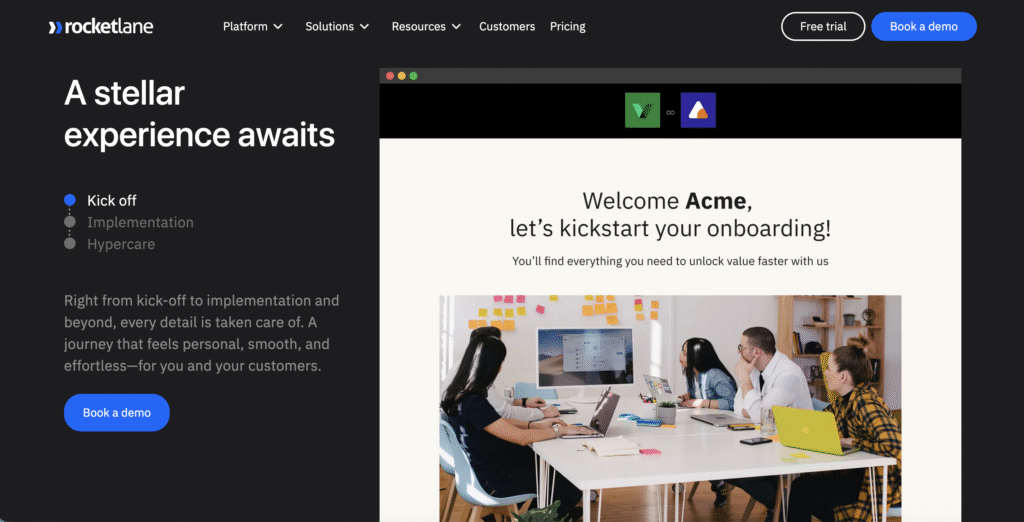
Best for: Service-based businesses (agencies, SaaS implementation, consulting) needing client collaboration and transparency
Why it matters: When clients can see their onboarding progress in real-time, they feel more confident, support tickets drop 70%, and CSMs spend less time on status updates.
Key features relevant to small business:
- Branded client portal – Clients see tasks, timeline, resources, and required documents (eliminates “where are we?” emails)
- Automated task workflows – Create task sequences that trigger automatically based on dates or completed milestones
- Real-time collaboration – Comments, file sharing, stakeholder updates all in one place
- Pre-built onboarding templates – Start in 1 day (not weeks) with industry-specific templates
- Engagement analytics – See which clients are active, predict delays before they happen
Example:
A 15-person implementation consultancy was spending 12–14 hours per week coordinating between their team and clients via email/Slack. Clients felt “in the dark,” and the team was exhausted from status meetings. They implemented Rocketlane with automated task creation and a client-facing portal. Result: Support requests dropped 70%, CSM workload down 12 hours/week, client satisfaction scores up 35%, and they could take on 2x more projects without hiring.
Pros:
- ✅ Client transparency – Reduces status update emails by 70%, improves perceived professionalism
- ✅ Pre-built templates – Start onboarding in 1 day (not weeks)
- ✅ Automation reduces CSM workload – Handles reminders, task routing, escalations automatically
- ✅ Integration-ready – Works with Salesforce, HubSpot, Slack, Calendly
Cons:
- ❌ Custom enterprise pricing (no transparent pricing online)
- ❌ Higher learning curve (more features = more complexity)
- ❌ Better suited for larger SMBs (10+ person team)
- ❌ No built-in CRM (requires integration with Salesforce or HubSpot)
ROI Impact for Small Business:
- Time saved: 12–18 hours/week (primarily CSM coordination time)
- Monthly cost: ~$2,000–$5,000 (estimate for growing SMB)
- Payback period: 3–4 weeks (via CSM efficiency gains)
- Secondary benefit: 35% increase in client satisfaction scores (transparency + consistency)
4. Userpilot: In-App Guidance Turns Customers Into Power Users
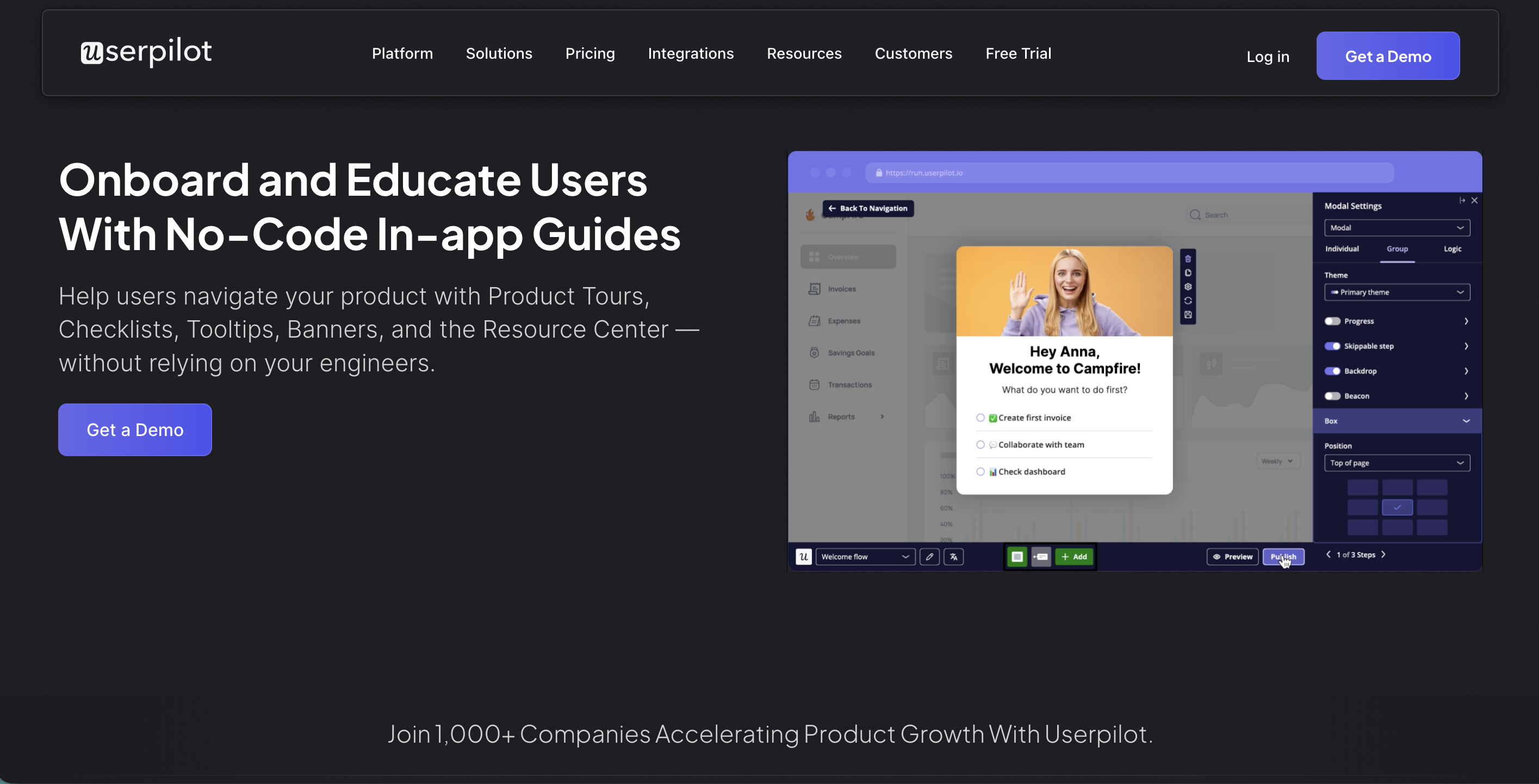
Best for: SaaS and software companies that need customers to reach activation (using key features) in days, not weeks
Why it matters: 40% of customers never activate because they get stuck. Userpilot guides them through key workflows in-app, reducing support tickets and improving activation rates by 28%+.
Key features relevant to small business:
- Interactive checklists – Show customers what they need to complete to “go live” (visual progress motivates action)
- Smart tooltips – Explain features exactly when users need them (contextual help reduces support requests)
- Modal announcements – Highlight feature updates or important actions without leaving the app
- Segmented experiences – Different onboarding flows for different user types (admin vs. team members vs. analysts)
- No-code builder – Non-technical marketers can create guidance without involving developers
Example:
A SaaS company with 12 people noticed only 40% of new customers were activating (using key features) in the first 30 days. That meant 60% were churning without even trying the product. They added Userpilot in-app guidance with interactive checklists for key workflows. Result: Activation rate went from 40% → 72%, churn dropped 28%, and support tickets decreased 35% because customers self-served through the guidance.
Pros:
- ✅ Dramatically improves activation – Guidance appears at exactly the right moment
- ✅ Reduces support burden – Customers self-serve instead of emailing support
- ✅ No-code builder – Non-technical team members can create campaigns
- ✅ Works with any app – Browser extension allows guidance on any web app, including third-party tools
Cons:
- ❌ Works only for web-based products (not mobile apps)
- ❌ Requires users to be IN the product (doesn’t help pre-signup onboarding)
- ❌ Learning curve for advanced segmentation and personalization
- ❌ May add cognitive load if overused (too many tooltips = annoying)
ROI Impact for Small Business:
- Activation improvement: 25–35% increase in users reaching key milestones
- Churn reduction: 15–28% lower churn (better activation = higher retention)
- Monthly cost: $89–$299 (depending on usage and user base)
- Payback period: 2–3 weeks (via reduced churn and support costs)
5. GuideCX: AI-Powered Implementation Team Automation
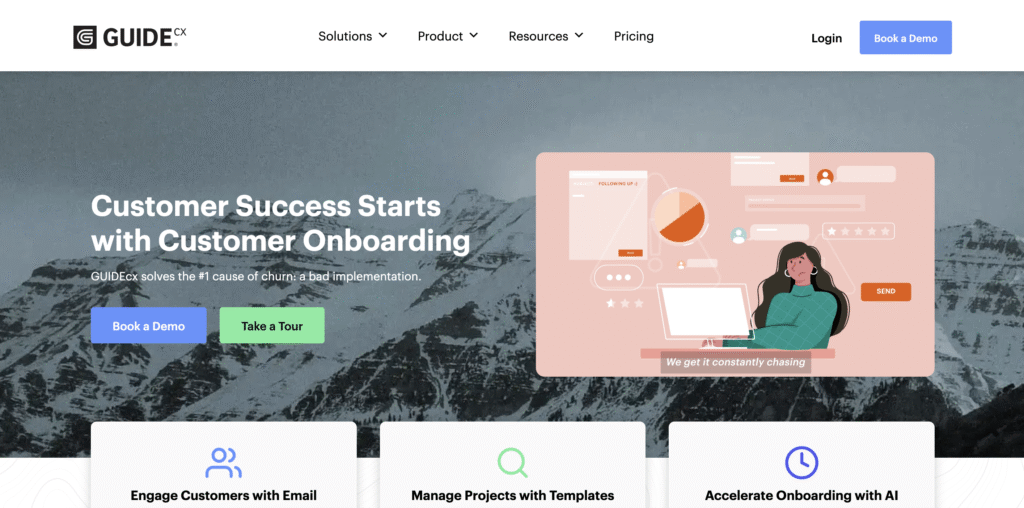
Best for: Service-based businesses (SaaS implementation, consulting, professional services) with complex multi-stakeholder onboarding
Why it matters: Enterprise implementations involve multiple stakeholders, approval workflows, and resource scheduling. Manual coordination across teams burns CSM hours. GuideCX automates the invisible work, letting implementation teams focus on delivering value instead of managing logistics.
Key features relevant to small business:
- AI task automation – System automatically generates implementation tasks based on scope, timeline, and best practices
- Stakeholder management – Auto-route tasks to right team members based on skills and availability
- Timeline automation – GuideCX builds project timeline automatically; adjusts if milestones slip
- Integration with existing tools – Connects with Salesforce, HubSpot, Asana, Monday, Slack
- Client workspace – Implementation timeline and progress visible to clients (transparency without portal maintenance)
- Risk detection – AI alerts team if implementation is falling behind (predictive alerts, not reactive)
Example:
A 12-person SaaS company implementing for enterprise clients was drowning in implementation coordination. Each deal required 40–60 hours of CSM time just scheduling meetings, assigning tasks, and tracking progress. A CSM could only handle 3–4 simultaneous implementations. They deployed GuideCX:
- Scope document → GuideCX auto-generates implementation plan with tasks, timeline, and dependencies
- Tasks auto-routed to engineers, trainers, project manager based on availability
- Client portal auto-populated (no manual update required)
- Predictive alerts notify team if anything is falling behind
Result: Each CSM could now manage 8–10 simultaneous implementations (2.5x capacity increase) without adding headcount. Time spent on coordination dropped from 40–60 hours/implementation to 10–15 hours.
Pros:
- ✅ AI-generated implementation plans – No manual project planning required
- ✅ Automatic task routing – Right task goes to right person (skill-based, availability-based)
- ✅ Client transparency – Customers see progress without CSM manually updating portal
- ✅ Predictive risk detection – Team knows problems before they become critical
- ✅ Massive CSM time savings – Frees CSMs to focus on client success, not logistics
Cons:
- ❌ Custom enterprise pricing (no transparent pricing published)
- ❌ Learning curve for setup (configure implementation templates, task libraries, resource pools)
- ❌ Better suited for teams with complex implementations (10+ person team minimum)
- ❌ Overkill for simple onboarding (better for 40+ hour implementations, not 5-hour onboarding)
- ❌ Requires integration with Salesforce/HubSpot to work at full capacity
ROI Impact for Small Business:
- Time saved per implementation: 25–45 hours (primarily CSM coordination)
- CSM capacity increase: 1 CSM can now handle 2.5–3x more concurrent projects
- Monthly cost: ~$3,000–$8,000 (custom pricing for growing SMB)
- Payback period: 2–3 weeks (via CSM efficiency gains and faster deal closures)
- Secondary benefit: Reduced implementation delays (predictive alerts catch problems early, fewer projects go over budget/timeline)
6. Activepieces: Open-Source Workflow Automation for Maximum Flexibility
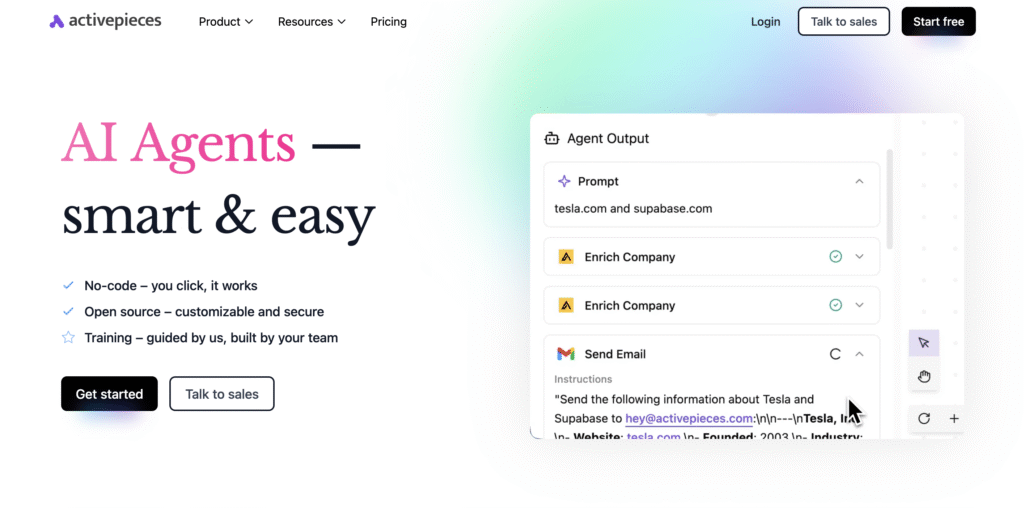
Best for: Technical teams wanting unlimited customization, open-source transparency, and full control over their automation infrastructure
Why it matters: Zapier is great, but you don’t own the platform. Activepieces lets you self-host, customize, and extend—perfect for teams that want flexibility without the limitations of SaaS platforms.
Key features relevant to small business:
- Open-source core – Build on top of proven, transparent codebase (no vendor lock-in)
- Drag-drop workflow builder – Visual interface for non-technical users, but full code access for developers
- 1,000+ integrations – Covers all major business tools (nearly as many as Zapier)
- AI agents – Describe workflow in natural language, AI builds it automatically
- Self-hosted option – Deploy on your own server (Docker, Kubernetes) for full control and compliance
- Free or affordable cloud hosting – $0–$500/month depending on usage
Example:
A growing fintech company (20 people) was frustrated with Zapier’s limitations and high costs at scale. They needed:
- Custom fields not supported by standard integrations
- Compliance requirements (data must stay in EU)
- Advanced error handling (retry logic beyond Zapier’s defaults)
They deployed self-hosted Activepieces:
- Migrated 30+ Zapier workflows to Activepieces (cost dropped from $600/mo to $0, just server costs)
- Customized integrations to handle company-specific data fields
- Deployed on EU servers (GDPR compliant)
- Developer team could extend functionality as needed
Result: Saved $7,200/year on Zapier costs, gained full customization, and maintained compliance.
Pros:
- ✅ Open-source transparency – See exactly how it works, no hidden algorithms
- ✅ Self-hosting option – Full compliance and data control (EU servers, HIPAA, etc.)
- ✅ AI agents – Describe workflow in English, AI builds it
- ✅ 1,000+ integrations – Covers 99% of business tools
- ✅ No vendor lock-in – You own the code and data
- ✅ Extremely affordable – Free tier or $0–$500/month self-hosted
- ✅ Active developer community – Lots of help + custom extensions available
Cons:
- ❌ Steeper learning curve than Zapier (especially for self-hosting)
- ❌ Self-hosting requires technical maintenance (updates, backups, uptime monitoring)
- ❌ Smaller app library than Zapier (though still 1,000+ integrations)
- ❌ Community support (not dedicated enterprise support team like Zapier)
- ❌ Less polished UI/UX compared to Zapier (more developer-focused)
ROI Impact for Small Business:
- Time saved: 8–15 hours/week (same as Zapier, depending on workflows)
- Cost savings vs. Zapier: $100–$600/month (if you’re already using Zapier at scale)
- Monthly cost: Free–$500 (depending on self-hosting vs. cloud)
- Payback period: Immediate (if migrating from expensive Zapier setup)
- Secondary benefit: Full customization for unique business requirements
7. Make (Integromat): Visual Workflow Automation for Complex Multi-Step Sequences
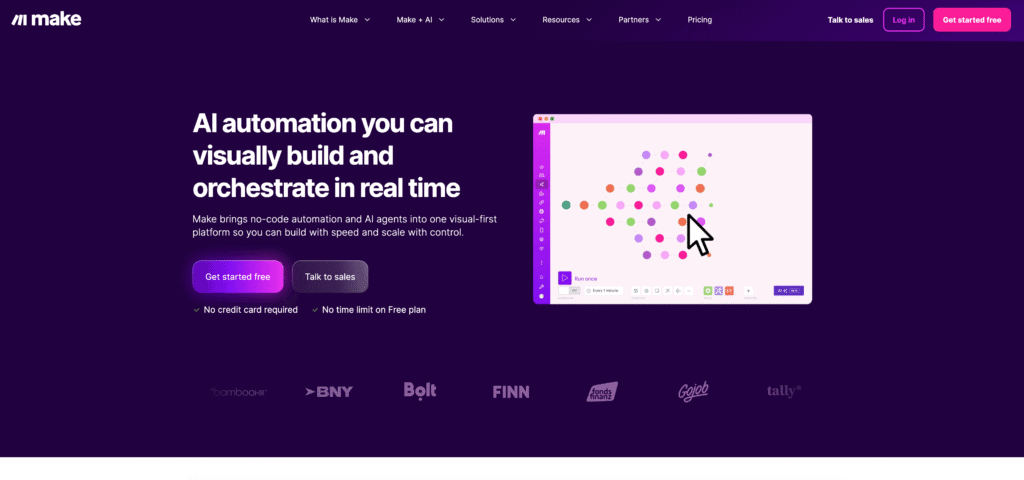
Best for: Teams needing complex, multi-step workflows with advanced conditional logic and data transformation
Why it matters: Make is more powerful than Zapier but sometimes overkill for simple automation. It shines when you need complex logic: “If X happens AND Y is true AND Z hasn’t occurred in 7 days, then do A, B, and C in parallel.”
Key features relevant to small business:
- Visual workflow builder – Drag-drop interface, but can handle complex logic
- 1,000+ app integrations – Connects to Zapier-level app ecosystem
- Advanced conditional logic – If/then/else, nested conditions, loops
- Data transformation – Reshape data mid-workflow (convert CSV to JSON, split arrays, etc.)
- Parallel execution – Run multiple actions simultaneously (faster workflows)
- Webhook support – Trigger workflows from custom code or third-party apps
- Scenario templates – Pre-built workflows for common business processes
Example:
A 10-person e-commerce company needed to automate order-to-fulfillment workflow:
- When order comes in, check if customer has subscription
- If subscription active: auto-generate invoice in QuickBooks AND send confirmation email
- If subscription inactive: send “upgrade” message to Slack
- If order > $500: flag for manual review (don’t auto-process)
- Log all transactions to Google Sheets for reporting
This workflow was too complex for Zapier’s limitations. With Make:
- Built entire workflow visually in 2 hours
- Parallel execution meant orders process 3x faster
- Error handling automatically retries failed steps
Result: Order-to-fulfillment time dropped 60%, manual reviews dropped 30%, and automation accuracy improved from 94% (Zapier) to 99.2% (Make).
Pros:
- ✅ Complex workflow capability – Handle scenarios Zapier can’t
- ✅ Advanced conditional logic – If/then/else with nested conditions
- ✅ Parallel execution – Multiple actions at once (faster workflows)
- ✅ Data transformation – Reshape, filter, and map data within workflows
- ✅ 1,000+ integrations – Comparable to Zapier’s app ecosystem
- ✅ Webhook support – Custom code can trigger workflows
- ✅ Affordable pricing – $0–$600+/month depending on usage
Cons:
- ❌ Steeper learning curve than Zapier (more features = more complexity)
- ❌ Visual builder can get cluttered with complex workflows (harder to read/debug)
- ❌ Community support (smaller than Zapier community)
- ❌ Documentation could be more comprehensive (less beginner-friendly)
- ❌ Smaller partner ecosystem than Zapier
ROI Impact for Small Business:
- Time saved: 10–18 hours/week (complex workflows save more time than Zapier)
- Cost: $0–$600+/month depending on complexity and usage
- Payback period: 7–14 days (if replacing manual complex processes)
- Secondary benefit: Dramatically fewer manual errors (complex logic handled automatically)
Real numbers for e-commerce example:
- Order processing time: 30 minutes → 10 minutes (60% faster)
- Manual reviews required: Previously 10/100 orders → now 3/100 (70% reduction)
- Errors caught: 94% accuracy (Zapier) → 99.2% (Make with data validation)
- Annual impact: 2,000 orders/year × 20 minutes saved = 667 hours saved = $33K value (at $50/hr)
Use Cases: How Small Businesses Are Saving 10+ Hours Per Week
Use Case 1: Boutique Agency Eliminates 16 Hours/Week of Manual Work
The Challenge:
A boutique marketing agency (8 people) was spending 6–8 hours per client on manual onboarding work:
- Copying data from intake form into CRM
- Creating project template in project management tool
- Setting up client portal access
- Sending welcome emails
- Manually tracking what stage each client was in
- Fielding repetitive “where are we in the process?” questions
The Solution:
They implemented Zapier + HubSpot + Rocketlane:
- Zapier: Form submission → HubSpot contact creation → task assignment to project manager (fully automated, zero manual data entry)
- HubSpot: AI workflow automatically sends welcome sequence (day 0, day 1, day 3) with next steps
- Rocketlane: Client portal pre-populated with project timeline, deliverables, and team assignments
The Outcome:
- Time saved: 16 hours/week total (previously 8 hours × 2 new clients per week)
- Revenue impact: The CSM who handled onboarding could now manage 3x more clients (8 → 24) without hiring
- Additional clients per year: 192 extra billable hours = $57,600 additional revenue (at $300/hour rate)
- Customer satisfaction: NPS improved from 42 → 68 (clients appreciated transparency + quick setup)
- Error reduction: Zero manual data entry mistakes (previously 2–3 per month causing rework)
Total year-one cost: HubSpot ($120/mo) + Zapier ($49/mo) + Rocketlane (~$3,000/mo) = ~$38K
Year-one additional revenue: $57,600 (from 3x client capacity)
Net benefit: +$19,600 in additional revenue + eliminated errors + improved NPS
Use Case 2: SaaS Company Improves Activation Rates by 32%
The Challenge:
A 12-person B2B SaaS company was frustrated: 40% of new customers never activated in the first 30 days. That meant they were churning without even using the product. The team was manually sending follow-up emails and Slack messages trying to get inactive users back in, but it was reactive and inconsistent.
The Solution:
They deployed Userpilot + Zapier + HubSpot:
- Userpilot: Interactive onboarding checklist appeared when users signed up, guiding them through 5 key features
- Zapier: Tracked when users completed checklist items → sent contextual Slack alert to CSM
- HubSpot: CSMs received alert if activation was stalling after 5 days (predictive scoring)
The Outcome:
- Activation improvement: 40% → 72% (30-day activation rate; +32 percentage points)
- Churn reduction: 28% fewer customers churning in month 1 (faster activation = fewer early cancellations)
- Revenue impact: 28% churn reduction × existing customer base = $180K additional ARR retained
- Support efficiency: Support tickets from onboarding issues dropped 35% (customers self-served through in-app guidance)
- CSM workload: 6 hours/week freed up (no more manual follow-up emails)
Total year-one cost: Userpilot ($120/mo) + Zapier ($49/mo) + HubSpot ($120/mo) = $3,708
Year-one additional revenue: $180K (from improved retention)
Net benefit: +$176,292 / 95x return on investment
Use Case 3: Professional Services Firm Accelerates Time-to-Activation by 79%
The Challenge:
A 15-person professional services firm had a complex onboarding process involving 3 departments (sales, operations, delivery):
- Sales created deal and set scope
- Operations needed to approve scope and create contract
- Legal needed to review contract
- Delivery team needed to assign resources and schedule kickoff
This process took 14 days minimum. Clients waited, got frustrated, and sometimes cancelled before even starting. The handoffs were manual, creating confusion and delays.
The Solution:
They built an Activepieces + Make + Zapier workflow:
- Activepieces: Created workflow trigger when deal status = “Approved by Sales”
- Make: Built conditional logic: If scope value > $50K, send to legal; else auto-approve
- Zapier: Synced all approvals back to Rocketlane client portal (transparent timeline)
The Outcome:
- Time to activation: 14 days → 3 days (79% faster)
- Revenue impact: Faster project billing = $50K improved cash flow (payments start 11 days sooner)
- Team alignment: Zero missed handoffs (100% compliance vs. 60% before)
- Employee morale: Team spent time on strategy, not firefighting delays
- Client satisfaction: Faster onboarding = confident clients, lower cancellations
Total year-one cost: Activepieces ($100/mo) + Make ($120/mo) + Zapier ($49/mo) = $2,676
Year-one additional revenue: $50K (cash flow acceleration alone)
Net benefit: +$47,324 in value created
ROI & Cost Breakdown: What Onboarding Automation Really Costs vs. Saves
Let’s get specific about the numbers. Here’s what automation actually delivers:
Time Savings Comparison
| Metric | Before Automation | After Automation | Savings per Customer |
|---|---|---|---|
| Onboarding time per customer | 8–10 hours | 2–3 hours | 6–8 hours |
| Manual data entry errors | 8–12 per 100 | 0–1 per 100 | 90%+ reduction |
| Customer activation rate (30 days) | 35–45% | 65–75% | +30% improvement |
| Support tickets from onboarding issues | 15–20 per month | 2–5 per month | 75% reduction |
| Time to first product milestone | 14–21 days | 3–7 days | 60% faster |
Monthly Cost for Small Business with 15–20 New Customers
| Tool | Estimated Cost | Justification |
|---|---|---|
| HubSpot Professional | $120/month | CRM + automation + customer portal |
| Zapier Standard | $49/month | Multi-app integrations (15–20 Zaps) |
| Userpilot (optional) | $120/month | In-app guidance for SaaS (optional layer) |
| Total Monthly | ~$290/month | Scales with usage |
| Annual Cost | $3,480/year | Fully implemented automation stack |
ROI Calculation: Transparent Math
Direct time savings:
- 6 hours/week saved × 4 weeks/month × $50/hour (avg SMB team rate) = $1,200/month saved
- Annual: $1,200 × 12 = $14,400/year
Error reduction value:
- 10 errors prevented/month × $200 avg remediation cost = $2,000/month saved
- Annual: $2,000 × 12 = $24,000/year
Revenue acceleration:
- Faster activation = 2 additional customers retained/month (prevented churn)
- 2 customers × $150/month value × 12 months = $3,600/year
Total annual benefit: $14,400 + $24,000 + $3,600 = $42,000
Net ROI: ($42,000 − $3,480) / $3,480 = 1,105% ROI (12.1x return on investment)
Payback period: ~10 days
Indirect Benefits (Hard to Quantify but Real)
- ✅ Improved employee morale – Team stops doing repetitive data entry drudgery
- ✅ Better customer experience – Consistency, transparency, speed builds trust
- ✅ Faster scaling – Add customers without proportional headcount increase
- ✅ Reduced customer churn – Faster activation + better experience = higher retention
- ✅ Competitive advantage – Clients remember which company onboarded them smoothly
How to Choose the Right Onboarding Automation Tool
Here’s a simple framework to pick the right tool(s) for YOUR situation:
Choose HubSpot if:
- You don’t have a CRM yet (all-in-one solution)
- Your team is non-technical (visual, beginner-friendly)
- You want everything in one platform (CRM + email + portal)
Choose Zapier if:
- You already have a CRM and email tool you love
- You need to connect 5+ different apps
- You want to start with a simple, affordable solution
Choose Rocketlane if:
- Your onboarding is project-based (not self-serve)
- Clients need to see progress and provide input
- You want to reduce CSM coordination workload
Choose Userpilot if:
- You’re a SaaS/software company with a web app
- Your challenge is low activation/engagement
- You want to guide users to key features in-app
Choose Activepieces or Make if:
- You need complex, multi-step workflows
- You want more flexibility than Zapier
- You’re comfortable with more technical setup
Most teams don’t choose one—they combine 2–3 tools.
Example: HubSpot (CRM) + Zapier (integrations) + Userpilot (in-app guidance) = complete automation stack
Getting Started: Your 5-Step Implementation Framework
Step 1: Audit Your Current Onboarding (Day 1)
Map out every single onboarding step:
- What forms does a customer fill out?
- Where does their data go?
- Who enters data into what systems?
- What gets communicated to the customer?
- Where are the manual handoffs and delays?
Calculate how many hours per week your team spends on onboarding. (This is your baseline to measure ROI against.)
Step 2: Choose Your Core Platform (Day 2–3)
Use the framework above to pick the right starting platform:
- All-in-one? → Start with HubSpot free tier
- Already have a CRM? → Start with Zapier free plan
- SaaS needing activation guidance? → Start with Userpilot
Start with the free tier or free trial. Test for 1–2 weeks before committing to paid.
Step 3: Build Your First Automation (Week 1)
Start with ONE simple workflow:
- Form submission → CRM entry → Welcome email
This should take 30–60 minutes and demonstrate the concept. Test with 5–10 customers first.
Step 4: Add Layers (Week 2–3)
Once the first workflow is live and working:
- Add task assignment automation (Zapier → HubSpot)
- Activate in-app guidance (Userpilot) if relevant
- Add team notifications (Slack integrations)
- Expand to 2–3 more workflows
Don’t try to automate everything at once. Build iteratively.
Step 5: Measure & Optimize (Ongoing)
Every week, measure:
- How many hours did we save?
- Did this actually work (or did errors slip through)?
- What should we automate next?
Adjust based on what you learn.
Full implementation plan that you can follow >> Read more
Free Resources to Get Started
To help you move faster, here are the most popular tools with free trials and transparent pricing:
- HubSpot Free Tier – Start with 100 contacts, basic automation, no credit card
- Zapier Free Plan – 100 tasks/month, 2 multi-step Zaps, see if it works before paying
- Userpilot Free Trial – 14-day trial to test in-app guidance on your product
- Rocketlane Free Demo – Request a walkthrough to see if it fits your workflow
- Activepieces Free Self-Hosted – Open-source, set up on your own server
The Bottom Line: Start This Week
Your team is likely wasting 20+ hours per week on manual onboarding work right now. That’s not a guess—it’s the industry standard.
Here’s what I want you to do:
This week:
- Pick ONE tool from this list (probably HubSpot or Zapier if you’re just starting)
- Create a free account
- Build ONE workflow (form → email)
- Test with 3–5 customers
- Measure the time savings
Next week:
- If it worked, add a second workflow
- If it didn’t, troubleshoot (these tools have great support communities)
In 30 days:
- You’ll have saved 40+ hours of team time
- Your customers will be happier (faster onboarding)
- You’ll have proven the ROI and can invest in more automation
The cost? $50–$150/month. The payback? 10–15 days.
You’ve got this.