
Table of Contents
Running a small business as a solo founder or tiny team means juggling sales, marketing, customer support, finances, and operations every day. AI tools for solopreneurs promise to take some of that weight off your shoulders—but it can be hard to know where to start or which tools actually move the needle.
Many owners still spend hours on repetitive tasks: copying data between systems, replying to routine emails, drafting social posts, or manually following up with leads. This guide shows exactly how AI can automate those workflows and which types of tools are worth your budget.
You will learn what kinds of AI tools exist, how they fit into each business function, how to choose the right stack for a small budget, and how to measure real ROI (not just “shiny object” excitement).
Now is the ideal time to act: AI has become cheaper, more user‑friendly, and available as plug‑and‑play tools that work with the apps small businesses already use. While competitors scramble to catch up, you can quietly build an efficient, automated machine behind your one‑person brand.
What Are AI Tools for Solopreneurs?
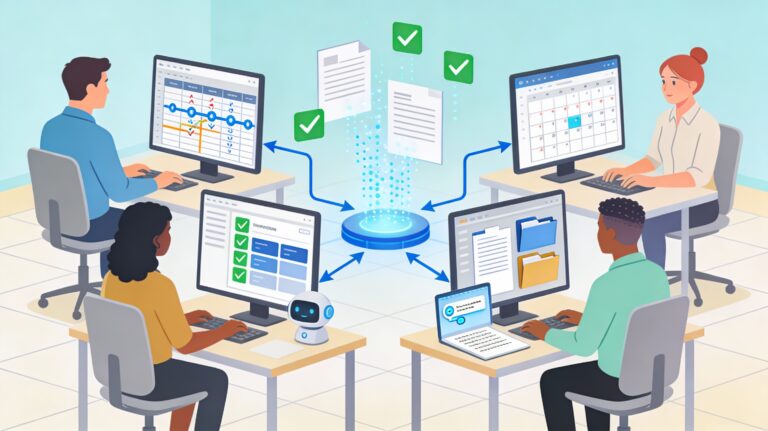
AI tools for solopreneurs are software applications that use artificial intelligence to handle or assist with repetitive, data‑driven, or creative tasks across a solo or very small business, such as writing content, answering customers, managing leads, processing data, and forecasting sales, so the founder can focus on strategy and high‑value work.
Simple definition (non‑technical)
In plain terms, these tools are like “smart assistants” in software form. They can:
- Read and write text (emails, posts, replies)
- Understand patterns in your data (sales, support, inventory)
- Make suggestions or take actions automatically
They plug into tools you already use—email, CRM, website, store, project management—so you don’t need to code or build everything from scratch.
Core categories of AI tools for solopreneurs
- AI writing and content tools – blog posts, emails, ads, scripts
- AI chatbots and support agents – website, social DMs, helpdesk
- AI sales and CRM assistants – lead scoring, follow‑ups, proposals
- AI back‑office tools – invoices, bookkeeping support, reporting
- AI automation platforms – connect apps and trigger workflows
Where AI Tools for Solopreneurs Deliver the Biggest Wins
1. Admin and back‑office automation
Back‑office work quietly eats entire days. AI helps by:
- Drafting and sending routine emails (confirmations, reminders, updates)
- Summarizing long documents and meeting notes
- Auto‑tagging files, tickets, and tasks
- Creating simple reports from spreadsheets
Recommended tools:
- ChatGPT Plus / Claude – drafting emails, summarizing documents, generating reports
- Microsoft Copilot – integrated into Outlook for email drafting and summarization
- Otter.ai – transcribing calls and meetings, auto-generating action items
- Notion AI – summarizing notes, organizing tasks within your workspace
- Zapier + AI – automating data entry and file tagging across apps
Mini case study – 5‑person agency
A small marketing agency feeding call transcripts into an AI note‑taker cut weekly reporting time from 6 hours to 1.5 hours. Project managers now review concise summaries and action lists instead of full transcripts.
2. Marketing and content with AI tools for Solopreneurs
Marketing is essential but time‑intensive. AI can help you:
- Turn one idea into multiple formats (blog, email, LinkedIn post, reel script)
- Generate first drafts of articles, newsletters, and ad copy
- Repurpose webinars or podcasts into social snippets and summary posts
- Brainstorm content ideas tailored to your niche and audience
Recommended tools:
- ChatGPT / Claude – drafting blog posts, email copy, social captions
- Jasper AI – specialized for marketing copy, multi-channel content generation
- Copy.ai – ad copy, email subject lines, product descriptions
- Repurpose.io – converting blog posts into social media, email, and video snippets
- Canva with AI – auto-generating social graphics and templates
Example workflow:
- Record a 20‑minute video or audio sharing expertise.
- Use an AI transcription tool to get a transcript.
- Feed the transcript into a content AI to draft:
- A blog post
- An email newsletter
- 3-5 social posts
- Lightly edit for tone, facts, and CTA.
3. Sales and lead management
AI tools can ensure you follow up consistently without feeling robotic.
Common capabilities:
- Lead scoring based on behavior (opens, clicks, page visits)
- Smart email follow‑ups using templates and personalization
- Proposal or quote drafting using saved packages and pricing
- CRM data cleanup: merging duplicates, enriching contact details
Recommended tools:
- HubSpot CRM (with AI tools) – lead scoring, email drafting, sales insights
- Pipedrive AI – predicting deal closure, automating follow-ups
- Lemlist – AI-powered personalized email sequences for outreach
- Smartlead – cold email automation with AI personalization
Mini case study – small B2B consultant
A solo B2B consultant integrated an AI‑assisted CRM. The system flags “warm” leads and drafts tailored follow‑up emails. Response rates increased by 30%, and average sales cycle time dropped by 20% because prospects stopped slipping through the cracks.
4. Customer service and support
AI in customer service is no longer reserved for large brands.
Typical small‑business use cases:
- Website chatbot answering FAQ (pricing, hours, policies, basic troubleshooting)
- Auto‑drafting responses to support tickets for human review
- Suggesting help‑center articles when customers type questions
- Managing common DMs on social channels
Recommended tools:
- Intercom – AI chatbot for FAQs, live chat routing, support ticket summarization
- Zendesk AI – intelligent routing, suggested responses, knowledge base AI
- Tidio – affordable chatbot for website and social messaging
- ChatBot.com – no-code chatbot builder with AI capabilities
- Ada – customer service AI for common support queries
Benefits:
- 24/7 basic support without hiring a full team
- Faster response times for simple questions
- Human agents (even if it’s just you) handle only complex issues
5. Finance, forecasting, and decision support
AI tools for solopreneurs can also support smarter financial decisions:
- Categorizing transactions and flagging anomalies
- Generating cash‑flow summaries and basic forecasts
- Comparing scenarios (e.g., “What if ad spend increases 20%?”)
- Creating simple dashboards from your accounting data
This gives you “CFO‑level” visibility without needing a full finance department.
Recommended tools:
- Fondo – small business accounting with AI expense categorization
- Monevo – business financial metrics and benchmarking
- Wave – free invoicing with AI-assisted financial insights
- Profitwell Metrics – subscription analytics with AI-driven recommendations
Want to automate the tedious bookkeeping works? Here are the tools that you should consider using
Manual vs AI‑Powered Workflows for Solopreneurs
Manual workflows rely on human effort for every step; AI‑powered workflows use intelligent software to handle repetitive, rules‑based, or data‑heavy tasks, with humans stepping in for review and decisions. For solopreneurs, AI workflows typically cut time spent on routine tasks by 30–70% while improving consistency and reducing errors.
| Area | Manual workflow | AI‑powered workflow |
|---|---|---|
| Email follow‑ups | Manually tracking and drafting every follow‑up | CRM drafts and schedules follow‑ups automatically |
| Content creation | Writing from scratch, one channel at a time | Repurpose core content into multi‑channel drafts via AI |
| Support tickets | Read every ticket, type custom replies | AI suggests replies; you approve or tweak |
| Reporting | Export, clean, and summarize spreadsheets manually | AI summarizes data, highlights trends and anomalies |
| Lead qualification | Gut feeling, manual notes | AI scores leads using behavior and past conversions |
When manual still makes sense
- High‑stakes decisions (pricing changes, contracts, HR issues)
- Sensitive communication (crisis responses, key negotiations)
- Unique, creative strategy (positioning, offers, long‑term planning)
AI should handle the routine, not replace judgment.
How to Choose the Right AI Tools for Solopreneurs on a Small Budget
Step 1: Clarify the biggest time‑drains
Before buying tools, list your top three time‑consuming tasks.
Common examples:
- Writing weekly newsletters or social content
- Answering repetitive customer questions
- Creating reports or proposals
- Copy‑pasting data between systems
Prioritize tasks that are:
- Frequent (daily/weekly)
- Repetitive
- Rules‑based or templated
Step 2: Map tasks to AI categories
For each top task, ask: “Which category of AI could help?”
- Writing heavy → AI writing & content tools
- Customer questions → chatbots & support agents
- Data movement → AI‑assisted automation platforms
- Reports & analysis → AI data and dashboard tools
Step 3: Start with lean, modular tools
Best practices for small budgets:
- Prefer tools with free tiers or trials
- Choose tools that integrate with apps you already use (Gmail, Outlook, Shopify, WordPress, CRM)
- Avoid committing to long contracts early; start monthly where possible
- Pick tools with clear tutorials and templates
Step 4: Evaluate based on ROI, not hype
When testing AI tools for solopreneurs, evaluate:
- Time saved per week (e.g., 3 hours of content creation)
- Error reduction (fewer missed follow‑ups or data mistakes)
- Revenue impact (more leads contacted, higher conversion)
If a tool doesn’t show a realistic path to paying for itself within 60–90 days, park it.
Step‑by‑Step: Implementing AI Tools in Your Small Business
1. Start with one process, not the whole business
Pick a single, well‑defined process—for example:
- Responding to website contact form leads
- Publishing weekly blog + email + social posts
- Handling order status questions from customers
Document the current steps as a simple numbered list.
2. Design the AI‑assisted version
For each step, ask:
- Can AI draft or generate something here?
- Can AI route or tag this automatically?
- Can AI summarize or analyze data at this stage?
Example: Lead follow‑up process
- New lead fills out form
- AI reads form and tags lead type
- AI drafts a personalized response email
- You quickly review and approve
- AI creates a follow‑up task in your CRM if no reply in 3 days
3. Use automation platforms as the glue
“Workflow automation” tools connect your apps so actions happen automatically:
- Trigger: “New lead in form tool”
- Actions:
- Send data to CRM
- Draft email with AI
- Log activity in a spreadsheet
No complex code required; you choose triggers and actions from menus.
4. Pilot, refine, then scale
- Run the AI‑assisted workflow alongside your manual approach for 1–2 weeks
- Compare outcomes (time, errors, customer satisfaction)
- Adjust prompts, templates, and rules
- Once stable, expand to another process
(External reference: industry report on small business AI adoption)
Examples of AI Tools for Solopreneurs
Example 1: Local retailer automating FAQs
A local home‑goods shop receives dozens of questions weekly about store hours, returns, and product availability.
Before AI:
- Owner manually answered emails and social DMs
- Average reply time: 8–12 hours
- Frequent repeats of the same answers
After AI:
- Website chatbot trained on FAQ, policies, and product catalog
- Auto‑suggest replies to common emails and DMs; owner reviews quickly
- Average reply time: under 1 hour
- Owner saves ~4 hours per week that go into merchandising and partnerships
Example 2: Small e‑commerce brand scaling content
A 2‑person e‑commerce brand sells niche fitness accessories and struggles to keep content channels active.
Before AI:
- One blog post per month at best
- Irregular emails and social posts
- Limited SEO traction
After AI:
- AI tools generate first drafts of product descriptions and blog posts
- Weekly “content batching” session: one founder records a 15‑minute video, then AI turns it into a blog, newsletter, and 5 social posts
- Output: 4 blog posts, 4 newsletters, and 15–20 social posts per month
- Website traffic and email list both grow steadily over six months
From inventory forecasting to order management, discover 6 game-changing AI tools that are transforming how ecommerce businesses operate. See how fellow store owners are cutting costs and boosting sales with these powerful AI solutions. Explore the essential AI toolkit for ecommerce.
Example 3: B2B micro‑agency improving proposals
A 3‑person B2B agency offers marketing retainers and custom projects.
Before AI:
- Each proposal took 2–3 hours
- Inconsistent structure and quality
- Hard to respond quickly to RFPs
After AI:
- Saved “proposal blocks” (case studies, packages, pricing, bios) used as AI inputs
- AI drafts full proposals using client notes and pre‑approved building blocks
- Editing time per proposal: 30–45 minutes
- Ability to respond to more opportunities and test new offers faster
Measuring ROI of AI Tools for Solopreneurs
To measure ROI from AI tools for solopreneurs, track time saved, errors reduced, and revenue generated or protected over a defined period (e.g., 90 days), then compare it to the total cost of the tools and any additional services. A positive ROI means the benefits clearly outweigh the expenses.
Simple ROI framework
- Estimate time saved per week for each AI‑assisted workflow.
Example: 2 hours on content + 1 hour on admin = 3 hours/week. - Assign a value to your time (e.g., your billable rate or a realistic hourly value).
- Calculate monthly time value saved:
Hours saved per month x Hourly value - Subtract monthly AI tool costs.
- Factor in revenue impact (extra clients, faster delivery, higher prices).
If the net result is strongly positive, consider expanding AI usage.
Example
- Time saved: 10 hours/month
- Hourly value: 50
- Value of time: 500
- Tool cost: 80/month
- Net time ROI: 420/month
Plus, if AI‑powered follow‑ups close one extra 800 project every other month, the revenue impact is substantial.
Common Mistakes Solopreneurs Make with AI Tools
Over‑automating without oversight
- Letting AI send emails or reply to customers with no review
- Relying on AI for facts without verification
Best practice: Keep a human in the loop, especially early on.
Chasing too many tools
- Signing up for every new AI app
- Duplicating capabilities (three different writing tools)
Best practice: Build a lean stack: one main writing tool, one automation platform, one support/chatbot solution, plus specialized tools only if they serve a clear use case.
Ignoring data privacy and compliance
- Plugging sensitive client data into tools without checking settings
- Not updating privacy policy to reflect AI usage
Best practice: Choose reputable vendors, review privacy controls, and update your own policies.
Frequently Asked Questions
Q1. Are AI tools for solopreneurs too complex for non‑technical founders?
Most modern tools are built for non‑technical users with templates and drag‑and‑drop interfaces. Start with one use case (like email drafting or FAQ chatbots) and choose tools with strong onboarding and support. Complexity grows only if you try to automate everything at once.
Q2. How much do AI tools for solopreneurs typically cost?
Entry‑level AI tools often start with free tiers. Paid plans commonly range from 15 to 100 per month depending on usage and features. A realistic stack for a solo founder—writing tool, automation platform, and support chatbot—can often be kept under 150 per month if chosen carefully.
Q3. Will AI replace my role or my small team?
For small businesses, AI is far more likely to augment than replace. It takes over repeatable, low‑value tasks so founders and teams can focus on strategy, relationships, and complex work. Businesses that combine human judgment with smart automation generally outperform those that do neither.
Q4. Can AI tools work with my existing CRM, website, or store?
Yes. Many AI tools integrate directly with popular platforms like common CRMs, website builders, and e‑commerce systems via plugins or APIs. Where direct integrations don’t exist, workflow automation tools can usually connect them through triggers and actions.
Q5. How should solopreneurs handle data privacy when using AI?
Avoid pasting highly sensitive personal or financial data into AI tools unless you are certain about how it is stored and processed. Review vendors’ privacy documentation, use business‑grade plans when possible, and update your own privacy policy to explain how tools support your operations.
Conclusion: Turning AI Tools into a Competitive Advantage
Solopreneurs and small teams face relentless demands, but AI makes it possible to deliver “big company” efficiency with a tiny headcount. By selecting a few targeted AI tools for solopreneurs, you can automate admin, marketing, support, and reporting without losing the human touch that makes your business unique.
Start small: pick one workflow that drains your energy, design an AI‑assisted version, and pilot it for a few weeks. Measure time saved, errors reduced, and any revenue lift. When the numbers look good, scale that success into other parts of your operations.
To move forward right away, consider:
- Reading a related guide on building end‑to‑end AI automation for small businesses.
- Trialing one recommended AI tool or workflow in a low‑risk area, such as content drafting or FAQ support.
The solopreneurs who learn to delegate repeatable work to AI today will have more time, focus, and energy to build the products, relationships, and strategies that define tomorrow’s standout small businesses.