

Table of Contents
Managing appointments and schedules shouldn’t consume your day. Yet for most small business owners, the reality is clear: hours disappear to back-and-forth emails, missed messages, double-booked slots, and manual calendar juggling. You’re running the business, serving customers, and somehow also managing who’s scheduled when—it’s a juggling act that no small team should bear.
This is where AI scheduling software for small business transforms operations. These intelligent tools automate the appointment booking process, sync calendars across your team, send automated reminders to reduce costly no-shows, and eliminate manual scheduling errors that cost both time and money. In fact, research shows that small businesses using AI automation save an average of 25–40% of operational costs in their first year, with most seeing positive returns within 6 weeks of implementation.
Whether you manage client appointments, employee shifts, resource allocation, or meeting coordination, the scheduling challenges are similar: complexity, inefficiency, and hidden costs. This guide covers everything small business owners need to know about adopting AI scheduling software—why it matters now, how it works, which tools fit different business models, and how to implement these systems without disrupting your operations.
By the end, you’ll understand how to reclaim dozens of hours each week, reduce no-shows, improve customer satisfaction, and scale your business without proportionally increasing your administrative burden.
Why Small Businesses Need AI Scheduling Software Today
The Hidden Costs of Manual Scheduling
Most small businesses still rely on manual scheduling processes—and it’s costing them dearly. When your team manages appointments through email, phone calls, spreadsheets, or paper calendars, several inefficiencies emerge:
Time Drain: Small business owners and their managers spend over 15 hours per week on manual scheduling tasks. That’s the equivalent of nearly two full workdays devoted to booking calls and managing calendars. Over a year, that’s roughly 780 hours—more than 19 full workdays—lost to a single operational task that could be automated.
Double-Bookings and Errors: Human scheduling mistakes are inevitable. A manager accidentally books two clients in the same slot. A client confirms a Thursday appointment, but your system shows Wednesday. These errors erode customer trust, damage your reputation, and create service disruptions that ripple across your entire operation.
High No-Show Rates: When customers can’t easily confirm, reschedule, or receive reminders, they forget appointments. The average no-show rate for service-based small businesses hovers around 20–30%. If your business relies on scheduled appointments, this translates to direct revenue loss—a single no-show costing $150 means five no-shows waste $750 and 150 minutes of your time daily.
Customer Experience Friction: Prospects expecting online booking now often turn to competitors who offer it. Nearly half of all appointments are now booked online, yet many small businesses force customers to call, email, or use outdated booking processes. This friction reduces conversion rates and frustrates potential clients before they even become customers.
Scaling Pain: As your small business grows from 5 to 15 employees, manual scheduling becomes exponentially harder. You’re managing more appointments, more staff availability, more customer preferences, and more last-minute changes—all without the proper tools.
Why Now Is the Right Time to Adopt AI Scheduling Software for Small Business
The landscape has shifted dramatically. Five years ago, enterprise-grade scheduling software was expensive and complex—built for large organizations with dedicated IT departments. Today, AI scheduling software for small business is affordable, user-friendly, and accessible to teams with minimal technical expertise.
Cost-Effective Access: Most small business scheduling tools now cost between $5–40 per user per month, with many offering generous free tiers. This is comparable to the cost of an hour or two of administrative time savings per week—meaning ROI happens almost immediately.
AI Capabilities at Scale: Advanced AI features like predictive no-show identification, automatic reminder optimization, and intelligent task prioritization—once reserved for Fortune 500 companies—are now baked into affordable small business tools.
Competitive Necessity: Your competitors are already adopting these tools. Small businesses that embrace AI scheduling software gain a competitive edge through improved customer experience, faster response times, and operational efficiency.
Employee Demand: Your team expects modern tools. When you offer cloud-based, mobile-friendly scheduling software, employees can manage their shifts or meeting requests from anywhere, improving satisfaction and reducing friction.
What Is AI Scheduling Software for Small Business?
AI scheduling software for small business refers to intelligent, automated tools that manage appointments, meetings, tasks, and resource allocation with minimal manual intervention. Unlike basic calendar apps, modern scheduling solutions use artificial intelligence to optimize availability, predict customer behavior, eliminate conflicts, and automate communication.
Here’s what sets AI-powered scheduling apart:
Automated Appointment Booking: Customers view real-time availability, select their preferred time, and book directly—without calling your team or waiting for email responses.
Conflict Prevention: The system automatically prevents double-bookings, enforces buffer time between appointments, and ensures compliance with break requirements or resource limitations.
Intelligent Reminders: Automated SMS, email, or in-app reminders reduce no-shows by 40–50%, with AI learning which reminder types work best for different customer segments.
Calendar Synchronization: Integrates with Google Calendar, Microsoft 365, Outlook, and other platforms, ensuring schedules stay current across all systems.
Smart Task Prioritization: AI analyzes your workload and automatically reorganizes tasks during your optimal times, preventing over-commitment and boosting focus.
Data-Driven Insights: Analytics dashboards reveal scheduling patterns, no-show trends, busiest times, and bottlenecks—enabling continuous improvement.
Core Benefits of AI Scheduling Software for Small Businesses
Time Savings That Compound
The most immediate benefit is reclaimed time. Businesses implementing AI scheduling software for small business report saving 10–25 hours per week on administrative tasks. Here’s where those hours come from:
- Schedule Creation: Automated scheduling reduces initial schedule-building from 2–3 hours to minutes.
- Communication: No more individual calls or emails confirming appointments; the system sends personalized reminders automatically.
- Conflict Resolution: Managers spend less time fixing double-bookings and rescheduling mishaps.
- Data Entry: Manual appointment logs, notes, and confirmations are eliminated when the system auto-captures this information.
For a small business owner worth $75 per hour, saving 15 hours weekly translates to $1,125 in value—often exceeding the cost of the scheduling software itself.
Revenue Protection and Growth
Reducing No-Shows: One healthcare clinic implementing AI scheduling software saw no-show rates drop from 30% to 10%—a 20% improvement. With average appointment values of $100–200, preventing just five no-shows per week adds $26,000–52,000 in annual revenue.
Improved Capacity Utilization: When scheduling is optimized, teams waste less time on administrative tasks and can take on more client work. A marketing agency using AI scheduling tools now completes projects 35% faster, enabling them to serve more clients without hiring additional staff.
Upsell and Cross-Sell Opportunities: With freed-up time, your team can focus on customer relationships rather than scheduling logistics, enabling higher-value conversations and better business development.
Error Reduction and Compliance
Manual scheduling is error-prone. AI-powered systems automatically flag violations like:
- Insufficient break periods between shifts
- Illegal overtime combinations
- Resource conflicts (e.g., two projects assigned to the same person)
- Certification or qualification mismatches
This reduces risk and ensures labor law compliance without manual review.
Enhanced Customer Experience
Customers increasingly expect frictionless booking. AI scheduling software for small business delivers:
- 24/7 Self-Service Booking: Customers book outside business hours, on weekends, from their phones.
- Reduced Friction: No back-and-forth emails or phone tag; appointment confirmation is instant.
- Personalization: AI learns customer preferences and suggests optimal appointment times.
- Mobile-First Access: Modern scheduling tools work seamlessly on smartphones, meeting customer expectations.
This improved experience leads to 15–40% increases in patient satisfaction scores and higher booking conversion rates.
Cost Reduction Across Operations
Reduced Administrative Staffing Needs: With 70% of manual scheduling automated, businesses can reallocate or reduce administrative workload.
Lower No-Show Costs: Preventing no-shows saves direct revenue and reduces the waste of staff time preparing for appointments that won’t happen.
Fewer Scheduling Conflicts: Eliminating mistakes reduces the need for corrective action, rescheduling, and customer service interventions.
Real-world data shows small businesses save $3,000–5,000 annually through reduced scheduling-related costs and reclaimed staff time.
How AI Scheduling Software for Small Business Works: The Technology Behind the Scenes
Understanding the mechanics helps you make an informed decision about which tool fits your needs. Here’s how AI scheduling software for small business operates:
The Core Scheduling Engine
When a customer accesses your booking page, the system immediately:
- Analyzes Availability: Pulls real-time data from connected calendars, identifying open slots.
- Applies Business Rules: Checks for availability constraints (staff qualifications, equipment availability, buffer time, lunch breaks, time zone preferences).
- Optimizes Display: Presents available times in a customer-friendly format, typically showing the next 14–30 days of openings.
- Captures Information: Collects customer details, appointment specifics, and any custom questions (intake forms, preferences, payment information).
- Confirms and Syncs: Automatically creates the appointment, syncs it across all team calendars, and sends confirmation emails/SMS.
AI-Powered Optimization
Beyond basic booking, modern AI scheduling software for small business uses machine learning to:
Predict No-Shows: Analyzes patterns like time of day, customer demographics, appointment type, and historical behavior to identify high-risk no-shows. The system can then trigger enhanced reminder strategies for these customers.
Optimize Reminder Timing: AI learns whether a customer responds better to SMS, email, or push notifications, and determines the ideal reminder cadence (1 day before, 2 hours before, etc.).
Intelligent Task Prioritization: If you integrate task management (e.g., with ClickUp), the AI reorganizes your daily workflow, scheduling focused work during your peak productivity hours and meetings during lower-value times.
Predictive Staffing: For businesses with multiple employees, the system can forecast demand and automatically suggest staffing levels or hours.
Custom Workflow Automation: Through platforms like Zapier or Make, workflows auto-trigger when appointments occur—for example, automatically sending a payment link after booking or creating a task in your project management tool.
How Different Small Business Types Use AI Scheduling Software
Service-Based Businesses (Consultants, Coaches, Freelancers)
Challenge: Back-and-forth emails to find meeting times, especially across time zones. Clients often forget calls, leading to no-shows and wasted consultant hours.
Solution: Integrate AI scheduling software for small business with your CRM. Share your Calendly or similar booking link in your email signature. Clients book directly; automated reminders reduce no-shows from 25% to 5%; you reclaim 6–8 hours weekly previously spent coordinating calls.
Example: A business coach implemented Calendly with automated Zoom meeting links. Her no-shows dropped to nearly zero. She now adds one extra client call per week—generating an extra $1,500/month revenue—without working longer hours.
Healthcare and Wellness (Clinics, Dental Offices, Therapy Practices)
Challenge: Patient no-shows waste clinical capacity and revenue. Manual scheduling is chaotic; compliance requirements add complexity.
Solution: Deploy AI scheduling software for small business with two-way patient communication. Patients receive SMS reminders 24 hours and 2 hours before appointments. AI flags high-risk no-show patients for proactive outreach. Integration with EHR systems captures patient data automatically.
Example: A dental clinic saw no-show rates drop from 30% to 10% after implementing an AI scheduling system. With average patient value at $150 per visit, this 20% improvement added $180,000 in annual revenue for their 3-dentist practice.
Retail and E-Commerce (Appointment-Based Sales)
Challenge: Fitting custom fittings, consultations, or in-store experiences into a fragmented schedule. High friction in the booking process reduces conversion.
Solution: Embed AI scheduling software for small business on your website or social media (Instagram, Facebook). Customers book fittings or consultations instantly. The system manages staff availability across multiple locations and sends reminders to reduce no-shows.
Example: A high-end menswear retailer launched online appointment booking for tailoring consultations. Booking conversion increased 35%; no-show rate stayed low due to automated reminders; they booked 12 additional fitting appointments per month.
Home Services (HVAC, Plumbing, Cleaning, Handyman)
Challenge: Coordinating field staff across multiple job sites; customers unsure of appointment windows; no-shows delay projects and create scheduling ripple effects.
Solution: Deploy AI scheduling software for small business with GPS integration and real-time job tracking. Customers receive 2-hour appointment windows and can track technician arrival via their phone. Automated confirmations reduce no-shows.
Example: A plumbing company cut “no-show + cancelled” appointments from 18% to 4% after implementing a scheduling system with GPS tracking and customer notifications. This reduced wasted drive time, improved technician utilization, and added $50,000 in annual recovered revenue.
Education and Training (Tutoring, Online Coaching, Classes)
Challenge: Managing student availability across time zones; no-shows waste instructor time; manual rescheduling is tedious.
Solution: Integrate AI scheduling software for small business with your learning management system (LMS) or email. Students book sessions from your booking page. Automated reminders reduce no-shows to near zero. AI identifies peak demand times to inform scheduling recommendations.
Example: An online tutoring platform automated appointment scheduling. Their no-show rate dropped to 2%; they saved 8 hours per week on manual scheduling; instructor utilization improved, enabling them to add 40% more student hours without hiring additional staff.
Manual vs. AI-Powered Scheduling for Small Businesses: A Clear Comparison
To understand the shift, here’s how traditional manual scheduling compares to modern AI scheduling software for small business:
| Aspect | Manual Scheduling (Phone/Email) | AI-Powered Scheduling Software |
|---|---|---|
| Time per Schedule | 2–3 hours/week | 10–20 minutes/week |
| Booking Availability | During business hours only | 24/7 self-service online |
| No-Show Rate | 20–30% | 5–10% (with reminders) |
| Double-Booking Risk | High (common errors) | Near zero (automated prevention) |
| Customer Experience | Friction-heavy (phone/email back-and-forth) | Smooth, instant confirmation |
| Administrative Staff Needed | 0.5–1 FTE | Minimal to none |
| Setup Complexity | None (but ongoing overhead) | 1–2 hours initial setup |
| Integration with Other Tools | Manual data transfer | Automatic API sync |
| Scalability | Breaks down as business grows | Scales seamlessly |
| Data Insights | Anecdotal only | Detailed analytics dashboards |
| Cost | High (labor + errors) | Low ($5–40/user/month) |
| Compliance Tracking | Manual, error-prone | Automated, verifiable |
The trade-off is clear: invest a small upfront effort and modest monthly cost to eliminate dozens of hours of manual work and associated risks.
Top AI Scheduling Software Tools for Small Businesses in 2026
1. Calendly – Best for Consultants and Solopreneurs
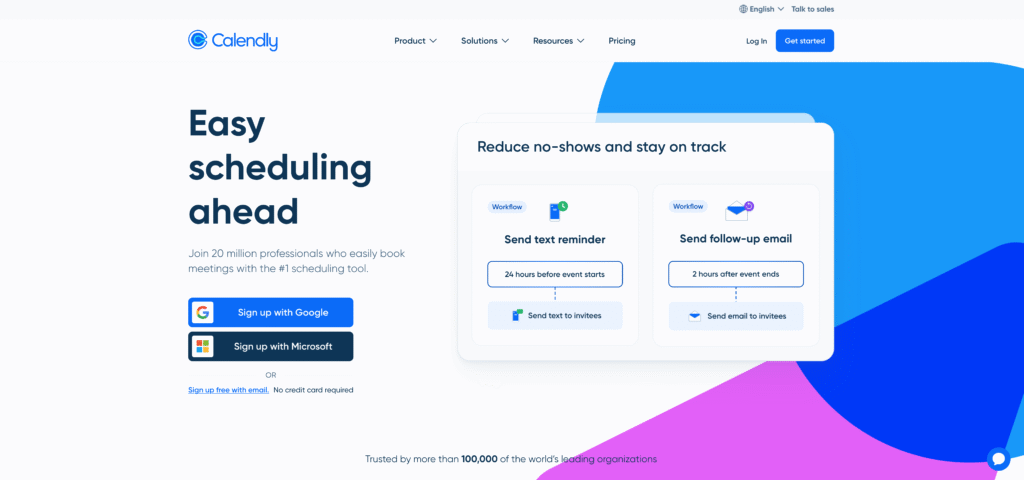
Who It’s For: Solopreneurs, freelancers, consultants, and small teams that primarily need meeting scheduling.
Key Features:
- Unlimited bookings on free plan
- Automatic calendar sync (Google, Outlook, Microsoft 365, iCloud)
- Customizable booking pages with branding
- One-click Zoom/Teams/Google Meet integration
- Automated confirmation and reminder emails
- Meeting polls to find group meeting times
Pricing: Free plan available; Pro starts at $10/month.
Why It Works for Small Business: Calendly is the gold standard for simplicity. Solopreneurs and small teams can be up and running in 10 minutes. The free tier is genuinely useful; paid plans unlock team features, payment processing, and advanced customization.
Use Case: A management consultant shares her Calendly link in her email signature. Prospects book directly; she receives a reminder 24 hours before each call; Zoom meeting links auto-populate. Result: Zero scheduling friction, 100% meeting show-up rate.
2. Setmore – Best Budget-Friendly Option
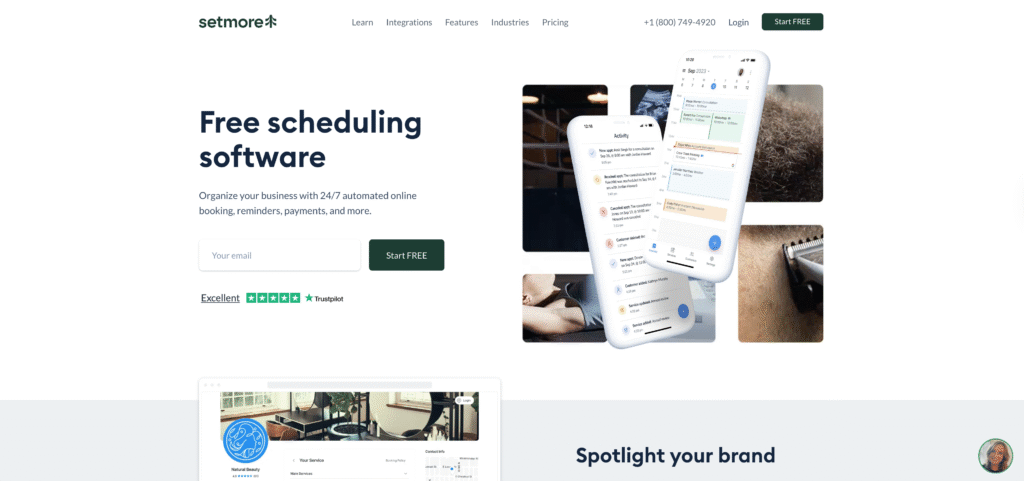
Who It’s For: Small service businesses, beauty salons, fitness studios, and local service providers seeking an affordable, feature-rich scheduler.
Key Features:
- Generous free plan (4 staff members, unlimited bookings)
- 24/7 human customer support (rare for free-tier tools)
- Booking widget for websites and social media
- Automated SMS and email reminders
- Two-way calendar sync
- Customer and staff self-service portal
Pricing: Free tier is robust; paid plans start at $5/month.
Why It Works for Small Business: Setmore balances affordability with functionality. Many small businesses never outgrow the free plan. If you expand, paid tiers remain cost-effective.
Use Case: A small yoga studio uses Setmore’s free plan to manage class bookings and one-on-one sessions. They embed the booking widget on their website and Instagram. Automated reminders reduce no-shows from 15% to 3%. The studio reinvests this time into marketing and client relationships.
3. Acuity Scheduling (Squarespace Bookings) – Best for Payment Processing
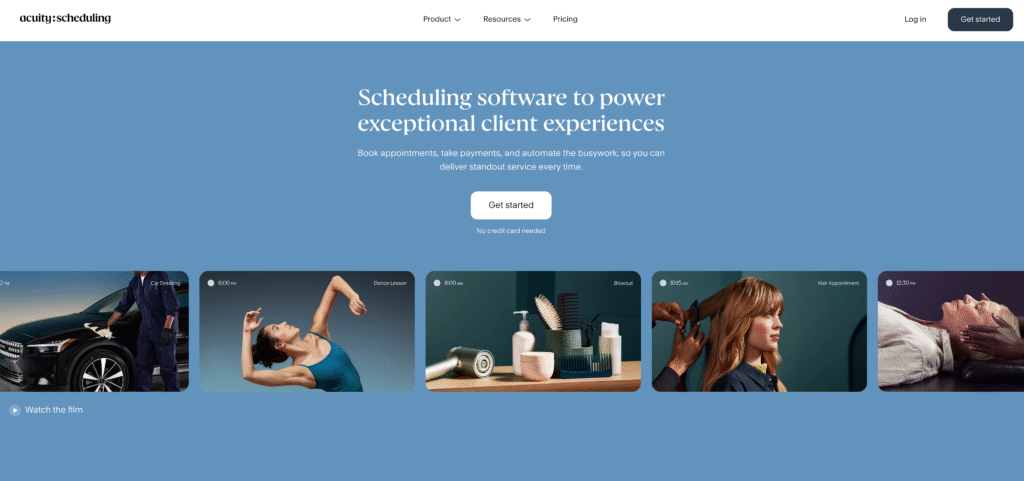
Who It’s For: Service businesses that accept payments, require client intake forms, and need robust customization.
Key Features:
- Customizable intake forms and questionnaires
- Native payment processing (credit cards, invoicing)
- Automated follow-up emails and workflows
- Client management CRM
- Video meeting integration
- Advanced reporting and analytics
Pricing: Plans start at $16/month.
Why It Works for Small Business: If you need to collect deposits, process payments, or gather detailed client information before appointments, Acuity (now Squarespace Bookings) is comprehensive. The client management features reduce friction in your follow-up processes.
Use Case: A virtual interior designer collects a 50% design deposit via Acuity Scheduling during the booking process. Clients complete a detailed style questionnaire. Reminders are automatically sent. Follow-up invoices are auto-generated post-consultation. The system streamlines cash flow and client communication simultaneously.
4. Clockwise – Best for Time Optimization
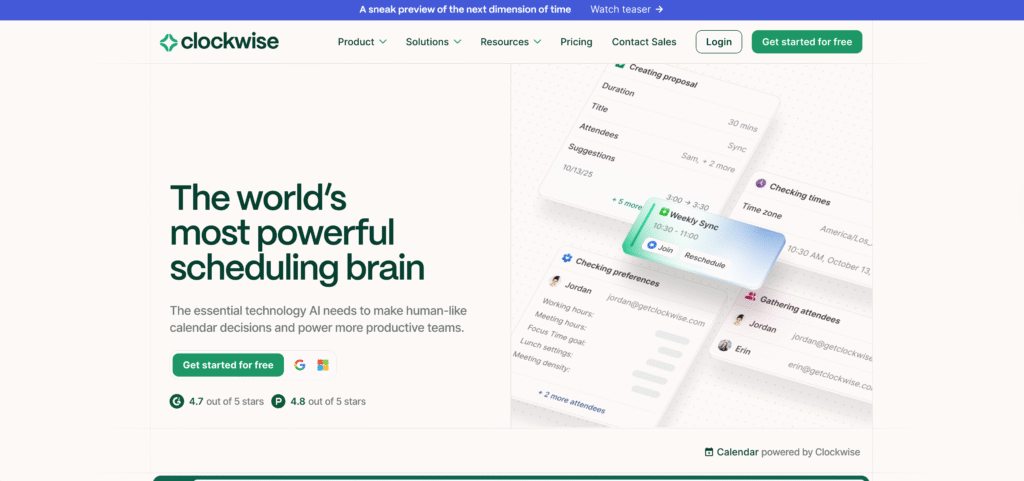
Who It’s For: Teams struggling with calendar chaos, endless meetings, and lack of focus time; companies using many scheduling tools already.
Key Features:
- AI-powered “focus time” blocking
- Automatic meeting scheduling across team calendars
- Conflict detection and resolution
- “Ideal day” configuration (meetings, focus blocks, breaks)
- Time analytics dashboard
- Integration with 100+ tools (Slack, Asana, ClickUp, Hubspot, etc.)
Pricing: Free plan available; paid plans start at $6.75/month.
Why It Works for Small Business: Clockwise addresses a different problem: internal team scheduling chaos. While Calendly handles external client bookings, Clockwise optimizes your team’s internal calendars, ensuring focus time and efficient meetings.
Use Case: A software agency’s team was drowning in meetings with no time for deep work. Implementing Clockwise auto-blocks focus time, groups meetings into fewer days, and prevents back-to-back calls. Result: Team reports 40% more productive focus time; project completion accelerates.
5. HubSpot – Best CRM Integration for Sales Teams
Who It’s For: Sales-focused small businesses, agencies, and teams already using HubSpot CRM.
Key Features:
- Native AI scheduling within CRM
- Automated follow-ups and lead scoring
- Meeting recording and transcription
- Two-way email sync
- Sales pipeline automation
- Built-in reminders and task management
Pricing: Free CRM with basic scheduling; paid plans start at $9/month.
Why It Works for Small Business: If you’re a B2B or sales-heavy business, HubSpot’s native integration of scheduling, CRM, and sales automation is unbeatable. AI-powered lead scoring ensures your team focuses on high-value prospects.
Use Case: A marketing agency uses HubSpot’s scheduling to manage client discovery calls. The system automatically logs meeting notes, schedules follow-up tasks, and ranks leads by engagement score. Sales cycle efficiency improves 30%; client acquisition cost drops 20%.
6. Deputy – Best for Employee Scheduling and Shift Management
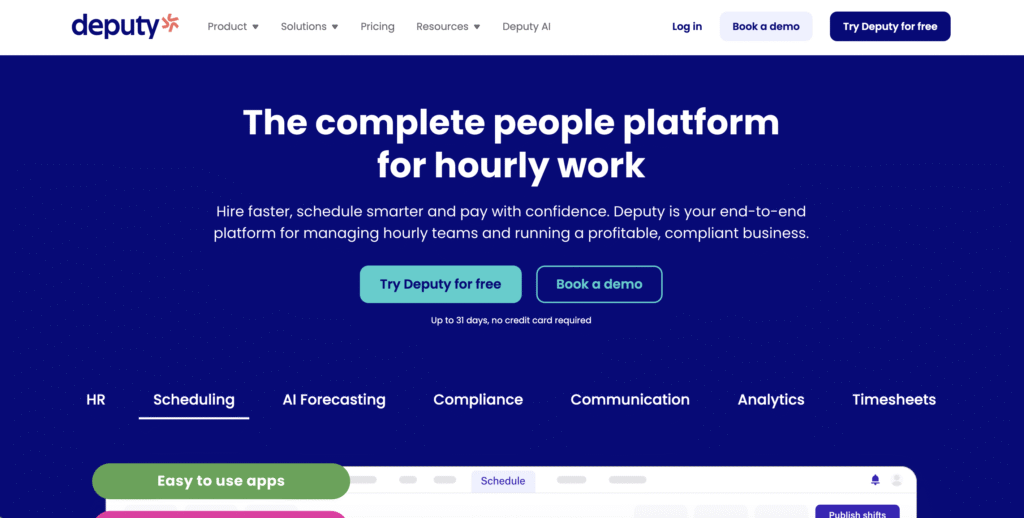
Who It’s For: Retail, hospitality, healthcare, and service businesses managing multiple employee schedules.
Key Features:
- AI auto-scheduling based on skills, availability, and preferences
- Shift swapping and time-off requests
- Labor cost tracking and compliance monitoring
- Real-time team communication
- Time clock integration
- Predictive staffing recommendations
Pricing: Plans start at $5/user/month.
Why It Works for Small Business: If you manage shift-based staff (restaurant, retail, healthcare), Deputy’s AI-powered scheduling automates one of the most time-consuming tasks. The system ensures adequate coverage while respecting employee preferences and labor laws.
Use Case: A restaurant manager previously spent 5 hours per week manually scheduling shifts, managing swap requests, and checking compliance. Deputy’s auto-scheduler creates compliant schedules in minutes. Manager time drops to 30 minutes/week; staff satisfaction improves (preferences respected); labor law violations eliminated.
7. Motion – Best AI Scheduling Assistant
Who It’s For: Teams and solo entrepreneurs wanting a personal AI scheduling assistant that optimizes their entire day.
Key Features:
- AI-powered schedule optimization for individuals and teams
- Automatic task scheduling during optimal times
- Real-time priority adjustment (reschedules when urgent tasks appear)
- Calendar conflict prevention
- Focus session recommendations
- 90+ app integrations
Pricing: Paid plans start at $19/month (no free tier).
Why It Works for Small Business: Motion goes beyond booking management—it’s a personal productivity assistant. The AI learns your work patterns and continuously optimizes your day, protecting focus time and ensuring realistic commitments.
Use Case: A consultant juggling client calls, project work, and admin tasks uses Motion to auto-schedule deep work during her peak productivity hours (9–11 AM). When urgent client requests appear, Motion intelligently reschedules lower-priority tasks. Result: Better work quality, reduced context-switching, higher billable hours.
How to Implement AI Scheduling Software: Step-by-Step Guide for Small Businesses
Phase 1: Assess Your Current Situation (Week 1)
Step 1: Audit Your Scheduling Pain Points
Before choosing a tool, identify your specific challenges:
- How many hours per week do you spend on scheduling?
- What percentage of appointments are no-shows?
- Where do errors most frequently occur?
- Which departments are affected?
Document these metrics; you’ll use them to measure ROI post-implementation.
Step 2: Identify Your Use Case
Determine which scheduling problem is your highest priority:
- Customer appointments? (Consultants, salons, healthcare, fitness)
- Employee shifts? (Retail, hospitality, healthcare)
- Internal team meetings? (Any business with multiple employees)
- Combination? (Multiple processes)
Step 3: Set Implementation Goals
Define what success looks like:
- Reduce no-shows from 20% to 5%
- Save 12+ hours per week on scheduling
- Improve customer satisfaction scores by 20%
- Enable serving 30% more clients with same staff
Write these down; they’ll drive your tool selection and measure success.
Phase 2: Select and Trial a Tool (Week 1–2)
Step 4: Short-List 2–3 Tools
Based on your use case and budget, identify 2–3 strong candidates (e.g., Calendly + HubSpot, or Setmore + Deputy). Most tools offer 30-day free trials.
Step 5: Set Up a Pilot
Launch your top-choice tool with a limited scope:
- Set up 1 staff member or department initially
- Create your first booking pages or schedules
- Test integrations with tools you already use (Gmail, CRM, etc.)
- Ask 5–10 customers to book via the new system and gather feedback
Step 6: Measure Baseline Performance
During your trial week, capture:
- Hours spent on scheduling
- No-show rate
- Customer feedback on the booking experience
- Any errors or scheduling conflicts
- Staff reaction to the new system
Phase 3: Expand and Integrate (Week 2–4)
Step 7: Full Rollout
If your pilot succeeds, expand to all relevant teams:
- Train all staff on the new system (usually 1–2 hours)
- Update website, email signatures, and marketing materials to direct people to your new booking system
- Configure automated reminders, follow-ups, and workflows
Step 8: Integrate with Your Existing Tools
Connect your scheduling software to tools you already use:
- CRM: Auto-sync appointment data
- Email: Trigger email sequences when appointments are booked
- Accounting: Auto-create invoices or payment reminders
- Slack: Notify your team of new bookings
- Payment Processor: Auto-collect deposits
Most integrations take 10–30 minutes via Zapier or built-in connectors.
Step 9: Optimize Based on Data
After 2–4 weeks, review your metrics:
- Has no-show rate improved?
- Are you saving the projected hours?
- What feedback have customers given?
- Which features are unused? Which are critical?
Make adjustments—perhaps different reminder cadence, updated booking page copy, or additional integrations.
Phase 4: Measure ROI and Scale (Month 2+)
Step 10: Calculate Your Return on Investment
Compare your baseline metrics to post-implementation results:
Sample ROI Calculation (Marketing Agency):
- Time Saved: 12 hours/week × $60/hour (your loaded cost) = $720/week = $37,440/year
- No-Show Reduction: 15% reduction in no-shows = 3 extra billable hours/week = $180/week = $9,360/year
- Tool Cost: $30/month per user × 3 users = $1,080/year
- Net Annual Benefit: $37,440 + $9,360 – $1,080 = $45,720
- ROI: 4,232% in Year 1
Step 11: Identify Next-Phase Automations
Once scheduling is optimized, consider related automations:
- Workflow automation (Zapier): Auto-create tasks, send proposals, or trigger invoicing when appointments occur.
- CRM expansion: Deepen your customer data integration.
- Team communication: Auto-notify Slack or Teams channels when specific appointment types book.
Real Implementation Timeline:
- Week 1: Assessment, tool selection, pilot setup
- Week 2: Trial and baseline measurement
- Week 3–4: Full rollout and staff training
- Week 5–8: Optimization and integration
- Month 3+: ROI measurement and scaling
Common Implementation Challenges and Solutions
Challenge 1: Low Adoption Among Staff
Problem: Your team resists using the new scheduling software, continuing old habits instead.
Solution:
- Involve staff in tool selection; they’re more likely to adopt tools they helped choose.
- Run training sessions and document standard procedures.
- Start with one champion user who can mentor others.
- Celebrate early wins and share specific metrics (e.g., “We prevented 5 double-bookings this week”).
- Make the new process visibly easier than the old one.
Challenge 2: Integration Issues
Problem: The scheduling software doesn’t connect to your existing CRM, accounting tool, or email system.
Solution:
- Use Zapier or Make to build custom integrations (most require no coding).
- If your tool and existing system have no direct integration, a middleware like Zapier bridges the gap.
- Test integrations thoroughly during pilot phase before full rollout.
- Work with the tool’s support team; most offer integration guidance for popular apps.
Challenge 3: Customers Ignoring or Misusing the System
Problem: Customers still call to book appointments instead of using your online booking page, or they book incorrectly (wrong service, wrong time).
Solution:
- Make your booking link prominent: email signature, website homepage, social media.
- Use automated email signatures with “Book here” buttons.
- Add clear instructions on your website explaining the booking process.
- Set up intake forms to guide customers through correct selections.
- Make no-shows less likely through clear confirmation and reminders.
- Track booking page usage; if adoption is low, adjust visibility or simplify the flow.
Challenge 4: Pricing Uncertainty or Budget Constraints
Problem: You’re unsure of true ROI or can’t justify upfront tool costs.
Solution:
- Use free trials to pilot without commitment (most tools offer 14–30 days).
- Calculate hourly value of time saved; most small businesses break even within 1–4 weeks.
- Tier your implementation: start with free/cheaper tools; upgrade as you scale.
- Compare tool costs to cost of a single no-show or scheduling error (often more expensive than monthly software fees).
- Choose annual billing if available; annual plans are typically 20% cheaper.
Frequently Asked Questions
Q1: Is AI scheduling software difficult to set up for non-technical business owners?
Not at all. Most modern scheduling tools are designed for non-technical users. Setup typically takes 15–60 minutes: connect your calendar, set your availability, customize your booking page, and you’re live. Tools like Calendly, Setmore, and HubSpot are especially user-friendly. If you get stuck, most offer templates, tutorials, and 24/7 support.
Q2: Can AI scheduling software integrate with the tools I already use?
Most modern tools integrate with popular platforms (Google Calendar, Outlook, Zoom, Slack, Stripe, HubSpot, etc.). If a direct integration doesn’t exist, middleware like Zapier connects 7,000+ apps. Before committing to a tool, check its integration library or request a 14-day trial to test compatibility.
Q3: What’s the difference between appointment scheduling (for clients) and employee scheduling (for shifts)?
Appointment scheduling (Calendly, Setmore, Acuity) is for customers or clients booking your time—consultations, appointments, meetings.
Employee scheduling (Deputy, Sling, Rippling) is for managing your team’s shifts and availability. Many small businesses need both. Some platforms (HubSpot, ClickUp) handle both; others specialize in one.
Q4: How much can I really save with AI scheduling software for small business?
A: Savings typically include:
(1) Time: 10–25 hours/week reclaimed = $500–2,000/week in labor value.
(2) No-show reduction: 50% fewer no-shows = $10,000–50,000+ annually depending on your appointment value.
(3) Error reduction: Fewer mistakes = less rework and fewer customer service firefighting. Combined, small businesses typically see 25–40% operational cost reductions in Year 1, with positive ROI within 6 weeks.
Q5: Will AI scheduling reduce the need for my administrative staff?
AI scheduling reduces the administrative burden significantly, but it rarely eliminates the position entirely. Instead, it frees your admin staff from tedious scheduling tasks, enabling them to focus on higher-value work: customer service, data analysis, marketing support, or other business priorities. You might reduce admin headcount by 0.5 FTE (half person-year), redirecting that cost savings into growth activities.
Q6: Are there risks or downsides to AI scheduling software?
Minor risks include:
(1) Over-reliance on technology: If the system goes down (rare), you need a manual backup.
(2) Customer preference: Some customers prefer phone/email to online booking; offer both options.
(3) Integration complexity: If your other tools don’t integrate smoothly, some manual data transfer may persist.
(4) Learning curve: Your team needs brief training. These are typically minimal and outweighed by benefits.
Q7: How do I reduce no-shows with AI scheduling software?
Several tactics:
(1) Automated reminders: 24-hour and 2-hour SMS/email reminders reduce no-shows by 40–50%.
(2) AI prediction: System flags high-risk no-shows and triggers extra outreach.
(3) Easy rescheduling: If customer can’t make it, self-service rescheduling reduces cancellations that become no-shows.
(4) Confirmation links: Customers confirm attendance 24 hours before, catching cancellations early.
(5) Incentives: Loyalty points or discounts reward consistent attendance.
(6) Two-way communication: Allow customers to text/confirm, increasing engagement. Most tools automate these tactics.
Conclusion: Why Small Business Owners Can’t Afford to Ignore AI Scheduling Software
The shift to AI-powered scheduling is no longer optional for competitive small businesses. The ROI is immediate, the setup is simple, and the benefits compound month after month.
By implementing AI scheduling software for small business, you reclaim dozens of hours each week previously lost to administrative scheduling tasks. You reduce costly no-shows that drain revenue. You provide customers with the seamless, 24/7 booking experience they now expect. And you free your team to focus on what matters: serving clients, growing revenue, and building your business—not managing calendars.
The strongest small businesses aren’t those with the most resources; they’re the ones using their limited resources most efficiently. AI scheduling software gives you that efficiency.
Ready to Start?
- Identify your top scheduling pain point: Missed appointments? Time-consuming manual scheduling? Double-bookings? Low customer experience?
- Choose a tool from our list (or request trials from 2–3 options most relevant to your business type).
- Run a 1-week pilot with a limited group to test the system before full rollout.
- Track your baseline metrics (hours spent, no-show rate, customer feedback) to measure post-implementation ROI.
- Expand and optimize once your pilot proves successful.
Your small business is competing against companies with larger budgets. AI scheduling software levels the playing field—enabling you to operate like an enterprise with a small-business cost structure. Don’t leave those hours and revenue on the table.
Start your free trial today and reclaim your time.