
Table of Contents
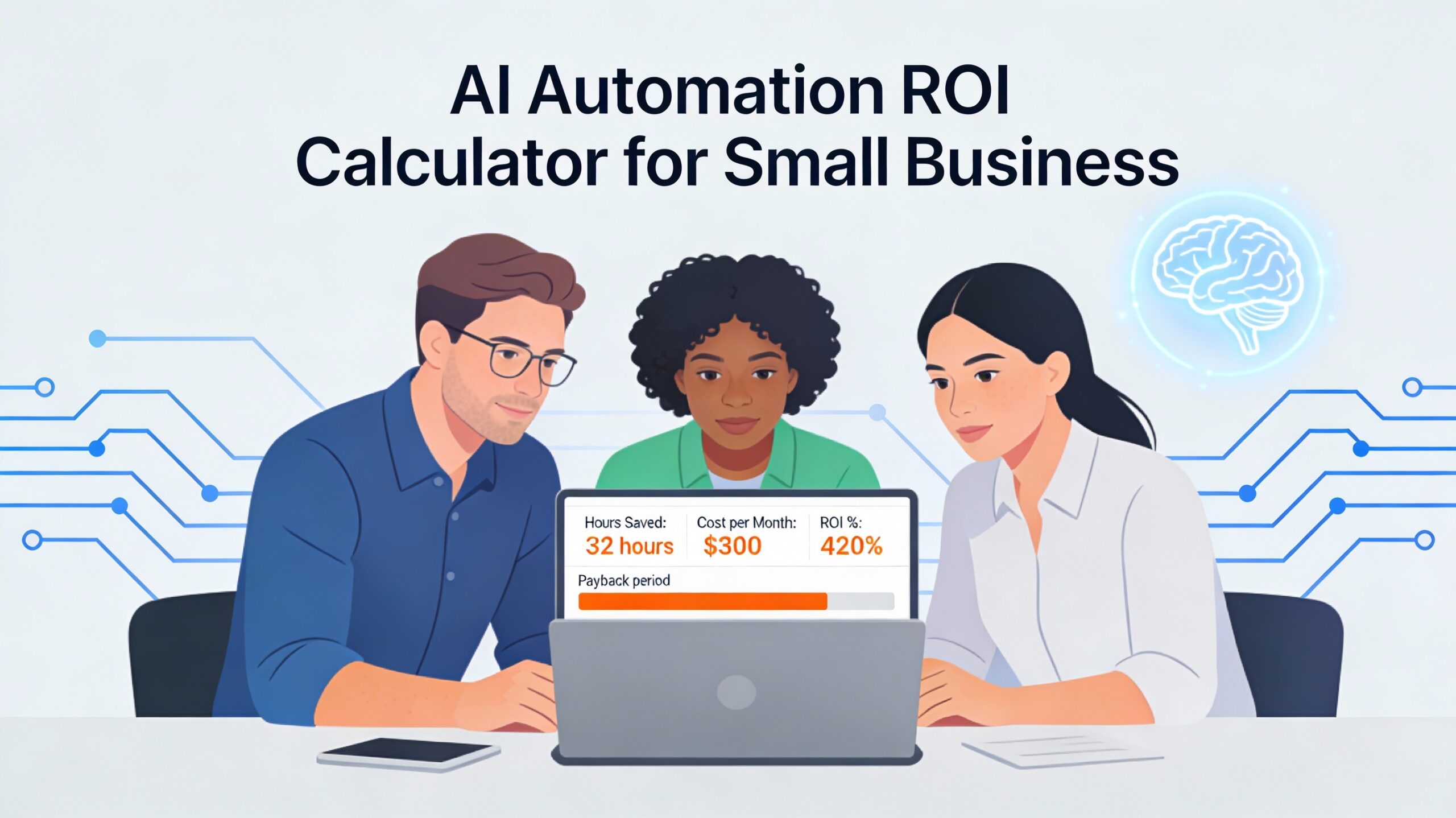
Small business teams lose an estimated 15–20 hours every week to manual, repetitive tasks—yet most owners have no idea what that actually costs. This comprehensive guide teaches you exactly how to calculate AI automation ROI for small business to measure time saved, reveals the specific financial benefits small businesses experience, and shares real-world examples of companies saving thousands of dollars and reclaiming dozens of hours monthly. With proper ROI measurement using an AI automation ROI calculator, small businesses report payback periods of as little as 5–14 days and annual returns exceeding 400–2,000%, transforming automation from a speculative expense into a measurable, justifiable business investment.
Understanding ROI in AI: The Foundation of Smart Automation Decisions
What is the AI Automation ROI for Small Business?
Return on Investment is a straightforward performance metric that measures how much profit or benefit you receive relative to what you invest. The basic concept answers one simple question: For every dollar I spend on something, how much value do I get back?
In its simplest form, ROI in AI and automation tells you whether an investment is worth making. A positive ROI means you’re gaining more than you’re spending. A negative ROI means you’re losing money. The higher the ROI percentage, the more efficiently you’re converting your investment dollars into returns.
The Basic AI ROI Formula:
ROI (%) = (Gain from Investment – Cost of Investment) / Cost of Investment × 100
Let’s make this tangible with a simple example. Suppose you invest $500 in an automation tool and that tool saves your team $2,000 in labor costs over three months:
- Gain from Investment: $2,000
- Cost of Investment: $500
- AI ROI Calculation: ($2,000 – $500) / $500 × 100 = 300%
This means for every dollar you spent, you gained $3 in return. A 300% ROI in AI automation is exceptional and well above most business investments.
Why AI ROI Matters More for Small Businesses
For large corporations, a 15–20% annual ROI on a million-dollar investment is acceptable. For small businesses, this standard doesn’t apply. Small business owners have limited capital and need fast returns. A tool that pays for itself within two weeks is fundamentally different from one that takes a year.
This is why AI automation ROI is so compelling for small businesses: the returns are often immediate and measurable. Unlike enterprise software implementations that require months of deployment and organizational change, small business automation typically delivers value within days or weeks.
Learn how AI transforms professional services through improved efficiency, productivity, and strategic advantages >> Click here
How to Calculate ROI for AI Automation: Breaking Down the Framework
Step 1: Identify Your Baseline (How Much Time Are You Actually Spending?)
The first step in learning how to calculate ROI for AI automation is understanding your current state—how much time your team spends on the task you want to automate.
Track manually for one week:
- Have team members note repetitive tasks they perform daily
- Record the time spent on each task (be honest about interruptions and context-switching)
- Multiply weekly hours by 4.3 to get monthly estimates
Common high-impact tasks for small businesses:
| Task | Typical Time per Week | Industry |
|---|---|---|
| Data entry (email → spreadsheet or CRM) | 5–8 hours | Sales, customer service |
| Invoice processing and data capture | 3–5 hours | Finance, operations |
| Customer support email responses | 6–10 hours | Service-based businesses |
| Social media reporting and analytics | 4–6 hours | Marketing teams |
| Schedule coordination and meeting prep | 4–6 hours | Professional services |
| Proposal assembly and document customization | 3–5 hours | Consulting, sales |
Most small business owners are shocked at these numbers. A 5-person operations team spending 5 hours per week on data entry represents 250 hours annually—that’s equivalent to one full-time employee doing nothing but data entry.
Step 2: Calculate the Dollar Value of Your Time
Converting hours into dollars requires understanding your loaded labor cost—not just hourly wage, but the full cost of employing someone.
Loaded labor cost formula:
Loaded Labor Cost = (Annual Salary + Benefits + Taxes) / 2,080 hours worked per year
For example, a customer service representative earning $32,000 annually, with 25% benefits and taxes, costs approximately $19.23 per hour in fully loaded cost. However, when you account for training, management overhead, and workspace costs, the actual cost climbs to $22–$28 per hour for a small business.
Quick loaded cost estimates by role:
- Administrative/data entry: $25–$35 per hour
- Customer service: $28–$40 per hour
- Sales support: $35–$50 per hour
- Professional services: $50–$100+ per hour
Once you know your hourly cost, multiply by the hours you waste on repetitive tasks:
Monthly savings from automation = Hours spent on task per month × Loaded hourly cost
For a 10-person team spending 10 hours per week on invoice data entry at an average loaded cost of $30/hour:
- Monthly hours: 10 hours × 4.3 weeks = 43 hours
- Monthly cost: 43 hours × $30 = $1,290/month in wasted labor
Step 3: Determine Your Investment Cost for AI Automation
This is where small business owners often make mistakes—they underestimate the true cost of automation by only counting the software subscription.
True investment cost includes:
- Software subscription cost – The monthly or annual tool fee
- Implementation time – Your team’s time to set up and configure the automation (typically 4–8 hours for a basic automation)
- Training – Time spent teaching team members how to use the new system (2–4 hours per team member)
- Ongoing maintenance – Estimated monthly time to monitor, adjust, and troubleshoot (0.5–2 hours monthly)
For example, if you invest in an automation tool at $300/month, plus 6 hours of setup at $30/hour ($180), plus 8 hours of team training at $30/hour ($240), your first-month investment is $720 (not just $300).
However, after the first month, your ongoing investment drops to just the $300 monthly subscription.
Step 4: Calculate Your Payback Period and AI ROI for Small Business
Payback period is the time it takes for your benefits to equal your investment—this is the number small business owners should focus on most.
Payback period formula:
Payback Period (months) = Total Investment Cost / Monthly Savings
Using our invoice automation example:
- Monthly savings: $1,290
- First-month investment: $720
- Payback period: $720 / $1,290 = 0.56 months, or approximately 17 days
After 17 days, the automation tool has paid for itself entirely. Every day after that is pure savings.
For annual ROI calculation, multiply your monthly savings by 12 months and subtract annual costs:
AI ROI for Small Business = ((Monthly savings × 12 months – Annual tool cost) / Annual tool cost) × 100
Using the same example with a $300/month tool ($3,600 annually):
- Annual savings: $1,290 × 12 = $15,480
- Annual cost: $3,600
- AI ROI for Small Business: ($15,480 – $3,600) / $3,600 × 100 = 428% ROI
This means for every dollar invested in automation tools, you gain $4.28 in return.
AI ROI for Small Business: Common Automation Scenarios
Scenario 1: Customer Service Team (8 people) – Support Email Automation
The Problem: Your support team spends 6 hours per day responding to repetitive customer questions (refund requests, shipping inquiries, product specifications, account access issues). Most of these questions follow identical answer templates.
The Baseline:
- Hours per week: 6 hours/day × 5 days = 30 hours
- Team size: 8 people
- Loaded hourly cost: $32/hour (includes benefits)
- Monthly labor cost of repetitive responses: 30 hours × 4.3 weeks × $32 = $4,128
The Automation:
Implementing AI-powered support systems that automatically triage incoming emails, draft responses to common questions, and escalate complex issues to human agents. The system answers FAQs directly (resolving 40% of tickets without human intervention) and provides pre-drafted responses for the remaining 60%.
Investment:
- Tool cost: $200/month (mid-range support automation)
- Setup and training: 8 hours × $32 = $256
- Total first-month investment: $456
Results:
- Emails requiring manual response: Reduced from 100% to 60% (automated system handles simple questions)
- Time per response: Reduced from 8 minutes to 2 minutes (AI drafts response; human only reviews)
- New monthly labor cost: (30 hours × 60%) × 2/8 = 4.5 hours × $32 = $144
- Monthly savings: $4,128 – $144 = $3,984
ROI Metrics:
- Payback period: 3.4 hours (less than half a business day)
- AI ROI for Small Business: 1,872%
- First-year net savings: $3,984 × 12 – ($200 × 12) = $45,408
Secondary benefits not included in ROI:
- Customer satisfaction improves (instant responses to FAQs)
- Support team focuses on complex, high-value issues
- Response time drops from 2 hours to under 5 minutes for automated responses
Scenario 2: Finance/Operations Team (5 people) – Invoice Processing Automation
The Problem: Your finance team manually processes 40–60 invoices per month. Each invoice requires:
- Opening the email and PDF
- Manually entering data (vendor, amount, date, account code)
- Matching to purchase order
- Routing for approval
- Recording in accounting system
Current process: 12.88 minutes per invoice (includes matching and approval routing)
The Baseline:
- Invoices per month: 50
- Time per invoice: 12.88 minutes
- Total monthly time: 50 × 12.88 minutes = 644 minutes, or 10.7 hours
- Loaded hourly cost for finance staff: $38/hour
- Monthly cost: 10.7 hours × $38 = $406
The Automation:
Implementing automated invoice processing that uses OCR (optical character recognition) and AI to:
- Automatically extract vendor, amount, and date from PDF invoices
- Match invoices to purchase orders automatically
- Route approved invoices for payment
- Flag exceptions for manual review
- Post to accounting system automatically
New processing time: 2.78 minutes per invoice (handles extraction, matching, and posting; humans only review exceptions)
Investment:
- Tool cost: $150/month (invoice automation platform)
- Setup and team training: 6 hours × $38 = $228
- Total first-month investment: $378
Results:
- Time per invoice: Reduced from 12.88 to 2.78 minutes
- New monthly time: 50 × 2.78 minutes = 139 minutes, or 2.3 hours
- Monthly savings: 10.7 hours – 2.3 hours = 8.4 hours × $38 = $319
ROI Metrics:
- Payback period: 1.2 months (approximately 36 days)
- AI Automation ROI Calculator Results: 1,672% annual ROI
- First-year net savings: ($319 × 12) – ($150 × 12) = $2,028
Additional hidden benefits:
- Error reduction: Manual data entry typically introduces 2–5% error rates. Automation cuts this to less than 0.1%
- Early payment discount capture: $150–$400/month average for businesses processing 50 invoices (1–2% discount on invoice value)
- True annual savings including error reduction and discount capture: $2,028 + $2,400 in discounts = $4,428+
- Faster payment cycles improve supplier relationships
Scenario 3: Sales Team (6 people) – Lead Follow-Up and CRM Data Entry
The Problem: Your sales team spends 2–3 hours daily on administrative tasks instead of selling:
- Manually entering lead information into CRM
- Scheduling follow-up calls and demos
- Sending initial follow-up emails
- Logging call notes and next steps
This administrative burden prevents team members from having the 2–3 productive sales conversations per day needed to hit quota.
The Baseline:
- Hours per day on admin: 2.5 hours
- Sales team size: 6 people
- Loaded hourly cost: $45/hour (includes commission base)
- Monthly cost: 2.5 hours × 6 people × 22 working days = 330 hours × $45 = $14,850
- Revenue impact: Lost opportunity for 3 deals/person/month (lost revenue: 6 people × 3 deals × $5,000 average = $90,000/month)
The Automation:
Implementing workflow automation that:
- Automatically captures lead data from web forms into CRM (eliminating 30 minutes/day of data entry)
- Sends initial follow-up email sequence automatically
- Schedules calendar invites and prep documents before meetings
- Auto-logs call notes and suggests next steps
Investment:
- Tool cost: $100/month (workflow automation platform)
- Setup and training: 12 hours × $45 = $540
- Total first-month investment: $640
Results:
- Admin time reduced: From 2.5 hours to 1.2 hours per day per person
- Time freed: 1.3 hours × 6 people × 22 days = 172 hours/month × $45 = $7,740/month labor savings
- Additional sales conversations enabled: 172 hours ÷ 1.5 hours per sales conversation = 115 extra conversations/month
- New revenue from additional conversations: 115 conversations × 15% close rate × $5,000 = $86,250/month additional revenue
ROI Metrics:
- Payback period: Less than 1 day (labor savings alone exceed tool cost)
- Monthly AI ROI: ($7,740 – $100) / $100 = 7,640%
- But the real ROI comes from revenue impact: $86,250 additional monthly revenue × 12 = $1,035,000 annual additional revenue from the same 6-person team
Critical insight: This scenario reveals why using an AI automation ROI calculator is so powerful for small businesses. Labor savings alone pay for automation in hours, but the real value comes from redeploying freed-up time to revenue-generating activities.
Scenario 4: Marketing Team (3 people) – Social Media Reporting Automation
The Problem: Your marketing team spends 3–4 hours every week manually collecting social media metrics from different platforms, compiling them into spreadsheets, and creating reports for leadership. This repetitive task delays insights and prevents the team from focusing on strategy.
The Baseline:
- Hours per week on reporting: 3.5 hours
- Team size: 3 people
- Loaded hourly cost: $40/hour
- Monthly cost: 3.5 hours × 3 people × 4.3 weeks = 45 hours × $40 = $1,800/month
The Automation:
Implementing AI-powered analytics tools that:
- Automatically pull metrics from all social platforms daily
- Compile reports without manual data entry
- Generate insights on top-performing content
- Reduce reporting time by 95%
Investment:
- Tool cost: $80/month
- Setup and training: 4 hours × $40 = $160
- Total first-month investment: $240
Results:
- Reporting time reduced: From 3.5 hours to 10 minutes per week (95% reduction)
- Time freed: 3.25 hours/week × 3 people × 4.3 weeks = 42 hours/month × $40 = $1,680/month
ROI Metrics:
- Payback period: 8.6 days
- AI ROI for Small Business: 24,600%
- First-year net savings: ($1,680 × 12) – ($80 × 12) = $19,200
- Hours reclaimed annually: 510 hours (equivalent to hiring a half-time employee)
Secondary benefit: Time freed enables the team to focus on strategy and content optimization. When tracked, these teams often report 20–25% improvement in campaign performance from having time to test, analyze, and iterate.
Key Benefits Beyond Time Savings: The Full Picture of AI ROI
Error Reduction and Accuracy Improvement
One of the most underestimated benefits of automation is accuracy. Manual processes introduce variability—fatigue, interruptions, and human error compound across hundreds of transactions.
Automated systems execute the same task identically, whether running once or a million times:
- Invoice processing: Error rates drop from 2–5% (human data entry) to less than 0.1% (AI extraction)
- Data entry: Error rates drop from 3–8% to 0.1–0.5%
- Customer support responses: Consistency improves dramatically (same answer every time)
- Sales follow-ups: No leads slip through cracks due to missed calendar invites or forgotten tasks
For small businesses, these errors are expensive. A single missed invoice creates a cascade: payment delays, vendor relationship strain, potential late fees. A customer support error creates negative reviews and lost repeat business.
Quantifying error reduction ROI:
- Invoice errors: Each unmatched or misplaced invoice costs approximately $50–$150 in reconciliation time plus potential penalties
- Data entry errors: Correction costs $20–$40 per error in rework time plus potential downstream problems
- Customer support errors: Each mishandled issue costs approximately $100–$500 in lost future business
For a business processing 100 invoices monthly with 3% error rate (3 errors), automation that reduces errors to 0.1% (less than 1 error monthly) saves $100–$300+ monthly in error costs alone.
Scalability Without Proportional Cost Increases
One of automation’s most powerful benefits for growing small businesses is breaking the link between growth and headcount. Traditional scaling requires hiring: hire more salespeople to handle more leads, hire more customer service reps to handle more tickets, hire more operations staff to handle more transactions.
Automation rewrites this equation. Once an automation is deployed, it handles demand increases with zero additional cost. A customer support chatbot that costs $200/month handles 100 inquiries or 10,000 inquiries identically—same cost, exponentially different value.
For small businesses, this means:
- Handle seasonal demand spikes without temporary hiring
- Process 2× the volume with the same team
- Scale revenue while keeping operational costs relatively flat
- Remain profitable during economic downturns by avoiding fixed labor cost increases
Example: A service business that normally processes 50 customer orders per month experiences a busy season with 150 orders. Without automation, this requires hiring temporary staff ($3,000–$5,000 additional cost). With automated order processing, the same system handles 150 orders at zero incremental cost.
Speed and Responsiveness
Small businesses compete on speed. Automating response times from hours to seconds creates a competitive advantage that customers feel immediately.
Speed improvements from typical automation:
- Customer support: 24-hour response → 5-minute response
- Lead follow-up: Next business day → within 5 minutes
- Meeting scheduling: 3–5 rounds of email → instantaneous calendar availability
- Proposal turnaround: 2–3 days → same day delivery
These speed improvements directly impact revenue. Studies consistently show that fast response times increase close rates by 15–25% for sales and dramatically improve customer satisfaction for support teams.
Improved Employee Satisfaction and Retention
A counterintuitive benefit of automation: employees are happier. Repetitive, low-value administrative work is demotivating. Automation eliminates drudgery, freeing employees to focus on work that feels meaningful and uses their talents.
Small businesses already working with limited staff can’t afford turnover. The cost of replacing an employee (recruiting, training, productivity ramp-up) is typically 50–200% of annual salary. If automation helps retain even one key employee annually, the ROI becomes massive.
And more benefits from AI automation can be found here
Using an AI Automation ROI Calculator: Your 30-Day Action Plan
Week 1: Identify Your Highest-Impact Opportunity
Don’t try to automate everything simultaneously. Start with one high-impact, low-complexity task.
Use this prioritization framework:
- Track your team’s time for 3 days. Have each team member log repetitive tasks (the ones they hate, that don’t make money)
- Calculate the monthly cost. Hours spent × loaded hourly cost
- Assess automation ease. Look for tasks involving moving data between systems, repetitive decisions, or templated responses
- Rank by impact. Tasks that consume 5+ hours per week AND have clear automation solutions are your priority
Red-flag opportunities (these are usually easiest to automate):
- “I copy-paste data from email to our system daily”
- “We send the same response 20+ times per week”
- “Our spreadsheet needs manual updates every morning”
- “I spend 2 hours scheduling meetings via email threads”
- “Invoices come in as PDFs and I manually enter them”
Week 2: Define Your Baseline and Calculate ROI Using Your AI Automation ROI Calculator
Once you’ve identified your opportunity, calculate the ROI to confirm it’s worth pursuing.
Create a simple ROI calculation sheet:
| Metric | Your Number |
|---|---|
| Current hours per month on this task | ___ |
| Loaded hourly cost ($25–$50 typical) | ___ |
| Current monthly cost of the task | ___ |
| Estimated tool cost per month | ___ |
| Setup and training time (hours) | ___ |
| Setup and training cost | ___ |
| First-month total investment | ___ |
| Estimated hours saved per month | ___ |
| Estimated monthly labor savings | ___ |
| Payback period (investment ÷ monthly savings) | ___ days |
| AI ROI percentage | ___% ROI |
Decision rule: If payback period is less than 90 days and annual ROI exceeds 200%, move forward. If either metric is weak, this may not be your best opportunity—go back to Week 1 and identify a different task.
Week 3: Implement a Small-Scale Test
Start small. Don’t automate your entire invoice process or customer support function. Pick a subset:
- Test with one type of invoice or one product category
- Test with FAQs only (escalate complex tickets to humans)
- Test with one sales stage or sales rep
Why test at small scale?
- Identify problems before they affect the whole operation
- Train team members with limited risk
- Prove ROI with real data before full rollout
- Build team confidence and adoption
Most small-scale tests take 1–3 weeks to complete. Run the test with 10–20% of your volume and measure:
- Does it actually save the estimated time?
- What exceptions or edge cases does it miss?
- How much human oversight is still needed?
- Are there data quality or integration issues?
Week 4: Review Results and Decide on Full Rollout
After your test period, review real data:
- Actual hours saved vs. estimated
- Actual errors vs. expected
- Team feedback and adoption
- Any unexpected costs or problems
If real results match or exceed projections, roll out to full volume. If results underperform, investigate why:
- Is the tool misconfigured?
- Are there data quality issues preventing automation?
- Are there more exceptions than expected?
- Do team members need more training?
Small tweaks often fix underperforming automation. In most cases, a real-world test that saves 60–70% of estimated time is still worth rolling out.
Ongoing: Monthly Measurement and Optimization
Once live, track these metrics monthly:
- Actual hours saved (log time before/after)
- Error rates (track exceptions and rework)
- Quality issues (customer complaints, edge cases)
- Tool costs vs. value
Review quarterly and ask: “Are the results worth the cost? What’s not working? What else should we automate next?”
Most small business automation projects hit their stride in months 2–4, after initial debugging and team training. Don’t judge success based on week 1 or 2.
Conclusion: Using Your AI Automation ROI Calculator as Your Business Compass
The evidence is overwhelming: small businesses that rigorously measure ROI in AI automation before implementing make better decisions and achieve dramatically better results. Payback periods of 5–30 days and annual ROI exceeding 400–2,000% are not outliers—they’re typical for well-chosen automation projects in small businesses.
Your competitive advantage in 2026 doesn’t come from having the latest AI tools. It comes from being disciplined about measuring what actually works. A team that automates one high-impact task using a proper AI automation ROI calculator, measures real ROI, then scales to 3–5 automation over a quarter fundamentally outpaces competitors operating without measurement.
Learning how to calculate ROI for AI automation is not complex math—it’s straightforward business discipline. Your AI automation ROI calculator is simply a framework for converting hours and costs into percentages that justify investment decisions.
The path forward is simple:
- Identify one task consuming 5+ hours weekly (spend 3 days tracking time)
- Calculate the ROI using an actual AI automation ROI calculator or the formulas provided (plug in your real numbers)
- Test at small scale for 2–4 weeks (prove the math with real data)
- Measure actual results (compare to projections from your AI ROI calculator)
- Scale if results justify it (apply lessons learned to next automation)
Don’t automate for the sake of appearing innovative. Automate because you can prove—with numbers from your AI automation ROI calculator—that it frees up time, reduces costs, improves accuracy, or increases revenue. This disciplined approach transforms automation from a speculative expense into a measurable, justifiable business investment that your team understands, supports, and benefits from.
Your small business doesn’t need fancy technology. It needs one good automation decision backed by real ROI in AI math. Start there, prove it works with your AI automation ROI calculator, then build from success.
You have learnt how to calculate the ROI that AI automation can bring. Next, to enjoy the benefits that AI automation can bring, read this article to explore the AI automation tools you can use to scale your operations.