
Table of Contents
The promise of Artificial Intelligence (AI) is everywhere. For small business owners, the allure is undeniable: tools that can write emails, handle customer support, and organize finances while you sleep. However, the rush to adopt these tools often leads to frustration rather than freedom.
In the race to modernize, many owners stumble. They implement complex systems that their teams don’t understand, or they automate broken processes that simply scale up their problems. These missteps can drain your limited budget and waste the very time you were trying to save.
You are reading this because you want to streamline your operations without breaking the bank. In this article, you will learn the critical AI automation mistakes small business leaders face and, more importantly, how to avoid them. We will move beyond the hype and focus on practical, operational efficiency that drives real ROI.
The Reality of AI Automation for Small Businesses
Before diving into the mistakes, we must define what “AI automation” actually looks like for a small business. It is not about building sentient robots.
For a 10-person agency or a local retailer, AI automation usually involves connecting different software (like your email, CRM, and accounting tools) and using AI to process data between them.
Real-world examples include:
- Customer Service: An AI chatbot that answers FAQs about opening hours instantly, freeing up your front desk staff.
- Marketing: An automation that triggers a personalized email sequence when a new lead fills out a form, using AI to draft the copy based on the lead’s industry.
- Operations: AI tools that scan PDF invoices and automatically enter the data into QuickBooks or Xero.
When done right, this serves as a force multiplier. When done wrong, it creates a digital tangle that requires more human intervention than the original manual task.
7 Common AI Automation Mistakes Small Businesses Make
The promise of AI automation for small businesses is immense: increased efficiency, reduced costs, and more time to focus on growth. However, the path to successful implementation is often fraught with challenges. The difference between a transformative success and a frustrating, failed experiment usually comes down to strategic planning and avoiding common pitfalls. Here, we’ll dive into the most frequent AI automation mistakes small business owners encounter, and crucially, how to fix them.
1. Automating Inefficient Processes (Garbage In, Garbage Out)
This is arguably the single biggest AI automation mistake small business owners make. There’s a common misconception that AI can magically fix broken workflows. In reality, automation acts like an amplifier. If your current lead qualification process is messy, undefined, or riddled with bottlenecks, adding AI will simply process that mess faster, leading to quicker confusion and potentially alienating prospects. You’ll end up with “garbage in, garbage out” at an accelerated pace, wasting resources rather than saving them.
The Fix: Before even thinking about AI, take a step back. Map out your current workflow on a whiteboard, a flowchart tool, or even just a piece of paper. If you can’t clearly define each step as a logical, repeatable Standard Operating Procedure (SOP), it’s not ready for automation. Streamline and optimize your manual process first; then introduce AI to supercharge an already efficient system.
2. Ignoring the “Human in the Loop”
Small businesses thrive on personal connections and bespoke customer service. A prevalent AI automation mistake small business leaders often make is fully automating client communication without any human oversight. While AI is excellent for drafting responses or categorizing incoming tickets, completely removing the human element can lead to generic, robotic, and often tone-deaf replies. This can quickly alienate loyal customers who value the personal touch your business offers.
The Fix: Embrace AI as a powerful assistant, not a replacement for human interaction. Use AI to draft initial responses, summarize customer inquiries, or route tickets to the correct department. However, for high-stakes communications – like resolving complaints, handling sensitive inquiries, or making personalized sales pitches – always require a human team member to review, personalize, and hit “send.” This ensures authenticity and maintains the personal relationships crucial for small business success.
3. Falling for “Shiny Object Syndrome”
The AI landscape is exploding, with thousands of new tools launching weekly. It’s easy to get caught up in the hype and sign up for multiple subscriptions that promise the world. However, adopting five different AI tools that don’t integrate or “talk” to each other creates significant “tech debt.” You’ll end up with critical data siloed across various applications, paying for features you barely use, and spending more time manually transferring information than the automation saves. This fragmented approach is a classic AI automation mistake small business owners often regret.
The Fix: Be strategic with your tech stack. Only adopt a new AI tool if it integrates seamlessly with your existing core “source of truth” – typically your CRM (Customer Relationship Management) or Project Management software. Prioritize tools that enhance your current ecosystem rather than creating new, isolated islands of data. A unified approach maximizes efficiency and minimizes integration headaches.
4. Neglecting Data Privacy and Security
In today’s digital age, data is gold, and its protection is paramount. Inputting sensitive client data, financial records, or proprietary business secrets into public AI models (like the free versions of popular chatbots) is a significant and dangerous AI automation mistake small business owners must avoid. These models may use your data for training purposes, potentially exposing confidential information and leading to severe legal, reputational, and financial consequences.
The Fix: Always scrutinize the data privacy policy of any AI tool you consider. Opt for “Enterprise” or “Team” versions of AI tools where data privacy and non-retention for training are explicitly guaranteed. Alternatively, explore API-based automation solutions where your data is processed but not retained by the AI provider. Prioritize security and compliance above all else to protect your business and your customers.
5. Underestimating Training Requirements
You might be a tech-savvy business owner, but is your entire staff? Deploying a complex AI automation tool without adequate training for your team is a surefire way to encounter resistance and failure. If employees perceive AI as a threat to their job security or find it too difficult to use, they will inevitably revert to familiar, manual methods, rendering your investment useless. This oversight is a common AI automation mistake small business leaders often overlook.
The Fix: Involve your team in the AI selection and implementation process from the very beginning. Position AI not as a job replacement, but as a powerful tool designed to eliminate tedious, repetitive, or “boring” tasks, freeing them up for more creative and impactful work. Provide comprehensive, ongoing training and support, and celebrate early successes to foster adoption and enthusiasm.
6. Lacking Clear Success Metrics (ROI)
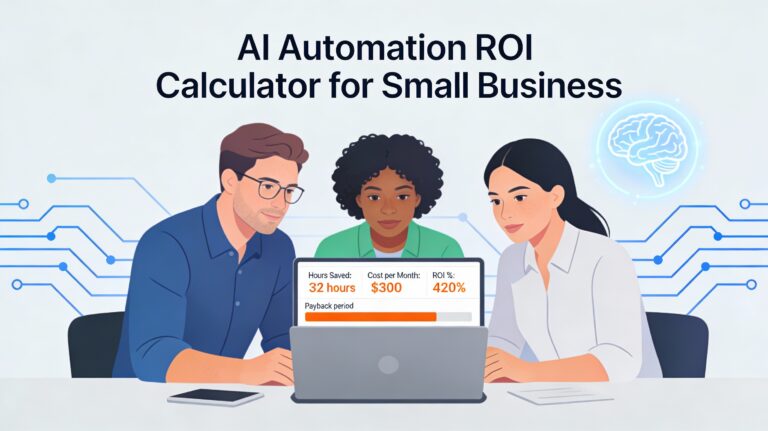
“It looks cool” or “it feels like it’s helping” are not business metrics. Many small businesses fall into the trap of spending hundreds of dollars monthly on AI tools without a clear understanding of their return on investment (ROI). For example, investing $500/month in a tool that only saves $100 worth of time is a clear financial loss. This lack of measurable outcomes is a critical AI automation mistake small business leaders make, leading to wasted budgets.
The Fix: Before implementing any AI solution, define clear, measurable success metrics. Calculate the “Time Cost” of the task you aim to automate. For instance, if a task takes an employee 5 hours a week at an average cost of $30/hour, that’s a cost of $600/month. If an AI tool costs $50/month and reduces that task to just 1 hour a week, your ROI is clearly positive ($600 saved – $50 cost = $550 net gain). Track these metrics rigorously to ensure your AI investments are truly paying off.
7. Over-complicating the First Build
Attempting to build a massive, end-to-end automation system on day one usually results in overwhelm, frustration, and ultimately, failure. Complex systems have more points of failure, are harder to troubleshoot, and require significant upfront investment in time and resources. This ambitious but often misguided approach is a common AI automation mistake small business owners make when starting their automation journey.
The Fix: Start small and iterate. Embrace “Micro-Automations.” Identify one specific, repetitive trigger and a single, clear action. For example: “When a new meeting is booked in my calendar, automatically create a Zoom link and email it to the attendees.” Or, “When a new lead fills out a specific form, automatically add them to our CRM and send a welcome email.” These small, successful automations build confidence, demonstrate value quickly, and provide a solid foundation for more complex systems down the line.
Read more: AI Automation for Small Businesses: Your Comprehensive Guide to Achieve More with Less
Manual vs. Strategic Automation: A Cost Comparison
To understand the impact of avoiding these mistakes, let’s look at a hypothetical scenario for a small service business processing client onboarding.
| Feature | Manual Process | Haphazard Automation (The Mistake) | Strategic AI Automation |
| Time Spent | 4 hours/client | 1 hour/client + 5 hours/week fixing bugs | 15 mins/client (Review only) |
| Customer Experience | Slow, but personal | Fast, but often robotic or error-prone | Fast, consistent, and personalized |
| Scalability | Low (requires hiring more staff) | Low (breaks under pressure) | High (handles volume easily) |
| Cost | High (Labor intensive) | Medium (Subscription costs + wasted time) | Low (Software cost < Labor savings) |
Key Takeaway: The “Haphazard” approach often costs more than the manual approach due to troubleshooting time and lost goodwill.
The “Smart Automation” Framework: A Step-by-Step Guide
Implementing AI automation can feel daunting, but it doesn’t have to be. Many of the common AI automation mistakes small business owners make can be avoided by following a structured approach. This “Smart Automation” framework is specifically designed for small teams, offering a clear, four-step path to integrate AI without the usual headaches, ensuring your efforts lead to tangible results, not frustration.
Step 1: The Audit – Uncovering Your Automation Opportunities
Before you even think about software, the first crucial step is to understand where AI can genuinely add value. This audit phase directly tackles the AI automation mistake small business owners make by trying to automate everything at once or automating processes that aren’t ready.
- Track Your Time for One Week: This isn’t just about identifying busy work; it’s about gaining objective insight into your team’s daily grind. Use a simple spreadsheet, a time-tracking app, or even pen and paper. Document what tasks are being done, how long they take, and who is doing them.
- Identify Repetitive Tasks: These are the low-hanging fruit for automation. If a task involves the same sequence of actions every time, with little variation, it’s a prime candidate. Think data entry, report generation, scheduling, or routine email responses. Automating these frees up valuable human capital for more strategic work.
- Pinpoint Rule-Based Tasks (If X happens, then Y): These are tasks where decisions are made based on clear, predefined conditions. For example: “If a customer submits a support ticket with ‘urgent’ in the subject line, then escalate it to a manager.” Or, “If a new lead fills out Form A, then send them Welcome Email B.” AI excels at executing these logical flows consistently.
- Uncover Tasks Hated by the Team: This is a powerful motivator for adoption and helps avoid the AI automation mistake small business owners make by underestimating training requirements. When you automate tasks that employees dread – mundane data transcription, tedious report compilation, or endless follow-up emails – you position AI as a helpful assistant, not a threat. This fosters enthusiasm and reduces resistance to change.
By thoroughly auditing your current operations, you’re not just finding tasks to automate; you’re pinpointing the biggest pain points and opportunities, ensuring your AI efforts are focused and impactful.
Step 2: The Cleanup – Optimizing Before Automating
This step is critical for avoiding one of the most significant AI automation mistakes small business leaders encounter: “Automating Inefficient Processes” (Garbage In, Garbage Out). You cannot automate a mess and expect efficiency; you’ll just get a faster mess.
- Write Down the Ideal Process Flow: Forget about software for a moment. Grab a whiteboard, a flowchart tool, or even a napkin. Document the perfect way this task should flow, assuming no current limitations.
- Optimize It: Now, critically evaluate your ideal flow. Are there any redundant steps? Can two steps be combined? Are there unnecessary approvals or hand-offs? Simplify, streamline, and clarify every single action. Ask “why” at each stage to challenge assumptions.
- Remove Unnecessary Steps: This is where you ruthlessly cut out anything that doesn’t add direct value. If a step exists purely out of habit or historical reasons, it’s a candidate for removal. The cleaner and more logical your manual process is, the more successful your automation will be.
By cleaning up and optimizing your processes manually first, you ensure that when AI is introduced, it’s working with a lean, efficient system, maximizing its effectiveness and preventing wasted resources.
Step 3: The Selection – Choosing the Right Tools
Once your processes are squeaky clean, it’s time to select the right AI tools. This step helps you avoid the “Shiny Object Syndrome” and fragmented data, which are common AI automation mistakes small business owners fall into.
- Look for “Integrations” or “API Access”: This is paramount. Your chosen tools must be able to communicate with each other and, crucially, with your existing core systems (CRM, project management, accounting software). Tools that don’t integrate will create data silos and negate the benefits of automation. API (Application Programming Interface) access is the technical backbone that allows different software applications to talk to each other seamlessly.
- Connector Tools: Zapier or Make: These are often the unsung heroes of small business automation. They act as bridges, allowing disparate apps to “talk” to each other without requiring custom coding. For instance, you can set up a “Zap” or “Scenario” that says: “When a new row is added to my Google Sheet (Trigger), then create a new task in Asana (Action), and send a notification to Slack (Another Action).” These tools are essential for building robust, interconnected workflows and preventing the AI automation mistake small business owners make by having isolated systems.
- AI Wrappers: These are tools that leverage underlying AI models (like large language models) to perform specific tasks.
- Writing Tools (e.g., Jasper, Copy.ai): Can generate marketing copy, blog post outlines, social media captions, or even draft emails, significantly speeding up content creation.
- Meeting Notes/Transcription Tools (e.g., Fireflies.ai, Otter.ai): Can automatically transcribe meetings, summarize key discussion points, and identify action items, saving hours of manual note-taking.
- Don’t Forget Data Privacy: As you select tools, revisit the crucial point of neglecting data privacy and security – a major AI automation mistake small business owners must actively prevent. Always review the data privacy policy of any tool. Opt for enterprise versions or those with clear guarantees that your data will not be used for training their public models.
Careful selection ensures you build a cohesive, integrated automation ecosystem that truly supports your business goals.
Step 4: The Pilot – Start Small, Learn, and Scale
The final step in the framework directly addresses the AI automation mistake small business owners make by “Over-complicating the First Build.” Instead of attempting a massive, end-to-end system, start with a focused pilot.
- Run the Automation for One Client or One Internal Process First: Choose a low-risk, high-impact task identified in your audit. For example, automate the process of sending a welcome email to a single new client, or automate the generation of a single weekly report.
- Monitor It Closely for a Week: Don’t just set it and forget it. Actively observe how the automation performs. Is it doing exactly what you intended? Are there any unexpected outputs or errors?
- Tweaking is Normal: Expect to make adjustments. Automation is an iterative process. You’ll likely discover nuances or edge cases you didn’t anticipate. This is where you refine the rules, adjust the triggers, or modify the actions. This learning phase is invaluable.
- Gather Feedback: If it’s an internal process, get feedback from the team members who interact with it. If it’s client-facing, monitor client responses. This human feedback is essential for fine-tuning.
By starting small, you minimize risk, gain confidence, and build a successful foundation before scaling your AI automation efforts across your business.
Implementation Checklist: Your Blueprint for Success
To ensure your AI automation journey is smooth and avoids common AI automation mistakes small business owners frequently encounter, use this checklist before and during deployment:
- Process is Documented and Optimized Manually: Have you completed Step 2 thoroughly? A clean manual process is the bedrock of successful automation.
- Data Privacy Policy Reviewed for the AI Tool: This cannot be stressed enough. Confirm that the tool’s data handling practices align with your business’s and your clients’ security and privacy requirements. This prevents a critical AI automation mistake small business owners might overlook until it’s too late.
- ROI Calculated (Time Saved > Cost of Tool): Have you clearly defined the measurable benefits? Ensure the financial or time savings significantly outweigh the cost of the tool and its implementation. This directly tackles the AI automation mistake small business owners make by lacking clear success metrics.
- Team Trained on How to Handle “Edge Cases” the AI Can’t Fix: AI is powerful, but it’s not perfect. Your team needs to understand the automation’s limitations and know what to do when an unusual situation arises. This mitigates the AI automation mistake small business owners make by ignoring the “human in the loop” and underestimating training requirements.
- Backup Plan Established (What if the API Goes Down?): Technology can fail. What’s your contingency if an integration breaks, an API is down, or the AI tool experiences an outage? Having a manual fallback ensures business continuity and prevents a minor glitch from becoming a major crisis.
Read more: AI Workflow Automation Guide: The Essential Blueprint for Small Business Growth
By meticulously following this “Smart Automation” framework and its accompanying checklist, small businesses can confidently navigate the complexities of AI, transforming potential pitfalls into powerful opportunities for growth and efficiency.
Recommended Tools and How to Evaluate Them
To avoid common AI automation mistakes small business owners often encounter, such as tool paralysis or selecting incompatible systems, it’s wise to categorize tools by their primary function. Here are some safe bets and key considerations:
For Connecting Apps (The Glue)
These tools are foundational. Neglecting them is an AI automation mistake small business owners make that leads to fragmented workflows and data silos. They ensure your various applications can “talk” to each other, creating seamless processes.
Zapier
Renowned for its user-friendliness and intuitive interface, Zapier is often the go-to choice for beginners. It boasts an enormous library of integrations (thousands of apps), making it incredibly versatile. Its drag-and-drop builder allows you to create “Zaps” (automated workflows) with minimal technical knowledge. It’s highly reliable and has robust support.
While incredibly powerful, Zapier can be a bit more expensive, especially as your usage scales. Its pricing model often involves tiers based on the number of tasks performed per month.
Zapier prevents the AI automation mistake small business owners make of having isolated systems. It ensures data flows freely between your CRM, email marketing, project management, and other tools, creating a truly integrated ecosystem.
Make.com
Make.com offers a highly visual, canvas-based interface that allows for more complex, multi-step workflows. It’s generally more cost-effective than Zapier, particularly for high-volume or intricate automation. Its ability to handle conditional logic, error handling, and data manipulation within a single “scenario” (workflow) is superior for advanced users.
The visual interface, while powerful, can have a steeper learning curve for those new to automation logic. It requires a bit more technical understanding to fully leverage its capabilities.
Make.com helps small businesses avoid the AI automation mistake small business owners make of creating rigid automation that can’t handle nuanced business logic. Its flexibility allows for more sophisticated, adaptive workflows.
For Content & Marketing
These AI tools can dramatically boost your content output and creativity, helping you avoid the AI automation mistake small business owners make of struggling with consistent, high-quality marketing materials.
ChatGPT Plus / Claude
These large language models (LLMs) are excellent for a vast array of tasks. They can draft marketing copy, brainstorm content ideas, summarize long articles, generate social media posts, write email sequences, and even assist with basic code snippets. The “Plus” versions offer faster response times, access to more advanced models (like GPT-4), and sometimes exclusive features. Claude is often praised for its longer context window and ability to handle more extensive documents.
While powerful, they require careful prompting to get the best results. Fact-checking is always essential, as LLMs can “hallucinate” or provide inaccurate information.
They prevent the AI automation mistake small business owners make of inconsistent messaging or slow content production. They democratize access to high-quality writing and ideation, allowing small teams to compete with larger marketing departments.
Canva (Magic Studio)
Canva has evolved beyond a simple graphic design tool. Its “Magic Studio” incorporates AI features like Magic Write (text generation), Magic Design (instant design creation from text prompts), Magic Edit (object removal/addition), and Magic Expand (extending images). It’s incredibly user-friendly for creating professional-looking visual assets without needing a dedicated graphic designer.
While powerful, its AI features are still evolving and may not replace a professional designer for highly complex or unique branding needs.
Canva’s AI capabilities help small businesses avoid the AI automation mistake small business owners make of producing generic or unprofessional visual content due to lack of budget or design skills. It empowers teams to create engaging visuals quickly.
For Customer Support
Implementing AI in customer support can significantly improve response times and efficiency, but it’s crucial to do it right. A common AI automation mistake small business owners make here is over-automating and losing the human touch.
Intercom / Tidio
These platforms offer robust chatbot functionalities that can handle frequently asked questions (FAQs), qualify leads, and provide instant support 24/7. Their strength lies in their seamless integration with human hand-off protocols. When a chatbot can’t resolve an issue, it intelligently routes the conversation to a human agent, providing context from the chat history. They often integrate with CRMs and other business tools.
Implementing and training a chatbot effectively requires careful planning and continuous optimization. Poorly designed chatbots can frustrate customers.
These tools prevent the AI automation mistake small business owners make by striking the right balance between automation and personalized service. They ensure customers get quick answers to common queries while still having access to human support for complex or sensitive issues, improving overall customer satisfaction.
Evaluation Criteria: Your Blueprint for Smart Tool Selection
Beyond specific tool recommendations, how you evaluate any potential AI solution is paramount to avoiding costly AI automation mistakes small business owners often fall victim to.
Support: Do they have chat support? (Critical for SMBs)
For small businesses, dedicated IT departments or extensive technical expertise are often luxuries. When an automation breaks or you encounter a technical glitch, quick resolution is essential to prevent downtime and lost revenue. Tools offering live chat support mean you can get immediate assistance, often within minutes, rather than waiting hours or days for email responses. This direct access to help can be the difference between a minor hiccup and a major operational disruption, effectively mitigating an AI automation mistake small business owners make by choosing tools with inadequate support.
Community: Are there YouTube tutorials available?
A vibrant user community and readily available educational resources are invaluable, especially for small teams with limited training budgets. YouTube tutorials, community forums, and extensive documentation allow your team to learn at their own pace, troubleshoot common issues independently, and discover best practices. This self-service learning environment empowers your team to become proficient with the tool without requiring expensive formal training, preventing the AI automation mistake small business owners make of underestimating the learning curve and adoption challenges.
Pricing: Does it scale with usage, or is it a flat fee?
Understanding the pricing model is crucial for budget predictability and avoiding unexpected costs.
- Usage-based pricing (e.g., per task, per user, per API call) can be cost-effective if your usage is low or fluctuates. However, it can lead to rapidly escalating costs if your automation scales quickly or unexpectedly.
- Flat-fee pricing (e.g., monthly subscription for a set feature set) offers predictability, making budgeting easier. However, you might pay for features you don’t use or hit limitations if your needs grow beyond the flat fee’s scope.
Carefully analyzing the pricing model against your projected usage helps prevent the AI automation mistake small business owners make of budget overruns or choosing a tool that becomes prohibitively expensive as they grow. Always consider the total cost of ownership, not just the advertised monthly fee.
By applying these thoughtful evaluation criteria, small businesses can confidently select AI tools that genuinely support their growth and efficiency goals, rather than falling prey to common pitfalls.
Read more: https://www.salesforce.com/blog/ai-and-the-future-of-small-business/
FAQ: Common Questions About Small Business AI
Q1: What is the biggest AI automation mistake?
The biggest mistake is automating a broken process. If your workflow is inefficient manually, AI will only accelerate the inefficiency and generate errors at scale. Always optimize the process on paper before applying technology.
Q2: Can AI replace my employees?
For small businesses, AI rarely replaces employees entirely. Instead, it replaces tasks. This allows your existing staff to focus on higher-value work like sales, relationship building, and strategy, rather than data entry.
Q3: Is AI automation expensive for small businesses?
It doesn’t have to be. Many powerful automations can be built using tools like Zapier (starting at ~$20/month) combined with OpenAI’s API. The primary cost is usually the initial setup time or hiring a consultant to build the workflow.
Q4: How do I ensure AI doesn’t hallucinate (lie)?
Never treat AI output as the final truth. Implement a “Human in the Loop” system where a human reviews AI-generated content or data before it is sent to a client or entered into a financial ledger.
Conclusion
In today’s rapidly evolving business landscape, the adage “adapt or perish” has never been more relevant, especially concerning artificial intelligence. Adopting AI is no longer optional for small businesses wanting to stay competitive. The market is moving too fast, and competitors, both large and small, are leveraging AI to gain significant advantages in efficiency, customer engagement, and innovation. However, simply jumping on the AI bandwagon without a strategic approach is a recipe for disaster. How you adopt it matters immensely.
The critical takeaway here is to be deliberate and informed. By actively avoiding the common AI automation mistakes small business owners frequently encounter, you can safeguard your enterprise from a host of undesirable outcomes. These pitfalls include:
- Wasted Budget: Rushing into expensive, ill-suited solutions or failing to properly implement and maintain AI tools can lead to significant financial drain without delivering the promised return on investment. This is a prime example of an AI automation mistake small business owners make when they prioritize hype over practical application.
- Data Risks: Improper handling of data, inadequate security protocols, or using AI tools that don’t comply with privacy regulations can expose your business to severe data breaches, legal penalties, and irreparable damage to your reputation. Understanding data governance is crucial to avoid this critical AI automation mistake small business owners often overlook.
- Operational Chaos: Implementing AI without clear objectives, proper integration, or adequate training for your team can disrupt existing workflows, create confusion, and ultimately decrease productivity rather than enhance it. This kind of disruption is a direct result of an AI automation mistake small business owners make by not planning for change management.
It’s vital to internalize that automation is a journey, not a switch you flip. Expecting instant, perfect results from day one is another common AI automation mistake small business owners make. Instead, successful AI integration is an iterative process of learning, adjusting, and scaling. The most effective approach is to start small.
Identify one truly repetitive, time-consuming task within your operations—perhaps something like invoice processing, customer data entry, or meeting scheduling. Focus on automating this single task perfectly. Document the process, train your team, and measure the impact. Once you successfully implement this initial automation and clearly see the time savings, reduced errors, and improved efficiency, you’ll build confidence and gather valuable insights. This experience will then guide you as you move to the next task, gradually expanding your AI footprint across your business. This measured, step-by-step approach is the antidote to many AI automation mistakes small business owners fall into.
Read more: Troubleshooting AI Automation for Small Businesses
By embracing this strategic, cautious, and iterative methodology, you can harness the immense power of AI to transform your small business, enhance competitiveness, and drive sustainable growth, all while sidestepping the costly pitfalls.
Ready to start automating safely? The tools and evaluation criteria discussed earlier provide the foundation. Now, it’s about taking that first, well-considered step.