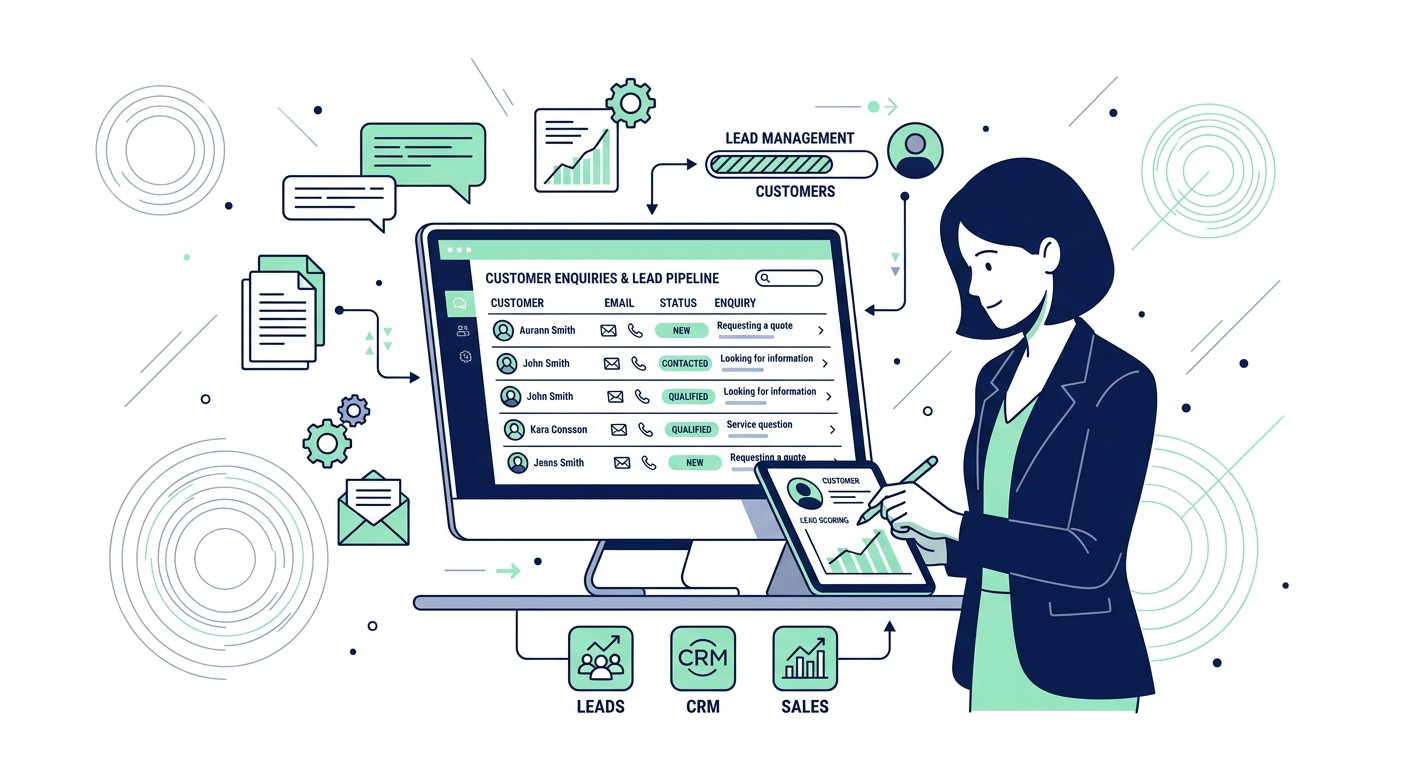
If leads are landing in your inbox, your Instagram DMs, and a sticky note by your phone, you don’t have a lead problem. You have a lead management problem — and lead management for small business owners works differently than it does for a company with a dedicated sales team.
Most small businesses lose sales the same way: not because the leads never showed up, but because nobody had a clear system for what to do with them. An inquiry comes in on a Tuesday, gets a quick reply, then sits untouched while the week gets busy. By the time anyone follows up, the person has already booked with someone else.
This happens even to businesses with plenty of demand. The issue is rarely a shortage of leads — it’s the lack of one dependable process that moves every inquiry from “just arrived” to “clear next action.”
This guide walks through a simple lead management process built for a 1-to-5-person business: no new software required to start, no complicated setup. You’ll get a 5-stage process you can run today, a minimum-viable version that works in a plain spreadsheet, and clear signals for when it’s actually time to add a CRM or automation — not before.
Grab the free 7 Moves ebook below before you keep reading — it’ll show you exactly where your leads are slipping through right now.
Table of Contents
What a Simple Lead Management Workflow Covers
A dependable lead management process doesn’t need to be complicated. It needs five things in place, in this order:
- Where your leads actually come from, and why they tend to slip through the cracks
- The five stages every enquiry should move through, regardless of what tools you use
- How to run the whole process in a plain spreadsheet before adding anything else
- The specific signs that tell you it’s time to introduce a CRM or automation
- The most common mistakes that cause good leads to go cold
The rest of this guide walks through each of these in order, starting with why leads get lost in the first place.
Why This Matters for a 1-5 Person Business
A missed or slow follow-up isn’t just an admin inconvenience. It’s a lost sale.
When you’re running a 1-to-5-person business, every inquiry represents real revenue, and there’s no sales team to catch what falls through. If a lead doesn’t hear back within a reasonable window, they move on to whoever replies first. That’s not a tooling problem. It’s a process problem, and it happens whether you’re using a CRM, a spreadsheet, or nothing at all.
This is where most advice gets it backwards. The instinct is to reach for a new tool the moment leads start slipping — a CRM, an automation platform, a chatbot. But a tool can’t fix a process that doesn’t exist yet. Adding software to a disorganized system just means the same inquiries go missing in a more expensive place.
The goal here isn’t more tools. It’s one dependable path every lead follows, from the moment they first make contact to a clear next action — something someone can look at and know exactly what happens next, without guessing.
That path is what the rest of this guide builds, starting with the five stages every lead should move through.
Do This Before You Automate
- Run the 5-stage process manually for 2-4 weeks
- Confirm every lead gets logged within 24 hours, no exceptions
- Check your spreadsheet daily without missing a day
- Only then, look at a CRM or automation tool
The 5-Step Lead Management Process
These 5 stages work regardless of whether you’re using a spreadsheet or a full CRM. Get these right first, and any tool you add later will actually help instead of adding more mess.
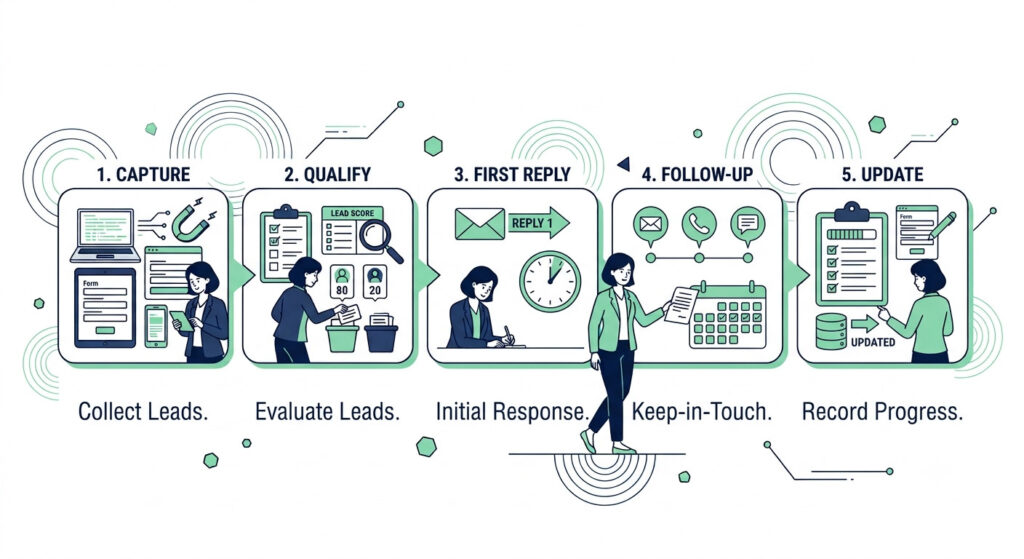
Step 1: Capture
Every lead needs to land in one place, no matter where it came from — a website form, a DM, a phone call, or a referral mentioned in passing. If an inquiry doesn’t get logged the moment it arrives, it’s already at risk of being forgotten. This is the single most common point where small businesses lose track of leads entirely. For a step-by-step approach, see How to Set Up Automated Lead Follow-Up for a Small Business.
Step 2: Qualify
Before replying, take a moment to assess fit, urgency, and the right next action. Not every inquiry deserves the same response — a ready-to-book customer needs a fast, direct reply, while a vague “just checking prices” message might need a different approach. Qualifying first means your time goes where it matters most. Read the full breakdown in [How to Qualify a Sales Lead With AI: A Simple Small Business Process] (coming soon).
Step 3: First Reply
Respond quickly, even if it’s just a holding message acknowledging you’ve received their inquiry and will follow up properly soon. Speed matters more than most business owners expect — a fast “we got your message” often does more to keep a lead warm than a slower, more polished response days later.
Step 4: Follow-Up
Set a reminder so no lead goes quiet without a nudge. Most sales aren’t lost because of a bad first reply — they’re lost because nobody followed up a second or third time. A simple reminder system, even a basic calendar alert, closes this gap.
Step 5: Update
Record the outcome — won, lost, or no response — so nothing lingers in limbo. This step is easy to skip, but it’s what keeps your lead list honest. Without it, old inquiries pile up and make the whole system harder to trust.
The Minimum Viable Version: Start With a Spreadsheet
Before you look at a single CRM, build this in a plain spreadsheet. It takes fifteen minutes to set up, costs nothing, and will tell you more about your actual lead process than any software demo will.
Set up one tab with these columns:
- Name
- Source (where the enquiry came from)
- Date In
- Stage (matching the five steps above: Captured, Qualified, Replied, Following Up, Closed)
- Next Action
- Next Action Date
- Notes
That’s the entire system. No automation, no integrations, no monthly fee.
One rule: every new lead gets a row within 24 hours of arriving. If it’s not in the sheet, it doesn’t exist yet as far as your process is concerned.
One habit: check the sheet daily, and update the Stage column before closing the laptop. This single habit is what turns a spreadsheet into a working system instead of a list that quietly goes stale.
A messy lead process in a spreadsheet is still faster to fix than a messy lead process inside a CRM. Get these five stages working by hand first — the habit matters far more than the tool. Once this rhythm feels automatic and leads stop slipping through, that’s the right moment to look at software that can carry more of the load for you.
When to Introduce a CRM or Automation
A spreadsheet can carry a lead process a long way. But there are a few clear signals that tell you it’s time to add something more, rather than just working harder to keep up:
| Signal | Why It Matters |
| You’re missing follow-ups even with a spreadsheet in place | The manual habit isn’t scaling with your lead volume anymore — automated reminders can close this gap |
| More than one person needs to see or update lead status | Shared spreadsheets create version conflicts and missed updates once two or more people are involved |
| Leads are coming from 3+ sources and manual entry is lagging | Manually transferring inquiries from multiple channels becomes its own time cost that automation can absorb |
If none of these apply yet, stay with the spreadsheet. It’s not a placeholder solution — it’s a genuinely sufficient system for a lot of small businesses, and switching tools before you need to just adds complexity without solving anything.
If one or more of these signals sound familiar, the next step is choosing the right CRM for your situation — not the most popular one — see [HubSpot vs Pipedrive: Which Is Right for Your Small Business?] (coming soon) for a full comparison.
Common Mistakes That Cause Leads to Go Cold
Even with a process in place, a few habits quietly undo it. Watch for these:
Treat Every Lead the Same
Not every message needs the same speed or depth of response. Reacting to whatever landed most recently — instead of qualifying it first — means low-priority messages often get answered before high-value ones.
No Single Source of Truth
An inbox, a DM folder, and a notebook by the till might each feel manageable on their own, but together they guarantee something falls through. If a lead isn’t in the one place your process checks, you’re already flying blind on that lead.
Adding a CRM Too Early
A tool can only automate a process that already works. Bringing in software before the five stages are running smoothly by hand just moves the same gaps into a more complicated, more expensive place.
No Clear Next Action
A lead without a defined next step is a lead nobody is actually responsible for. This is often the quiet reason inquiries go cold — not neglect, but ambiguity about whose move it is next.
Fixing these four habits does more for your close rate than any tool switch will.
Tools That Support This Workflow
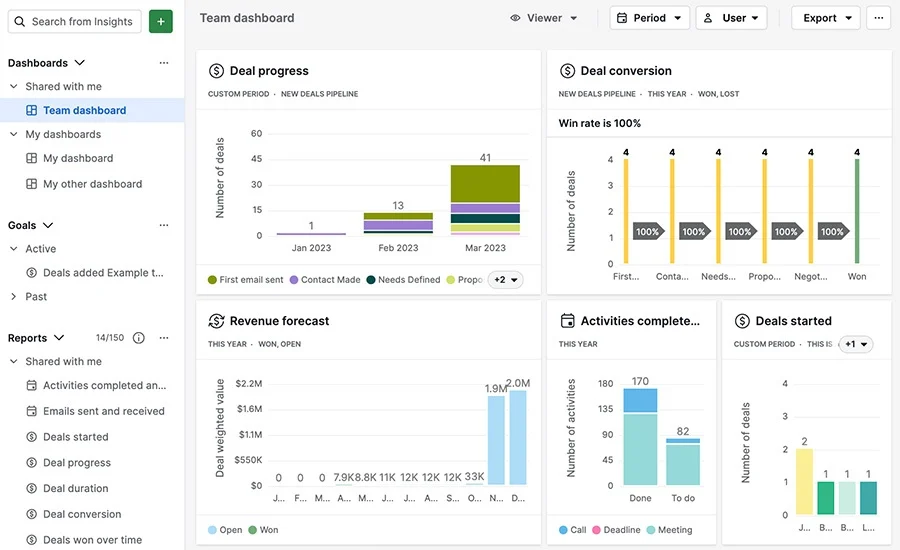
- Google Sheets / Excel — the starting point for the minimum viable version described above. See the [spreadsheet setup guide] (coming soon) on the Tools hub for template links and quick-start tips.
- HubSpot — a free-tier CRM worth considering once you’ve outgrown a spreadsheet. Full details are on the [HubSpot tool page] (coming soon).
- Pipedrive — a paid CRM alternative worth comparing before choosing either option. Full details are on the [Pipedrive tool page] (coming soon).
For a full breakdown of which CRM fits your situation, see the comparison guide linked above once it’s published.
Get the Free 7 Moves Ebook
Not sure which task is costing you the most time? Get the free 7 Moves They’ll Never See ebook and find out.
Frequently Asked Questions
What is lead management for a small business?
Lead management is the process of tracking every inquiry a business receives, from first contact through to a clear outcome, so no potential customer gets missed or forgotten. For a small business, this usually means a simple system covering five stages: capture, qualify, first reply, follow-up, and outcome tracking — not necessarily software.
When should I switch from a spreadsheet to a CRM?
Switch when you notice at least one of these signs: you’re missing follow-ups even with a spreadsheet in place, more than one person needs to update lead status, or leads are arriving from three or more sources and manual entry is starting to lag. Before that point, a spreadsheet is usually enough.
How often should I follow up with a lead before giving up?
Most small businesses stop too early. A reasonable approach is three follow-up attempts spaced a few days apart, with the tone shifting from a check-in to a final “should I close this out?” message. If there’s still no response after that, mark the lead closed and move on.
Do I need AI to manage leads well?
No. AI can speed up qualification and drafting replies once your process works, but it can’t fix a process that doesn’t exist yet. Get the five stages working manually first, then look at where AI or automation genuinely saves time.
What’s the biggest reason small business leads go cold?
Usually it’s not a bad first reply — it’s the missing second or third follow-up. Most sales are lost because nobody set a reminder to check back in, not because the initial response was wrong.
Related Workflows
- How to Automate Lead Follow-Up for a Small Business
- How to Qualify a Sales Lead With AI (coming soon)
- HubSpot vs Pipedrive: Which Is Right for Your Small Business? (coming soon)