
Table of Contents
Running a nonprofit is like keeping plates spinning on ten poles simultaneously. You’re managing donors, coordinating volunteers, tracking grants, creating impact reports, and answering endless emails—often with a skeleton team and a razor-thin budget. If you’re like most nonprofit leaders, your best people spend more time on administrative tasks than advancing your mission. A volunteer coordinator might spend 10–15 hours per week on manual data entry, scheduling, and follow-ups. A fundraiser could lose hours assembling donor reports from disconnected spreadsheets. A program manager might struggle to prove program outcomes because data lives in five different systems.
This administrative burden isn’t just inefficient—it’s mission-threatening. Every hour spent on copy-paste work is an hour not spent building donor relationships, designing programs, or serving your community. And in 2026, this problem has a solution: AI automation tools for nonprofits have evolved from experimental curiosities into practical, affordable solutions that fit nonprofits’ budgets and skill levels.
What You’ll Learn in This Guide
This article cuts through the hype and shows you exactly which AI automation tools for nonprofits deliver real value for small organizations. You’ll discover proven tools used by thousands of nonprofits—from single-person startups to multi-location networks—along with step-by-step guidance on where to start, how to avoid costly mistakes, and what return on investment (ROI) you can realistically expect. You’ll see real nonprofit case studies, learn which tasks to automate first, and understand the critical data foundation all automation requires.
Why 2026 Is the Turning Point for Nonprofit AI Adoption
For years, nonprofits watched from the sidelines as corporations automated their operations. Pricing was prohibitive, setup required technical expertise, and the case for nonprofit-specific features was weak. That landscape has fundamentally changed. In 2026, Microsoft, Salesforce, Google, and specialized nonprofit vendors have released AI tools built specifically for nonprofit operations, offering nonprofit discounts (typically 50% off commercial pricing) and straightforward implementations that don’t require an IT department.
Moreover, competition for talent and donor dollars has intensified. Nonprofits operating with outdated, manual processes are losing volunteers to organizations with slick digital experiences, losing donors to nonprofits with personalized outreach, and losing staff to burnout from administrative overload. At the same time, funders increasingly demand proof of operational efficiency and impact measurement—requirements that manual systems simply cannot meet reliably.
The timing is urgent: AI automation tools for nonprofits are no longer optional. They’re becoming table stakes for organizations serious about scaling their impact.
Understanding AI Automation Tools for Nonprofits (and What They’re Not)
What Are AI Automation Tools for Nonprofits?
AI automation tools for nonprofits are software platforms that use artificial intelligence and workflow automation to handle routine tasks, freeing staff to focus on mission-critical work. These tools fall into two categories:
Automation: Follows predefined rules. Example: “When someone donates via our website, automatically send a thank-you email 24 hours later and add their contact to our CRM.” No intelligence required—just rules applied consistently.
AI/Artificial Intelligence: Makes decisions based on patterns and context. Example: “Analyze all past donor data and predict which inactive supporters are most likely to give again if we reach out in the next 30 days.” AI learns from patterns to make recommendations.
The most powerful nonprofits in 2026 combine both. They use automation for repetitive, rule-based tasks (thank-you emails, volunteer reminders, donation confirmations) and AI for strategic decisions (donor scoring, content personalization, trend analysis).
AI Automation vs. Generic Productivity Tools
Many nonprofit leaders assume automation means hiring a virtual assistant or building custom solutions. That’s an expensive misconception. Modern AI automation tools for nonprofits are purpose-built platforms that:
- Connect your existing software (CRM, email, fundraising platform, accounting system) without coding
- Learn from your nonprofit’s unique workflows and data
- Provide nonprofit-specific features (grant tracking, volunteer hour valuation, donor retention analysis)
- Include nonprofit pricing (typically 50% discounts on commercial software)
- Require minimal setup (weeks, not months)
The critical distinction: These tools automate work, not replace people. Your team still makes decisions. AI and automation eliminate the busywork that prevents decision-makers from having time to think strategically.
Real-World Impact: From Hours to Minutes
Consider Centro de la Familia, a Head Start education nonprofit in Texas. Before implementing AI-powered workflows, their finance staff manually compiled program reports by pulling data from multiple systems—a process that consumed half a day each month. With automated workflows using Microsoft Power Platform and Copilot, the same report now generates in minutes, with zero manual data assembly.
Or take a local food pantry that relied on a volunteer coordinator to manually download donation data, check it against lists, and draft thank-you letters each week. Now, Copilot automatically triggers thank-you letters after each donation, eliminating the coordinator’s weekly two-hour task. That coordinator can now focus on recruiting new donors instead of thanking existing ones.
This is what AI automation tools for nonprofits accomplish: they move routine work off your desk so your expertise can move your mission forward.
The Five Core Areas Where AI Automation Delivers Maximum Impact for Nonprofits
Nonprofits operate across many domains, but automation delivers the highest ROI in five critical areas. Understanding where to focus your automation efforts prevents wasted effort and amplifies mission impact.
1. Nonprofit Volunteer Management Automation: From Spreadsheets to Strategy
The Volunteer Coordination Challenge
Most nonprofits manage volunteers with Google Forms, email chains, and spreadsheets. A volunteer coordinator receives signup requests, manually schedules shifts, sends reminders, tracks hours, and compiles grant reports. For a nonprofit running even moderate volunteer programs, this consumes 10–15 hours weekly. Worse, clunky processes lose volunteers: 73% of younger volunteers expect easy online signup, and they’ll volunteer elsewhere if the experience is frustrating.
The financial impact is severe. Studies show volunteers who volunteer elsewhere represent lost donor pipelines: 67% of donors started as volunteers. If your signup process is painful, you’re not just losing administrative efficiency—you’re losing future fundraising capacity.
How Nonprofit Volunteer Management Automation Works
Modern volunteer management platforms (like Better Impact, used by 25,000+ organizations) automate the entire volunteer lifecycle:
- Recruitment & Signup: Self-service event signup embedded on your website. Volunteers see available opportunities, sign up with one click, and receive instant confirmation.
- Automated Reminders: Shift reminders sent automatically 48 hours before, and day-of reminders reduce no-shows. Better Impact reports up to 95% show-up rates with automation versus 60–75% without.
- Hour Tracking & Reporting: Volunteers log hours directly, or staff upload batches. The system automatically calculates volunteer hour value (valued at $33.49/hour in 2024, per Independent Sector) and generates grant-ready reports.
- Communication Workflows: Automated welcome sequences for new volunteers, re-engagement campaigns for inactive volunteers, and milestone recognition (“You’ve completed 50 hours!”) drive retention.
- Compliance & Waivers: Digital waiver signatures, background check workflows, and annual renewal reminders eliminate manual follow-up.
Why Volunteer Automation Matters for Small Nonprofits
For nonprofits with 5–50 regular volunteers, the math is straightforward:
A single volunteer coordinator spending 12 hours weekly on manual tasks represents $32,000 annually in salary cost (at $25/hour, fully loaded). A volunteer management platform costs $500–$2,000 annually. Even if automation only recovers 50% of that coordinator’s time, the ROI is immediate. Moreover, that recovered time means the coordinator can recruit additional volunteers, improve volunteer experience, and nurture the volunteer-to-donor pipeline.
Larger nonprofits—those with 200+ volunteers across multiple locations—see even greater returns. One multi-location youth organization reduced annual volunteer coordination labor by 40 hours monthly (480 hours annually) after implementing automated scheduling and tracking.
Getting Started with Volunteer Automation
Start narrow: Choose one recurring volunteer activity (e.g., weekly food bank shifts, monthly mentoring sessions) and set up automated signup, reminders, and hour tracking for that activity. Track metrics: How many no-shows do you prevent? How many hours of staff time do you recover? How does volunteer retention change? Once you see ROI, expand to other activities.
2. AI Fundraising Tools for Nonprofits: Donor Scoring, Personalization, and Predictive Outreach
The Fundraising Data Problem
Most nonprofits collect rich donor data—giving history, engagement with events, email opens, volunteer participation—but they don’t leverage it strategically. A development director might know intuitively that certain donors are at risk of lapsing, but without data analysis, that intuition often comes too late.
Meanwhile, nonprofit fundraisers spend enormous energy on low-impact outreach. A major gifts officer might craft personalized appeal letters to 50 prospects, unaware that predictive models could identify the 10 most likely to give today. Time and resources are spread thin across hundreds of supporters instead of concentrated on the highest-value opportunities.
How AI Fundraising Tools Work
Platforms like Salesforce Nonprofit Cloud (with Einstein AI), Fundraise Up, and Kindsight use machine learning to:
- Donor Scoring: Analyze giving history, engagement, and behavioral patterns to rank donors by likelihood to give again, make a major gift, or respond to a specific appeal.
- Churn Prediction: Identify supporters becoming less active based on declining gift frequency, event participation, or email engagement. Alert staff to intervene before donors lapse completely.
- Personalized Messaging: Generate tailored email subject lines, appeal text, and messaging based on donor interests, giving history, and engagement patterns. Instead of sending one generic email to 500 donors, AI creates 500 variations—each speaking to that individual’s motivation.
- Campaign Optimization: Test different messaging, timing, and channel (email vs. mail vs. event invitation) and automatically optimize campaigns based on real-time performance.
- Giving Page Optimization: AI tools like Donorbox automatically test donation amounts, messaging, and form fields to increase conversion rates.
ROI from AI Fundraising Tools
A typical result from AI fundraising tools for nonprofits: One nonprofit using Fundraise Up saw a 25% increase in online giving within three months after implementing AI-driven donation form optimization and personalized messaging. Another used Salesforce Einstein to identify 200 previously inactive donors most likely to re-engage, focused targeted outreach on that segment, and recovered $180,000 in previously “lost” giving.
Here’s the broader benchmark: 30% of nonprofits adopting AI-driven fundraising reported increased revenue in the past year. For organizations raising $500,000–$2 million annually (a typical range for mid-size nonprofits), a 15–25% revenue lift translates to $75,000–$500,000 in additional gifts—far exceeding the cost of AI tools.
When to Deploy AI Fundraising Tools
Start with donor scoring and churn prediction if your nonprofit raises primarily from individual donors and has at least 100–200 in your database with 2+ years of giving history. AI models need data to learn from; a nonprofit with only 20 donors won’t see strong results. If your organization relies heavily on grants, major gifts, or institutional funding, personalization and email optimization may offer better ROI than predictive scoring.
3. Nonprofit Workflow Automation Efficiency: Connecting Systems and Eliminating Manual Work
The Systems Integration Crisis
Most nonprofits juggle 5–10 different software tools: CRM, email platform, fundraising software, accounting system, volunteer management, program tracking, and more. This software fragmentation creates a manual data entry nightmare.
Here’s a typical workflow at a mid-size nonprofit:
- A donor gives online via the nonprofit’s fundraising platform.
- Someone manually logs into the CRM and enters the gift.
- The development officer notes the gift in her spreadsheet tracking major donor pipeline.
- The finance team enters the gift into accounting software.
- The communications team records the donation in their email platform to update donor segments.
- The executive director asks for a report; someone spends an hour pulling data from three systems.
This redundant data entry consumes 5–10 hours weekly across staff, introduces errors, and prevents anyone from having a complete picture of nonprofit operations.
How Workflow Automation Platforms Solve Integration
Tools like Microsoft Power Automate, Zapier, and Make (formerly Integromat) connect your existing software without coding. They work like this:
- Trigger: When X happens in System A (e.g., donation received in fundraising platform)…
- Action: Automatically do Y in System B (e.g., add/update donor record in CRM)
- And/Or: Also do Z (e.g., send email notification to development team, update accounting system, add to email segment)
A nonprofit can build automated workflows like:
- New donation → CRM entry + accounting entry + thank-you email trigger + segment update (all automatic, zero manual work)
- Volunteer signup → Add to volunteer database + send welcome email + add to event roster + add to communication list
- Event registration → Attendee added to CRM + ticket confirmation sent + segmented for post-event follow-up
- Grant application submitted → Create task in project management + email alert to grants officer + update financial forecast
The time savings are substantial. One nonprofit reduced monthly reporting work from 2 full days to 15 minutes by automating data pulls across their CRM, fundraising, and accounting systems.
Workflow Automation ROI for Small Nonprofits
The ROI calculation is straightforward:
- Quarterly labor savings: Staff hours saved × hourly cost per employee
- Accuracy improvement: Reduced errors means fewer follow-up phone calls, fewer duplicate donor records, fewer compliance issues
- Reporting capability: With integrated data, leadership can make better decisions faster
Typical nonprofit outcomes:
- 30% boost in workflow efficiency (staff accomplish 30% more with same hours)
- Save up to 20% in operational costs through automation
- Reduce monthly reporting time by 50–75%
For a nonprofit with five staff members earning an average of $40,000 annually, a 20% operational cost saving translates to $40,000 recovered annually—more than enough to cover years of integration tool costs.
Workflow Automation Implementation Strategy
Start with your highest-friction workflow. Map the current process: Where do people waste time? Where do errors happen? Where does data get entered twice? Pick one workflow and build a simple automation. Track the time saved. Once you see success, expand.
How nonprofits are using low-code automation to scale operations: JourneyTeam case study
4. Nonprofit Donor Relationship Management CRM: Unified Constituent Data and AI-Powered Insights
Why Generic CRMs Fail Nonprofits
CRM software designed for sales teams (like Salesforce, Pipedrive, HubSpot) track transactional customer relationships. A customer buys, pays, and may buy again. Nonprofits are different. A supporter might donate, volunteer, attend events, serve on the board, advocate politically, and receive services. The relationship is multidimensional and evolving.
A nonprofit CRM (Constituent Relationship Management system) is purpose-built for this complexity. It tracks donors, volunteers, members, beneficiaries, board members, and advocates—all with their full interaction history across fundraising, programs, and communications.
What Nonprofit CRMs Do (and Why They Matter)
A modern nonprofit donor relationship management system like Bloomerang, Salesforce Nonprofit Cloud, or Revolution CRM centralizes all constituent data and powers strategy:
- Unified Donor View: Complete history of interactions (gifts, pledges, volunteer hours, event attendance, email engagement). No fragmented data across team members’ emails and spreadsheets.
- Relationship Fundraising Tracking: Moves management for major gifts. Track where prospects are in the cultivation journey, log interactions, set reminders for follow-up, and forecast pipeline.
- Segmentation & Targeting: Slice constituent data by giving history, interests, capacity, and engagement level. Build targeted campaigns for different segments.
- Automated Workflows: Trigger actions based on donor behavior. Examples: Lapsing donors get a re-engagement email, major gift prospects get a task reminder for personal outreach, new volunteers get an orientation email.
- AI-Powered Insights: Predictive models identify high-value prospects, flag churn risk, and suggest next best actions.
- Reporting & Analytics: Track fundraising pipeline, donor retention, lifetime value, and program participation. Create dashboards for leadership.
- Multi-channel Tracking: Email, direct mail, phone calls, social media, event attendance—all logged in one system.
Real-World Impact: Improved Donor Retention
One nonprofit using Bloomerang’s retention-focused CRM reduced donor attrition by 25% within one year. How? By tracking engagement across all channels and automatically alerting the development team when donors showed early warning signs of lapsing (e.g., declined event invitations, ignored emails). Proactive outreach reconnected lapsing donors before they disappeared.
Another nonprofit discovered through their CRM data that first-time major gift donors had a 40% higher retention rate when personally thanked within 48 hours. They implemented an automated task reminder for the development director. Retention improved to 85%.
Nonprofit CRM Pricing and Fit
Nonprofit CRMs range from free (CiviCRM, open-source but requires technical support) to enterprise (Salesforce, $60–$300+ per user monthly). Most organizations find the sweet spot in the $500–$3,000 monthly range for mid-size nonprofits (50–200 staff and volunteers, $500k–$5M budget).
Salesforce offers Nonprofit Cloud (half off commercial pricing for qualified nonprofits), which provides enterprise capabilities—donor management, program tracking, grant management, volunteer management, and financial reporting—in one system.
5. AI Tools for Nonprofit Email Marketing and Communications: Personalization at Scale
The Email Engagement Problem
Most nonprofits send generic emails. A fundraising appeal goes to everyone on the list with the same subject, message, and call-to-action. A volunteer reminder goes to all signed-up volunteers. A newsletter goes to all subscribers.
The results are predictable: low open rates (typically 18–25% for nonprofits), low click rates (2–5%), and low conversion rates on fundraising asks (0.5–2%). Meanwhile, sophisticated nonprofits using personalized, segmented email see open rates of 35–45% and conversion rates of 3–8%.
The gap isn’t just strategic—it’s a revenue gap. For a nonprofit sending monthly emails to 5,000 subscribers with current 20% open rate and 1% fundraising conversion rate (100 donations × $50 average), improving to 40% open rate and 3% conversion (600 donations × $50) means $25,000 additional monthly revenue. Over a year, that’s $300,000 in recovered giving.
How AI Email Personalization Works
Platforms like Mailchimp, Constant Contact, HubSpot, and specialty tools like Engaging Networks use AI to:
- Analyze Engagement Patterns: Track which types of content, subjects, and messaging resonate with different segments.
- Generate Personalized Variants: Automatically create different email versions for different supporter groups. A mid-level donor receives messaging emphasizing program impact; a lapsed donor receives a “we miss you” message with a compelling reason to re-engage.
- Optimize Send Time: AI predicts when each individual is most likely to open and click, and schedules sends accordingly (not everyone opens emails at 9 AM Monday).
- Smart Subject Lines: Generate subject line variants and identify which resonates for each segment.
- Predictive Content: Recommend which content each segment should see based on past engagement.
- Automated Sequences: Trigger multi-step email journeys based on supporter behavior. New donor → welcome email → impact story → donation ask → thank you → engagement invitation.
Nonprofit Email Automation Examples
Example 1: New Donor Onboarding
- Day 1: Welcome email introducing mission and impact
- Day 3: Story from the field showing program impact
- Day 7: Invite to upcoming event or volunteer opportunity
- Day 14: Educational content relevant to donor’s giving interests
- Day 30: Impact report showing how their donation made a difference
Result: Higher donor retention, stronger emotional connection, faster path to second gift.
Example 2: Lapsing Donor Re-engagement
- AI identifies donors who haven’t given in 12 months and show declining engagement
- Triggers personalized “we miss you” email highlighting changes/impact since last gift
- Offers specific call-to-action: “Your gift of $X would help us reach 50 more families this month”
- If no response in 7 days, sends follow-up emphasizing a specific program success story
Result: 15–25% of lapsed donors respond and re-engage.
Email Automation ROI
Typical nonprofit outcomes from email AI and automation:
- 25–40% increase in email open rates through send-time optimization and subject line testing
- 15–30% increase in click-through rates through personalized content
- 20–40% improvement in donor retention through automated re-engagement campaigns
For a nonprofit sending emails to 3,000 supporters with $50,000 annual email-driven fundraising revenue, a 25% improvement in campaign effectiveness equals $12,500 additional revenue. Email automation tools cost $300–$1,000 monthly. The ROI is clear.
Manual vs. AI-Powered Operations for Nonprofits: The Efficiency Gap
To make the case for automation concrete, here’s how nonprofit operations compare before and after implementing AI and workflow automation:
| Operational Area | Manual Process | Time Per Month | AI-Automated Process | Time Per Month | Time Recovered |
|---|---|---|---|---|---|
| Volunteer Coordination | Spreadsheet scheduling, email reminders, manual hour tracking, report compilation | 40–50 hours | Self-service signup portal, automated reminders, volunteer hour auto-logging, one-click grant reports | 5–8 hours | 32–42 hours |
| Donor Stewardship | Manual list maintenance, spreadsheet gift tracking, individually drafted thank-you letters, phone/email follow-ups | 30–40 hours | Automated CRM with AI donor scoring, auto-triggered thank-you emails, predictive re-engagement alerts, integrated task management | 5–10 hours | 20–35 hours |
| Email Fundraising | Design generic email in template, manually segment list, send to all segments, track opens/clicks manually | 8–10 hours per campaign | AI-powered segmentation, auto-generated personalized variants, scheduled optimal send times, automated re-sends to non-openers, automated performance reporting | 1–2 hours per campaign | 6–9 hours per campaign |
| Grant Reporting | Manual data collection from multiple systems, spreadsheet compilation, custom report writing, board presentation prep | 16–20 hours per grant cycle | Automated data pulls from systems, pre-built dashboards, one-click report generation, AI-generated narrative summaries | 2–3 hours per grant cycle | 13–18 hours per grant cycle |
| Program Outcome Tracking | Staff manually enter data, consolidate across spreadsheets, create charts, write narrative summaries | 10–15 hours per reporting period | Automated data collection, real-time dashboards, AI-generated trend analysis, one-click reporting | 1–2 hours per reporting period | 8–14 hours per reporting period |
The Math on Time Recovery:
For a typical nonprofit with 8 full-time staff, automated processes recover 90–150 hours monthly. At an average fully-loaded cost of $25/hour, that represents $2,250–$3,750 in monthly labor value recovered. Annually, that’s $27,000–$45,000.
Most nonprofits can implement the core AI automation tools for nonprofits at a total cost of $2,000–$6,000 annually (combining CRM, workflow automation, and email marketing). The time recovery alone pays for these tools 5–10x over.
Choosing and Implementing AI Automation Tools for Nonprofits: A Practical Playbook
Not all AI automation tools for nonprofits are created equal. And implementing them poorly wastes both money and goodwill. Here’s how to evaluate, select, and deploy automation successfully.
Step 1: Identify Your Highest-Friction Workflows
Before buying tools, identify where your team wastes the most time. Ask:
- Where do staff complain about repetitive tasks?
- Which spreadsheets are updated manually by multiple people?
- Which workflows have high error rates?
- Where is data entered twice into different systems?
- Which tasks could be handled the same way every time (perfect for automation)?
For most nonprofits, the top pain points are:
- Volunteer/staff scheduling and reminders
- Donor thank-yous and acknowledgments
- Monthly/quarterly reporting (pulling data from multiple systems)
- Email list maintenance and segmentation
- Grant tracking and reporting
Start with one or two of these. Don’t try to automate everything simultaneously.
Step 2: Assess Your Data Foundation
Here’s a critical principle: AI automation is only as good as your data. If your CRM has duplicate donor records, inconsistent data entry, and data living in multiple systems, automation will amplify those problems. Before implementing AI tools, audit your data:
- Cleanliness: Do you have duplicate records? Are fields filled consistently? Are there data quality issues?
- Completeness: Are important fields missing for many records? (e.g., email addresses, giving history, engagement dates)
- Integration: Do your current systems talk to each other, or is data siloed?
Forrester research found that organizations with poor data quality see 50–60% lower ROI from AI implementations. The solution: Before deploying AI tools, invest 2–4 weeks in data cleaning. Remove duplicates, standardize fields, and consolidate data into a central location.
Step 3: Select Tools Based on Your Nonprofit’s Needs
For Volunteer-Centric Organizations:
- Better Impact, Volunteer Hub, or Spark
- Cost: $500–$2,500 annually
- Focuses on volunteer recruitment, scheduling, hour tracking, and retention
For Fundraising-Focused Organizations:
- Salesforce Nonprofit Cloud (with Einstein AI), Bloomerang, or Fundly
- Cost: $600–$2,000+ annually (depending on user count and features)
- Focuses on donor management, predictive analytics, stewardship workflows, and retention
For Integration & Workflow Automation Across Multiple Systems:
- Microsoft Power Automate, Zapier, or Make
- Cost: $20–$200 monthly depending on volume
- Connects your existing CRM, email, fundraising, accounting, and other systems without coding
For Email Marketing & Engagement:
- Mailchimp (free for nonprofits up to 2,000 contacts), Constant Contact, HubSpot, or Engaging Networks
- Cost: Free–$1,000+ monthly depending on subscriber count and features
- Focuses on segmentation, personalization, automation sequences, and performance analytics
Important: Many nonprofits benefit from combining tools. A typical nonprofit stack might include:
- Salesforce Nonprofit Cloud or Bloomerang (CRM)
- Constant Contact or Mailchimp (email)
- Microsoft Power Automate (integration)
- Better Impact (volunteer management if applicable)
Total cost: $1,500–$4,000 annually for a nonprofit with <100 staff, <10,000 donors, and <500 regular volunteers.
Step 4: Start Small and Measure Results
Avoid the trap of overhauling all systems simultaneously. Instead:
- Pilot with a single workflow. Examples:
- Implement automated donor thank-you emails (trigger: donation received → auto-email sent 24 hours later)
- Implement volunteer shift reminders (trigger: shift 48 hours away → auto-SMS reminder sent)
- Implement monthly reporting automation (trigger: month-end → pull all data, create report, email to leadership)
- Set success metrics before launching:
- Volunteer reminders: Measure no-show rates before/after
- Automated thank-yous: Measure donor retention/repeat gift rates
- Reporting automation: Measure time spent on monthly reporting before/after
- Run the pilot for 2–3 months and collect data.
- Document results. If the pilot saves 10 hours monthly, you have a clear ROI case for expanding automation.
- Roll out to related workflows. Once volunteer shift reminders work, add the full volunteer management system. Once donor thank-yous work, build the full donor nurture sequence.
Step 5: Build an Implementation Plan
A typical implementation timeline:
- Week 1–2: Data audit and cleanup
- Week 3: Platform selection and procurement
- Week 4–6: Setup, staff training, and configuration
- Week 7: Soft launch with one team or workflow
- Week 8–12: Monitor, refine, and expand
- Month 4+: Full rollout and ongoing optimization
Allocate staff time accordingly. You’ll need a project lead (could be a director or staff member with tech aptitude), IT support (even for low-code platforms, some technical troubleshooting helps), and end-user training (staff need to understand how to use new tools).
Common Implementation Mistakes to Avoid
- Ignoring data quality. Don’t implement AI tools on messy data. You’ll get garbage results.
- Over-automating. Automate workflows where standard processes apply. A major gift that’s highly personalized should never be fully automated.
- Under-training staff. Tools fail when teams don’t understand them. Invest in training.
- Not measuring results. If you don’t track time saved, cost reduced, or mission impact improved, you can’t prove ROI or justify expansion.
- Selecting tools before understanding workflows. Map your processes first, then find tools that fit. Not the reverse.
Top 6 AI Automation Tools for Nonprofits in 2026
Based on nonprofit use cases, affordability, and real-world ROI, here are the most valuable tools for small and mid-size nonprofits:
1. Salesforce Nonprofit Cloud + Einstein AI: Enterprise-Grade CRM for Ambitious Nonprofits
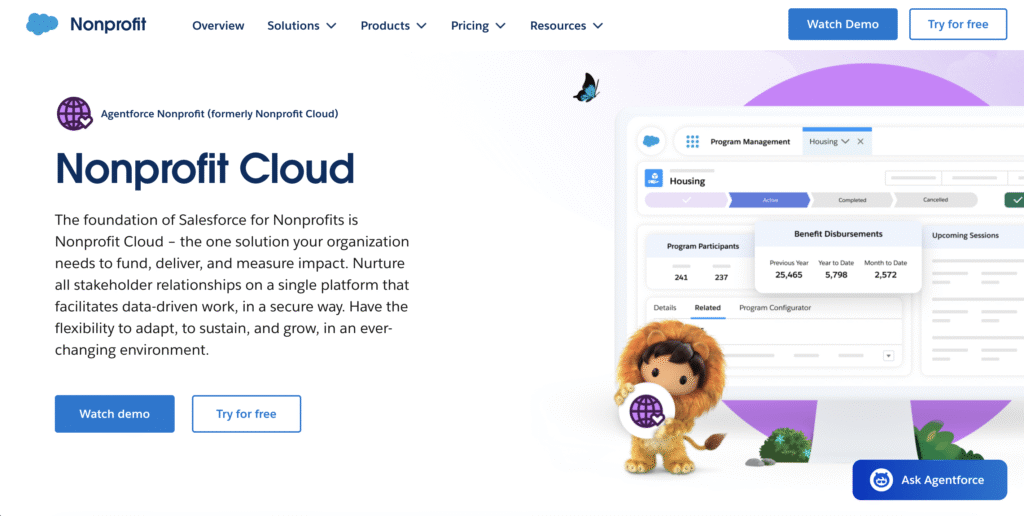
Best for: Mid-size to large nonprofits (100+ staff, $1M+ budget) with sophisticated fundraising, program tracking, and volunteer management needs.
What It Does:
- Unified donor/constituent relationship management across fundraising, programs, and volunteer operations
- Einstein AI provides donor scoring, churn prediction, and next-best-action recommendations
- Program management tracks outcomes and impact
- Grant tracking and reporting
- Volunteer management (if you add the volunteer module)
- Integrates with your accounting system, email, and fundraising platforms
- Non-profit specific version (50% discount off commercial pricing)
ROI Example:
A mid-size education nonprofit implemented Salesforce Nonprofit Cloud and reported:
- Reduced monthly reporting time from 8 hours to 1 hour (7 hours recovered weekly)
- Identified 50 lapsed donors most likely to re-engage through AI scoring; 15 re-engaged within 90 days (+$24,000 revenue)
- Improved volunteer retention by 20% through automated cultivation and recognition
Pricing: ~$60–$150 per user monthly (nonprofit discount). A 5-user nonprofit pays $300–$750 monthly.
Setup Complexity: Moderate to high. Typically requires 2–3 months to fully implement, a project manager, and some technical expertise. Salesforce partners like JourneyTeam specialize in nonprofit implementations.
2. Bloomerang: Donor Retention CRM Built by Fundraisers
Best for: Nonprofits of any size (particularly effective for $500k–$5M fundraisers) focused on donor retention and relationship-based fundraising.
What It Does:
- Donor database with complete giving and engagement history
- Moves management for major gifts (track where prospects are in cultivation)
- Automated donor surveys and feedback capture
- Donor health scoring (predicts lapsing donors)
- Email integration for engagement tracking
- Reporting and analytics
- Mobile app for on-the-go donor notes
Key Differentiator: Bloomerang’s core philosophy is donor retention. The platform emphasizes proactive outreach to at-risk donors, recognition of loyal supporters, and data showing that organizations using Bloomerang see 25–30% improvements in donor retention rates.
ROI Example:
A mid-size arts nonprofit with 1,500 donors and an average annual retention rate of 40% (industry standard) implemented Bloomerang. Using the platform’s churn prediction and automated re-engagement campaigns, they improved retention to 55% within one year. On a $500,000 annual revenue base with average gift of $200, this 15-point retention improvement recovered $37,500 in annual recurring giving.
Pricing: $150–$400 monthly for nonprofits (all-in pricing, no per-user fees).
Setup Complexity: Low to moderate. You can be operational in 2–3 weeks.
3. Microsoft Power Automate + Copilot: AI-Powered Workflow Automation
Best for: Nonprofits using Microsoft 365 (Teams, SharePoint, Outlook, Excel) who want to automate workflows without coding.
What It Does:
- Connects your existing apps (CRM, email, accounting, document storage, fundraising platform) without coding
- Automates common nonprofit workflows: donor thank-yous, volunteer scheduling, monthly reporting, grant tracking
- Copilot AI assists with drafting emails, summarizing documents, analyzing data
- Creates intelligent workflows that respond to conditions (e.g., “If donation > $1,000, create task for major gifts officer”)
- Power BI integration for automated dashboards and reporting
- Nonprofit discount: Often included in Microsoft nonprofit licensing
Automation Examples:
Workflow 1: Automated Donation Acknowledgment
- Trigger: Donation received in fundraising platform
- Actions: Add donor to CRM, send thank-you email (personalized based on gift amount and donor history), update accounting system, add to segment for next campaign
- Time saved: 30 minutes per donation (no manual entry or email drafting)
- For 200 annual donors, saves 100 hours annually
Workflow 2: Monthly Grant Report Generation
- Trigger: End of month
- Actions: Pull program data from database, pull financial data from accounting system, create summary report, send to grant manager
- Time saved: 4 hours monthly reporting work (data assembly and compilation)
- Annually: 48 hours recovered
ROI Example:
A food bank with 8 staff implemented Power Automate to connect their volunteer management system (Better Impact), CRM (Salesforce), email platform (Outlook), and accounting system (QuickBooks). They automated: volunteer hour tracking → reporting → program outcome tracking → grant reporting. Result: 6 hours weekly recovered (12% reduction in back-office workload), estimated annual value of $18,000.
Pricing: $15–$100 monthly depending on workflow complexity and automation volume. If your nonprofit has Microsoft 365 nonprofit licensing, many Power Automate features are included.
Setup Complexity: Low (for simple workflows) to moderate (for complex logic). Microsoft has templates for common nonprofit workflows, reducing setup time.
Check here for more Microsoft Power Automate nonprofit use cases
4. Jotform AI: Form Automation for Donations, Volunteers, and Surveys
Best for: Nonprofits collecting information via forms (donation intake, volunteer signup, event registration, surveys, program applications).
What It Does:
- Intelligent forms that adapt questions based on responses
- AI-powered form analysis and data extraction
- Automated workflows triggered by form submissions (send confirmation, add to CRM, notify team, etc.)
- 50+ nonprofit integration templates (connects to Mailchimp, Slack, Airtable, Zapier, etc.)
- Analytics dashboard showing form performance
- Conditional logic (skip questions, customize experience based on answers)
Why This Matters for Nonprofits:
A clunky form loses supporters. A 15-field donation form sees 40–60% abandonment. A volunteer signup form with unclear instructions loses interested volunteers. Jotform’s AI agents simplify forms, guide respondents, and reduce abandonment significantly.
Example:
A nonprofit redesigned their volunteer signup form using Jotform AI. The form adapted based on responses—if someone selected “can only volunteer evenings,” the form showed only evening opportunities. Combined with automated confirmation emails and calendar invites, volunteer signup completion increased from 65% to 92%, and no-show rates dropped 35%.
ROI Example:
A mid-size nonprofit using Jotform saved 5+ hours weekly (per Jotform’s nonprofit case studies). They eliminated manual form management, data entry into systems, and follow-up emails.
Pricing: Free tier available for basic nonprofits (up to 100 submissions/month). Paid plans: $34–$99 monthly. Nonprofit discount: 50% off paid plans.
Setup Complexity: Very low. Forms can be created and deployed in hours without coding.
How Jotform AI can help Non-profits? Read more
5. Constant Contact: Email Marketing with AI Personalization
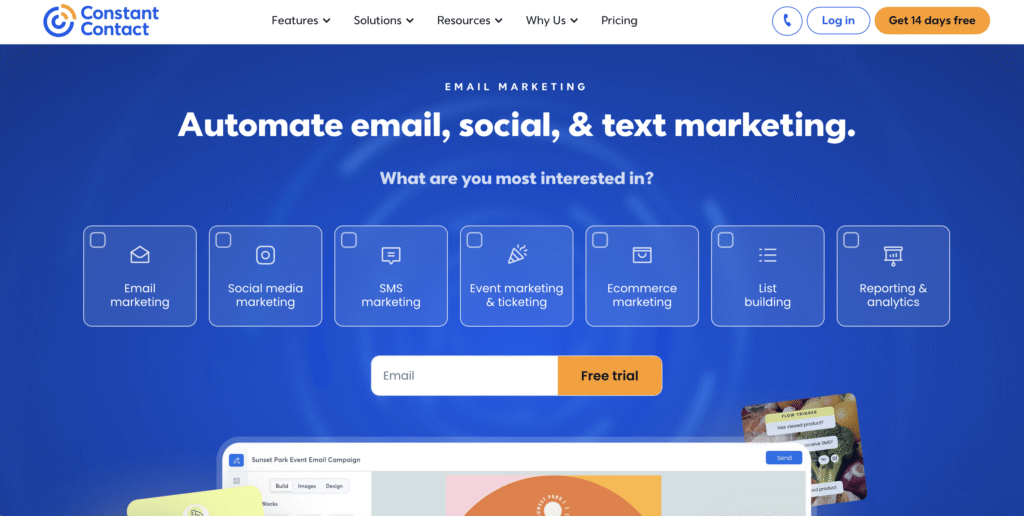
Best for: Nonprofits of any size needing email fundraising, newsletters, and donor engagement.
What It Does:
- Email marketing with AI subject line suggestions and send time optimization
- Template builder with 500+ nonprofit-specific designs
- Segmentation (send different emails to different donor groups)
- Automated email sequences (welcome series, re-engagement campaigns, post-event follow-up)
- Donation forms and giving tracking
- A/B testing (test different subject lines or content)
- Multi-channel marketing (email, SMS, social, landing pages)
- Nonprofit-specific resources and discounts
Why Constant Contact for Nonprofits:
Constant Contact focuses specifically on nonprofits and provides nonprofit pricing, templates, and guidance. The platform is beginner-friendly but powerful enough for sophisticated segmentation and personalization.
Results:
A small nonprofit (300 donors) using Constant Contact improved email fundraising through segmentation. Instead of one “year-end appeal” email to all 300 donors, they sent three versions:
- Major donors ($500+): Personalized letter emphasizing program outcomes, specific impact of large gifts
- Mid-level donors ($100–$499): Story-driven email showing how gifts at that level helped specific beneficiaries
- First-time/lapsed donors: “Why your support matters now” email with specific, urgent need
Result: Overall giving increased 40%, year-end fundraising from email rose from $8,000 to $11,200.
Pricing: Free tier available for nonprofits (10,000 emails/month to 2,000 contacts). Premium: $20–$300+ monthly depending on features and subscriber count.
Setup Complexity: Very low. Anyone can design emails and send campaigns within hours.
6. Better Impact: Volunteer Management Focused on Retention
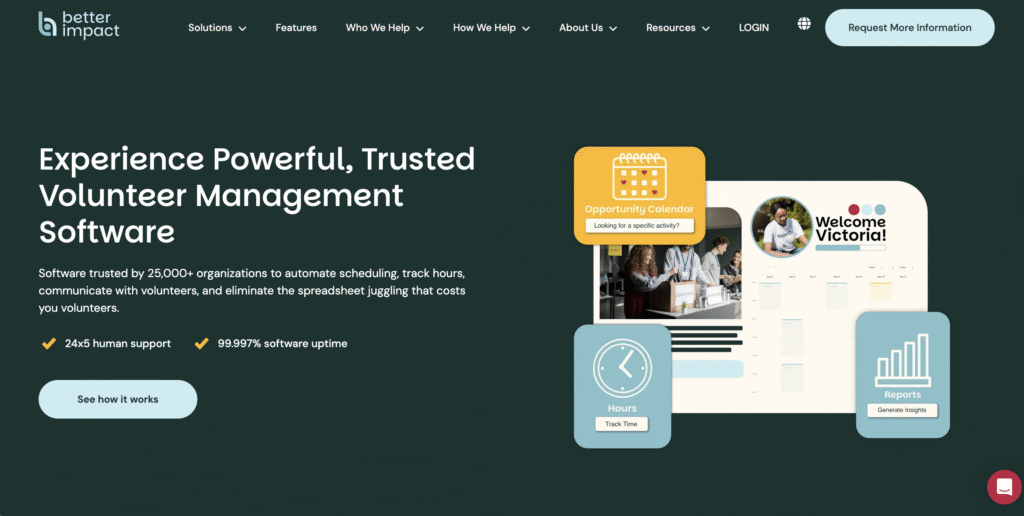
Best for: Nonprofits with active volunteer programs (50+ regular volunteers) prioritizing volunteer recruitment, retention, and impact tracking.
What It Does:
- Self-service volunteer signup portal (embed on your website)
- Event/opportunity management with automated reminders
- Volunteer hour tracking (volunteers log hours directly)
- Automated volunteer recognition (milestone emails: “You’ve completed 50 hours!”)
- Communication tools (email, SMS, in-app messaging)
- Reporting (hours by program, volunteer demographics, impact calculations)
- Volunteer feedback surveys and performance tracking
- Multi-location support
Why Volunteer Management Matters:
Nonprofits with strong volunteer programs must retain volunteers. Better Impact’s focus on volunteer experience, recognition, and communication drives 20–30% higher retention rates compared to spreadsheet-based volunteer management.
Impact:
A network of homeless shelters using Better Impact across 5 locations improved volunteer retention from 60% to 85% annually. The system automatically welcomed new volunteers, sent shift reminders (reducing no-shows), recognized volunteer milestones, and identified at-risk (inactive) volunteers for re-engagement. Result: 30% increase in volunteer hours available, without expansion of volunteer coordination staff.
Pricing: $600–$2,000 annually depending on volunteer count and features.
Setup Complexity: Low to moderate. Most nonprofits are operational in 3–4 weeks.
Implementing AI Automation Safely: Data Privacy, Ethics, and Governance
With great automation comes great responsibility. Here’s how to deploy AI tools ethically and securely.
The Data Privacy Reality for Nonprofits
Nonprofits handle sensitive data: donor financial information, volunteer backgrounds, program participant details, and sometimes information about vulnerable populations. A data breach doesn’t just risk compliance violations—it damages donor trust and mission effectiveness.
The challenge: 70% of nonprofit professionals express concerns about data privacy when using AI, yet 76% of nonprofits lack formal AI policies.
Key Privacy Considerations:
- Data Storage: Where does AI tool store your data? Is it encrypted? Is it backed up? Can the vendor see your data?
- Ask vendors: “Is our data encrypted both in transit and at rest? Can your staff access our data? Are backups encrypted?”
- Third-Party Sharing: Does the AI tool share data with third parties (e.g., analytics companies, advertisers)?
- Review the vendor’s privacy policy carefully. For nonprofits, “no third-party sharing” is typically non-negotiable.
- AI Training: Do vendors use your nonprofit’s data to train AI models?
- This is now standard for many platforms (including ChatGPT, unless you pay for enterprise). For nonprofit data, explicitly exclude nonprofit data from being used for model training.
- Vendor Reliability: If a vendor shuts down or sells, what happens to your data?
- Choose vendors with clear data export policies and preferably nonprofit-focused vendors with mission alignment.
Best Practices:
- Choose nonprofit-specific vendors when possible (Bloomerang, Better Impact). These vendors prioritize nonprofit privacy.
- For general tools (Salesforce, Microsoft), request nonprofit-specific data processing agreements.
- Run data through a privacy/security review before implementation.
- Regularly audit what data you’re storing and who has access.
Ethical AI: Avoiding Bias and Inappropriate Automation
AI tools learn from historical data. If your nonprofit’s historical data reflects bias, AI models trained on that data will perpetuate bias.
Example Risk: Your nonprofit’s historical major gift data is biased toward wealthy, older, white donors (due to historical patterns, not current reality). An AI model trained on this data might underestimate the giving potential of donors from other demographics. Result: Younger, more diverse supporters are under-cultivated, even though they have high capacity.
How to Mitigate:
- Audit your data for bias. Before deploying AI models, examine your data. Do major donors look like your community? If not, make this explicit when training AI models. Ask your vendor: “How does your model account for historical bias?”
- Don’t fully automate high-stakes decisions. Use AI to recommend (e.g., “These 10 donors have high re-engagement potential”), not to decide entirely. Have staff review and approve.
- Define which workflows can be fully automated. Examples of appropriate full automation: thank-you emails, volunteer reminders, meeting scheduling. Examples that should always have human review: major gift asks, decisions about program eligibility, decisions affecting vulnerable populations.
- Document decisions. When AI makes recommendations, log the reasoning. Be able to explain decisions to donors, staff, and funders.
Governance: Setting AI Policies
Create an AI policy documenting:
- What we automate. (e.g., “We automate donor thank-you emails, volunteer reminders, and monthly reporting. We do not automate grant decisions or program admissions.”)
- What requires human review. (e.g., “All major gift asks > $5,000 must be reviewed by [title] before sending.”)
- Data handling. (e.g., “No third-party sharing of donor data. Donor data encrypted at rest and in transit.”)
- Bias mitigation. (e.g., “AI recommendations reviewed for bias before deployment. Donor outreach to underrepresented communities not subject to AI scoring.”)
- Transparency. (e.g., “We disclose to donors if automated communication triggers outreach. We explain the reasoning behind AI recommendations to funders if relevant.”)
- Staff training. (e.g., “All staff using AI tools complete privacy and ethical use training annually.”)
Frequently Asked Questions
Q1: What if my nonprofit is very small (5–10 staff)? Can we actually use AI automation tools?
Absolutely. Some of the highest-ROI automations are at small nonprofits:
– Automated volunteer reminders reduce no-shows and coordinator workload
– Automated thank-you emails improve donor retention
– Automated monthly reporting saves hours of data assembly
Start with simple, single-workflow automation (e.g., donate → thank you email) that’s easy to implement. Small nonprofits often have better ROI because they’re starting from more manual processes. A tool that saves a coordinator 10 hours weekly on a $35,000 salary is worth $18,000 annually—far exceeding most tool costs.
Additionally, many platforms offer free or discounted tiers for small nonprofits:
– Mailchimp: Free email marketing for nonprofits up to 2,000 contacts
– Jotform: 50% nonprofit discount
– Constant Contact: Free tier for nonprofits
– Better Impact: Pricing starts at $600 annually
Q2: We’re already stretched with software (email, CRM, fundraising platform, accounting). How do we avoid adding more complexity?
This is the integration problem. Rather than buying more separate tools, use integration platforms (Power Automate, Zapier) to connect your existing systems. Instead of a new email platform, automate your current email through Power Automate. Instead of a new CRM, connect your existing systems so data flows automatically.
Alternatively, consolidate systems. If you’re using five point solutions (separate email, CRM, volunteer software, fundraising platform, accounting), moving to an integrated platform like Salesforce Nonprofit Cloud eliminates duplication and creates a single system of truth.
The goal: 3–5 core systems that talk to each other, not 10 fragmented systems.
Q3: How long does AI automation implementation typically take?
– Simple automation (automated emails, SMS reminders): 2–4 weeks
– CRM implementation (donor management): 6–12 weeks
– Full-system integration (connecting 4+ systems): 2–4 months
– Ongoing optimization: 3–6 months to refine workflows and measure ROI
Timelines depend on data quality (clean data accelerates implementation) and complexity (simple workflows are faster than complex ones).
Q4: What’s the ROI I should expect from automation?
Typical nonprofit outcomes from automation:
– Time savings: 20–50% reduction in back-office labor for automated functions
– Accuracy improvements: 30–50% reduction in data entry errors
– Revenue improvements: 10–30% improvement in fundraising metrics if automation improves donor communication
– Cost savings: 15–30% reduction in operational overhead through labor recovery
For most nonprofits, the payback period is 6–12 months. After that, all time and cost savings are pure benefit.
Specific examples:
– Volunteer coordinator saves 12 hours/week ($600/week in labor, or $31,200 annually) through automated scheduling and reminders. Tool cost: $1,500 annually. ROI: 20x.
– Automated donor thank-you improves donor retention from 40% to 50% on a $500k fundraising base. Additional $50k in retained giving. Tool cost: $2,000 annually. ROI: 25x.
Q5: What if AI automation doesn’t work for us?
This is a real concern, and it’s important to acknowledge: Not every nonprofit benefits equally from automation. A nonprofit where almost everything is custom (e.g., highly specialized case management) will see less benefit than one with repetitive, standardized processes.
How to mitigate:
– Start with a pilot. Test automation on one workflow before committing to full implementation. Measure results.
– Choose the right workflows. Automate repeatable, rule-based processes. Don’t automate highly personalized or judgment-dependent work.
– Measure everything. Track time saved, error reduction, and mission impact. If something isn’t working, adjust or abandon it.
– Build in flexibility. Many AI tools allow easy adjustments. If an automated email isn’t resonating, change it.
The stat you may have heard: “95% of companies saw no ROI from AI initially.” But that’s usually because they implemented tools poorly—without clear goals, without measuring results, or without choosing the right problems to solve. With intentional, measurement-driven implementation, nonprofits typically see positive ROI.
Q6: Do we need to hire an IT person or consultant to implement automation?
Not necessarily. Modern tools are designed for non-technical users. A volunteer coordinator can set up Better Impact. A development director can configure Bloomerang. A marketing person can automate emails in Constant Contact.
For more complex integrations (connecting 3+ systems), consulting help accelerates implementation. JourneyTeam specializes in nonprofit Power Platform implementations, for example. But you don’t need a full-time CTO.
Estimate: 100–200 hours of internal labor for a mid-size nonprofit implementing core automation, or 50–100 hours if you hire external consulting help.
Q7: How do we know which AI tool to actually choose?
Follow this framework:
1. Identify your problem. (e.g., “We need better volunteer management,” “Our donor data is fragmented,” “Email fundraising isn’t converting”)
2. Narrow the solution type. (volunteer management tool, CRM, email marketing platform)
3. Evaluate 3–5 options in that category based on: Nonprofit-specific features (Do they understand nonprofit workflows?)
4. Ease of use (Can your team learn it quickly?)
5. Integration (Does it connect to your existing systems?)
6. Pricing & nonprofit discounts (Is it affordable?)
7. Support (Do they have nonprofit customer success support?)
8. Trial the finalists. Most platforms offer free trials. Have your team try the top 2–3 options for a week.
9. Decide based on the trial. The tool that feels easiest and most intuitive to your team will be the one you actually use.
Don’t choose based on feature lists alone—choose based on your team’s experience.
Conclusion
The nonprofit sector has reached an inflection point. AI automation tools are no longer futuristic experiments—they’re practical solutions that small and mid-size nonprofits can implement today to recover time, cut costs, and scale impact.
The organizations winning in 2026 aren’t those with the biggest budgets or the largest staffs. They’re the ones who’ve systematically automated routine, repetitive work so their best people can focus on relationships, strategy, and mission. They’re using data to make smarter decisions about which donors to cultivate, which volunteers to retain, and where program investment will deliver the most impact.
Your Next Steps
Step 1: Audit your workflows. Identify 2–3 pain points where your team wastes time on repetitive tasks. Rank by impact: Which takes the most time? Which causes the most frustration? Which, if improved, would have the biggest mission impact?
Step 2: Evaluate 2–3 tools that address your highest-priority pain point. Use free trials. Involve your team. Pick the tool that feels most natural to use.
Step 3: Run a pilot. Implement automation on one workflow. Measure time saved, errors reduced, and mission impact. Set a goal (e.g., “Save 8 hours weekly,” “Improve retention from 40% to 50%”) and track progress.
Step 4: Scale based on results. Once you see ROI on your pilot, expand to related workflows. Build momentum and culture shift toward automation.
The timing for your nonprofit is now. The tools are ready, the pricing is affordable, and the opportunity to do more with less is within reach.
Key Takeaways
- 82% of nonprofits now use AI, but most haven’t optimized it for maximum impact.
- Volunteer management automation saves 10–15 hours weekly per coordinator and improves retention.
- AI fundraising tools improve donor retention by 20–30% and can recover $50,000+ annually in lapsed giving.
- Workflow automation connecting your CRM, email, fundraising, and accounting systems reduces administrative labor by 30–50%.
- Start small with one pilot workflow, measure results, and scale based on ROI.
- Data quality is foundational—clean your data before implementing AI.
- Privacy and ethics matter—choose vendors that respect nonprofit data and audit for bias.
- ROI is real—expect 15–25x returns within 12 months for well-chosen automation.