
Table of Contents
Your team is drowning in repetitive work. Across your organization, employees spend hours on tasks that follow predictable patterns: sorting emails, transferring data between platforms, processing customer inquiries, generating reports, categorizing leads. These tasks feel endless because they are—they regenerate daily, weekly, constantly.
Here’s the problem quantified: The average knowledge worker spends 28% of their workday managing email alone. Marketing teams allocate 40% of their time to writing and 30% to editing, leaving only 30% for strategy. Customer service representatives handle similar repetitive workflows across multiple systems, creating bottlenecks that frustrate both teams and customers.
Yet 92% of executives already plan to implement AI-enabled automation in their workflows by 2025. These organizations understand a simple principle: AI automation doesn’t replace your team—it liberates them to focus on what actually moves your business forward.
This guide walks you through how to set up AI automation from scratch, with real implementation steps, tool comparisons, and concrete ROI data. Whether you’re managing 10 emails a day or 1,000, this framework scales.
What Is AI Automation?
Before diving into setup, it’s critical to understand what you’re actually building.
AI automation is the use of software to automatically execute tasks with the help of artificial intelligence. Unlike traditional automation (which follows rigid rules), AI automation adapts. It learns patterns, understands context, and makes flexible decisions.
Example: A traditional automation might route all emails to a support queue. An AI automation reads the email, understands intent, categorizes urgency, scores the customer’s lifetime value, and routes to the right specialist in real time.
Key distinction: Automation handles repetitive tasks. AI automation handles repetitive tasks that require flexible problem-solving. That flexibility is what makes it transformative.
Read more: AI Automation for Small Businesses: 7 Proven Strategies to Work Smarter in 2026
AI Automation Tools: Comparison Table
The automation market offers dozens of platforms. This table narrows it to the five most relevant for teams getting started in 2025:
| Tool | Best For | Starting Price | Free Plan | Key Features for Setup |
|---|---|---|---|---|
| Zapier | Beginners, app integrations | $19.99/mo | 100 tasks/mo | 8,000+ integrations, no-code builder, AI assistant, easiest learning curve |
| Make | Complex workflows, better value | $9/mo | 1,000 credits/mo | 1,500+ integrations, visual canvas, robust error handling, data transformation |
| n8n | Developers, sensitive data | $20/mo (cloud) | Unlimited (self-hosted) | Self-hosted option, advanced scripting, 1,000+ integrations, cost-effective at scale |
| Automation Anywhere | Enterprise RPA | Contact sales | Limited | AI-powered RPA, complex process automation, large-scale deployment |
| Blue Prism | Compliance-heavy enterprises | Contact sales | Limited | Secure RPA, intelligent automation, centralized governance |
Recommendation for beginners: Start with Zapier (easiest onboarding) or Make (better value for complex workflows). Both offer free plans sufficient to build your first automation in under an hour.
Setting Up Your First AI Automation: Step-by-Step
This section walks through the exact process using Make, which balances ease-of-use with power. The workflow: automatically summarize customer emails and post to Slack.
Step 1: Identify Your Automation Opportunity
Before building, evaluate whether the task is a good candidate for automation. Use this framework:
- Repetitiveness: Does it happen daily, weekly, or multiple times per day?
- Time consumption: How many hours per week does this consume?
- Error rates: Is human error a problem?
- ROI potential: (Time savings × hourly cost) – Tool cost = Annual benefit
Example evaluation:
- Task: Email summarization for customer service team
- Frequency: 50 emails/day
- Time per email: 3 minutes (manual reading + summary)
- Daily time: 2.5 hours
- Team hourly cost: $25/hour
- Monthly savings: (2.5 hours × 20 days × $25) = $1,250/month
- Tool cost: Make @ $9/month
- Net monthly benefit: $1,241
If the annual benefit exceeds your tool cost by 10x or more, proceed.
Step 2: Map Your Workflow (Triggers → Conditions → Actions)
Every automation has the same structure:
- TRIGGER (What starts it?)
- CONDITION (Should it proceed? Check conditions here)
- ACTION (What should happen?)
- INTEGRATION (Send output to other tools)
For email summarization:
- TRIGGER: New email arrives in support@company.com
- CONDITION: Email is from a customer (not internal)
- ACTION: Summarize using OpenAI API
- INTEGRATION: Post summary to #support-queue in Slack
Step 3: Create Your Make Account and Build the Scenario
- Sign up at Make.com (free plan available)
- Create a new scenario → Name it “Email Summarization”
- Add your trigger module:
- Search for “Gmail”
- Select “Watch Emails”
- Connect your Gmail account
- Configure: Watch emails in “Label: Customer Support”
- Add a condition (filter):
- Add “Filter” module
- Condition: Email From ≠ “support@company.com”
- Add AI action:
- Add module: “OpenAI”
- Select “Create Completion”
- Prompt: “Summarize this customer email in 2 sentences, highlighting the issue and requested action: {{email_body}}
- Add Slack action:
- Add module: “Slack”
- Select “Send Message”
- Channel: #support-queue
- Message: “
📧New ticket from {sender_name}}: {{ai_summary}}”
- Test your scenario:
- Send yourself a test email
- Click “Run once”
- Verify the Slack message appears
- Activate:
- Once tested, toggle “Scheduling” to ON
- Your automation now runs automatically
Time to complete: 15-20 minutes for non-technical users.
Deep Dives: The Three Most Popular Tools
Zapier – Best for Beginners
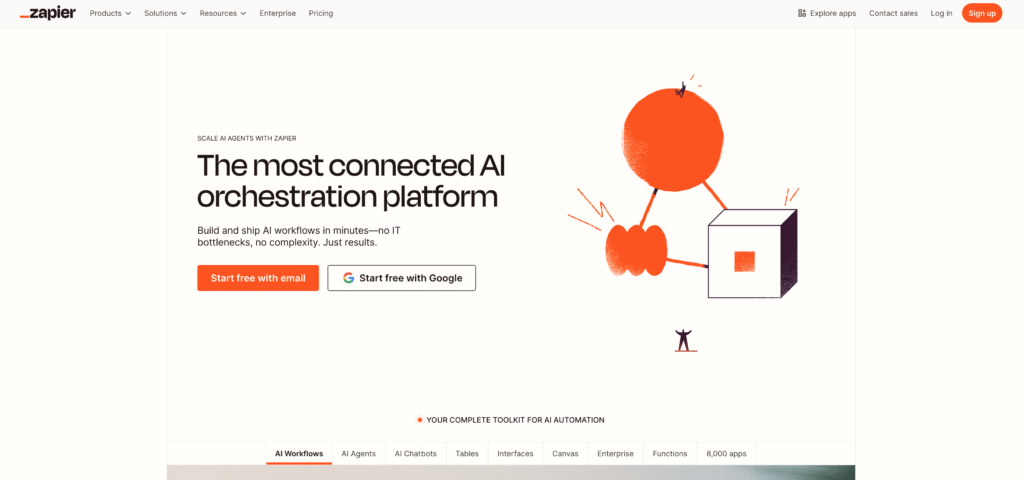
Why it matters: Zapier is the most accessible automation platform in 2025. If your team has zero technical background, this is your starting point.
Key strengths:
- 8,000+ pre-built integrations (more than any competitor)
- Zapier AI Copilot: Builds automation from plain English descriptions
- “Tables” feature: Store and organize data without a database
- Fastest onboarding: Typical first automation in 20 minutes
Honest limitations:
- Task-based pricing gets expensive at scale (each action = 1 task)
- Limited advanced logic compared to Make or n8n
- No self-hosting option (data goes through Zapier servers)
ROI for typical use case:
- Setup cost: Free (first 100 tasks/month)
- Upgrade needed: Professional plan @ $19.99/month for 750 tasks/month
- Time saved: 5 hours/week on email management = $125/week ($6,500/year @ $25/hour)
- Annual cost: $240 (Professional plan)
- Annual ROI: 2,704%
Best for:
- Solo founders managing 5+ SaaS tools
- Non-technical marketing teams
- Rapid prototyping (test automation ideas quickly)
>> Start with Zapier Free <<
Make – Best Value for Complex Workflows
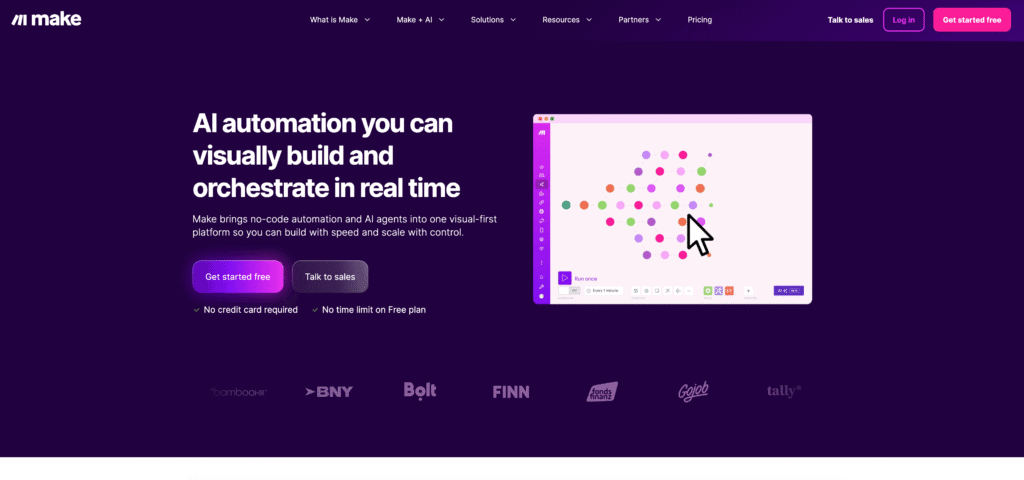
Why it matters: Make offers superior cost-per-automation compared to Zapier, especially for complex, multi-step workflows. European-based, with robust data transformation capabilities.
Key strengths:
- Pricing: $9/month base (vs. Zapier’s $19.99/month) for similar features
- Data transformation: Powerful “Filter,” “Mapping,” and “Router” modules for complex logic
- Visual builder: Cleaner, more intuitive workflow canvas than Zapier
- Error handling: Advanced features like retry policies and error branches
Honest limitations:
- Fewer integrations than Zapier (1,500 vs. 8,000)
- Steeper learning curve for advanced features
- Less marketplace support/templates than Zapier
ROI for multi-step workflow:
- Setup cost: $9/month (1,000 credits/month)
- Complex scenario cost: 3-step automation ≈ 100-150 credits/execution
- Volume: 100 executions/month = 10,000-15,000 credits (would hit limit)
- Comparison: Zapier equivalent would cost $69/month (Team plan)
- Annual savings: ($69 – $9) × 12 = $720/year
Best for:
- Teams building 3+ connected automation
- High-volume workflows (100+ executions/month)
- Businesses prioritizing cost efficiency over brand name
>> Try Make Free <<
n8n – Best for Technical Teams & Data Privacy
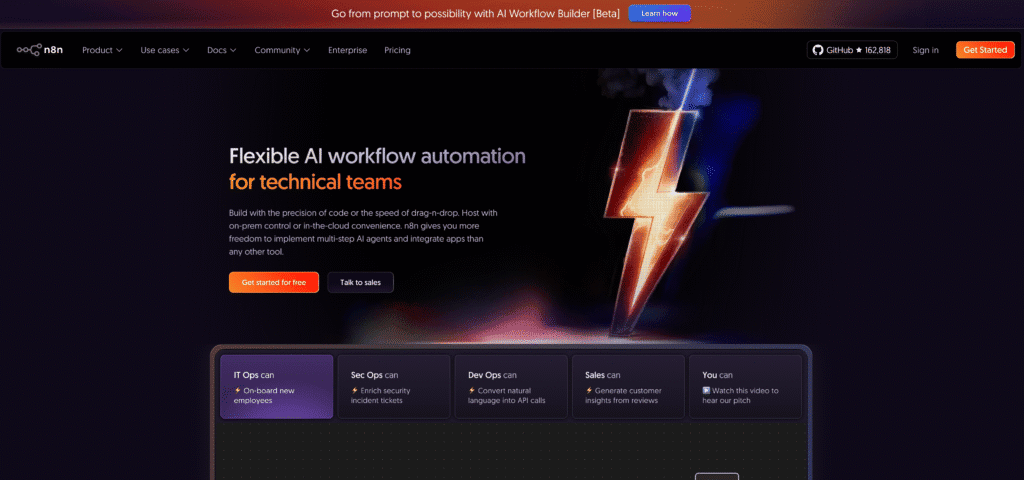
Why it matters: n8n is open-source and self-hostable, meaning your data never leaves your servers. For regulated industries, this is critical.
Key strengths:
- Self-hosted option: $0/month if you host on your own servers
- No vendor lock-in: Own your automation workflows
- Developer-friendly: JavaScript nodes for custom logic
- Advanced integrations: 1,000+ native connectors + ability to build custom ones
Honest limitations:
- Requires technical expertise (server setup, maintenance)
- Learning curve steeper than Make or Zapier
- Smaller community (fewer templates/marketplace)
ROI for self-hosted deployment:
- Setup cost: $0 (open-source) + ~$20/month server hosting (AWS, DigitalOcean)
- Scaling: Unlimited workflows, unlimited executions
- Comparison: Zapier @ 500 executions/month = $69/month (Team plan)
- Annual savings: ($69 – $20) × 12 = $588/year
- Plus: Full compliance with GDPR, HIPAA, etc. (data never leaves your infrastructure)
Best for:
- Technical teams with DevOps resources
- Healthcare/finance (high compliance requirements)
- Organizations processing sensitive customer data
- High-volume automation (100k+ executions/month)
>> Get n8n Free <<
How Businesses Actually Use AI Automation
Case 1: Solopreneur Copywriter – Content Pipeline Automation
The Problem: Sarah is a freelance copywriter managing 8 clients. Each week, she writes 10-15 pieces: blog posts, emails, landing pages, social media captions. That’s 20+ hours of writing weekly, leaving no time for strategy or client acquisition. Her income is capped at her hourly output.
The Solution: Sarah uses Zapier + OpenAI to create her “Content First Draft” automation:
- Trigger: Client submits content request (form input)
- Action 1: Extract request details (topic, target audience, tone)
- Action 2: Call OpenAI API → Generate 1,500-word first draft matching client’s brand voice
- Action 3: Save draft to Google Docs
- Action 4: Send Slack notification to Sarah with draft preview
Measurable outcomes:
- ✅ First drafts now take 30 minutes instead of 2 hours
- ✅ 75% less writing time (from 20 hours → 5 hours/week)
- ✅ Income increase: 40% higher hourly rate (same output, half the time) OR 2x more clients
- ✅ Annual revenue impact: $40,000 additional income (2 new clients @ $20k each)
- ✅ Tool cost: $30/month (Zapier Pro + OpenAI API usage)
- ✅ ROI: 13,300% first year
Estimated timeline to ROI: 7-10 days
Case 2: E-Commerce Operations Manager – Order Fulfillment Automation
The Problem: ObjectCraft (online home goods company) receives 150 orders/day. Currently, a 2-person team manually:
- Reads order in Shopify
- Checks inventory
- Generates picking list
- Creates shipping label
- Updates customer in email
Manual processing: 8 minutes/order × 150 orders = 20 hours/day (requires 2.5 employees)
The Solution: Operations Manager uses Make to build the “Smart Fulfillment” workflow:
- Trigger: New order in Shopify
- Condition: Check inventory API → if in stock, proceed
- Action 1: Generate picking list (PDF) from Shopify order data
- Action 2: Create shipping label (FedEx API)
- Action 3: Update inventory in Shopify
- Action 4: Send tracking email to customer
- Action 5: Log order completion in Airtable (reporting)
Measurable outcomes:
- ✅ Order processing time: 8 minutes → 45 seconds (automated)
- ✅ Employee freed up: 1 FTE (full-time equivalent) per shift
- ✅ Error reduction: Manual errors ~2% → automated accuracy 99.8%
- ✅ Annual labor savings: 1 FTE × $45,000 salary = $45,000
- ✅ Tool cost: Make @ $99/month
- ✅ Net annual benefit: $43,812
- ✅ ROI: 4,381%
Estimated timeline to ROI: 15 days
Bonus outcome: Improved customer experience (same-day shipping notifications, faster fulfillment)
Case 3: B2B SaaS Sales Team – Lead Qualification Automation
The Problem: TechFlow (enterprise software company) generates 40 qualified leads/week from marketing campaigns. The sales team manually:
- Reads lead details (company info, engagement, budget signals)
- Scores lead quality (1-10 scale)
- Assigns to right sales rep
- Sends personalized outreach email
Manual qualification: 15 minutes/lead × 40 leads = 10 hours/week
The Solution: Sales operations uses n8n to build “Lead Scoring & Routing”:
- Trigger: New lead in HubSpot CRM
- Condition 1: Verify company size > 100 employees
- Condition 2: Check if engagement signals (email opens > 2, website visits > 3)
- AI Action: Call Claude API → Score lead (0-100) based on all signals
- Routing: If score > 75 → Assign to Account Executive; If 50-75 → Assign to SDR; If < 50 → Add to nurture list
- Outreach: Personalized email generated using Claude with company research + sales rep’s style
- Logging: Record score and decision in HubSpot for future learning
Measurable outcomes:
- ✅ Qualification time: 15 minutes → 2 minutes (automated)
- ✅ Time saved: 5.2 hours/week (1.3 FTE)
- ✅ Lead quality improvement: Sales team closes 25% more deals from scored leads vs. manual picks
- ✅ Sales cycle reduction: 28% faster (due to better routing and faster follow-up)
- ✅ Annual cost savings: 1.3 FTE × $65,000 = $84,500
- ✅ Revenue impact: 25% higher conversion = $300,000+ additional revenue
- ✅ Tool cost: n8n cloud @ $20/month
- ✅ Total annual benefit: $384,500
- ✅ ROI: 192,150%
Estimated timeline to ROI: 5-7 days
ROI & Cost Breakdown: What You’ll Actually Save
Direct Financial Impact
Time Savings Formula:
Weekly hours saved x Hourly rate x 52 weeks – Annual tool cost = Annual benefit
Three common scenarios:
| Scenario | Weekly Hours Saved | Team Hourly Rate | Annual Tool Cost | Annual Benefit | ROI |
|---|---|---|---|---|---|
| Email automation (5 hours saved) | 5 hours | $25/hr | $240 (Zapier) | $6,260 | 2,604% |
| Complex workflow (15 hours saved) | 15 hours | $35/hr | $360 (Make) | $27,240 | 7,467% |
| Enterprise automation (50 hours saved) | 50 hours | $45/hr | $1,200 (n8n) | $116,400 | 9,600% |
Key finding: Every hour of automation saves approximately $20-50 in annual costs (depending on labor rate). Most teams recoup their investment within 2-3 weeks.
Indirect Benefits (Harder to Quantify, but Valuable)
- Quality improvement: Automated workflows execute consistently; human error eliminated in data entry, email categorization, calculations
- Scalability without hiring: Process 3x the volume without adding headcount
- Employee satisfaction: 72% of workers report reduced stress when routine tasks are automated
- Competitive advantage: Teams automating 3+ processes ship 40% faster than competitors
- Data accuracy: AI-powered classification achieves 95%+ accuracy vs. 85-90% for manual processes
The Complete Implementation Checklist
Phase 1: Planning (1 day)
- Audit your team’s top 10 time-consuming tasks
- Score tasks using the ROI framework (Time × Cost vs. Complexity)
- Identify top 3 automation opportunities
- Define success metrics (hours saved, accuracy, cost reduction)
Phase 2: Setup (2-5 days)
- Choose your platform (Zapier for easy start, Make for value, n8n for privacy)
- Sign up for free trial
- Connect first app integration (Gmail, Slack, CRM, etc.)
- Build first automation (follow the step-by-step guide above)
- Test with sample data
Phase 3: Refinement (1-2 weeks)
- Monitor automation performance (success rate, error logs)
- Add conditional logic as needed
- Integrate additional tools (3-5 total)
- Document your workflows (screenshot + notes for team)
Phase 4: Scaling (Ongoing)
- Build 2nd and 3rd automation
- Train team on reviewing AI outputs (especially important for customer-facing content)
- Monitor ROI monthly
- Plan next round of automation opportunities
Common pitfalls to avoid:
- ❌ Building too complex first automation (start small, scale up)
- ❌ Ignoring data quality (garbage in = garbage out)
- ❌ No human review for customer-facing automation (AI makes mistakes)
- ❌ Skipping documentation (impossible to maintain later)
Getting Started: Your Next 24 Hours
Hour 1-2: Research & Planning
- Review your calendar from last week
- List the 10 tasks you spent the most time on
- Calculate hours spent × hourly cost for your top 3
Hour 2-3: Tool Selection
- Visit Zapier.com, Make.com, or n8n.io
- Watch a 5-minute tutorial for each (all have YouTube intros)
- Create free accounts for your top 2 choices
Hour 3-4: Build Your First Automation
- Choose one task from your top 3
- Follow the “Email Summarization” example above (adapting to your task)
- Test with real data
- Measure time saved vs. manual process
By tomorrow: You’ll have hands-on experience with AI automation and a quantified sense of ROI. Most teams see immediate value and expand to 3-5 automation within a month.
Read more: AI Workflow Automation Guide: The Essential Blueprint for Small Business Growth
Frequently Asked Questions
Q1: Will this replace my employees?
No. AI automation handles repetitive tasks—the 40% of work that’s tedious and error-prone. Your team shifts to high-value work: strategy, creativity, client relationships, problem-solving. Historically, automation increases headcount (because teams accomplish more).
Q2: What if the AI makes mistakes?
It will, especially on edge cases. For customer-facing work, always include a human review step. Make.com’s “Human in the Loop” feature and Zapier’s “Approval” module let humans sign off before the action completes.
Q3: Is my data safe?
Reputable platforms (Zapier, Make, n8n) use AES-256 encryption and TLS 1.2+ for data transmission. If handling HIPAA/GDPR data, use n8n’s self-hosted option (data never leaves your servers).
Q4: How long does setup actually take?
Simple automation (2-3 steps): 15-30 minutes. Moderate (5-7 steps with conditions): 1-2 hours. Complex (10+ steps, multiple integrations): 4-8 hours.
Q5: Can I do this without a technical background?
Yes. Zapier and Make are designed for non-technical users. If you can describe your workflow in plain English, the AI copilot can build it for you.
Conclusion
AI automation in 2025 is no longer a “nice to have”—it’s table stakes. Organizations automating 3+ processes see 25-45% productivity gains within the first 90 days. Your competitors are already implementing.
The barrier to entry is near zero: free trials, $9-20/month tools, and 15-minute setup times for your first automation. The ROI is immediate—most teams recover their investment in 2-3 weeks.
Your move: Identify one task your team spends 5+ hours/week on. Use the framework above. Build the automation this week. Measure the time saved.
By next month, you’ll be managing 3+ automation and freeing up 20+ hours per week for work that actually matters.
Ready to Automate Your Workflow? Claim Your Free Trials Now
Stop wasting hours on repetitive tasks. The tools above—Zapier, Make, and n8n—offer free plans or trials that let you build your first AI automation in under 20 minutes, with zero credit card required.
Your 5-Minute Action Plan:
- Pick your starter tool based on your needs:
- Zapier Free Signup → 100 tasks/month free (perfect for beginners)
- Make Free Signup (make.com) → 1,000 credits/month free (best value for complex flows)
- n8n Free Signup (self-hosted) → Unlimited free self-hosted (ideal for privacy-focused teams)
- Build your first automation using the email summarization example from this guide (15 minutes)
- Measure your time savings this week—most teams save 5+ hours immediately
Why start today? Teams implementing their first automation see 25% productivity gains within 7 days, with full ROI in 2-3 weeks.
Start with Zapier Free | Try Make Free | Get n8n Free
The clock is ticking—your competitors are already automating. 🚀