Table of Contents
Running a small business means you’re constantly stretched across a hundred different tasks. Your team handles customer emails, processes invoices, manages leads, enters data, and tracks projects—all while trying to focus on what actually grows your business. The reality? No-code vs low-code AI automation isn’t just a technical decision; it’s the difference between working harder and working smarter.
Over the past 12 months, we’ve seen small businesses report 20–40% operational cost savings and save their teams 8–10 hours per week by implementing AI automation. The challenge isn’t whether you should automate—it’s choosing the right approach. Should you go with no-code platforms that anyone can set up in minutes, or invest in low-code solutions that offer more power but require technical expertise?
This guide walks you through the complete comparison, real-world case studies from small businesses like yours, and a practical decision-making framework. By the end, you’ll understand exactly which automation approach—no-code, low-code, or a hybrid combination—fits your budget, team skills, and growth goals.
What Is No-Code vs Low-Code AI Automation?
Before diving into the decision, let’s define what we’re actually comparing.
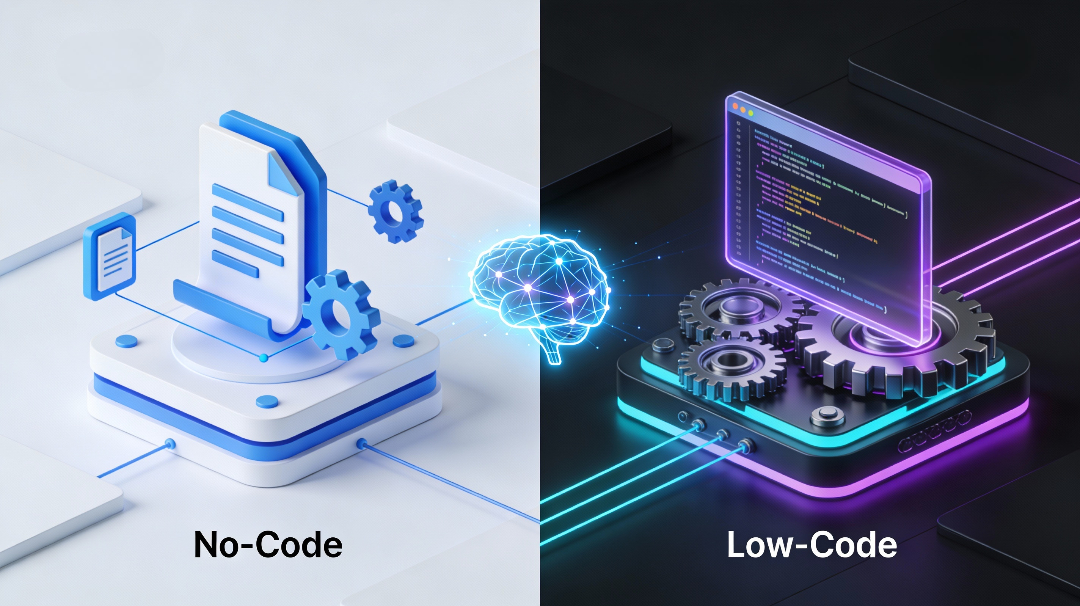
No-code automation uses visual, drag-and-drop interfaces that require zero coding knowledge. Tools like Zapier and Make let you connect apps, set up workflows, and trigger actions with simple clicks and conditional logic. Anyone on your team—from your office manager to a sales rep—can build automation.
Low-code automation combines visual tools with the ability to write custom code when needed. Platforms like n8n and Make (when used at a higher level) let developers add custom logic, connect to specialized systems, and build more complex AI workflows. Low-code assumes some team members have basic coding skills but prioritizes speed over pure custom development.
The key distinction? No-code cuts setup time by cutting customization options. Low-code adds customization power at the cost of complexity and required skills.
For a 12-person marketing agency, this means no-code can automate email follow-ups in 30 minutes. Low-code could automate the same task plus integrate a proprietary lead-scoring algorithm—but it takes a developer a few days to set up.
No-Code vs Low-Code AI Automation: Core Differences Explained
Understanding the fundamental differences helps you avoid costly mistakes. Here’s what sets them apart for small business owners:
Speed to Implementation
No-code: Ready in days to weeks. Your team can start using Zapier workflows, HubSpot automation, or customer service chatbots almost immediately after setup. One small e-commerce business we researched implemented product recommendation AI in under two weeks, resulting in a 15% cart size increase within six weeks.
Low-code: Typically takes weeks to months. You need a developer who understands both the visual platform and custom code. However, once built, low-code solutions are often more resilient and easier to maintain long-term.
Cost Structure
No-code platforms save on upfront development costs by up to 60%, but monthly fees add up as you scale. A typical small business might spend:
- Zapier: $19.99–$99/month depending on task volume
- HubSpot CRM: Free or $45–$120/month depending on features
- Airtable: $12–$120/month per user
Low-code platforms have higher initial setup costs (hiring developers or consulting firms) but often deliver better ROI over 12–24 months for complex workflows. Many provide more generous tier structures, so costs don’t balloon as your automation grows.
Example: A UK manufacturing firm prevented over £100,000 in annual downtime by implementing predictive maintenance AI using a low-code platform. The upfront setup cost was roughly £15,000–£20,000, but payback occurred within 2–3 months.
Customization and Flexibility
No-code tools excel at common, pre-built workflows but struggle with unique business logic. If your lead-scoring process uses proprietary algorithms or your inventory system requires custom data transformations, no-code platforms often hit a wall. Integration challenges are common: if a new vendor tool isn’t supported by pre-built connectors, you’re stuck.
Low-code handles complex, tailored workflows that require custom business logic, multi-step processes, and deep system integrations. If you need to score leads based on behavioral data, demographic insights, and custom weightings, low-code gives you the flexibility.
Team Skills Required
No-code: Your current team can build automation. No coding background needed. The learning curve is days to weeks, depending on workflow complexity.
Low-code: Requires developers comfortable mixing drag-and-drop with scripting or code. You’ll likely need to hire developers or train existing staff. The learning curve is weeks to months.
Scalability and Long-Term ROI
No-code scales horizontally—add more Zaps, more workflows, more use cases. But each new integration or custom requirement requires either working around platform limitations or paying for a consultant. Monthly costs can climb if you’re running dozens of automations.
Low-code scales more reliably for complex systems. Once a sophisticated workflow is built, it handles growth, complexity, and integration changes more gracefully. Long-term ROI averages 200–500%+ within 12–24 months.
Decision Framework: When to Choose No-Code vs Low-Code AI Automation for Your Small Business
Choosing between no-code and low-code isn’t about which is “better”—it’s about which fits your specific situation. Use this framework to decide.
Choose No-Code If:
- Your workflows are straightforward – Lead nurturing, email follow-ups, data entry between two systems, customer alerts
- Speed matters more than customization – You need to automate in days, not months
- Your team isn’t technical – You want marketing, sales, or HR staff to own their own automation
- Your budget is tight – You can’t afford developers or long implementation projects
- You use popular SaaS tools – Zapier has 7,000+ app integrations; Make has 8,000+. If your stack is built on Salesforce, HubSpot, Slack, Google Workspace, and Shopify, no-code handles most needs
Small Business Profile: A 5-person digital marketing agency using HubSpot CRM, Slack, Google Workspace, and Notion. They need automated lead assignment, email follow-ups, and Slack notifications. Solution: Zapier ($50/month) solves 90% of their needs in two weeks, no developer required. ROI: 15+ hours saved weekly = $3,000+/month in reclaimed billable capacity.
Choose Low-Code If:
- Your workflows are complex – Multi-step processes with conditional logic, custom scoring, or specialized integrations
- You have unique business logic – Proprietary algorithms, custom data transformations, or industry-specific requirements
- Integration depth matters – You need to connect legacy systems, custom APIs, or specialized tools
- Long-term scalability is critical – You’re automating enterprise workflows, large data volumes, or multiple departments
- You have technical resources – A developer on staff or budget to hire one
- Customization and ownership are priorities – You want full control over the automation and can maintain it internally
Small Business Profile: A 20-person e-commerce business with a custom inventory system, proprietary pricing logic, and dynamic fulfillment workflows across multiple warehouses. Solution: n8n ($25–$100/month + developer time) enables AI-powered demand forecasting, automated inventory rebalancing, and predictive customer service. Setup takes 2–3 months but prevents $50,000+ in stockouts annually.
Hybrid Approach: Combining No-Code and Low-Code
Many growing small businesses use both. No-code handles quick wins and routine tasks. Low-code solves complex, strategic automations once ROI is proven.
Example: A accounting firm uses Zapier (no-code) to automate invoice receipt and client email alerts—quick, simple, $50/month. Then they invest in a low-code solution (Make or n8n) to automate expense categorization, AP reconciliation, and fraud detection—higher complexity, longer payback, but 45% manual finance workload reduction.
Platform Comparison: Top No-Code and Low-Code Tools for Small Businesses
Choosing the right platform is as important as choosing the right approach. Here’s how the leading options stack up:
No-Code Platforms
Zapier: The Accessibility Leader
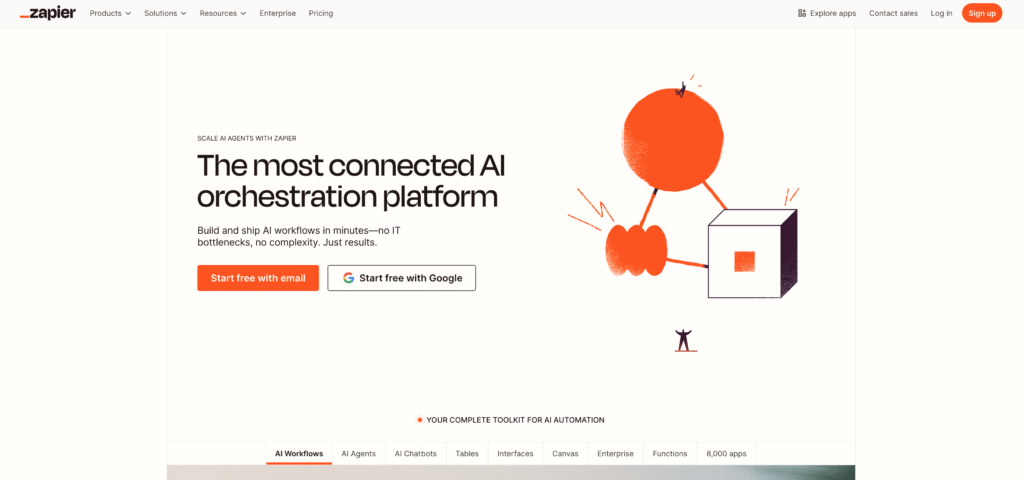
Best for: Simple workflows, teams with no technical background, quick implementation
Strengths:
- 7,000+ app integrations (most in the industry)
- Drag-and-drop simplicity
- Affordable ($19.99–$299/month)
- Extensive template library for common workflows
- AI features like “Zap Guesser” suggest automation based on your needs
Limitations:
- Limited customization for unique business logic
- Can become expensive scaling dozens of automations
- Struggles with complex data transformations
Best Small Business Use Cases: Lead capture and nurturing, email marketing automation, CRM data syncing, document automation, social media scheduling
Pricing: $19.99–$299/month depending on task volume
Make (formerly Integromat): The Balanced Alternative
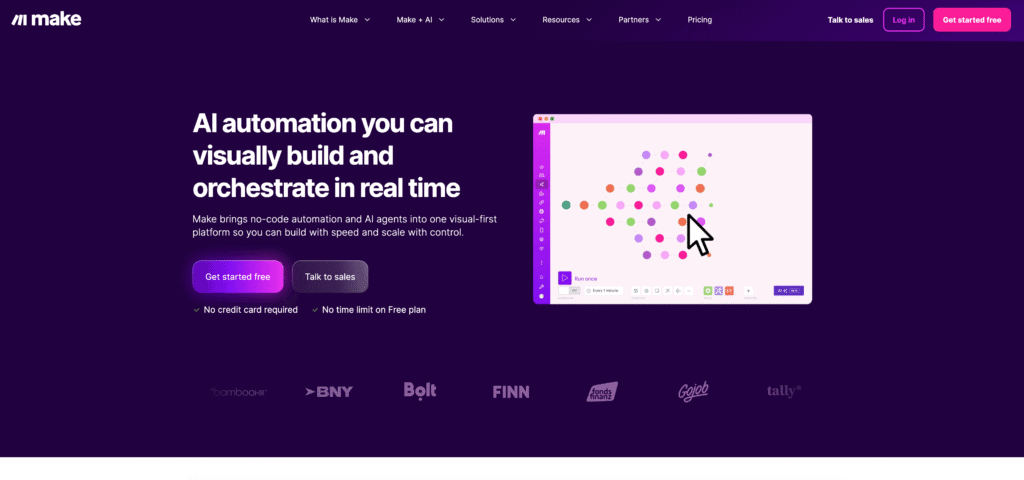
Best for: Intermediate users wanting more power than Zapier, complex data transformations, European-based businesses
Strengths:
- 8,000+ app integrations
- Advanced visual workflow canvas with clearer visualization than Zapier
- Strong data transformation and manipulation tools
- Good price-to-functionality ratio ($11–$299/month depending on operations)
- AI integrations with OpenAI, Google Cloud Vision, Eleven Labs
Limitations:
- Steeper learning curve than Zapier
- Can be confusing for complete beginners
- Not as many pre-built templates
Best Small Business Use Cases: Lead scoring and enrichment, multi-step customer workflows, complex data pipelines, content generation with AI, document processing
Pricing: $11–$299/month depending on monthly operations
Low-Code Platforms
n8n: The AI Powerhouse
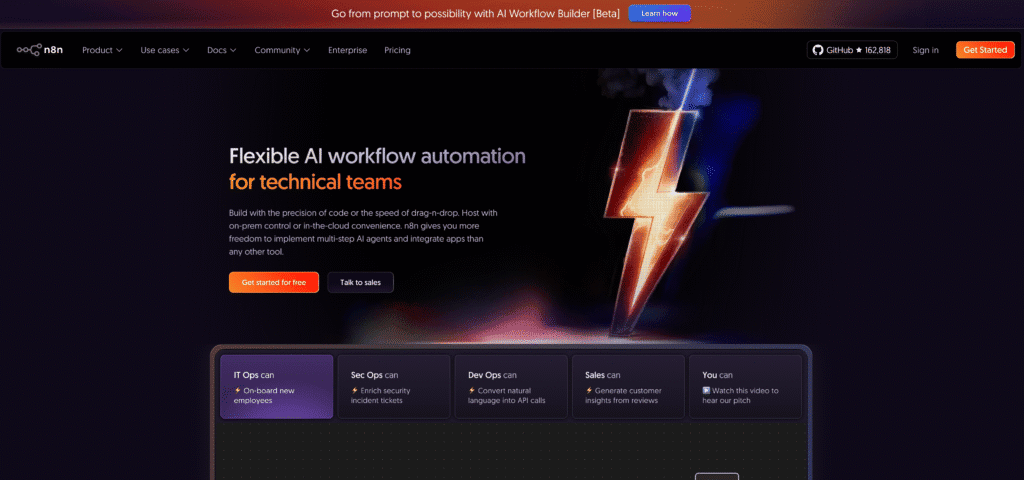
Best for: Teams with developers, complex AI workflows, custom integrations, technical depth
Strengths:
- Advanced LangChain integration for sophisticated AI (nearly 70 AI-dedicated nodes)
- Open-source option (self-hosted) for data control and privacy
- Best-in-class support for custom code integration
- Can build autonomous AI agents, chatbots with advanced context management, RAG systems
- Superior AI workflow capabilities compared to Make and Zapier
Limitations:
- Steeper learning curve (requires some developer comfort)
- Fewer pre-built templates
- Requires at least one developer on the team
Best Small Business Use Cases: AI-powered customer service agents, predictive analytics, advanced lead scoring with machine learning, custom invoice automation, document intelligence with LLMs
Pricing: Free (self-hosted) or $25–$300+/month (cloud)
HubSpot CRM: The All-in-One Solution
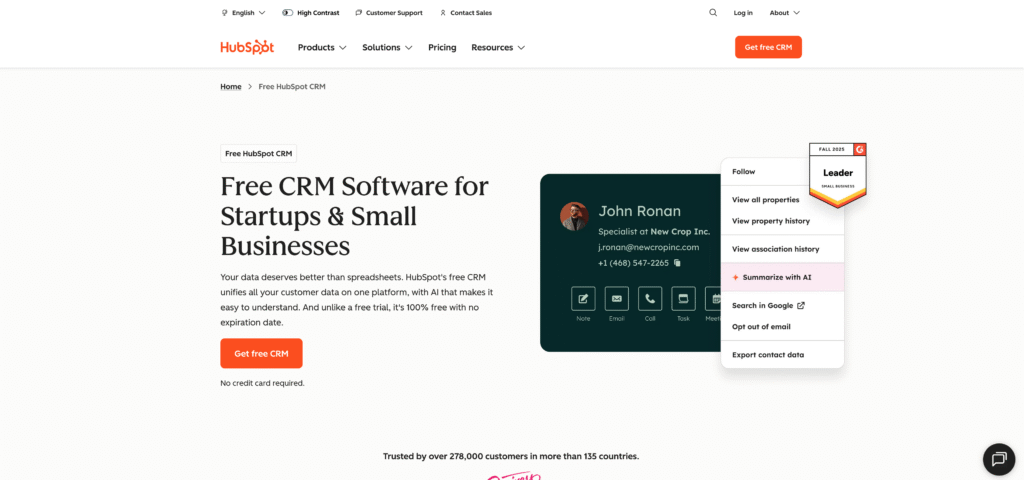
Best for: Sales-focused small businesses, marketing automation, customer relationship management
Strengths:
- Free CRM tier (no credit card required)
- Seamless automation for sales workflows, email sequencing, lead scoring
- Extensive app ecosystem and built-in integrations
- Growing AI features (content suggestions, meeting summaries)
- Non-technical team can build automations
Limitations:
- More expensive as you scale features
- Less flexibility outside the CRM ecosystem
- Limited for non-sales automation needs
Best Small Business Use Cases: Sales automation, lead assignment and scoring, email nurturing, customer lifecycle automation, meeting scheduling
Pricing: Free for basic CRM; $45–$120/month for automation features
Platform Comparison Table: No-Code vs Low-Code
| Criteria | Zapier (No-Code) | Make (No-Code/Low-Code) | n8n (Low-Code) |
|---|---|---|---|
| Learning Curve | 1–2 days | 3–7 days | 2–4 weeks |
| Setup Time | Hours to days | Days to 1 week | Weeks |
| Integrations | 7,000+ | 8,000+ | 500+ (focus on quality & depth) |
| Customization | Limited | Moderate | Extensive |
| AI Capabilities | Basic (Copilot assist) | Moderate (OpenAI, Eleven Labs, etc.) | Advanced (LangChain, autonomous agents) |
| Pricing | $20–$299/month | $11–$299/month | Free–$300+/month |
| Team Skills Needed | None | Intermediate | Developer required |
| Best For | Quick wins, simple workflows | Balanced complexity & speed | AI-heavy, custom workflows |
Case Studies: No-Code and Low-Code AI Automation ROI for Small Businesses
Understanding the impact these platforms deliver helps clarify your choice. Here are three concrete examples from growing small businesses:
Case Study 1: Digital Marketing Agency (5 People) – No-Code Approach
Challenge: The team spent 8–10 hours per week on administrative tasks: copying client feedback into Notion, generating reports from Google Sheets, scheduling Slack notifications for project updates, and manually updating the CRM with lead data from landing pages.
Solution: Implemented Zapier automation connecting HubSpot CRM, Slack, Notion, Google Sheets, and Typeform. Workflows included:
- Auto-create Notion project pages when HubSpot opportunities are marked “Qualified”
- Send Slack alerts when web forms are submitted with lead score > 8
- Weekly Google Sheets report generation and email delivery
- Automatic lead assignment based on workload
Implementation Time: 2 weeks (team member with no coding background)
- 8–10 hours per week saved on administrative work
- 20% increase in billable capacity (reclaimed 40–50 hours monthly)
- 12% improvement in customer retention (faster response times)
- Monthly cost: $50 (Zapier at $19.99/month tier)
- ROI: Payback in week 1
Key Insight: No-code was perfect here. The workflows were mostly standard business logic (lead assignment, notifications, data sync). The implementation speed and team comfort with the visual interface justified no-code completely.
Case Study 2: E-Commerce Retail Brand (8 People) – Hybrid No-Code + Low-Code
Challenge: A 6-year-old online retailer selling outdoor gear was losing revenue to stockouts, shipping delays, and poor product recommendations. Manually checking inventory across three suppliers, forecasting demand, and recommending products took 15+ hours weekly.
Solution:
- No-Code Layer: Zapier automation for order routing, tracking notifications, and customer email alerts ($50/month)
- Low-Code Layer: Make automation for dynamic pricing based on competitor data, inventory forecasting, and personalized product recommendations ($100/month + consultant time)
Implementation Time: 8 weeks (4 weeks no-code, 4 weeks low-code)
- 15% increase in average order value (from AI product recommendations)
- 12% improvement in customer retention
- Reduction in stockouts by 25%
- Faster shipping (48–72 hours vs. 5–7 days)
- Monthly cost: $150
- ROI: Payback in 6 weeks; annualized revenue lift: $45,000–$60,000
Key Insight: A hybrid approach won. The routine workflows (order processing, notifications) needed no-code simplicity. The strategic workflows (demand forecasting, dynamic pricing) needed low-code power. Together, they transformed operations without requiring a developer.
Case Study 3: Manufacturing SME (15 People) – Low-Code for Mission-Critical Automation
Challenge: Equipment downtime cost £5,000+ per incident. The plant manager visually inspected machines weekly, but breakdowns still occurred. The team needed predictive maintenance automation.
Solution: Implemented a low-code AI workflow using n8n that:
- Connected machine sensors via API to collect vibration, temperature, and runtime data
- Built predictive models flagging maintenance needs before failures
- Automated maintenance scheduling and parts ordering
- Generated analytics reports for the production team
Implementation Time: 3 months (required a contractor with IoT and n8n expertise)
- Prevented £100,000 in unscheduled downtime annually
- 25% reduction in maintenance costs
- Improved overall equipment effectiveness (OEE) by 12%
- Faster issue resolution and proactive maintenance scheduling
- Annual cost: £15,000–£20,000 (implementation + platform costs)
- ROI: Payback within 2–3 months; 400%+ annual ROI
Key Insight: Low-code was essential. This wasn’t a simple workflow. It required custom data pipelines, machine learning model integration, API connectivity, and sophisticated error handling. Only low-code could deliver the reliability and customization needed for mission-critical operations.
No-Code vs Low-Code AI Automation by Business Function
Different departments have different automation needs. Here’s how no-code and low-code apply across your business:
Sales Department
Common Automation Needs:
- Lead capture and scoring
- CRM data entry and enrichment
- Personalized email sequencing
- Sales pipeline visibility and forecasting
- Deal alert notifications
No-Code Solution: HubSpot CRM + Zapier for lead assignment, email automation, and data sync. Cost: $50–$150/month. Setup: 1–2 weeks. Teams see 15+ hours saved weekly.
Low-Code Solution: Make or n8n for AI-powered lead scoring using behavioral data, advanced segmentation, and predictive close-rate modeling. Cost: $100–$300/month + developer time. Setup: 4–6 weeks.
Example: A B2B services firm automated lead scoring and qualification. Result: 25% faster sales cycle, 260% improvement in conversion rates.
Recommendation: Start with no-code (HubSpot + Zapier) for quick wins. Upgrade to low-code only if lead-scoring accuracy requires custom algorithms or proprietary data sources.
Customer Service Department
Common Automation Needs:
- Chatbot responses and ticket routing
- Customer inquiry classification and priority assignment
- FAQ automation and self-service
- Response time and satisfaction tracking
- Escalation workflows
No-Code Solution: Landbot, Botpress, or ManyChat for AI-powered chatbots. Connect to Slack or email for internal routing. Cost: $25–$150/month. Setup: 1 week.
Low-Code Solution: n8n for custom chatbot workflows with multi-language support, sentiment analysis, and advanced escalation logic. Cost: $50–$300/month + development. Setup: 3–4 weeks.
Example: A 12-person e-commerce team deployed an AI chatbot answering 60% of customer inquiries without human involvement. Result: 24/7 availability, no additional staffing costs, 18% reduction in support ticket volume.
Recommendation: No-code chatbots cover 80% of use cases. Only choose low-code if you need multi-language support, custom escalation rules, or sentiment-based routing.
Finance Department
Common Automation Needs:
- Invoice processing and approval
- Expense categorization and reporting
- Fraud detection and anomaly alerts
- Invoice payment status tracking
- Financial forecasting and budget alerts
No-Code Solution: Zapier connecting accounting software (QuickBooks, Xero) with email, spreadsheet automation, and approval workflows. Cost: $50–$150/month. Setup: 2–3 weeks.
Low-Code Solution: n8n or Make for advanced invoice processing using OCR and machine learning, dynamic approval routing based on spend patterns, and predictive fraud detection. Cost: $100–$400/month + development. Setup: 6–8 weeks.
Example: A UK accounting firm automated invoice processing. Result: 25% reduction in fraud losses through AI-powered alerts, 45% reduction in manual invoice processing time, enhanced compliance.
Recommendation: No-code covers invoicing, approval workflows, and routine expense tracking. Move to low-code for fraud detection, dynamic approval routing, or integration with legacy ERP systems.
Marketing and Content Teams
Common Automation Needs:
- Lead nurturing and email campaigns
- Social media scheduling and publishing
- Content creation assistance (AI)
- Campaign performance tracking
- Lead qualification scoring
No-Code Solution: Zapier connecting CRM, email, social platforms, and spreadsheets. Add ChatGPT prompts for content generation. Cost: $50–$200/month. Setup: 1–2 weeks.
Low-Code Solution: Make for dynamic audience segmentation, advanced personalization, content generation with LLMs, and real-time campaign optimization. Cost: $100–$300/month. Setup: 2–3 weeks.
Example: A content marketing agency reduced content creation time by 85% monthly while maintaining quality standards. AI handled initial drafts; humans handled strategy and refinement.
Recommendation: No-code Zapier + ChatGPT integration covers most needs. Upgrade to low-code only if you need real-time audience segmentation or advanced personalization rules.
Key Challenges and How to Overcome Them
Both no-code and low-code approaches come with pitfalls. Knowing them helps you avoid expensive mistakes.
Challenge 1: Integration Gaps
Problem: You want to connect a tool that doesn’t have a pre-built connector in your no-code platform. Inventory management system? Niche POS? Specialized analytics tool? No-code platforms often don’t support them.
Solution:
- For No-Code: Check the platform’s connector library before committing. If your critical tool isn’t listed, plan for a low-code upgrade or accept manual data entry for that integration.
- For Low-Code: Custom API integrations are possible. n8n and Make both support direct API connections and webhooks, so you can build custom connectors without hiring a developer.
Challenge 2: Customization Limits
Problem: Your business logic is unique. Standard automation templates don’t fit. Lead scoring requires proprietary algorithms. Pricing is dynamic based on inventory and competitor data. No-code hits a wall.
Solution:
- For No-Code: Use no-code for routine tasks. Create a wish list of custom requirements. Once validated, invest in low-code for complex workflows.
- For Low-Code: Combine visual workflows with custom code blocks. Most low-code platforms let you write JavaScript or Python for unique logic while maintaining the visual interface for the rest of the workflow.
Challenge 3: Cost Creep
Problem: As you add automation, no-code monthly costs climb. Zapier can balloon from $50/month to $200–$500/month as you automate dozens of workflows.
Solution:
- Consolidate workflows. One well-designed workflow often replaces three simple ones.
- Audit your automation quarterly. Kill low-ROI automation.
- Consider low-code platforms with more generous pricing models (n8n cloud is $25–$100/month regardless of complexity).
Challenge 4: Team Training and Adoption
Problem: Your team doesn’t use the automation tools they’re supposed to. Adoption stalls.
Solution:
- For No-Code: Assign one person as the “automation champion.” They build workflows; the team uses them. No everyone needs to know how to build.
- For Low-Code: Hire or train one developer as the platform expert. Create reusable templates that non-developers can customize.
- Measure and celebrate wins. When a workflow saves a team member 5 hours, tell them explicitly: “That automation you used just freed 260 hours annually for your team.”
Challenge 5: Data Security and Compliance
Problem: You’re moving sensitive customer data through third-party platforms. What if there’s a data breach? What about GDPR, HIPAA, or industry regulations?
Solution:
- For No-Code: Use platforms with strong compliance certifications (SOC 2, GDPR). Review data retention policies. Avoid connecting sensitive data to free or untested platforms.
- For Low-Code: Self-hosted options (n8n self-hosted, Pipedream) keep data within your infrastructure. Higher security and compliance control, but more maintenance required.
No-Code vs Low-Code: The Decision Checklist
Before committing to either approach, work through this checklist:
Step 1: Define Your Automation Goal
- What process are you automating?
- How many hours will it save weekly?
- What’s the annual business impact (cost savings, revenue, quality)?
Step 2: Assess Workflow Complexity
- Is the logic simple (if X, then Y)?
- Or complex (if X AND (Y OR Z), then execute A, then check B, then C)?
- Does it require custom algorithms or unique business logic?
Step 3: Check Platform Support
- Do your core tools (CRM, accounting software, communication platform) have native connectors in your target platform?
- Will you need custom API integrations?
Step 4: Evaluate Team Skills
- Do you have developers on staff or budget to hire?
- Would non-technical staff benefit from building automation themselves?
Step 5: Calculate ROI
- Baseline: Hours spent on the process weekly × hourly labor rate = annual baseline cost
- With automation: Platform cost + setup cost (if low-code) = annual automation cost
- Benefit: Baseline cost − Automation cost = Net benefit (ROI)
- If ROI is positive within 6–12 months, proceed. If longer, reconsider.
Step 6: Choose Your Approach
- Simple workflow, tight budget, non-technical team? → No-code (Zapier, Make, HubSpot)
- Moderate complexity, some technical support, balanced ROI timeline? → Make (low-code hybrid)
- Complex workflow, strong technical team, mission-critical process? → n8n (low-code)
Frequently Asked Questions
Q1: Can a small business really afford AI automation, or is it just for enterprise?
Small businesses see the best ROI from automation. Median annual savings for small firms are around £7,500–£20,000. No-code platforms start at $20/month, so payback often happens in weeks for common workflows. Enterprise pays more upfront; small businesses scale faster and more profitably on a per-dollar basis.
Q2: How long does it take to see ROI from no-code or low-code automation?
Depends on the workflow complexity and business impact:
– Simple workflows (email, notifications, data entry): ROI in 2–4 weeks (no-code)
– Moderate workflows (lead scoring, customer workflows): ROI in 4–12 weeks (no-code or low-code)
– Complex workflows (predictive maintenance, advanced AI): ROI in 8–24 weeks (low-code), but often 200–500%+ annually once realized
Start with your highest-impact, simplest workflow first. Prove ROI. Then scale.
Q3: Do I need a developer to use no-code platforms?
No. That’s the entire point of no-code. Any team member (marketer, finance staff, operations manager) can build automation using visual interfaces. That said, having one developer helps when you hit integration challenges or need custom logic.
Q4: What’s the difference between “low-code” and just hiring a developer to build custom software?
Speed and cost. Custom development (hiring a developer or consulting firm to write code from scratch) costs £20,000–£50,000+ and takes 3–6 months. Low-code costs £5,000–£15,000 and takes 4–12 weeks because you’re using pre-built connectors, visual interfaces, and existing integrations. You’re accelerating custom development, not eliminating the technical work.
Q5: What happens if my no-code platform shuts down or raises prices dramatically?
It’s a real risk. Platforms consolidate or pivot. Here’s how to mitigate:
– Document your automation. Screenshot workflows and keep notes on the logic.
– Use multi-platform approaches. Don’t rely entirely on one vendor.
– Choose platforms with strong market positions (Zapier, Make have millions of users and heavy funding).
– Review pricing annually. If a platform becomes prohibitively expensive, migrate to a competitor.
Q6: Should I use a hybrid approach (no-code + low-code together)?
Yes, many successful small businesses do. No-code handles routine, straightforward workflows. Low-code solves complex, strategic automation. You get speed-to-market (no-code) and flexibility (low-code) without building everything from scratch.
Q7: Is “citizen developer” automation reliable enough for business-critical processes?
Depends on the process.
– Routine workflows (notifications, data entry, email sequences) built by non-developers in no-code platforms are reliable and sufficient.
– Mission-critical processes (payment handling, inventory management, fraud detection) should be built or reviewed by developers—use low-code or full custom development.
Conclusion: Your Next Step
Choosing between no-code vs low-code AI automation isn’t about picking the “better” technology. It’s about matching the right tool to your specific business challenge, budget, and team.
Start here: Pick your highest-impact workflow. Ask: Can I automate this in two weeks with no-code? If yes, do it. If no, save it for low-code. This “fast-win, then scale” approach lets you prove ROI quickly, build team confidence, and justify more sophisticated automation.
Small businesses that move fastest in 2026 won’t be those with the fanciest AI. They’ll be the ones who started simple, measured results, and systematically removed friction from their operations. Whether you use no-code, low-code, or both, the winners are those who decide today and automate tomorrow.
Ready to Get Started?
Explore a Free No-Code Platform Pilot – Try Zapier Free (1 zap, unlimited executions) or HubSpot CRM (free) with your simplest workflow. Prove concept in 2 weeks.
The competitive advantage in 2026 goes to the business owners who automate first, measure results, and keep improving. Your journey starts with a single workflow. Which one will it be?