Table of Contents
Running a small business means wearing many hats. Between customer service, product delivery, and operations, email marketing often becomes an afterthought—yet it’s one of your most profitable channels. The challenge? Sending generic, one-size-fits-all emails to your entire list typically results in low open rates, minimal conversions, and wasted time manually segmenting audiences and writing copy.
This is where AI tools for email marketing change the game. Instead of spending hours crafting campaigns, you can now leverage artificial intelligence to personalize emails at scale, send messages at the exact moment your customers are most likely to open them, and automatically nurture leads while you focus on running your business.
But with dozens of platforms available—from Mailchimp to ActiveCampaign to Brevo—choosing the right tool feels overwhelming. Which one actually works for small teams? Which offers the best ROI? How do you set up automation without technical expertise?
In this guide, you’ll learn what AI-powered email marketing really does, which top tools deliver measurable results for small businesses, and how to implement automation workflows that drive sales. Whether you’re starting from scratch or looking to upgrade your current system, this post will help you make a confident decision.
Why AI Tools for Email Marketing Matter Now
Small businesses face unprecedented competition. Larger companies spend millions on marketing technology and specialized teams. Yet you have something they don’t—agility and personal customer relationships.
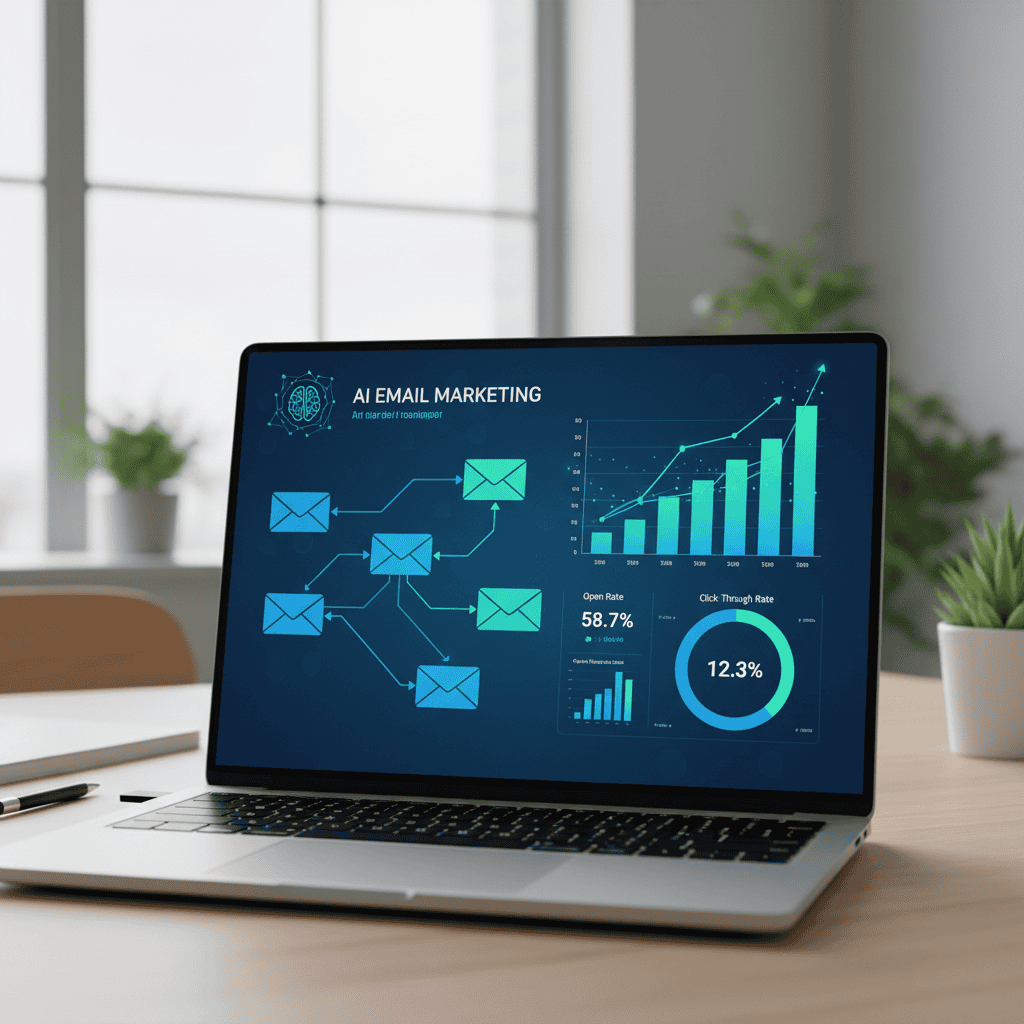
AI email marketing tools level the playing field. According to recent research, hyper-personalized emails (powered by AI) can improve click-through rates by up to 50%, and AI-powered campaigns deliver open rates of 20–25% compared to the 15% industry average.
More importantly, the email marketing ROI is exceptional: for every $1 spent, businesses earn an average of $36 in return—that’s a 3,600% ROI. For eCommerce specifically, some businesses see returns of $72 per $1 spent. Even with modest budgets, small businesses using automation see 40% higher open rates and measurably reduced customer churn.
The problem is no longer access to these tools—it’s knowing which ones to use and how to set them up. That’s what this guide solves.
What Are AI Tools for Email Marketing? A Definition for Small Businesses
AI tools for email marketing are software platforms that use machine learning and generative AI to automate, personalize, and optimize your email campaigns. Rather than you manually writing each email, setting send times, and managing lists, the AI handles the intelligent work.
Core capabilities of modern AI email marketing tools include:
- AI content generation: Automatically draft subject lines, email copy, and calls-to-action using generative AI (like GPT technology), which you then refine.
- Send-time optimization: Analyze when each subscriber is most likely to open emails and schedule delivery accordingly—increasing open rates by up to 20%.
- Behavioral segmentation and personalization: Automatically segment your audience based on purchase history, browsing behavior, or engagement level, then serve tailored content.
- Predictive lead scoring: Identify which leads are most likely to convert, so your sales team focuses on high-value prospects.
- Automated workflows: Set up trigger-based email sequences (e.g., welcome series, abandoned cart recovery, post-purchase follow-ups) that run without manual intervention.
- Performance analytics: Track key metrics—open rates, click-through rates, conversions—and get AI-powered recommendations to improve future campaigns.
For small business owners, this translates to one concrete benefit: doing professional-grade email marketing in a fraction of the time, with significantly better results, and without hiring additional staff.
Read more: Master AI Automated Email Campaigns: The Small Business Owner’s Guide to Effortless Growth
Manual vs. AI-Powered Email Marketing for Small Businesses: The Real Difference
Before diving into specific tools, it’s worth understanding how AI-powered email marketing differs from traditional approaches. This comparison shows why the shift matters for your business.
| Aspect | Manual Email Marketing | AI-Powered Email Marketing |
|---|---|---|
| Time to create a campaign | 2–4 hours (writing, segmenting, scheduling) | 30–60 minutes (AI drafts; you refine and review) |
| Personalization depth | Basic (name insertion, maybe one dynamic field) | Individual-level personalization (behavior, purchase history, preferences) |
| Send-time decision | Guess or test one time (e.g., Tuesday 10 AM) | AI analyzes each subscriber’s open patterns and sends at optimal time |
| Lead nurturing | Fixed, pre-written sequences sent on a schedule | Behavior-triggered sequences that adapt in real time |
| Content quality | Consistent but generic (same for all) | Dynamic and contextual (changes per recipient) |
| List hygiene | Manual review of engagement metrics | Automated re-engagement campaigns; AI flags inactive contacts |
| A/B testing | Test 1–2 subject lines or send times per campaign | AI tests dozens of variables simultaneously per recipient segment |
| ROI tracking | Manual spreadsheet or basic platform reports | Real-time dashboards with predictive insights and optimization suggestions |
| Cost (small business with 5,000 contacts) | \$30–50/month + ~5–10 hours labor per week | \$15–50/month + ~2–3 hours labor per week |
Bottom line: AI tools compress your workload while multiplying results. A small legal services firm, for example, saw a 40% increase in email open rates, a 25% rise in consultation bookings, and stronger client retention after switching to an AI-powered email platform.
Top 5 AI Tools for Email Marketing That Small Businesses Actually Use
Choosing the right platform depends on your business type, budget, and automation needs. Here are the most practical options:
1. Mailchimp: Best for Beginners and Growing Small Businesses
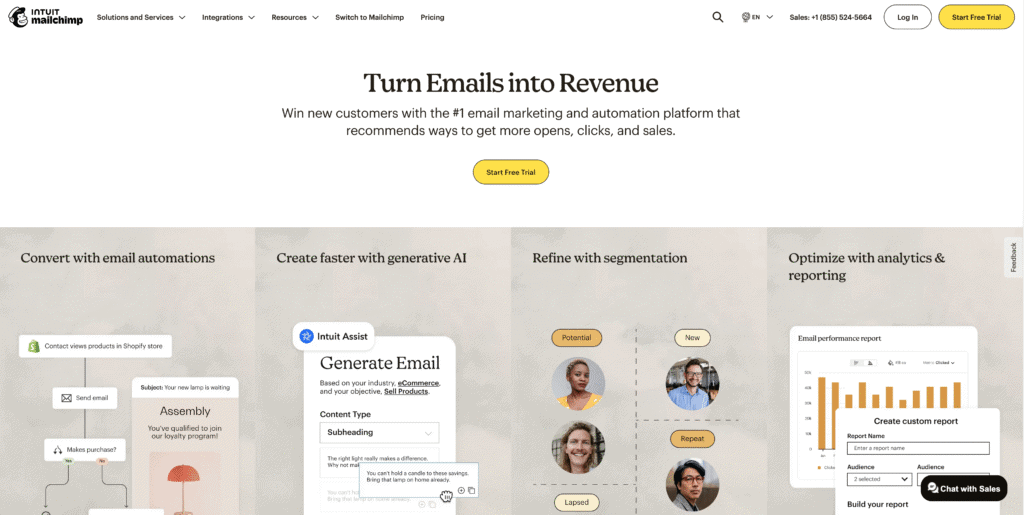
Mailchimp is an all-in-one email marketing and automation platform with 20+ AI-powered features built in.
Key AI features:
- AI content generator (creates subject lines, headers, preview text, and body copy using GPT technology)
- Send-time optimization (recommends best day and time for maximum engagement)
- Content optimizer (suggests improvements to readability, CTAs, tone, and formatting)
- Audience insights and segmentation recommendations
- Automated campaign creation with Intuit Assist (generates personalized flows like welcome sequences and abandoned cart reminders)
Best for: Small businesses and solo entrepreneurs who want powerful automation without overwhelming complexity. Bloggers, eCommerce stores with under 10,000 contacts, and service-based businesses.
Pricing: Free plan (up to 500 contacts, 1,000 emails/month); paid plans start at $13/month (Essentials) and scale from there.
Pros:
- Free plan is genuinely useful (not a crippled trial)
- Interface is intuitive even for non-technical users
- AI features integrated throughout (no separate tools needed)
- 300+ integrations with CRMs, eCommerce platforms, and workflows
Cons:
- Advanced automation is less flexible than ActiveCampaign
- Free plan limitations (no A/B testing, limited templates)
- Can feel limited as you scale beyond 25,000 contacts
Example: An online retailer with 8,000 subscribers used Mailchimp’s AI content generator to create welcome sequences in under an hour. Combined with send-time optimization, their open rates jumped from 12% to 19% within two months.
Mailchimp Review: 7 Powerful Reasons Mailchimp’s AI Tools Transform Small Business Marketing in 2026 (Honest Review)
2. ActiveCampaign: Best for Advanced Automation and Lead Nurturing
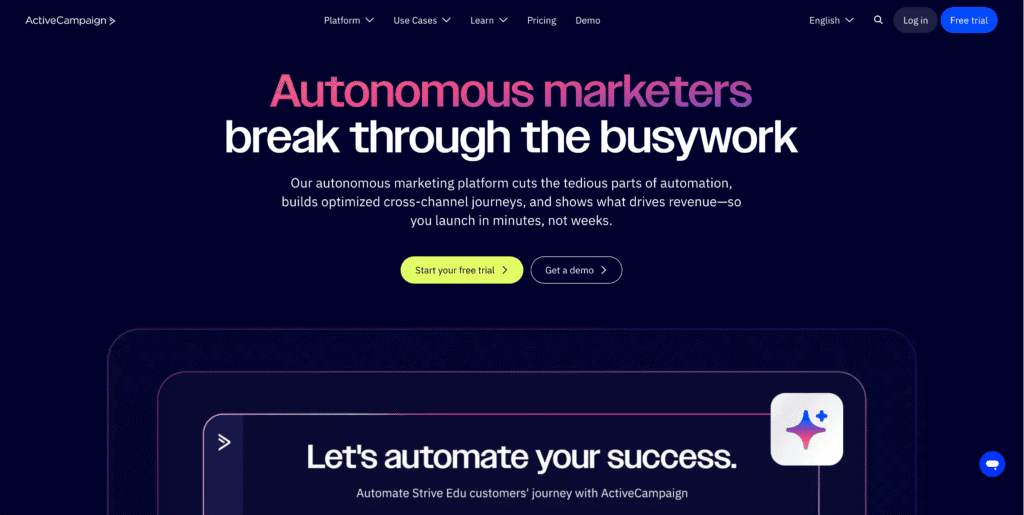
ActiveCampaign is an enterprise-grade email marketing platform with powerful automation, CRM, and predictive analytics designed for businesses that need sophisticated customer journeys.
Key AI features:
- Predictive sending (AI forecasts the best time for each subscriber to receive an email for maximum response)
- AI-based lead scoring (identifies high-conversion prospects automatically)
- Smart content recommendations (AI suggests next-step offers based on user behavior)
- Automated customer experience journey mapping (builds complex workflows visually)
- Behavioral automation (triggers actions based on subscriber activities)
Best for: Businesses that rely heavily on lead nurturing, have complex sales cycles, or want a unified CRM and email platform. SaaS companies, B2B service providers, agencies.
Pricing: Starts at approximately $29–49/month (depending on contact list size); scales with features.
Pros:
- Unmatched automation capabilities (advanced workflows that adapt to user behavior)
- Integrated CRM means all customer data in one place
- Strong predictive analytics and lead scoring
- Excellent deliverability and compliance features
Cons:
- Steeper learning curve (requires more technical setup)
- Pricier than Mailchimp or Brevo, especially for large lists
- No true free plan (though 14-day free trial available)
- Interface can feel overwhelming for beginners
Example: An SaaS company with a 15,000-contact list used ActiveCampaign’s predictive sending to optimize delivery across multiple time zones. Combined with behavioral automation for onboarding sequences, they increased product demo bookings by 35% in three months.
3. Brevo: Best for Budget-Conscious Small Businesses and Multi-Channel Marketing
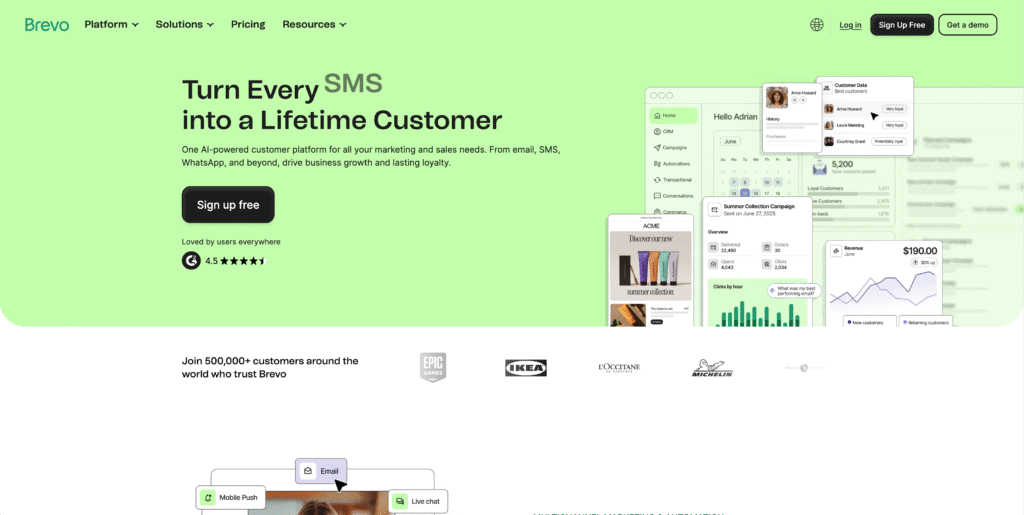
Brevo is an affordable all-in-one marketing platform combining email, SMS, WhatsApp, live chat, and marketing automation—all in one dashboard.
Key AI features:
- AI content assistant (Aura) for generating and refining subject lines, email copy, and CTAs
- AI subject line analyzer and optimizer
- Forecast-based send-time optimization (determines best delivery timing per subscriber)
- AI-driven marketing automation (analyzes customer behavior for segmentation and personalization)
- Multi-channel workflow automation (SMS, email, and WhatsApp in one sequence
- AI sales assistant (auto-generates sales emails, enriches contacts)
Best for: Small businesses on tight budgets, retailers with large email lists, businesses wanting SMS + email automation, and those seeking affordability without sacrificing power.
Pricing: Free plan (up to 300 emails/day); paid plans start at ~$20/month for larger volume. Pricing based on email volume rather than list size.
Pros:
- Most affordable option with advanced features
- Multi-channel (email, SMS, WhatsApp) from one platform
- Unlimited contacts on paid plans
- Easy-to-use interface with powerful automation
- Strong analytics and ROI reporting
- Flexible pricing structure (you only pay for emails sent, not subscriber count)
Cons:
- SMS and advanced automation add cost
- Slightly less polished interface than Mailchimp or HubSpot
- CRM functionality is basic compared to ActiveCampaign
- Some users report learning curve for advanced features
Example: A boutique retail business with 35,000 email subscribers switched from Mailchimp to Brevo to reduce costs. They added SMS abandoned-cart reminders alongside email workflows, recovering 23% more carts per month. Total monthly cost: $45 (vs. $150+ on competitors).
4. MailerLite: Best for Creators and Simple Automation
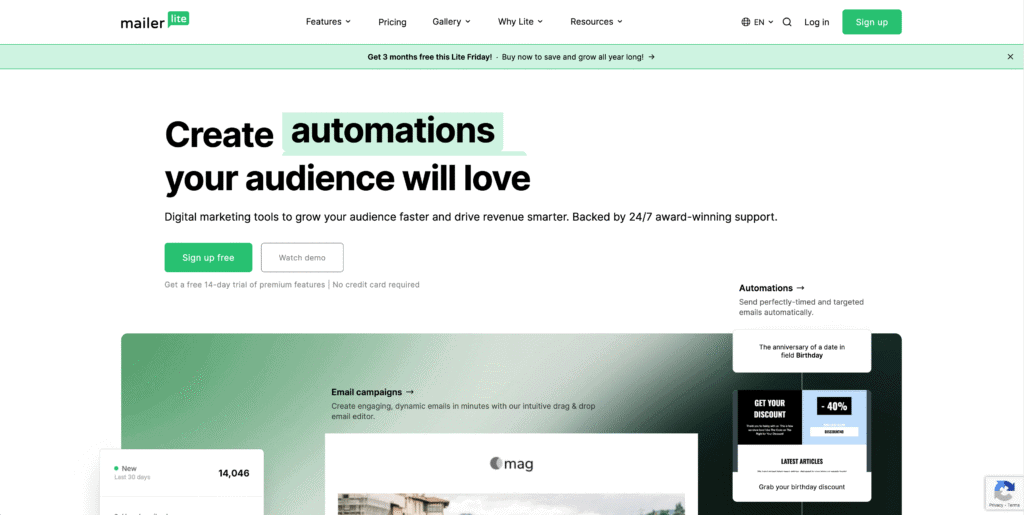
MailerLite is a lightweight, creator-friendly email marketing platform with clean design and essential AI features at an affordable price.
Key AI features:
- AI subject line generator (creates multiple options; you choose)
- Smart automation builder (visual workflows with minimal complexity)
- Predictive send timing (AI recommends best send times)
- Auto-segmentation (categorizes subscribers based on behavior)
Best for: Bloggers, online creators, coaches, agencies managing multiple clients, and small businesses wanting simplicity over advanced features. Best delivery rates (99.73%) for newsletter-style content.
Pricing: Free tier (up to 1,000 subscribers); advanced plan with AI features from $18/month.
Pros:
- Extremely clean, intuitive interface
- Affordable pricing, especially for creators
- Excellent email deliverability (99.73% rates)
- Generous free plan
- Subscriber-based pricing (simpler to scale)
Cons:
- Limited advanced automation (not suitable for complex CRM workflows)
- Fewer integrations than Mailchimp or ActiveCampaign
- Basic reporting features
- Not ideal for eCommerce (lacks product recommendation engine)
Example: An online course creator managing 12,000 subscribers reduced email management time from 6 hours/week to 2 hours/week using MailerLite’s automation. AI-powered subject lines increased open rates from 18% to 24%, directly improving course enrollment.
5. Omnisend: Best for eCommerce Businesses
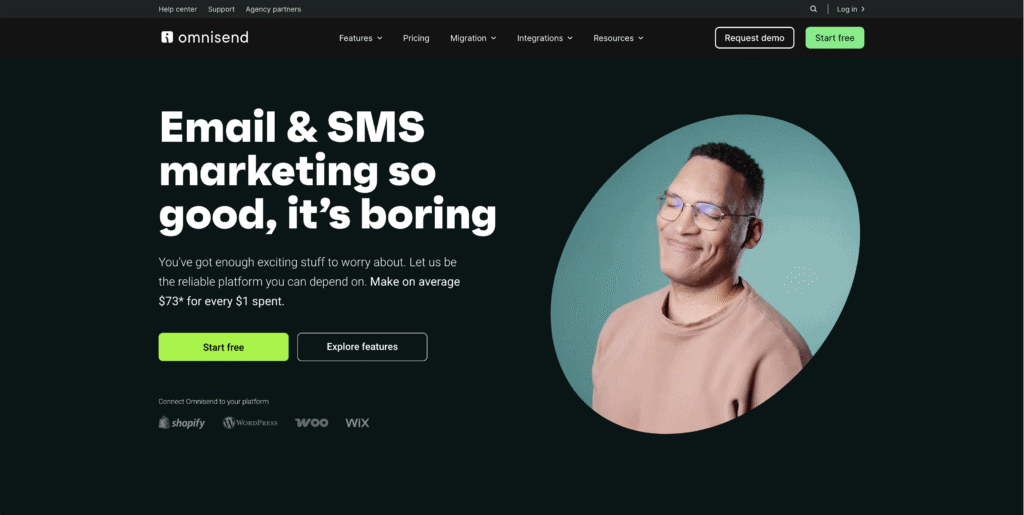
Omnisend is a purpose-built email and SMS marketing platform designed specifically for online retailers using Shopify, WooCommerce, or custom storefronts.
Key AI features:
- AI-generated product recommendations (suggests items to each subscriber based on purchase history)
- Behavioral trigger automation (sends emails when customers abandon carts, view products, or make purchases)
- Intelligent segmentation based on purchase history
- Predictive timing for send optimization
- Cross-channel eCommerce integration (email + SMS + push notifications)
Best for: Online retailers, eCommerce agencies, Shopify store owners, subscription box companies, and brands heavily focused on repeat sales and cart recovery.
Pricing: Free account; paid plans start at $16/month (eCommerce-focused pricing).
Pros:
- Purpose-built for eCommerce (understands shopping carts, product recommendations, browse abandonment)
- Excellent abandoned-cart recovery workflows
- Drag-and-drop editor with product picker (no coding needed)
- SMS and email in one platform
- Cost-effective for list-based businesses
Cons:
- Less suitable for B2B or service-based businesses
- Limited CRM functionality
- Fewer customization options than ActiveCampaign
- Best features require paid plans
Example: A jewelry eCommerce store with 25,000 subscribers implemented Omnisend’s AI product recommendations in abandoned-cart emails. Result: 18% of abandoned carts recovered (vs. 8% before), adding ~$12,000/month in recovered revenue.
How to Choose the Right AI Email Marketing Tool for Your Small Business
With so many options, decision paralysis is real. Use this decision tree:
1. What’s your primary business type?
- eCommerce? → Start with Omnisend
- B2B/services? → ActiveCampaign or Brevo
- Creator/newsletter? → MailerLite or Mailchimp
- Just starting out? → Mailchimp
2. What’s your budget?
- Under \$30/month? → Brevo or MailerLite
- \$30–100/month? → Mailchimp (paid) or Omnisend
- \$100+/month for advanced features? → ActiveCampaign
3. How many subscribers do you have now? (And expect in 12 months?)
- Under 5,000 → Any tool works fine
- 5,000–25,000 → Mailchimp, Brevo, or MailerLite
- 25,000+ → Brevo (unlimited contacts) or ActiveCampaign (if you need advanced automation)
4. Do you need multi-channel marketing (email + SMS + WhatsApp)?
- Yes → Brevo (best value) or Omnisend (if eCommerce)
- Email only → Any tool
5. How important is a gentle learning curve?
- Need simplicity → Mailchimp or MailerLite
- Willing to learn for power → ActiveCampaign
AI-Powered Email Automation Workflows: Practical Examples for Small Businesses
Understanding which tool to pick is only half the battle. The real ROI comes from implementing automation workflows that run while you sleep. Here are four proven workflows that work across all these platforms:
Workflow 1: Welcome Series (Your First Impression)
Trigger: New subscriber joins your email list (via signup form, opt-in, or purchase).
Goal: Introduce your brand, build trust, and drive first action (purchase, demo booking, or content download).
Email sequence:
- Email 1 (Immediate, within 1 hour): A warm welcome message that thanks them, sets expectations, and offers an incentive (discount code, free resource, exclusive offer).
- Email 2 (Day 2–3): Share your brand story, mission, or unique value. Build emotional connection.
- Email 3 (Day 4–5): Provide social proof (testimonials, case studies, user count). Address common objections.
- Email 4 (Day 7+): Segment based on Email 1–3 engagement. Send targeted content (abandoned-cart recovery, product recommendations, or re-engagement offer).
Performance metrics: Open rate, click-through rate, conversion rate (first purchase), and unsubscribe rate.
Real impact: A SaaS onboarding tool used AI to personalize welcome sequences by company size. Result: 83.63% open rate (vs. 15% industry average), 19.85% click-to-open rate, and 28% of recipients took a desired action within 7 days.
Workflow 2: Abandoned Cart Recovery (Recover Lost Revenue)
Trigger: Customer adds items to cart but doesn’t check out within a set time frame (usually 1 hour).
Goal: Remind them of items, address objections, and recover the sale—often with a small incentive.
Email sequence:
- Email 1 (1–3 hours after abandonment): A gentle reminder with product images and descriptions. Keep it short and focus on reactivating interest. No discount yet—just create curiosity.
- Email 2 (24 hours later): Address potential concerns. Highlight shipping speed, return policy, or customer testimonials. Offer limited help (chat link, FAQ).
- Email 3 (3–5 days): If still no purchase, introduce urgency. Offer a time-limited incentive (10% off, free shipping, or bundle deal). Make clear this is your last reminder.
Performance metrics: Cart recovery rate, conversion rate from recovery emails, average order value (AOV) of recovered carts.
Real impact: Using AI send-time optimization, an eCommerce brand increased abandoned-cart recovery from 8% to 18%, recovering ~$12,000/month in lost sales.
Workflow 3: Re-Engagement Campaign (Win Back Inactive Subscribers)
Trigger: No email opens or clicks in the last 90 days (you set the threshold).
Goal: Determine if they’re still interested, segment out the truly inactive (to protect sender reputation), and win back engaged subscribers.
Email sequence:
- Email 1 (Friendly Check-In): “We miss you!” message. Remind them of the benefits they’re missing. Ask them to re-engage with a single click.
- Email 2 (Incentive Offer): Exclusive offer (discount, free shipping, bonus resource). Emphasize “just for you—active subscribers only.”
- Email 3 (Feedback/Survey): If still no response, ask for honest feedback. Use a simple survey: “Why haven’t you opened our emails?” This provides valuable data and shows you care.
- Email 4 (Last Chance): Final message. Make clear: “This is our last email unless you confirm you want to stay on the list.” Provide one-click unsubscribe to respect their inbox and maintain list health.
Performance metrics: Re-engagement rate, unsubscribe rate, list quality improvement.
Why it matters: Inactive subscribers tank your sender reputation. Cleaning your list through re-engagement actually improves open rates for active subscribers.
Workflow 4: Post-Purchase Nurturing (Drive Repeat Business)
Trigger: Customer completes a purchase or receives their order.
Goal: Increase satisfaction, reduce returns, encourage reviews, and build a foundation for repeat purchases.
Email sequence:
- Email 1 (Immediate): Order confirmation with detailed receipt and thank-you message. Set expectations (shipping timeline, what to expect next).
- Email 2 (On Shipment): Shipping confirmation with tracking link and estimated delivery date. Reduce anxiety by proactively answering “Where’s my order?”
- Email 3 (Post-Delivery, 2–3 days after arrival): Usage tips, care instructions, or helpful resources related to their purchase. Show them how to get maximum value.
- Email 4 (7–14 days post-purchase): Request a review or feedback on their experience. Make it easy (single-click rating, brief survey). Personalize by referencing their purchase.
- Email 5 (30+ days post-purchase): Send AI-generated product recommendations based on their purchase history. Example: if they bought a beginner yoga mat, recommend yoga blocks and straps.
Performance metrics: Repeat purchase rate, customer lifetime value (CLV), review submission rate, customer support ticket volume.
Real impact: A fitness equipment retailer used post-purchase automation to nurture 5,000 new customers. By sending personalized follow-ups and recommendations, repeat purchase rate jumped from 12% to 28% within 6 months.
AI Email Marketing Best Practices for Small Businesses
Now that you understand workflows, here are tactical best practices to maximize your results:
1. Build a Quality List Over Quantity
Small businesses often chase large subscriber counts. Resist this urge. A list of 5,000 genuinely interested people will outperform 50,000 unengaged contacts.
- Use single and double opt-in (confirm subscription via email link) to ensure real addresses.
- Avoid buying email lists—purchased lists have 5–10x higher bounce rates and spam complaints.
- Segment from day one. Capture customer intent at signup (e.g., “I’m interested in: blog updates / product recommendations / sales offers”).
2. Segment Strategically Before Automation
AI works best with context. Before setting up workflows, segment your audience:
- By behavior: Purchasers vs. browsers vs. engaged readers vs. inactive
- By product/service interest: (e.g., “interested in email marketing tools” vs. “interested in CRM software”)
- By lifecycle stage: New subscribers vs. customers vs. lapsed customers
- By engagement level: Hot leads vs. warm leads vs. cold leads
Example: Instead of one welcome series for all, create two versions—one for customers who just purchased, another for free-trial signups. AI within your tool will further personalize within each segment.
3. Write for Humans First, AI Recommendations Second
AI content generators are powerful, but never publish AI output without human review. Use AI to:
- Generate 3–5 subject line options (you choose the best)
- Draft email body copy (you refine tone and brand voice)
- Suggest CTA options (you decide what action matters most)
Never copy-paste raw AI output. Your subscribers will notice, and engagement will suffer.
4. Test Relentlessly (But Keep It Simple)
Set up A/B tests for:
- Subject lines (e.g., “Save 20% today” vs. “Your 20% discount inside”)
- Send times (let AI recommend; segment and test across time zones)
- CTA copy (e.g., “Buy now” vs. “Claim your discount”)
Avoid testing too many variables at once. Change one element per test; run for at least 2 weeks; implement winning version across all future campaigns.
5. Monitor Metrics That Matter
Track these key metrics for every campaign:
| Metric | What it means | Healthy range (small business) |
|---|---|---|
| Open rate | % of subscribers who opened the email | 15–25% (industry average: 15%; AI tools often improve this to 20–25%) |
| Click-through rate (CTR) | % of opened emails where recipient clicked a link | 2–5% (higher in segmented campaigns) |
| Conversion rate | % of clicks that resulted in a desired action (purchase, signup, etc.) | 1–5% (depends on offer quality) |
| Unsubscribe rate | % of recipients who opted out | <0.5% (anything higher indicates content-market fit issue) |
| List growth rate | How many new subscribers you add per week | 2–5% weekly growth is healthy for small businesses |
AI tip: Most platforms show these metrics instantly. Review them weekly; use AI recommendations to improve weak-performing campaigns.
6. Comply and Respect Your Subscribers
Email marketing has legal requirements:
- Include a physical mailing address in every email (required by CAN-SPAM)
- Honor unsubscribe requests immediately (required by GDPR, CAN-SPAM, CASL)
- Get explicit permission before emailing (never use purchased lists or auto-enrolled signups)
- Disclose your relationship with affiliates if you promote partner products
Compliance isn’t just legal—it protects your sender reputation and email deliverability. Use authentication protocols (SPF, DKIM, DMARC) to prevent spoofing.
7. Implement Predictive Send-Time Optimization
Don’t guess when to send. All five platforms discussed above offer AI send-time optimization:
- Mailchimp, Brevo, and MailerLite use smart send timing
- ActiveCampaign’s predictive sending can improve open rates by up to 20%
- Omnisend’s predictive timing accounts for eCommerce-specific patterns
Let AI analyze subscriber behavior and send at the moment each person is most likely to open. This alone can lift open rates by 5–15%.
FAQ: Common Questions Small Business Owners Ask About AI Email Marketing Tools
Q1: Which AI email marketing tool is best for a beginner with no marketing experience?
Mailchimp is the best starting point. It has the gentlest learning curve, a free tier with real functionality, and AI features integrated into the core interface. The free plan (500 contacts, 1,000 emails/month) is enough to test and validate email marketing before spending money. If you want something even simpler and plan to grow quickly, MailerLite is a close second.
Once you’re comfortable, upgrade to Brevo for multi-channel capabilities or ActiveCampaign for advanced automation.
Q2: Can I really automate email marketing without technical knowledge?
Yes. All five platforms discussed here offer drag-and-drop workflow builders—no coding required. Tools like Mailchimp and MailerLite are explicitly designed for non-technical users. You define triggers (e.g., “when someone clicks this link”) and actions (e.g., “send this email”), and the platform automates the rest.
That said, more complex workflows (e.g., “if they purchased Product A and haven’t clicked Product B email in 7 days, then…”) may benefit from a quick YouTube tutorial or the platform’s documentation.
Q3: How much should I expect to spend on an AI email marketing tool per month?
For small businesses (under 10,000 subscribers), expect:
– Budget option: $0–30/month (Mailchimp free, Brevo free, or MailerLite with paid add-ons)
– Mid-range: $30–80/month (Mailchimp paid, Brevo paid, or Omnisend)
– Premium/advanced: $100+/month (ActiveCampaign)
To calculate your potential ROI: If you send one campaign per month to 5,000 subscribers and achieve a 2% click-through rate and 5% conversion rate on a $50 product, that’s 5,000 × 0.02 × 0.05 × $50 = $250/month in revenue. A $30/month tool pays for itself in less than a week.
Q4: How long does it take to see results from AI email marketing?
Small improvements show within 1–2 campaigns (2–4 weeks). Larger, measurable ROI typically emerges within 3–6 months once you’ve:
– Built a quality list of 1,000+ engaged subscribers
– Implemented 2–3 core automation workflows
– Tested subject lines and send times
– Segmented your audience by at least one meaningful criterion
A legal services firm (mentioned earlier) saw a 40% increase in open rates and 25% increase in consultation bookings within 6 months.
Q5: What’s the difference between behavioral automation and rule-based automation?
– Rule-based (traditional): “Send this email to everyone on List A every Tuesday at 10 AM.” Everyone gets the same message at the same time.
– Behavioral (AI-powered): “When someone clicks link X, wait 48 hours, then send personalized Email Y at the time they’re most likely to open it.” The action adapts based on real subscriber behavior.
All five platforms offer both, but behavioral automation delivers significantly higher engagement. AI-powered behavioral triggers increase conversions by 30–50% compared to static rule-based sends.
Q6: Can I switch tools without losing my subscribers?
Yes. Your email list is your asset. You can:
1. Export your contact list (usually as a CSV file) from your current platform
2. Import it into the new platform
This takes 5–30 minutes depending on list size. However: Email providers track engagement metrics separately, so your open/click history won’t transfer. You’re starting fresh on engagement tracking, but your subscriber base stays intact.
Pro tip: Before switching, ensure the new platform has an import feature and test it with a small segment first.
Q7: Do I really need AI, or is basic email marketing enough?
A: For a small business starting out, basic email marketing (without AI) can work. But AI tools are now so affordable and accessible that the ROI justifies their use almost immediately.
Here’s the difference:
– Without AI: You manually write each campaign, guess send times, and segment by a few basic criteria. Result: 12–15% open rates, 1–2% conversions.
– With AI: Platform generates copy options, optimises send times, auto-segments, and personalises. Result: 20–25% open rates, 5–8% conversions.
If you value your time, AI is non-negotiable. Even a solo entrepreneur can reclaim 5–10 hours per week by automating email marketing.
Implementation Checklist: Getting Started with AI Email Marketing in 7 Days
Ready to implement? Use this checklist to get live within one week:
Day 1: Choose Your Platform
- Review the five platforms (Mailchimp, ActiveCampaign, Brevo, MailerLite, Omnisend)
- Start with a free trial on your top choice
- Import or create a small test email list (ask 10–20 people to opt in for testing)
Day 2: Set Up Your Account
- Complete profile information (business name, website, contact details)
- Add domain authentication (SPF, DKIM records for deliverability)
- Create your email signature and brand template
- Connect any integrations (Shopify, WordPress, CRM, payment processor)
Day 3: Build Your First List
- Set up email signup forms on your website or landing page
- Create a lead magnet (free guide, template, discount code) to incentivize signups
- Add 20–50 real signups before launching any campaign
Day 4: Create Your Welcome Series
- Use the platform’s AI content generator to draft 3–4 welcome emails
- Refine subject lines, copy, and CTAs to match your brand
- Set up the automation trigger (when someone subscribes → send Email 1 immediately, Email 2 in 2 days, etc.)
- Test by signing up with a personal email address
Day 5: Launch Your First Campaign
- Write a value-focused email to your initial list (e.g., “Here’s what we just launched” or “5 tips for [your niche]”)
- Use AI subject line suggestions
- A/B test two subject lines on 50% of your list; send winning version to remaining 50%
- Schedule send time using AI optimization
Day 6: Review and Iterate
- Check open rates, click-through rates, and unsubscribe rates within 24 hours
- Identify which subject line, CTA, or copy element performed better
- Document your learning for next campaign
Day 7: Plan Next Steps
- Set up an abandoned-cart or re-engagement workflow (based on your business type)
- Create a simple content calendar for email campaigns (1–2 per week)
- Schedule a recurring 30-minute weekly review of metrics and AI recommendations
Conclusion: Email Marketing Is Your Fastest Path to Profit
Small businesses face unique constraints: limited budget, lean teams, and limited time. Yet email marketing—especially when powered by AI—levels the playing field.
The ROI is undeniable: for every $1 spent on email marketing, small businesses earn an average of $36 in return. Automated workflows (like welcome series and abandoned-cart recovery) earn up to $1.94–$16.96 per recipient, depending on implementation quality. Mobile-optimized, personalized emails can increase click-through rates by 50%.
But ROI alone doesn’t capture the real benefit. AI tools for email marketing give you back time. Instead of spending 10 hours per week writing emails, scheduling campaigns, and manually segmenting lists, you spend 2–3 hours on strategy while the platform handles execution.
Here’s what we covered:
- Five proven AI email marketing tools, each suited to different business types and budgets
- The workflows that consistently drive sales (welcome series, abandoned-cart recovery, re-engagement, post-purchase nurturing)
- Best practices for list building, segmentation, automation, and compliance
- A clear implementation roadmap to get live in one week
Your next step: Choose one platform from this guide, start a free trial, and import (or collect) your first 50–100 email addresses. Set up a simple welcome workflow. Send your first campaign within one week. Track open and click rates. Iterate.
AI email marketing isn’t a luxury—it’s an operational necessity in 2025. The good news? It’s more affordable and user-friendly than ever before.
Read more: AI Automation for Small Businesses: Your Comprehensive Guide to Achieve More with Less