
Table of Contents
If you’re a small business owner, you know the struggle: bookkeeping feels like a second job. Between invoices, expense receipts, bank reconciliations, and tax preparation, manual financial tasks consume time you should spend growing your business. You’re not alone—91% of business leaders report that manual data entry undermines productivity, and 88% say it demoralizes their teams.
The good news? AI bookkeeping automation is solving this challenge. What once consumed 35–45 hours monthly can now be handled in under 10 hours, thanks to intelligent systems that categorize transactions, reconcile accounts, and generate insights automatically. For small businesses fighting cash flow challenges and competing with larger corporations, this efficiency gain isn’t optional—it’s becoming essential.
This guide explains what AI bookkeeping automation is, how it works, which tools deliver real results, and how to implement it without disrupting your operations. Whether you have a 2-person team or a growing 10-person operation, you’ll find actionable strategies and proven examples relevant to your situation.
By the end, you’ll understand how to reclaim dozens of hours monthly, reduce costly errors, and make faster financial decisions—all while staying compliant with tax regulations and audit requirements.
What Is AI Bookkeeping Automation?
AI bookkeeping automation uses machine learning and artificial intelligence to handle routine financial tasks that traditionally required manual entry, categorization, and reconciliation. Rather than replacing accountants, automation elevates them by handling repetitive grunt work so your team can focus on strategic financial guidance.
Core automated tasks include:
- Transaction categorization: AI analyzes bank feeds and automatically sorts expenses into the correct accounts
- Bank reconciliation: The system matches transactions across your bank, credit cards, and accounting records in minutes
- Invoice processing: Artificial intelligence extracts vendor details, amounts, and due dates from supplier invoices automatically
- Receipt matching: The platform connects receipts to transactions without manual linking
- Real-time reporting: Dashboards update continuously, showing cash flow, P&L, and expense trends as transactions occur
- Anomaly detection: The system flags unusual spending patterns, duplicate invoices, and potential fraud
The difference between automation and true AI-powered systems matters. Basic rules-based automation (like “if amount > $5,000, flag for review”) is helpful but limited. Modern AI learns from your business patterns, adapts to your vendor descriptions, and improves accuracy over time. Research shows AI-powered categorization achieves 90%+ accuracy compared to 75% for manual entry—a meaningful difference when you’re managing hundreds of transactions monthly.
Why AI Bookkeeping Automation Matters Now for Small Businesses
The Operational Reality: Manual Bookkeeping Is Costing You
Small business owners face a paradox. Growing your business requires focus—sales, customer service, product development. Yet bookkeeping demands relentless attention. Manually entering transactions, chasing receipts, reconciling accounts, and preparing reports feels like busywork, but it directly impacts your bottom line.
Consider the time cost alone. A typical small business processes 500–1,000 transactions monthly. At 2–3 minutes per manual entry, that’s 17–50 hours of work. More critically, manual processes create errors.
Market Shift: AI Tools Are Now Affordable and Accessible
Five years ago, AI-powered bookkeeping was reserved for enterprise companies with dedicated finance teams. Today, platforms like QuickBooks Online, Zoho Books, Zeni, and Digits offer AI features at price points small businesses can afford—starting at $35–100/month.
This accessibility matters because 43% of small-to-medium-sized businesses are projected to adopt AI automation between 2024 and 2029, and early adopters gain competitive advantages. Your competitors are already using these tools. Without automation, you’re manually processing what they’ve already delegated to AI.
ROI: Measurable Savings and Strategic Benefits
The financial impact is concrete:
- Time savings: Businesses typically recover 25–40% of hours spent on bookkeeping tasks, often 5–8 hours weekly.
- Error reduction: Automation cuts data-entry mistakes by 90%, eliminating costly corrections and audit delays.
- Cost reduction: Companies see 22% average operating cost reductions from automation, with some reporting 30–200% ROI in the first year alone.
- Revenue impact: Faster invoice processing and better cash flow visibility enable quicker decisions and tighter vendor relationships
Example: A UK retail company processing hundreds of invoices monthly reduced processing time from 10–15 minutes per invoice to under 3 minutes using AI automation—saving 40+ staff hours monthly that were redirected to customer service.
AI Bookkeeping Automation Tools for Small Businesses: A Practical Comparison
QuickBooks Online: The Familiar Leader with AI Features
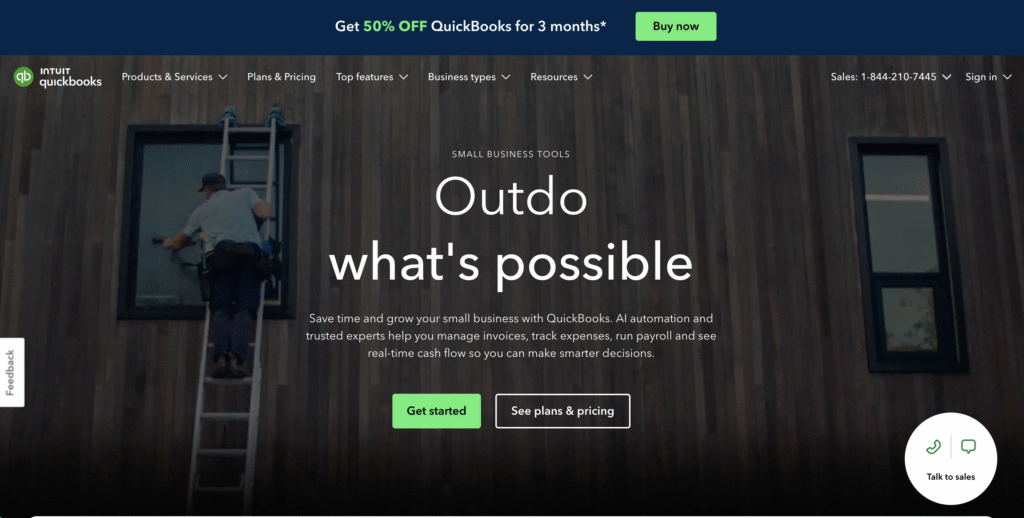
Best for: Small businesses already using QuickBooks or those wanting an integrated solution covering invoicing, expenses, and bookkeeping.
How it works: QuickBooks uses AI-assisted features (including its recently added Intuit Assist) to suggest account classifications, detect unusual transactions, and provide real-time cash flow insights. The platform seamlessly connects to most banks, automatically importing transactions.
Key features:
- Automatic invoice and receipt scanning
- Bank feed categorization with AI suggestions
- Cash flow forecasting powered by machine learning
- Real-time reporting dashboards
- Multi-user collaboration and audit trails
Pricing: Starts at $10/month; grows with advanced features.
Practical advantage: If you’re already invoicing through QuickBooks, the automation integrates seamlessly with your workflow. No data migration, no learning a new platform.
Limitation: QuickBooks’ AI feels like “features added to legacy software” rather than AI-native. It works well for straightforward bookkeeping but may require manual intervention more often than newer platforms.
Zeni: AI Bookkeeping with Human Verification
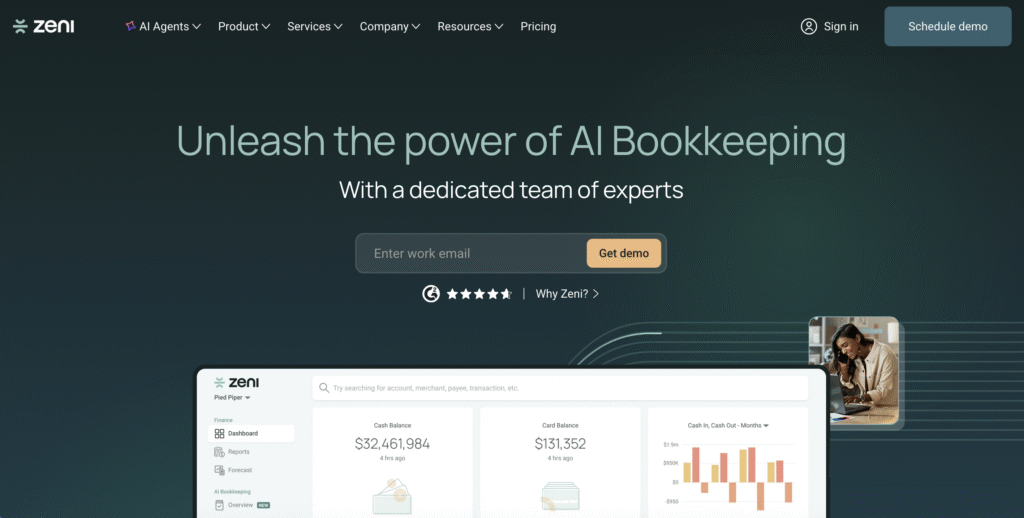
Best for: Growing startups and small businesses wanting fully automated bookkeeping paired with human review and CFO-level insights.
How it works: Zeni’s AI Accountant Agent automates bank reconciliations, journal entries, and transaction matching 24/7. In-house finance experts review outputs to ensure GAAP compliance, combining AI speed with human accountability.
Key features:
- Automated journal entries and reconciliations
- Real-time P&L, balance sheet, and cash flow reports
- AI-driven anomaly detection flagging errors before they affect reports
- Bank and deposit reconciliation (handles Stripe, Shopify, Amazon payouts automatically)
- AI Assistant answering questions directly from your financial data
- Flux and variance analysis explaining spending fluctuations
Pricing: Premium pricing reflects the human verification layer; best for businesses with more complex accounting needs.
Practical advantage: You get AI speed plus human oversight. Critical for compliance-conscious businesses or those managing multiple revenue streams.
Example: A tech startup using Zeni reduced its month-end close time from 5 days to 2 days, while the AI Assistant helped the founder understand cash flow patterns without waiting for accountant availability.
Bookkeeping.ai: Conversational AI Accounting
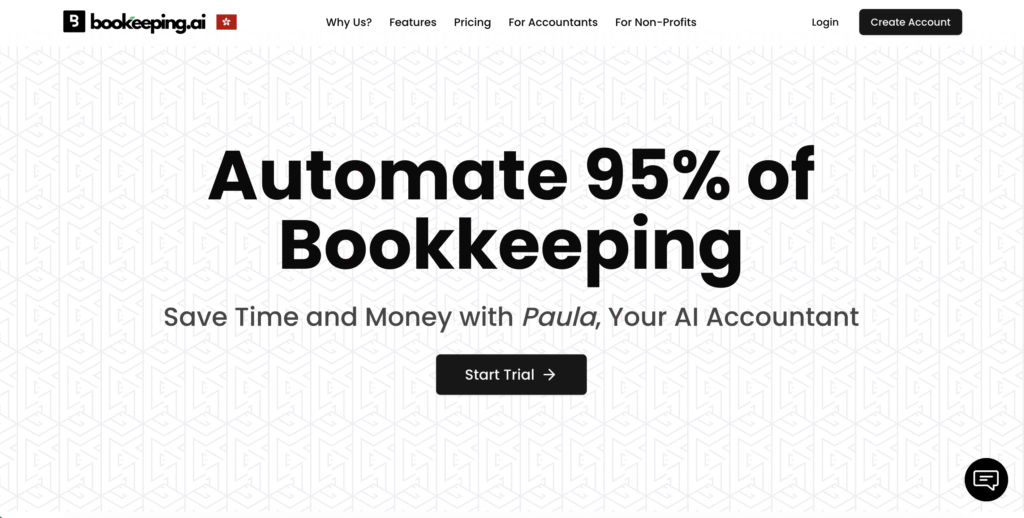
Best for: Solopreneurs and very small teams wanting a fully automated system with conversational AI (chat-based) interaction.
How it works: Bookkeeping.ai’s virtual accountant, Paula AI, handles all bookkeeping automatically. Upload bank statements or CSVs, and Paula automatically creates and categorizes transactions, generates reports, sends invoices, and accepts payments via Stripe.
Key features:
- Chat with Paula to ask questions about expenses, invoicing, and cash flow
- Automatic transaction categorization and invoice processing
- Instant P&L and balance sheet generation
- Invoicing and payment acceptance (Stripe integration)
- Recurring billing automation
Pricing: Competitive pricing for startups; emphasis on affordability.
Practical advantage: Minimal setup time. If you’re starting from scratch and want “set it and forget it” automation without multi-step workflows, this is straightforward.
Trade-off: Less integrations compared to QuickBooks or Xero; best for simple business models.
Zoho Books: Affordable, Robust, and India-Friendly
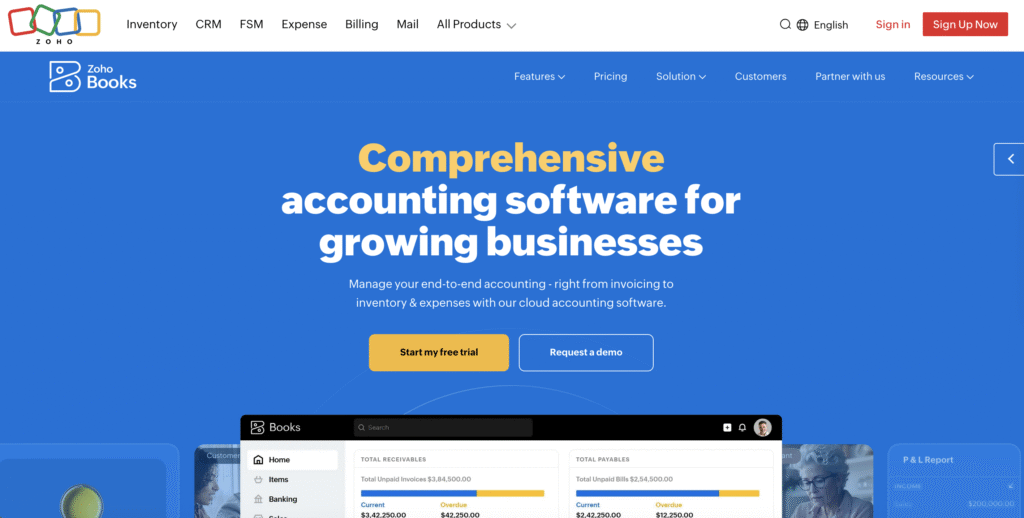
Best for: Budget-conscious small businesses, freelancers, and service providers; particularly strong for businesses with multi-currency or international operations.
How it works: Zoho Books uses Zia AI to automate transaction categorization, invoice processing, and expense tracking. It integrates seamlessly with other Zoho applications (CRM, Desk, Projects) if you use the broader Zoho ecosystem.
Key features:
- AI-powered transaction categorization with continuous learning
- Automatic invoice creation from estimates
- Expense tracking and receipt digitization
- Multi-currency and multi-language support
- Integration with Zoho CRM, Projects, and Inventory
- Mobile app for on-the-go tracking
Pricing: Most affordable option; plans start around $25–50/month.
Practical advantage: If your budget is tight and you’re using other Zoho products, the ecosystem integration saves time and reduces tool sprawl.
Limitation: Zoho’s AI is less sophisticated than Zeni or specialized platforms like Bookkeeping.ai, but it’s more than adequate for straightforward SME bookkeeping.
Digits: Multi-Agent Bookkeeping Automation
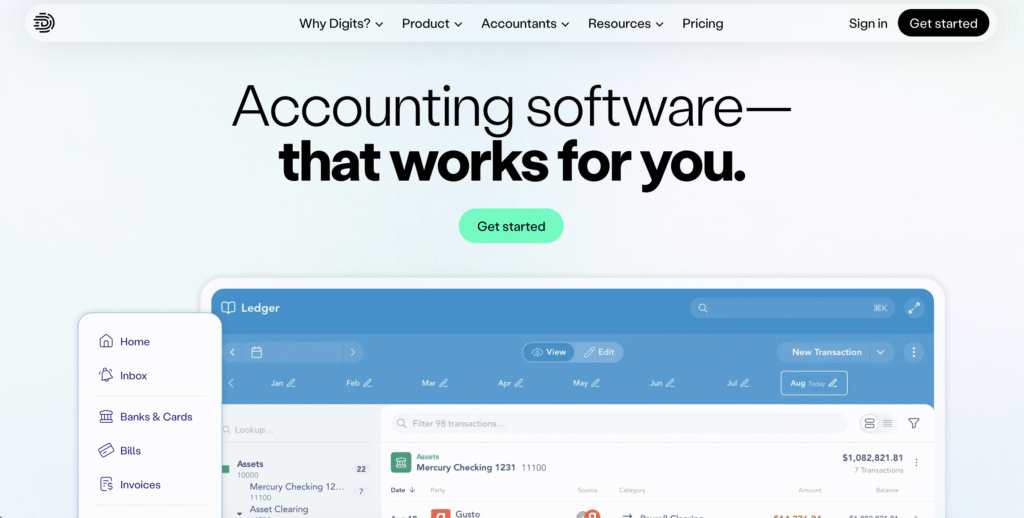
Best for: Growing small businesses and mid-market companies wanting multiple AI agents handling different financial functions simultaneously.
How it works: Digits operates a suite of AI agents—bookkeeping, payments, finance, and reporting—that work in parallel, each handling specialized tasks. The platform learns your business patterns and automates more complex workflows.
Key features:
- Bookkeeping Agent categorizing transactions 24/7 with anomaly detection
- Payments Agent tracking and reconciling bills/invoices automatically
- Finance Agent creating dashboards and statements with trend analysis
- Reporting Agent publishing interactive management reports with AI-generated insights
- Unlimited team collaboration and in-app commenting
- Real-time financial snapshots
Pricing: Scales with features; suitable for growing businesses willing to invest in comprehensive automation.
Practical advantage: If you want multiple bookkeeping functions automated simultaneously without tool switching, Digits consolidates them into one platform.
Example: A 10-person marketing agency reduced its week-long month-end close to 1 day using Digits, freeing the finance manager to focus on cash flow strategy and vendor negotiations.
How AI Bookkeeping Automation Works: Behind the Scenes
Step 1: Data Extraction (OCR and Smart Parsing)
When you upload a bank statement, PDF invoice, or receipt, the system doesn’t see a static document—it uses Optical Character Recognition (OCR) and natural language processing to extract key information:
- Vendor or payee names
- Transaction amounts
- Dates and descriptions
- Invoice numbers and due dates
- Line-item details
AI learns from thousands of invoice formats, so it handles both clean, standardized invoices and handwritten receipts. Modern systems achieve 90%+ data extraction accuracy, reducing the need for manual correction.
Step 2: Intelligent Categorization
Once data is extracted, AI assigns each transaction to the correct accounting category (expense account, revenue stream, etc.). Here’s where AI shines: it doesn’t rely on rigid rules. Instead, it analyzes:
- Historical patterns: “This vendor usually goes to ‘office supplies’; this one should too”
- Transaction amounts: “$45 from Starbucks” is more likely a “client entertainment” expense than “utilities”
- Frequency: Recurring monthly charges are often subscriptions or memberships
- Merchant behavior: The system recognizes that “AMZN” varies between inventory, supplies, and office equipment
AI achieves 90–99% accuracy on high-confidence predictions, with the system flagging lower-confidence entries for your review.
Step 3: Real-Time Reconciliation
As transactions are categorized, they’re automatically matched against your accounting records. The system:
- Matches bank deposits to invoices and customer payments
- Identifies duplicate entries
- Flags discrepancies (e.g., an invoice shows $1,000 but the deposit is $950)
- Reconciles credit card statements against records
- Updates your general ledger in real time
For small businesses, this means month-end reconciliation that once took 4–6 hours now takes 15 minutes.
Step 4: Anomaly Detection and Fraud Prevention
AI continuously monitors transactions for red flags:
- Duplicate invoices (a major fraud vector)
- Unusual spending patterns (e.g., a vendor suddenly billing 10x their normal amount)
- Transactions outside business hours or from unexpected locations
- Suspicious changes to vendor payment details
- Amounts that deviate significantly from historical norms
56% of U.S. companies experience accounts payable fraud; AI detection has reduced fraud by 35% in some organizations within the first year.
Step 5: Reporting and Insights
With clean, categorized data, AI generates actionable reports:
- Real-time cash flow projections
- Expense trend analysis (spending by category, vendor, or department)
- Profitability by customer or project
- Tax liability forecasting
- Variance analysis (explaining why March expenses were 20% higher than February)
These insights arrive automatically—no more waiting for accountants to compile monthly reports.
Implementation Guide: Getting AI Bookkeeping Automation Right
Step 1: Audit Your Current Pain Points
Before choosing a tool, identify what’s costing you the most time and causing the most friction:
- Data entry: How many hours weekly do you spend entering transactions manually?
- Reconciliation: How often do reconciliations take longer than expected due to mismatches?
- Invoice processing: How long does it take from invoice receipt to payment approval?
- Reporting: When do you receive financial reports, and how often are they inaccurate?
- Compliance: Are you struggling to track tax-deductible expenses or prepare for audits?
This audit informs which tool and automation features will deliver the highest ROI for your business.
Step 2: Choose a Platform Aligned with Your Tech Stack
Your choice of bookkeeping platform should integrate with tools you’re already using:
- If you use QuickBooks for invoicing: QuickBooks Online’s automation keeps everything in one ecosystem
- If you use Xero or Zoho: The native AI features integrate seamlessly
- If you’re starting fresh: Consider what integrations matter (CRM, project management, payroll) and choose accordingly
Integration isn’t just convenience—it eliminates data silos. Information flows directly from your bank to the accounting system, reducing manual transfers and errors.
Step 3: Plan Your Data Migration (or Soft Launch)
For existing businesses transitioning from manual bookkeeping or legacy software:
The careful approach: Migrate historical data properly. Inaccurate opening balances corrupt all future reports. Many platforms offer guided data import; don’t rush it.
The parallel approach: Run both systems for one month. Ensure the new AI platform’s numbers match your previous system before fully committing. This proves accuracy and builds team confidence.
The soft launch: Start automating only one process (e.g., expense categorization) while keeping other workflows manual for a month. Once your team trusts the automation, expand to invoicing and reconciliation.
Step 4: Configure Rules and Train Your AI
Most AI bookkeeping platforms allow you to set custom rules:
- Vendor mapping: “Stripe payments always go to ‘merchant processing fees'”
- Amount thresholds: “Transactions over $1,000 require approval before payment”
- Department allocation: “Office supplies should split 40% marketing, 60% operations”
Spend a few hours configuring these rules. They significantly improve automation accuracy without adding ongoing overhead.
Critical: Review the first 50–100 categorizations manually. Correct any misclassifications. The AI learns from corrections, improving accuracy exponentially. Within a month, manual review time drops to <5% of transactions.
Step 5: Train Your Team (And Manage Change)
The biggest barrier to automation success isn’t technology—it’s people. Your team may fear automation means job loss, or they’re simply skeptical of new systems.
Address this head-on:
- Frame it as empowerment: “This tool handles data entry so you can focus on financial strategy and vendor relationships”
- Hands-on training: Don’t just send documentation. Walk through the platform together, answering questions
- Quick wins: Show time savings immediately. If someone spent 2 hours on bank reconciliation, celebrate that it now takes 10 minutes
- Gradual rollout: Don’t automate everything at once. Confidence builds over time
Key Benefits and ROI: What AI Bookkeeping Automation Delivers
1. Massive Time Savings
The numbers: Automation reduces manual bookkeeping tasks by 25–40%, freeing 5–8 hours weekly. A business spending 35 hours monthly on bookkeeping could recover 10–15 hours—roughly $2,500–$4,500 annually in reclaimed labor (at $25/hour rates).
Real impact: That reclaimed time goes toward:
- Strategic financial analysis (identifying which products/services are most profitable)
- Customer relationship management
- Business development
- Cash flow forecasting and planning
- Vendor negotiations
2. Reduced Errors and Improved Accuracy
The numbers: Manual bookkeeping generates up to 30 errors per 1,000 entries. Automation cuts this by 90%.
What this means: Fewer reconciliation headaches, more accurate tax filings, reduced audit risk. One business reduced error correction expenses from $5,000 to $500 annually—a 90% drop.
Secondary benefit: Accurate financial data enables smarter decisions. If your expense categorization is consistently wrong, your profit analysis is misleading.
3. Faster Cash Flow Visibility
The numbers: Real-time transaction processing means cash flow visibility updates automatically, not weekly or monthly.
Scenario: A small retail business using Zoho Books discovered through real-time expense reports that their suppliers were offering 2% early-payment discounts. By adjusting payment timing based on AI-generated insights, they saved $8,000 annually without changing operations.
4. Fraud Detection and Prevention
The numbers: Automation detects 35% more fraudulent invoices than manual review, according to organizations that implemented it.
How it works: AI flags duplicate invoices (often from vendor errors or fraud), suspicious amount changes, and unusual payment patterns—often catching fraud before payment is processed.
5. Faster Month-End and Year-End Closes
The numbers: Month-end close time drops from 4–6 days to 1–2 days. Year-end closes, typically a 2–3 week ordeal, compress to 3–5 days.
Why this matters: Faster closes mean quicker access to financial data for lending, investment, or business sale valuations. It also reduces stress on your finance team during peak periods.
6. Compliance Confidence
The numbers: Accurate categorization and organized digital records reduce audit preparation time by 50%.
Benefit: Tax compliance becomes less stressful. You’re not scrambling for receipts in December. The system maintains a comprehensive audit trail, proving business expenses and deductions if the IRS ever asks.
Common Implementation Challenges and Solutions
Challenge 1: “The AI Miscategorizes My Transactions”
Why it happens: AI learns from your patterns. If early categorizations are inconsistent, the system learns inconsistently.
Solution: Dedicate 1–2 hours upfront to configuring custom rules and reviewing the first 100 categorizations. Correct errors immediately. AI improves exponentially as it learns. After 200–300 transactions, miscategorization typically drops below 5%.
Challenge 2: “Our Accounting System Doesn’t Integrate with the Tool We Chose”
Why it happens: You chose a tool for one feature but discovered it doesn’t integrate with your QuickBooks, Xero, or ERP system.
Solution: Check integrations before purchasing. Most modern platforms integrate with major accounting software. If your tool doesn’t integrate with your ERP or CRM, you’ll manually transfer data—defeating the purpose of automation.
Challenge 3: “Our Team Is Skeptical or Resistant”
Why it happens: Long-time bookkeepers or accountants may feel their job is threatened, or they’re simply uncomfortable with new tools.
Solution: Frame automation as elevation, not replacement. Accountants become financial advisors. Bookkeepers focus on variance analysis and cash flow optimization instead of data entry. Provide hands-on training and celebrate quick wins.
Challenge 4: “Setup Is More Complex Than We Expected”
Why it happens: Data migration, integrations, and configuration require more time than estimated.
Solution: Allocate 1–2 full days for initial setup (not hours). If you’re migrating data from legacy systems, hire an experienced professional for this phase. It’s worth $500–$1,500 to avoid months of corrupted data.
Challenge 5: “We Still Need Manual Review for Everything”
Why it happens: Your business has complex transactions, multiple revenue streams, or highly variable expenses that confuse standard AI models.
Solution: Not all transactions require full automation. Automate the 80% of straightforward transactions (office supplies, routine vendor invoices, salary payments). Keep 20% for manual review. This still saves 16+ hours monthly for most small businesses.
Manual vs. AI-Powered Bookkeeping for Small Businesses
| Aspect | Manual Bookkeeping | AI-Powered Bookkeeping | Impact for Small Businesses |
|---|---|---|---|
| Time per month | 35–50 hours | 5–10 hours | 25–40 hours saved weekly (potential $2,500–$4,500/month in labor recovery) |
| Categorization accuracy | 75% (30 errors per 1,000 entries) | 90–99% | Fewer tax corrections, audit confidence, better financial insights |
| Month-end close time | 4–6 days | 1–2 days | Faster financial decisions, reduced stress on finance team |
| Fraud detection | Manual review only (inconsistent) | Real-time AI monitoring (35% more fraud caught) | Significant fraud prevention, protected cash flow |
| Cost per month | $2,500–$4,000 (bookkeeper salary + software) | $100–$300 (software + minimal bookkeeper oversight) | 70–85% cost reduction |
| Real-time reporting | Weekly or monthly summaries | Continuous, automatic updates | Faster cash flow visibility, better decision-making |
| Compliance readiness | Scattered documents, manual reconciliation | Organized audit trail, automatic reconciliation | Reduced audit risk, faster year-end close |
| Scalability | Adding transactions requires adding staff | Software scales without proportional cost increase | Growth doesn’t proportionally increase bookkeeping costs |
How Different Small Business Types Benefit from AI Bookkeeping Automation
Service-Based Businesses (Agencies, Consulting, Freelance)
Pain point: Tracking billable hours, managing multiple client invoices, and expense allocation by project.
AI bookkeeping solution: Automate invoice creation based on timesheet data, categorize expenses by project, and generate profitability reports by client. Result: A 5-person marketing agency reduced month-end close from 3 days to 4 hours, enabling the owner to identify which service packages are most profitable.
Retail and E-Commerce
Pain point: High transaction volume (hundreds daily), multi-channel payment processing, inventory management, and supplier invoice handling.
AI bookkeeping solution: Automate bank feeds from Shopify, Stripe, and Amazon; reconcile payouts automatically; categorize inventory purchases separately from operating expenses. Result: A UK retail company reduced invoice processing time by 80%, saving 40+ hours monthly previously spent matching supplier invoices.
Construction and Project-Based
Pain point: Complex cost tracking, project profitability analysis, and managing dozens of subcontractor invoices monthly.
AI bookkeeping solution: Automate invoice capture and payment approval workflows, use job costing automation to allocate costs by project, and generate real-time profitability reports by project. Result: A small construction company reduced approval bottlenecks by 95% and improved vendor relationships through faster payment processing.
Legal Practices
Pain point: Time tracking, client billing accuracy, and reconciling billable hours to invoices.
AI bookkeeping solution: Automate invoice generation from time-tracking software, categorize expenses by client, and generate billing reports. Result: A legal practice increased billable hours by 20% and saved 15 hours weekly on bookkeeping, allowing attorneys to focus on client work.
Non-Profits and Membership Organizations
Pain point: Grant tracking, donation categorization, and restricted-fund accounting compliance.
AI bookkeeping solution: Automate donor transaction categorization, allocate revenue to restricted/unrestricted funds, and generate grant compliance reports. Result: Reduced administrative overhead, more time spent on mission-critical work.
Frequently Asked Questions
Q1: Will AI bookkeeping automation replace my accountant or bookkeeper?
No. AI handles data entry and routine categorization—tasks that don’t require judgment. Your accountant or bookkeeper becomes more valuable by analyzing trends, advising on tax strategy, and reviewing AI decisions rather than wasting time on manual entry. For businesses with dedicated bookkeeping staff, automation typically reallocates their role toward advisory work rather than eliminating it. For solopreneurs, AI means you no longer need to outsource bookkeeping; you can handle it in-house with minimal time commitment.
Q2: How accurate is AI bookkeeping automation, really?
Modern AI achieves 90%+ accuracy on transaction categorization, compared to 75% for manual entry. High-confidence predictions reach 94–99% accuracy. The key is the first month—review categorizations, make corrections, and let the AI learn. After 200–300 transactions, most systems require manual review on <5% of entries.
Q3: How long does setup take?
Expect 1–2 days for initial setup (data import, integration, configuration). If you’re migrating from legacy software, add another 2–3 days for data migration. However, the system begins saving time immediately. Within a month, you’re seeing measurable time savings.
Q4: What if our business has unique or complex transactions?
AI handles ~80% of straightforward transactions automatically. For the remaining 20% (multi-location allocations, grant accounting, complex project costs), the system flags these for manual review. This still saves 16+ hours monthly for most small businesses. You can also configure custom rules to handle business-specific patterns.
Q5: Which platform is best for my business?
It depends on your existing tech stack and priorities:
– Already use QuickBooks? QuickBooks Online automation is your easiest path.
– Want maximum time savings with human oversight? Zeni or Pilot (hybrid AI + accountant).
– On a tight budget? Zoho Books offers the best price-to-feature ratio.
– Want fully automated, hands-off bookkeeping? Bookkeeping.ai or Digits.
Test free trials (most offer 14–30 day trials) before committing.
Q6: How much will AI bookkeeping automation cost vs. traditional bookkeeping?
AI bookkeeping software costs $35–$300/month depending on features. Traditional outsourced bookkeeping runs $500–$2,500/month. DIY traditional bookkeeping, if done in-house by a part-time bookkeeper, costs $1,500–$3,000/month in salary. AI reduces costs by 70–85% while improving accuracy and speed.
Q7: Is my financial data secure in the cloud?
Yes. Modern AI bookkeeping platforms are ISO 27001 certified and GDPR compliant. Your data is encrypted, backed up, and more secure than on-premise spreadsheets or filing cabinets. Verify security certifications before choosing a platform; most publicly post them.
Conclusion
Small businesses operate on thin margins and tighter timelines. Every hour spent on manual bookkeeping is an hour not spent on sales, product development, or customer relationships. AI bookkeeping automation reclaims that time—typically 5–8 hours weekly, worth $2,500–$4,500 annually in recovered labor alone.
Beyond time savings, you gain accuracy (90%+ vs. 75%), fraud detection, faster financial visibility, and compliance confidence. The financial impact is real: 22% average operating cost reductions, 30–200% ROI in year one, and the ability to scale your business without proportionally scaling your bookkeeping burden.
The barrier to implementation isn’t technical—it’s inertia. You’ve been managing bookkeeping a certain way, and change feels risky. But consider the cost of not changing: Your competitors using AI are already 5–8 hours ahead weekly. They’re making faster cash flow decisions. They’re catching fraud faster. They’re scaling without hiring additional bookkeeping staff.
Your Next Steps
1. Audit your pain points: Spend 30 minutes identifying your biggest bookkeeping challenges (time spent, errors, slow reporting).
2. Test a platform: Choose 1–2 tools that align with your existing systems and request free trials. Don’t rely on feature comparison—experience the interface yourself.
3. Start with one process: Automate expense categorization or bank reconciliation first. Prove the system works in your business before expanding to invoicing and payroll.
4. Measure impact: After one month, calculate hours saved. You’ll likely be surprised—and convinced.
The future of small business finance isn’t manual spreadsheets or lengthy month-end closes. It’s real-time insights, automated workflows, and teams focused on growth instead of data entry. AI bookkeeping automation makes that future achievable—today.