
Table of Contents
Running a small business today means juggling countless operational tasks: managing customer inquiries, processing invoices, scheduling staff, tracking inventory, and handling marketing—often with a lean team. Many small business owners spend 30–40% of their workweek on repetitive, administrative tasks that don’t directly generate revenue. This operational burden drains resources, slows growth, and creates bottlenecks that frustrate both employees and customers.
The best AI automation tools by industry offer a practical solution to this challenge. Unlike enterprise-level systems that require large budgets and technical teams, modern AI automation platforms are designed for small businesses, offering intuitive interfaces, affordable pricing, and quick implementation timelines. Recent studies show that small businesses implementing AI automation report an average of 25–40% reduction in operational costs during their first year, with most seeing positive return on investment (ROI) within 6 weeks.
But not all AI tools are created equal. Different industries face unique operational challenges—a retail shop has different automation needs than a service-based consulting firm or a hospitality business. This guide explores the best AI automation tools by industry, providing specific examples, real-world use cases, and a practical framework for selecting and implementing the right solutions for your business.
What Are the Best AI Automation Tools by Industry?
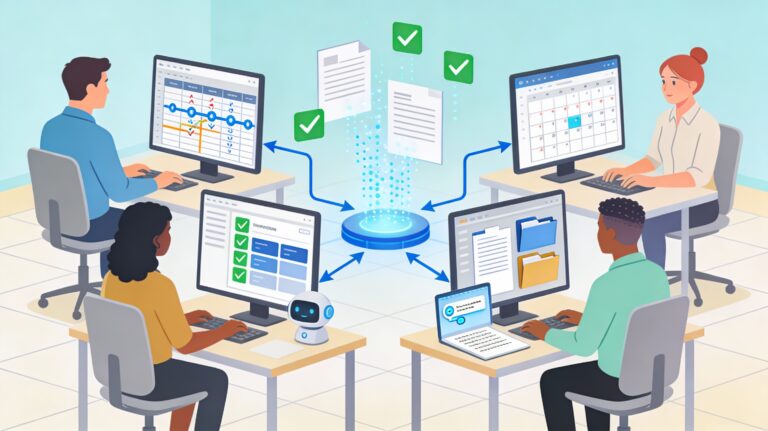
AI automation tools by industry are software platforms that use artificial intelligence to handle repetitive, rule-based tasks specific to your business sector. These tools connect your existing applications—CRM, email, accounting software, scheduling systems—and automate workflows without human intervention. For a retail business, this might mean automating inventory reordering; for a service provider, it could mean automatically scheduling customer appointments and sending confirmations.
The key distinction: industry-specific tools address the particular pain points of your sector, whether that’s demand forecasting for retail, appointment management for healthcare, or guest communication for hospitality. This targeted approach means faster implementation, higher adoption rates, and better ROI compared to generic automation platforms.
Why AI Automation Tools Matter Now for Small Businesses
The cost of not automating has never been higher. With labor shortages, rising operational expenses, and increasing customer expectations for 24/7 availability, small businesses operating without automation fall behind. Several converging trends make now the ideal time to adopt AI automation tools by industry:
Accessibility and Affordability: AI automation tools no longer require six-figure implementations. Cloud-based platforms offer free trials, freemium tiers, and subscription pricing starting as low as $9–$29 per month, making them accessible to businesses of any size.
Ease of Use: Modern platforms prioritize user-friendly interfaces. No-code automation tools like Zapier, Make, and Parabola let business owners build workflows through simple drag-and-drop interfaces or natural language descriptions, eliminating the need for a dedicated IT team.
Proven ROI: Studies from 2025 show that 61% of small businesses adopt AI specifically to save time, and those measuring their AI ROI are 1.7 times more likely to achieve their goals. Median annual cost savings for AI-adopting businesses reach approximately $7,500, with some realizing savings exceeding $20,000 per year.
Competitive Necessity: Larger competitors have already implemented automation. Small businesses that delay risk losing market share to more efficient competitors who can respond faster, offer better pricing, and provide superior customer service.
The Best AI Automation Tools by Industry: A Comprehensive Guide
1. Retail and E-Commerce

Retail and e-commerce businesses face unique operational challenges: managing inventory across multiple locations, personalizing customer experiences, processing high transaction volumes, and optimizing pricing in real time. The best AI automation tools by industry for retail address these specific needs.
Key Retail Automation Challenges
Inventory Management: Overstocking ties up capital and creates waste; understocking leads to lost sales. Manual inventory tracking is error-prone and time-consuming, particularly for multi-location retailers or seasonal businesses.
Demand Forecasting: Predicting customer demand based on historical sales, seasonality, local events, and market trends is complex without AI. Inaccurate forecasts lead to inefficient stock allocation and missed sales opportunities.
Customer Experience Personalization: Modern customers expect personalized recommendations. Manually curating product suggestions for thousands of customers is impossible.
Dynamic Pricing: Adjusting prices in real time based on competitor pricing, inventory levels, and demand requires constant monitoring and manual updates.
Top Tools and Real-World Use Cases
Shopify AI and the Shopify App Store offers integrated solutions for e-commerce businesses. Tools like Shopify Magic automate product descriptions, image generation, and store layout suggestions. Apps like Bold Upsell and Upsell.com (formerly ReConvert) use AI to generate personalized product recommendations and automated post-purchase emails, increasing average order value.
Example: A boutique e-commerce retailer selling artisan home goods implemented Shopify’s AI product description tool combined with an app-based recommendation engine. Result: 28% increase in average order value within two months, with product descriptions generated in a fraction of the manual time.
Inventory Management Platforms: Tools like Cin7, TraceLink, and Leafio use AI to analyze historical sales data, seasonal trends, and external factors (weather, local events, competitor actions) to predict demand. The system automatically generates reorder alerts and optimizes stock levels across locations.
Real Example: A multi-location specialty retailer implemented AI-driven inventory management. Within three months, they reduced carrying costs by 18%, decreased stockouts by 35%, and improved cash flow by $40,000 through more efficient stock allocation.
Dynamic Pricing Tools: Platforms like Revionics and AI-powered integrations within Shopify adjust prices in real time based on competitor pricing, inventory levels, and demand signals.
Implementation Steps for Retail Automation:
- Audit Current Processes: Identify which tasks consume the most time and create the most errors (inventory tracking, pricing updates, customer support).
- Choose Industry-Specific Tools: Select platforms designed for retail (e.g., Shopify ecosystem tools, specialized inventory platforms) rather than generic workflow automation.
- Start with One Workflow: Begin by automating your most painful process—often inventory management or customer follow-up emails.
- Train Your Team: Ensure staff understand how to monitor automated processes and intervene when necessary.
- Measure Results: Track cost savings, inventory accuracy improvements, and customer satisfaction metrics before and after implementation.
2. Service-Based Businesses

Service-based businesses—consulting firms, agencies, law practices, accounting firms, and freelancers—operate on limited margins where every hour counts. The best AI automation tools by industry for services focus on client communication, scheduling, billing, and project management.
Key Service Business Automation Challenges
Client Communication and Follow-Up: Service businesses often lose clients or miss upsell opportunities because follow-up emails, confirmations, and check-ins slip through the cracks. Manual tracking of client touchpoints is time-consuming and inconsistent.
Appointment and Project Scheduling: Coordinating client meetings, team resources, and deadlines across multiple clients creates scheduling conflicts and administrative overhead.
Billing and Invoicing: Manual invoice creation, payment tracking, and follow-up on overdue invoices drain valuable professional time.
Lead Qualification: Service businesses receive inquiries of varying quality. Manually qualifying and nurturing leads before passing to sales consumes hours weekly.
Top Tools and Use Cases
HubSpot Sales Hub combines CRM automation with AI-powered lead scoring and email personalization. The platform automates follow-up emails, schedules meetings based on client availability, and scores leads based on engagement level.
Real Example: A 5-person marketing agency implemented HubSpot’s automation workflows to nurture leads and schedule client meetings. Results: reduced time spent on administrative tasks by 12 hours per week, improved lead conversion rate by 42%, and increased revenue per client by 23% through better nurturing.
Notion AI with Zapier Integration creates a central hub for project management, client communication, and team collaboration. Notion’s AI assistant summarizes meeting notes, extracts action items, and auto-generates client reports from project data.
Real Example: A consulting firm used Notion AI to automate client report generation and project status updates. What previously took 8 hours weekly of administrative work now takes 45 minutes—a 94% time savings—while improving client communication consistency.
Reply.io and Lindy for Outreach Automation: These platforms automate personalized outreach sequences, follow-up emails, and lead engagement tracking without sounding robotic.
Implementation Steps for Service Businesses:
- Map Your Client Lifecycle: Identify all touchpoints from initial inquiry through project completion and follow-up.
- Prioritize High-Value Tasks: Focus automation on activities that consume significant time but don’t require high-touch personal interaction (scheduling, invoice follow-up, status updates).
- Choose Tools with CRM Integration: Ensure your automation platform connects seamlessly with your existing CRM to maintain a single source of truth for client data.
- Implement Gradual Rollout: Begin with email automation and appointment scheduling before expanding to reporting and billing workflows.
- Monitor Client Satisfaction: Ensure automation enhances (not replaces) personal client relationships. Balance efficiency with the human touch that clients value.
3. Hospitality and Service Operations

Hotels, restaurants, resorts, and hospitality businesses manage complex operations: guest communications across multiple channels, room scheduling and maintenance, staffing coordination, and pricing optimization. The best AI automation tools by industry for hospitality streamline guest experiences while reducing operational costs.
Key Hospitality Automation Challenges
24/7 Guest Support: Guests expect round-the-clock assistance for inquiries, reservations, and requests. Staffing a 24/7 support desk is expensive and inefficient.
Personalization at Scale: Hospitality thrives on personalized experiences, but manually customizing each guest interaction is resource-intensive.
Operational Efficiency: Scheduling housekeeping, maintenance, and room service requests based on occupancy and guest preferences requires constant coordination.
Revenue Optimization: Dynamic pricing based on occupancy, demand, and competitor rates requires manual monitoring or expensive enterprise solutions.
Top Tools and Use Cases
AI-Powered Chatbots (Aidbase, Tidio, Intercom) handle 24/7 guest inquiries in multiple languages, reducing the need for night shift staffing. These chatbots answer FAQs, process reservations, and escalate complex issues to human agents.
Real-World Impact: Hilton’s AI chatbot Xiao Xi manages over 50,000 customer queries with a 94% satisfaction rating. Marriott’s “MC” chatbot, which assists with bookings and local recommendations, has driven a 60% return visitor rate. Radisson Blu’s “Edward” chatbot has processed over 28,000 interactions with average response times of just 2 minutes.
Guest Personalization and Predictive Analytics: Platforms like Revinate and Looker analyze guest data to predict preferences, trigger personalized recommendations, and anticipate service needs.
Implementation Steps for Hospitality:
- Start with Guest Communication: Implement a chatbot for handling FAQs and basic requests. This frees staff for meaningful guest interactions.
- Optimize Internal Operations: Deploy AI scheduling tools for housekeeping, maintenance, and staffing to improve efficiency.
- Implement Personalization: Use AI analytics to identify patterns in guest preferences and trigger personalized recommendations and offers.
- Train Staff: Ensure team members understand how to work alongside AI tools and when to escalate issues requiring human judgment.
- Measure Guest Satisfaction: Track Net Promoter Score (NPS), repeat visitor rates, and online reviews to ensure automation enhances (not detracts from) the guest experience.
4. Manufacturing and Operations

Small manufacturing businesses face pressure to maintain quality, optimize production schedules, and reduce waste while operating on tight margins. The best AI automation tools by industry for manufacturing focus on predictive maintenance, quality control, and production optimization.
Key Manufacturing Automation Challenges
Unplanned Downtime: Equipment failures disrupt production schedules and are costly. Reactive maintenance (fixing equipment only when it breaks) is more expensive than preventive maintenance.
Quality Control: Manual quality inspections are slow, inconsistent, and labor-intensive. Defective products that reach customers damage reputation and incur warranty costs.
Production Scheduling: Optimizing production schedules across multiple machines, orders, and resources without AI requires constant manual adjustments.
Inventory and Supply Chain Management: Small manufacturers often operate with limited inventory visibility, leading to bottlenecks or excess stock.
Top Tools and Use Cases
Predictive Maintenance Platforms: AI systems monitor sensor data from machinery to predict failures before they occur, enabling proactive maintenance that reduces unplanned downtime by 20–35%.
Real Example: A small precision manufacturing company deployed an AI predictive maintenance system monitoring production equipment. Results: reduced unplanned downtime by 30%, extended equipment lifespan by 18%, and saved approximately $45,000 annually in emergency repair costs.
Computer Vision for Quality Control: AI-powered visual inspection systems analyze product images to detect defects faster and more accurately than manual inspection, reducing defect rates and improving consistency.
Real Example: A custom manufacturing company implemented AI-driven quality control. Result: defect rates dropped by 45%, inspection time per unit decreased by 60%, and customer returns declined by 52%.
Production Scheduling and Optimization: AI systems analyze order backlogs, machine capacity, material availability, and resource constraints to generate optimized production schedules that minimize idle time and reduce lead times.
Real Example: A small manufacturing operation implemented AI production scheduling. Results: production efficiency increased by 32%, on-time delivery rate improved from 78% to 94%, and labor productivity increased by 28%.
Implementation Steps for Manufacturing:
- Assess Current Maintenance Approach: Document unplanned downtime, repair costs, and quality issues over the past 12 months.
- Implement Predictive Maintenance First: This typically delivers the fastest ROI by reducing costly emergency repairs.
- Integrate Quality Control Automation: Deploy AI visual inspection for high-volume, repetitive quality checks.
- Optimize Production Scheduling: Use AI tools to analyze bottlenecks and improve schedule efficiency.
- Train Technicians: Ensure technicians understand how to work with AI monitoring systems and interpret recommendations.
5. Healthcare and Professional Services

Healthcare practices, dental offices, therapy clinics, and professional service providers handle scheduling complexity, patient communication, billing, and compliance requirements. The best AI automation tools by industry for healthcare automate administrative tasks while maintaining HIPAA compliance and personal patient relationships.
Key Healthcare Automation Challenges
Appointment No-Shows: No-shows result in lost revenue and inefficient scheduling. Automated reminders reduce no-show rates significantly.
Patient Communication: Managing appointment confirmations, follow-up instructions, and test results across phone, email, and patient portals is time-consuming.
Billing and Insurance: Manual billing, insurance verification, and claims follow-up create administrative bottlenecks and cash flow delays.
Administrative Workload: Front desk and administrative staff spend significant time on scheduling, data entry, and document management rather than patient care support.
Top Tools and Use Cases
Automated Appointment Reminders and Scheduling: Platforms like Acuity Scheduling and patient communication tools automate appointment reminders, reduce no-shows, and streamline scheduling.
Real Example: A multi-location healthcare practice automated appointment reminders, patient intake forms, and billing notifications. Results: reduced no-show rate by 55%, decreased administrative staff time by 30%, improved patient satisfaction scores, and reduced billing errors by 45%.
More AI Scheduling Software for Your Business Growth
Billing and Insurance Verification Automation: Tools like Zeni and specialized healthcare platforms automate insurance verification, claims submission, and payment posting, improving cash flow and reducing billing errors.
Implementation Steps for Healthcare:
- Prioritize Compliance: Ensure any AI tool is HIPAA-compliant and handles patient data securely.
- Start with Appointment Management: Implement automated reminders and scheduling to reduce no-shows and administrative overhead.
- Automate Patient Communication: Deploy patient messaging systems for appointment reminders, follow-up instructions, and billing notifications.
- Streamline Billing: Automate insurance verification and claims submission to improve cash flow and reduce errors.
- Monitor Patient Experience: Ensure automation enhances patient communication and satisfaction rather than creating impersonal touchpoints.
Manual vs. AI-Powered Automation: A Small Business Comparison
To illustrate the impact of automation, consider a side-by-side comparison of manual versus AI-powered processes across common business functions:
| Business Function | Manual Process | AI-Powered Automation | Time Saved | Accuracy Improvement | Annual Cost Impact |
|---|---|---|---|---|---|
| Customer Follow-Up | Sales rep manually sends follow-up emails, tracks responses in spreadsheet | AI tool automatically sends personalized follow-ups, scores leads by engagement, alerts rep to hot prospects | 12–15 hrs/week | 40% improvement in response consistency | $8,000–$12,000 savings in labor |
| Appointment Scheduling | Customer calls or emails, admin manually checks calendar, confirms via email | AI chatbot handles scheduling, sends confirmations, reminders, and reschedules no-shows | 8–10 hrs/week | 55% reduction in no-shows | $5,000–$8,000 savings + recovered revenue |
| Invoice Management | Staff manually creates invoices, tracks payments, sends reminders | AI system generates invoices, sends automatically, tracks payment status, escalates overdue accounts | 5–8 hrs/week | 35% fewer billing errors | $3,000–$6,000 savings in labor + improved cash flow |
| Inventory Reordering | Manager manually reviews stock levels, places orders based on intuition | AI analyzes sales data, predicts demand, automatically generates reorder alerts | 4–6 hrs/week | 25–30% reduction in stockouts and overstocking | $5,000–$10,000 in waste reduction |
| Customer Support Inquiries | Support team manually responds to emails, live chat, social messages | AI chatbot handles 70–80% of inquiries (FAQs, simple requests), escalates complex issues | 20–30 hrs/week | 40% faster response times | $12,000–$20,000 labor savings |
Key Takeaway: Automating five common business functions can save a typical small business 50–70 hours weekly and $35,000–$60,000 annually—the equivalent of hiring one full-time employee at a fraction of the cost.
How to Choose the Right AI Automation Tools
With hundreds of platforms available, selecting the right best AI automation tools by industry requires a structured decision-making approach. Follow these steps to identify the best fit for your business:
Step 1: Define Your Automation Goals and Priorities
Begin by identifying which business processes consume the most time, create the most errors, or impact customer satisfaction. Ask yourself:
What tasks do employees spend the most time on that don’t directly generate revenue? Common answers include data entry, email management, scheduling, invoicing, and customer support inquiries.
Which processes cause the most customer friction or complaints? Slow response times, scheduling delays, and billing errors often rank highly.
What’s the financial impact of these inefficiencies? Calculate the cost of lost productivity (hours × hourly rate) plus any quantifiable business impact (missed sales due to slow response times, inventory waste, billing errors).
Document baseline metrics before implementing any automation tool. Measure current process duration, error rates, customer satisfaction scores, and costs. You’ll compare these later to calculate ROI.
Step 2: Research Industry-Specific Tools
Not all automation tools serve all industries equally. A tool perfect for e-commerce may not suit a law practice. Search for platforms specifically designed for your industry, reading case studies and reviews from similar businesses.
Look for:
- Platforms with integrations to your existing software (CRM, accounting system, email, etc.)
- Ease of use for non-technical team members
- Transparent pricing with clear tiers
- Strong customer support and onboarding resources
- Security and compliance certifications relevant to your industry
Step 3: Evaluate Integration and Scalability
Choose tools that connect seamlessly with your existing software ecosystem. Poor integration means manual data transfer, duplicated effort, and reduced effectiveness.
Consider scalability: Will the tool support your business as you grow? Can you add more users, features, or processes without switching platforms? Scalable solutions protect your investment.
Step 4: Test with a Pilot Implementation
Before full rollout, pilot the tool with one workflow. This might be automating customer follow-up emails, scheduling appointments, or inventory reordering. Set a pilot timeframe (typically 30 days) and measure:
- Setup and training time required
- Actual time saved vs. projected savings
- Error rates and quality of automated outputs
- Team adoption and satisfaction
- Early ROI signals
Step 5: Calculate Expected ROI
Use a straightforward ROI formula to compare tools and justify implementation costs:
ROI (%) = [(Net Gain − Investment Cost) ÷ Investment Cost] × 100
Example: If you invest $5,000 in automation implementation and tools over six months and realize $6,800 in net gain (cost savings plus recovered labor), the ROI is:
(6,800−5,000)÷5,000(6,800 − 5,000) ÷ 5,000(6,800−5,000)÷5,000 × 100 = 36% ROI
Most small businesses see positive ROI within 6 weeks to 3 months for well-chosen tools.
Implementation Best Practices for AI Automation Success
Choosing the right tool is only half the battle. Successful implementation requires planning, training, and ongoing monitoring. Follow these best practices:
Secure Team Buy-In and Change Management
Employees may worry that automation will eliminate their jobs. Communicate clearly that automation handles repetitive tasks, freeing staff to focus on higher-value work. Involve team members in tool selection and implementation; they often have valuable insights into workflow inefficiencies.
Start Small and Scale Gradually
Avoid trying to automate your entire operation at once. Pilot one workflow, refine based on feedback, and expand to additional processes. This approach reduces implementation risk and builds organizational confidence in automation.
Invest in Training and Support
Even user-friendly tools require training. Dedicate time for team onboarding, create documentation, and assign a “champion” within your team who becomes the expert. Most platforms offer training resources; take advantage of them.
Monitor, Measure, and Refine
Track key performance indicators (KPIs) related to your automation goals. Are response times actually improving? Is customer satisfaction increasing? Is automation quality consistent? Monthly reviews allow you to refine workflows and prove ROI to stakeholders.
Plan for Maintenance and Updates
AI tools evolve and require periodic tuning. As your business processes change, workflows may need adjustment. Budget time and resources for ongoing maintenance.
Frequently Asked Questions
Q1. What’s the typical timeline for seeing ROI from AI automation tools by industry?
Most small businesses see measurable ROI within 6 weeks to 3 months of implementation. Quick-win automation like chatbots, email follow-up sequences, and appointment reminders typically deliver faster ROI (3–4 weeks), while more complex integrations may take longer. Early pilots often show time savings immediately, with financial ROI following as operational costs decrease or revenue increases.
2. Do I need technical expertise to implement AI automation tools by industry?
No. Modern platforms prioritize ease of use, with no-code interfaces and pre-built templates. Zapier, Parabola, Make, and similar platforms allow business owners with no technical background to build complex workflows. That said, having a tech-savvy team member or external consultant can accelerate implementation and ensure quality.
3. What’s the difference between general workflow automation (like Zapier) and industry-specific AI tools?
General workflow tools connect applications and automate data flows between them. Industry-specific tools add domain knowledge—they understand retail inventory dynamics, healthcare HIPAA compliance, or hospitality guest preferences—to deliver more relevant automation. Often, the best solution combines both: a general automation platform (Zapier, Make) with industry-specific apps or custom configurations.
4. How much does AI automation by industry cost, and is it worth the investment?
Costs vary widely. Entry-level tools like Zapier or Lindy start at $9–$29/month. More advanced platforms range from $50–$300/month. Specialized industry solutions may be higher. For a typical small business automating 3–5 key workflows, expect $100–$500/month in tool costs plus implementation time. Studies show this investment returns 2–4x within the first year through cost savings and improved efficiency.
5. How secure are AI automation tools, especially for sensitive data like customer information?
Reputable platforms offer enterprise-grade security, including encryption, compliance certifications (SOC 2, GDPR, HIPAA where applicable), and data residency options. Review a vendor’s security documentation before implementation. Many small business tools actually offer better security than legacy systems because they’re cloud-based with automatic updates.
6. Can I automate processes specific to my industry if there’s no exact tool match?
Yes. General workflow automation platforms like Zapier, Make, and Parabola can be customized to handle industry-specific processes. Alternatively, you can combine multiple tools to create a custom solution. For example, a small legal practice might combine Notion for case management, Zapier to sync case data to email templates, and a scheduling tool for client appointments. The flexibility of modern platforms means you’re rarely limited by tool availability.
7. What happens if I choose the wrong tool? Can I switch later?
Yes, but switching has costs in terms of data migration, training, and workflow rebuilding. To minimize this risk, start with pilot projects before committing to long-term contracts. Most platforms offer 30-day free trials. Carefully evaluate integration capabilities with your existing software to reduce switching friction later.
Conclusion: Taking Action with AI Automation Tools
The competitive landscape for small businesses has shifted. Operational efficiency is no longer a luxury—it’s a necessity. Small businesses leveraging AI automation tools by industry gain significant advantages: faster response times to customer inquiries, reduced operational costs, improved product quality, and the ability to scale without proportionally increasing headcount.
The evidence is clear. Small businesses implementing AI automation report:
- 25–40% reduction in operational costs during the first year
- 6.2 hours saved per employee per week on administrative tasks
- 37% faster response times to customer inquiries
- Positive ROI within 6 weeks to 3 months for most implementations
The path forward requires three concrete steps:
First, identify your highest-impact opportunity. Review the automation challenges specific to your industry outlined in this guide. Which process consumes the most time or creates the most friction? That’s your starting point.
Second, research and pilot a tool. Use free trials to test platforms designed for your industry. Involve your team and measure results over 30 days. Most businesses discover that a well-chosen tool delivers obvious benefits quickly.
Third, commit to ongoing optimization. Automation is not a “set and forget” initiative. Monitor results, gather team feedback, and refine workflows monthly. As you realize ROI from your first automation, expand to additional processes.
The businesses that will thrive in 2026 and beyond aren’t necessarily those with the largest budgets—they’re the ones that work smarter, not harder. Start your automation journey today with industry-specific AI tools designed for small business success.
Want to know what other AI Automation Tools can you use to transform your business? Click here